
Article verified for Release 15.2 on December 18, 2025.
This article explains how to export a test from the YouTestMe GetCertified application in SCORM format. SCORM allows you to package testing content into standardized packages that can be exported from the web application and used in SCORM-compliant environments, even offline.
Exporting test
You can export a SCORM package for already created tests. Here are the instructions on how to create a test:
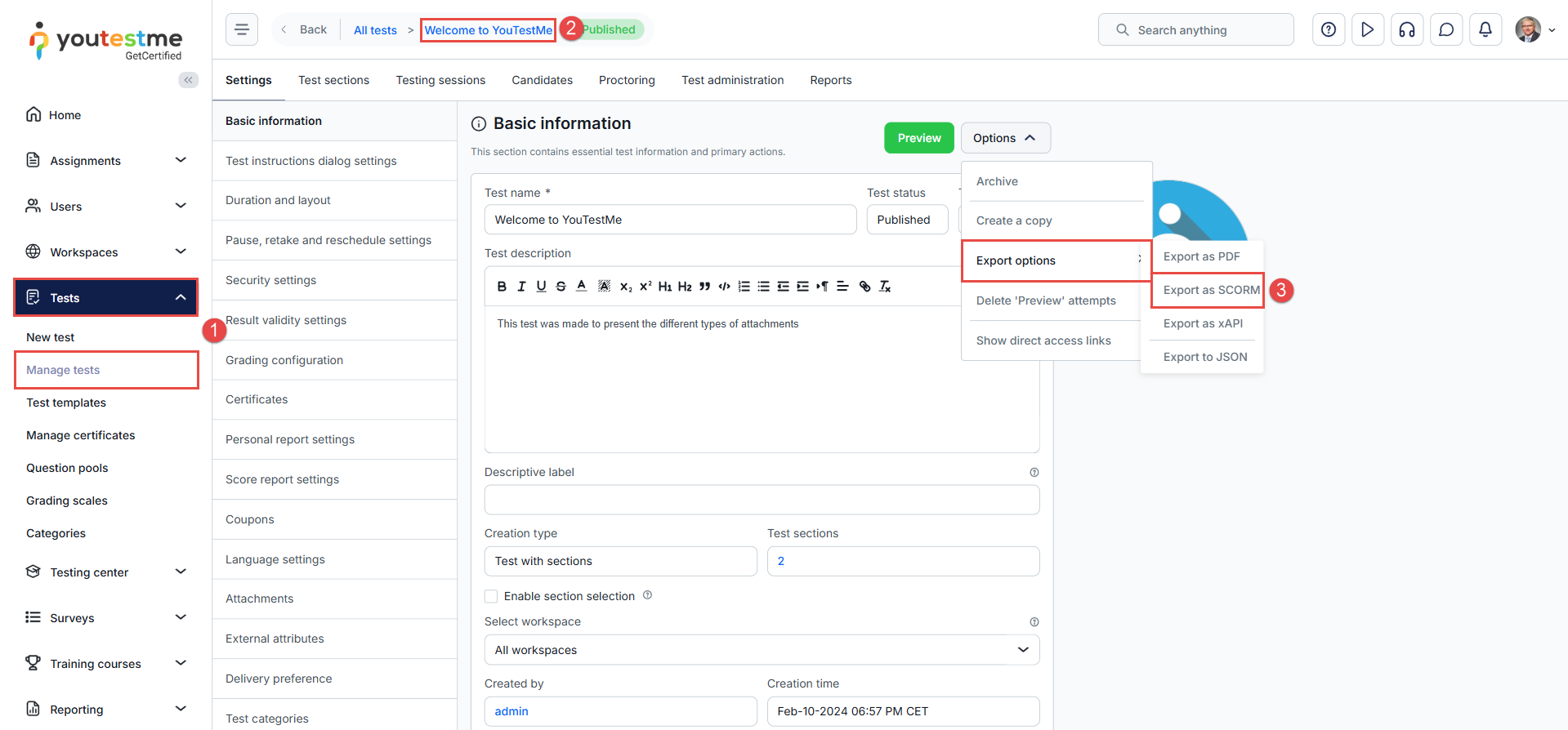
To export the package from YouTestMe GetCertified:
- Select the Tests/Manage tests tab.
- Open the desired test from the list.
- Click the Export option button at the top of the page, then select Export as SCORM.
All tests will be exported regardless of their creation type, but tests with sections will be exported as a single test without sections. Also, all question types, including branching questions, will be exported regardless of the scoring method.
Using the SCORM Package
SCORM (Sharable Content Object Reference Model) is a widely adopted standard for e-learning content. Exporting content in this format ensures compatibility across various Learning Management Systems (LMS) and e-learning platforms, making it highly interoperable.
The example below demonstrates how to upload and test SCORM content using SCORM Cloud. After logging in to SCORM Cloud (you can quickly create an account if needed), follow these steps:
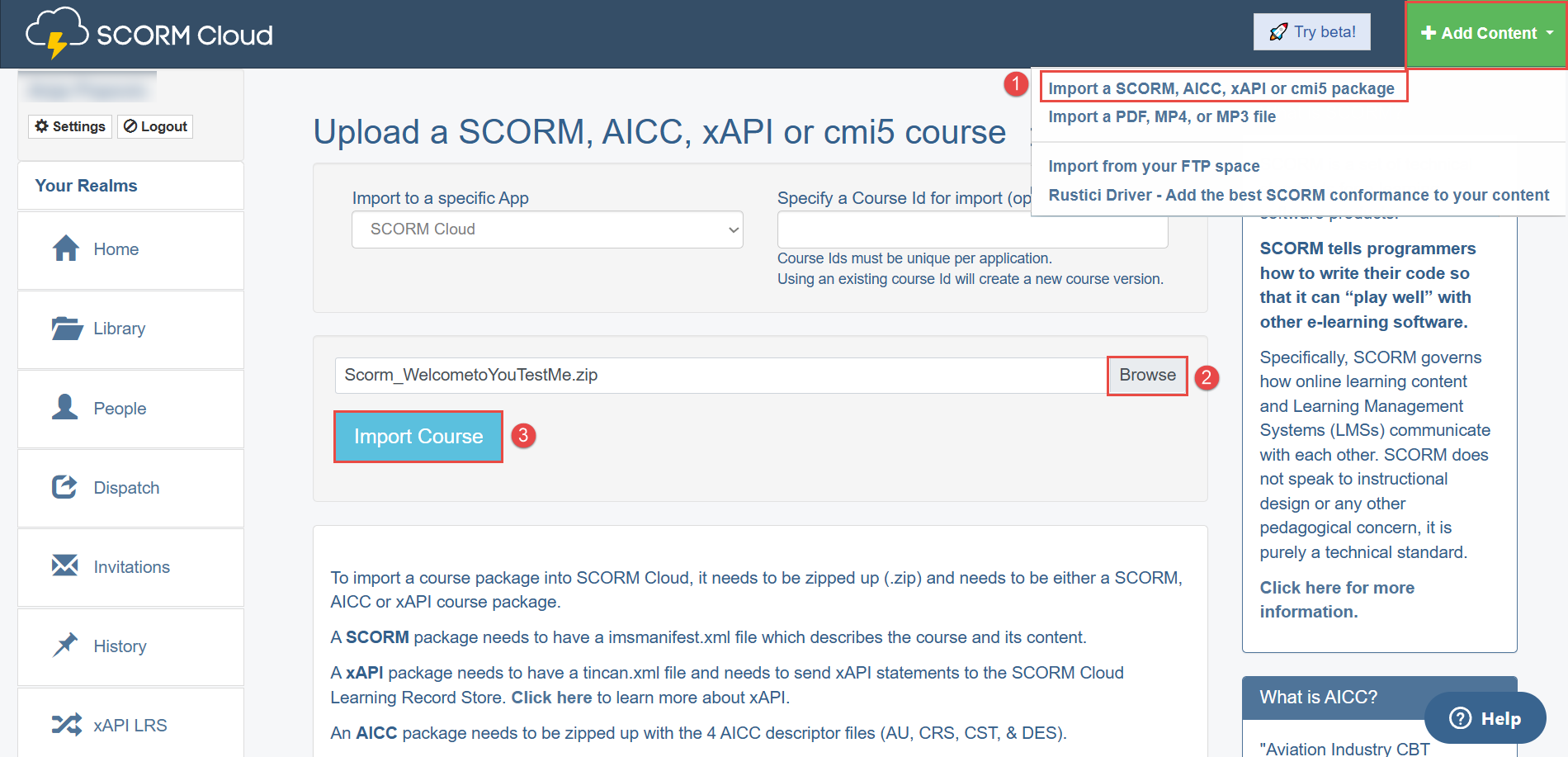
- Click the Add Content button in the top right corner, then select Import a SCORM, AICC, xAPI or cmi5 package.
- Choose a file from your computer.
- Click the Import Course button.
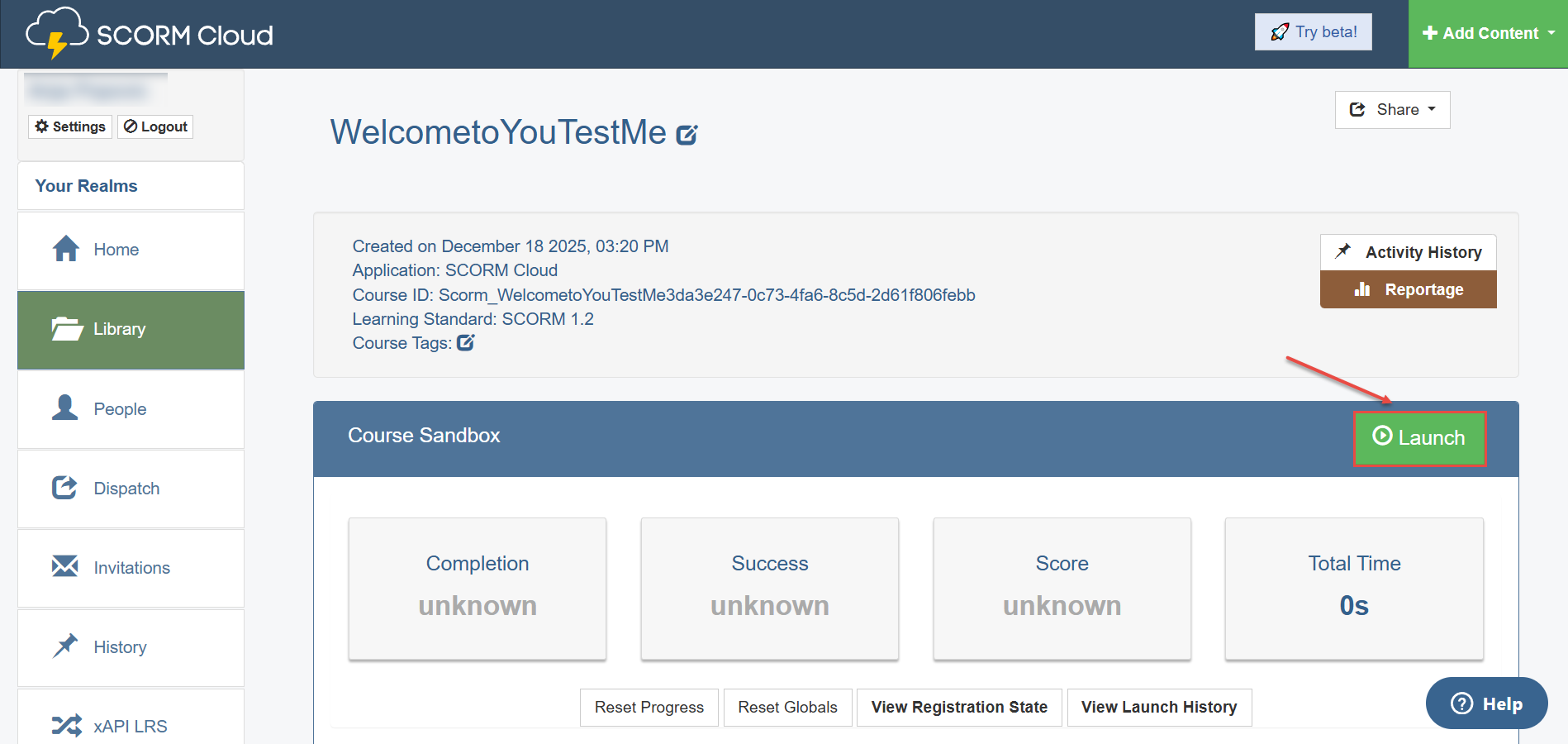
Once imported, you can start the test. To do so, click the Launch button.
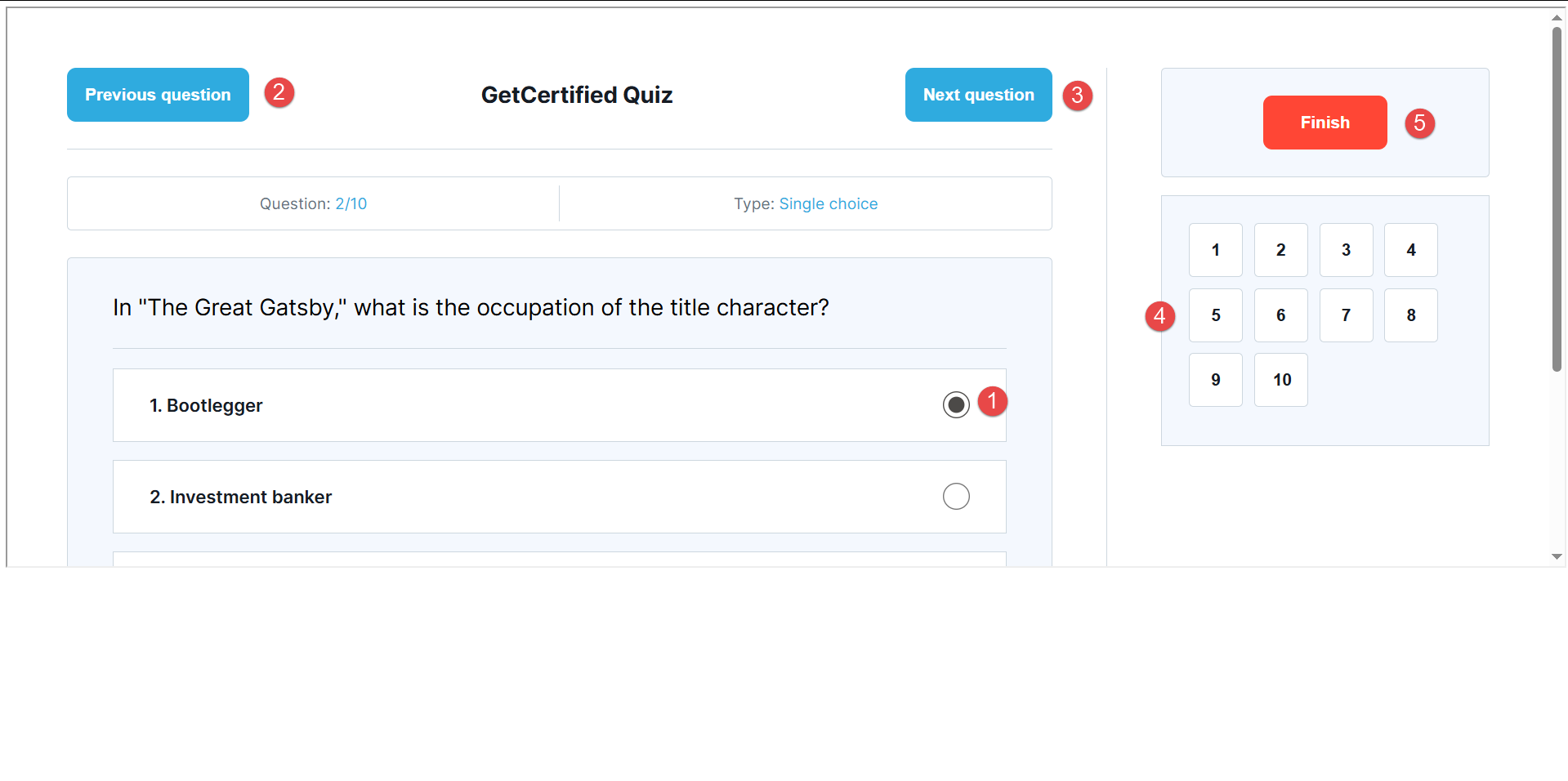
A new dialog appears on the test-taking page, where you can:
- Answer the question.
- Go back to the previous question.
- Move on to the next question.
- Navigate to the desired question using the sidebar.
- Finish your test and submit answers.
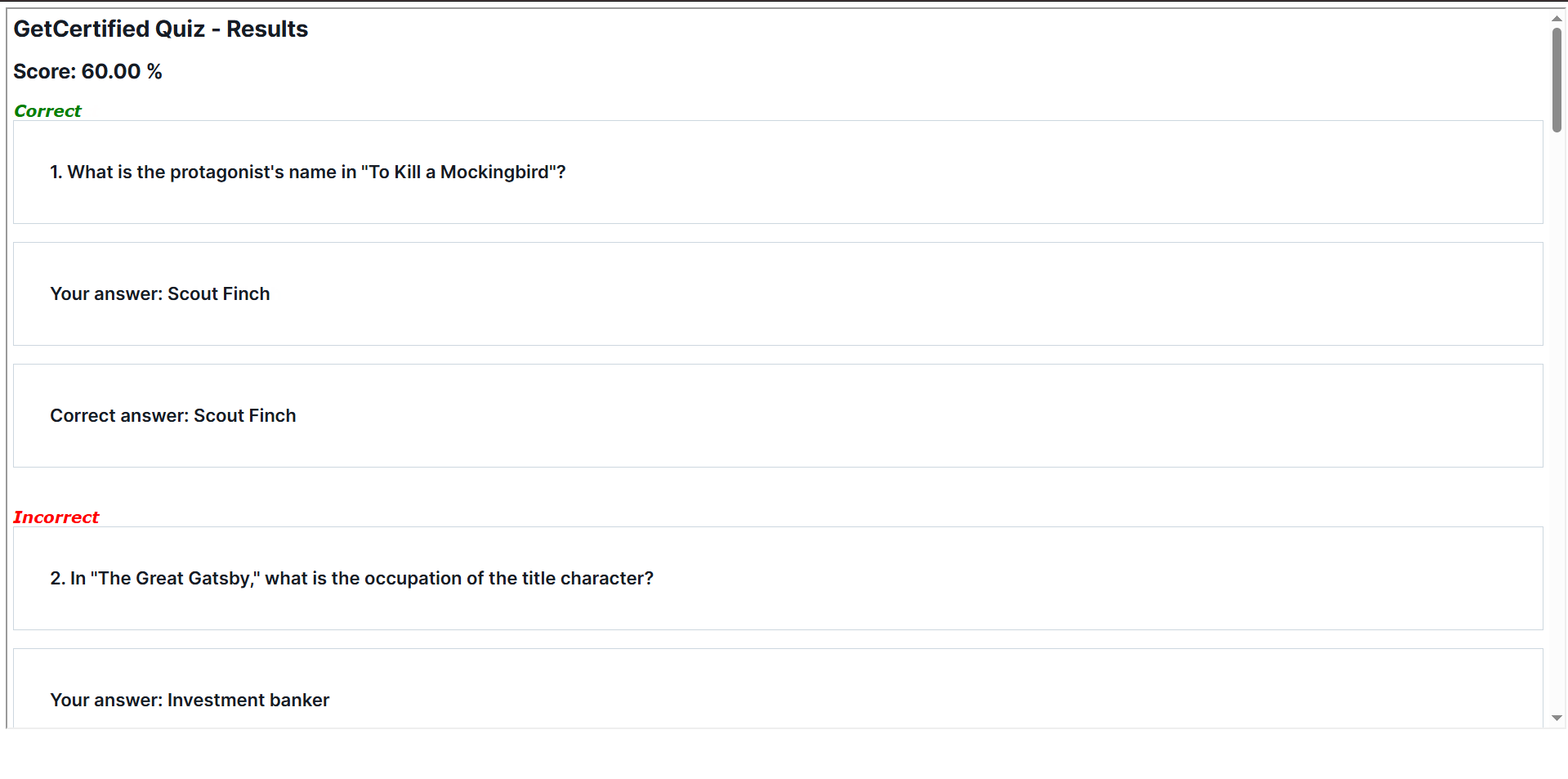
Upon completion of the attempt, a report is generated showing correct and incorrect responses and the achieved score.
Rules for test generation:
- Test with unlimited test versions – All questions that meet the test-creation rules are exported, and versions are generated using the SCORM generator. Each time the test is started, a new version will be generated.
- Test with a limited number of test versions (manually created and generated) – A random version is selected from the limited number of versions and exported.
More information about integration and automation options can be found on our website page.




