Accessing question pool
To access the question pool, select the Tests/Question pools tab and select the desired pool.

View all versions of questions
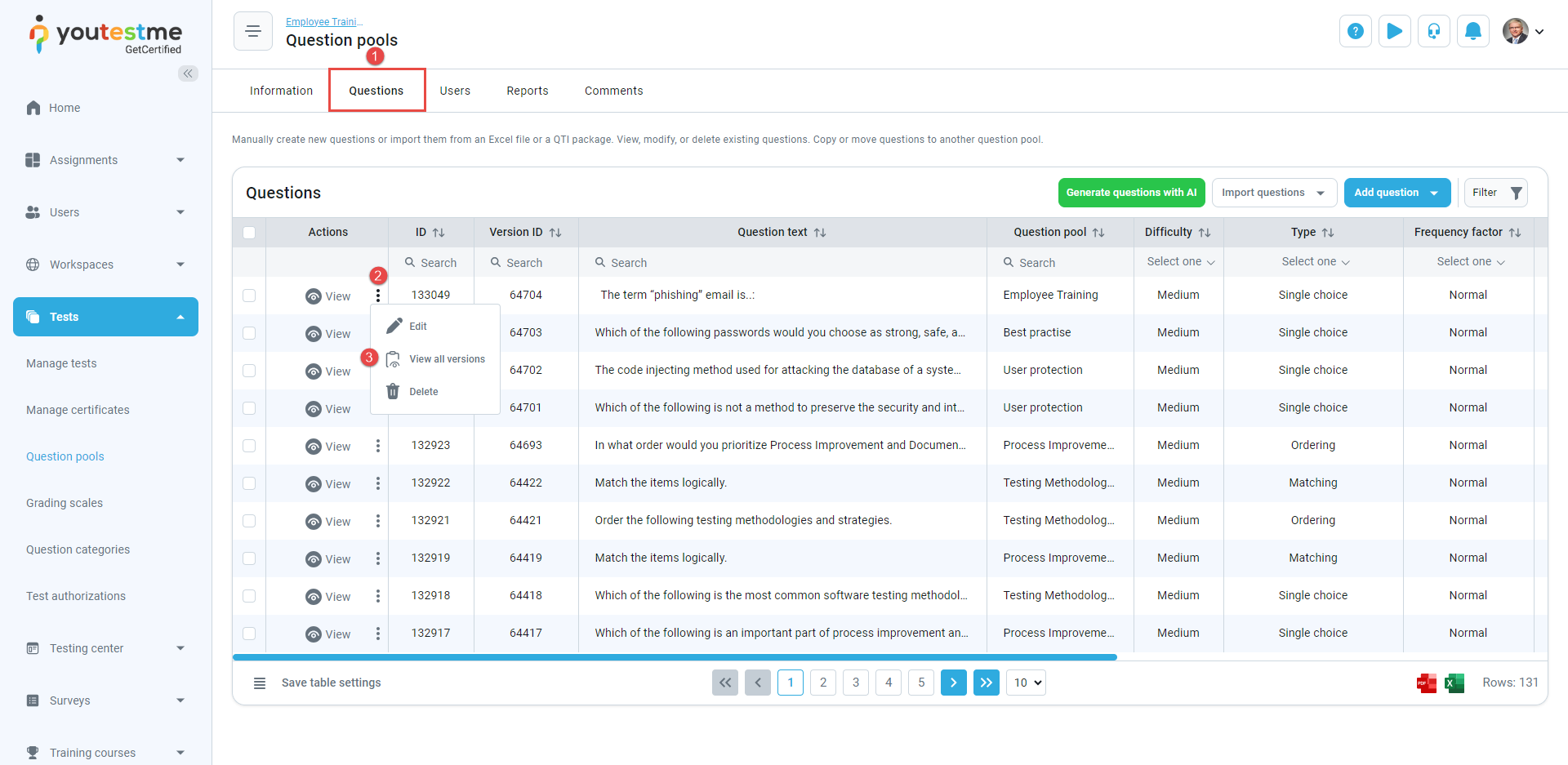
To view all versions of the questions:
- Navigate to the Questions tab.
- Click the three dots icon for the desired questions.
- Select View all versions.
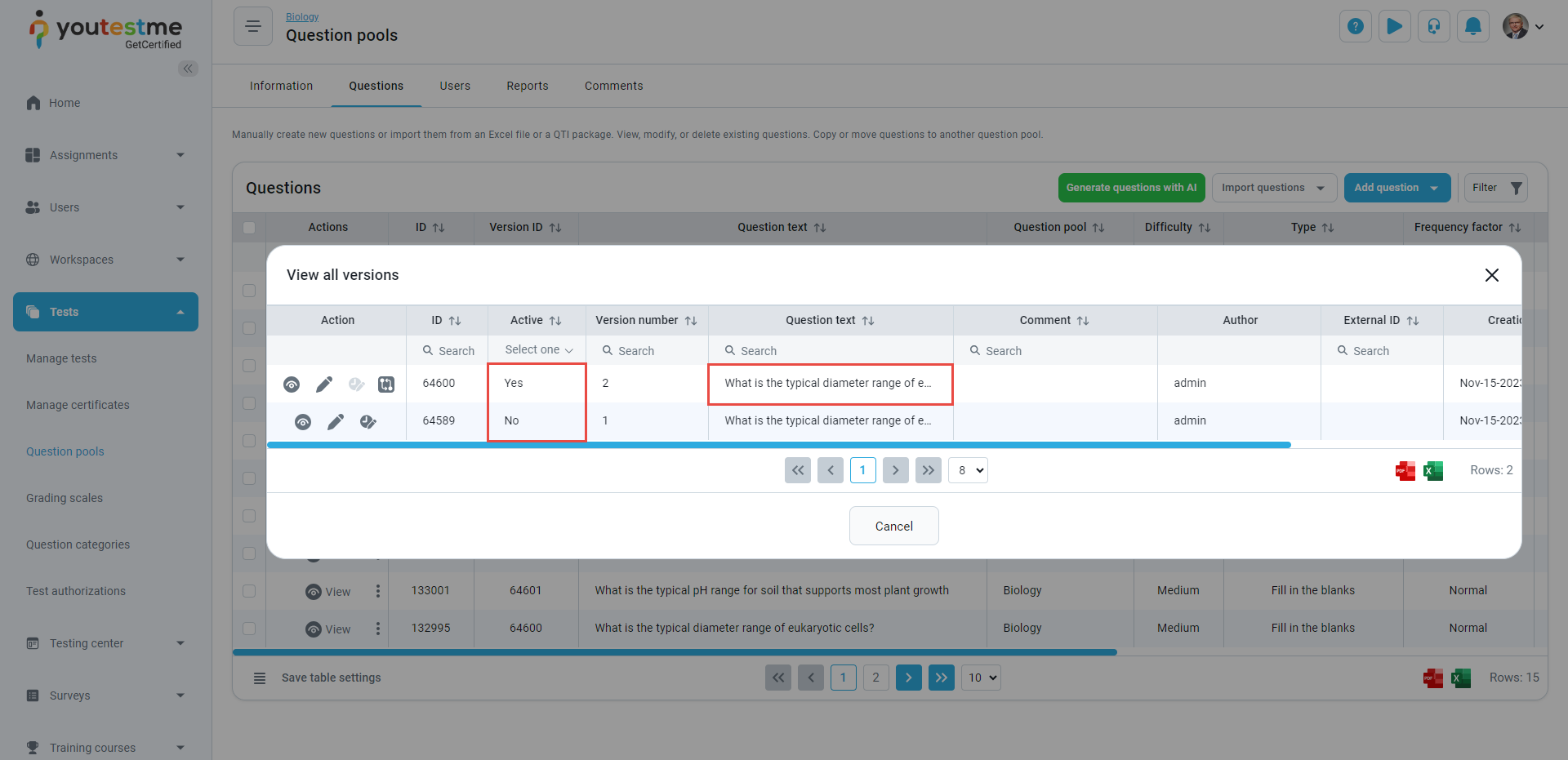
The following features are available for all versions:
- Active Version: Easily identify the currently active version
- Track who made changes, along with the timestamp and any associated comments