
Article verified for Release 15.2 on January 10, 2025.
This article explains how to scale the font size for custom themes in the application, allowing administrators to adjust text readability across the user interface.
Accessing the page
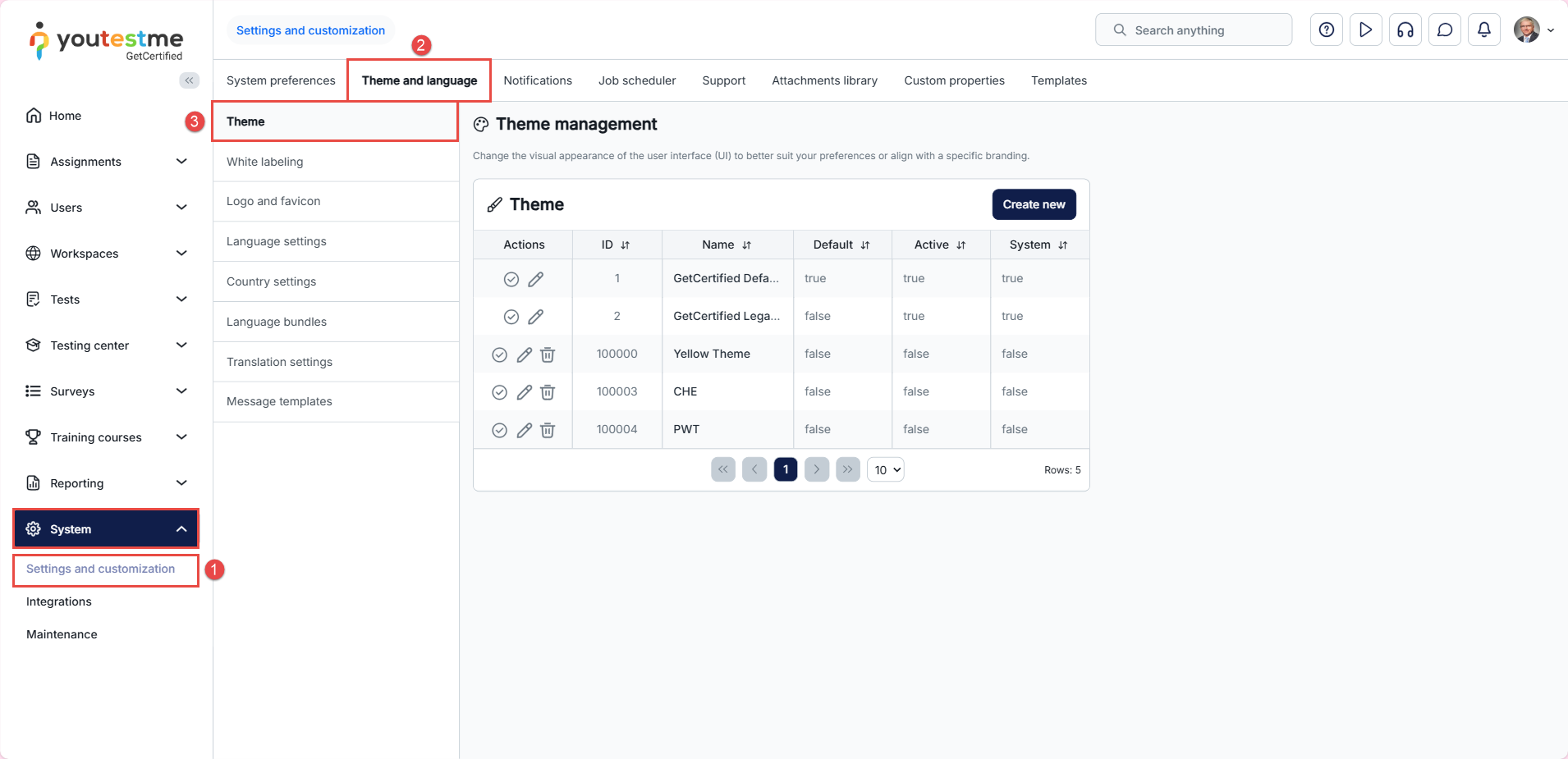
- Select the System tab and then the Settings and customization tab.
- Navigate to the Theme and language tab.
- Then select the Theme tab.
Scaling font size
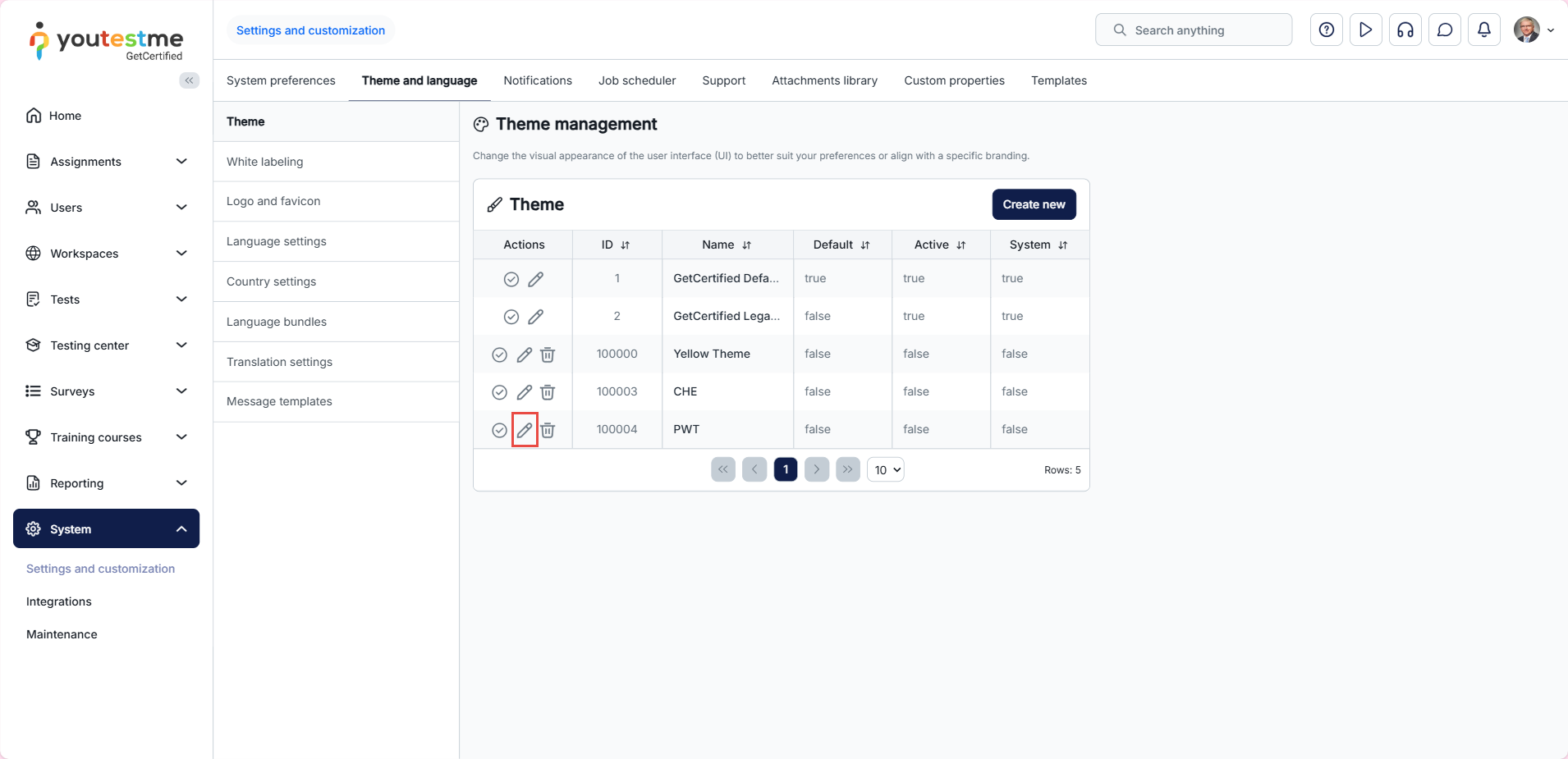
To scale font size, select the Edit option for the desired theme.
Note: Font size customization is not available for the default theme and applies only to custom themes.
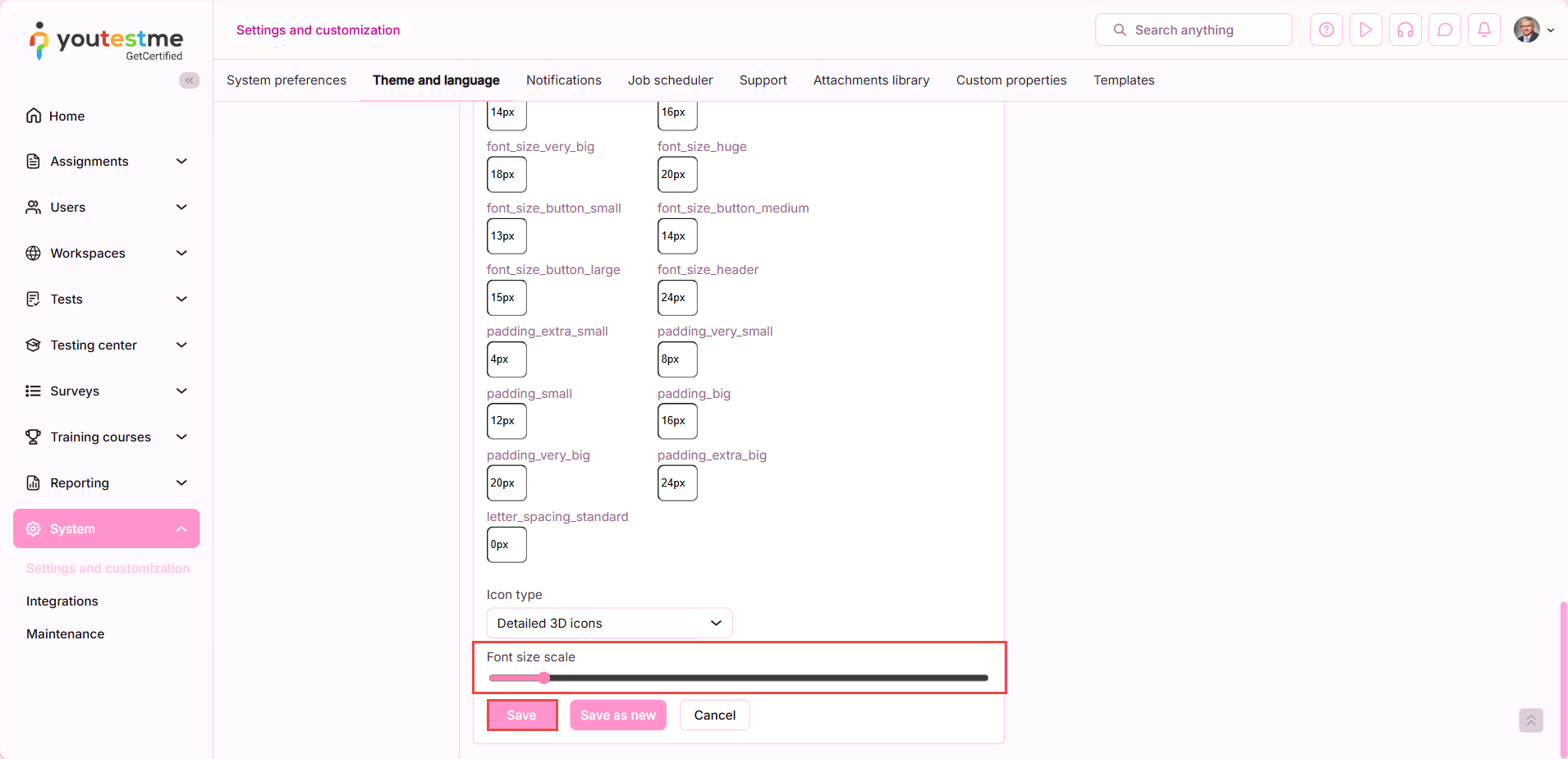
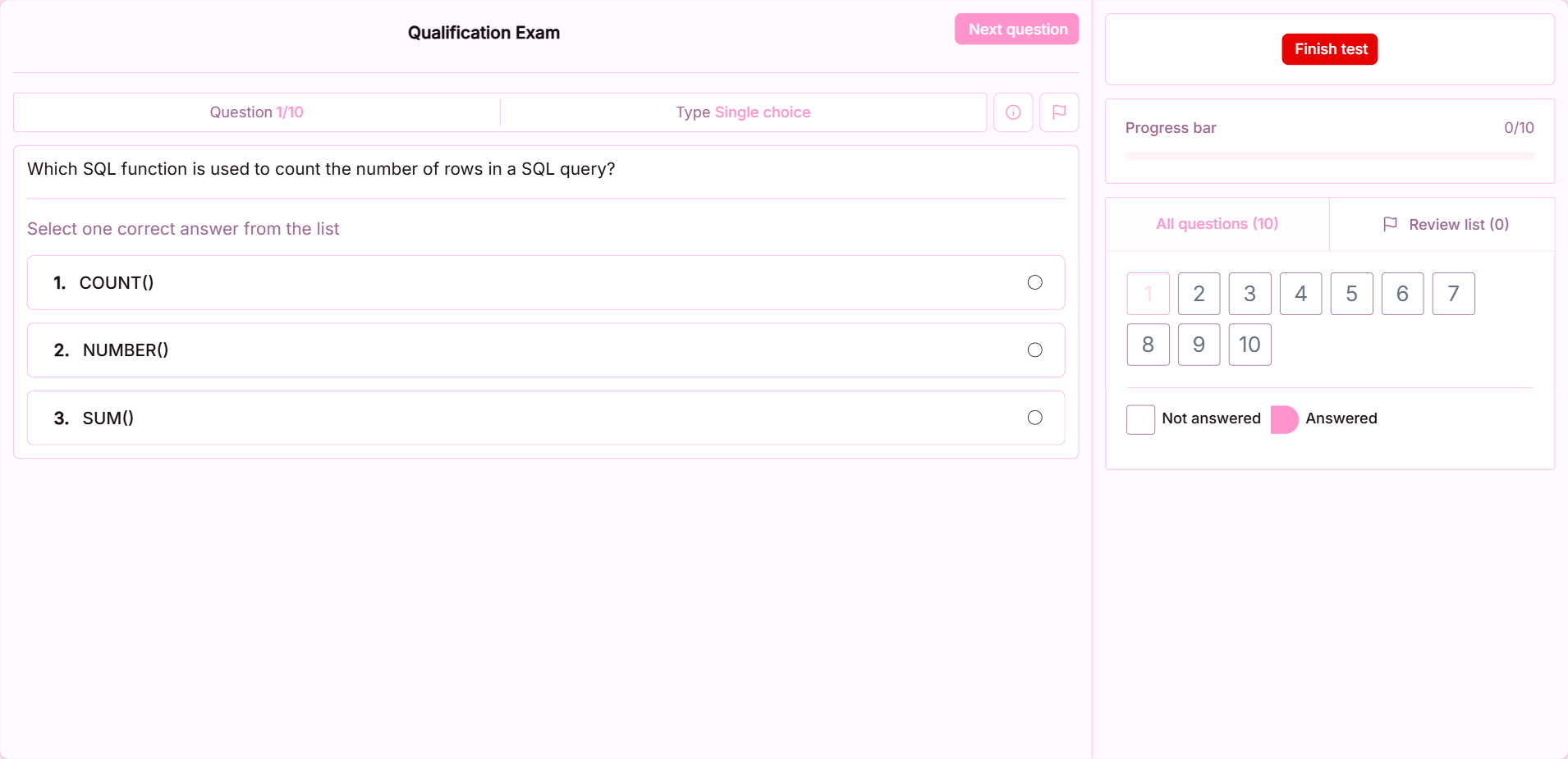
To increase the font size, drag the circle to the right and save the changes.
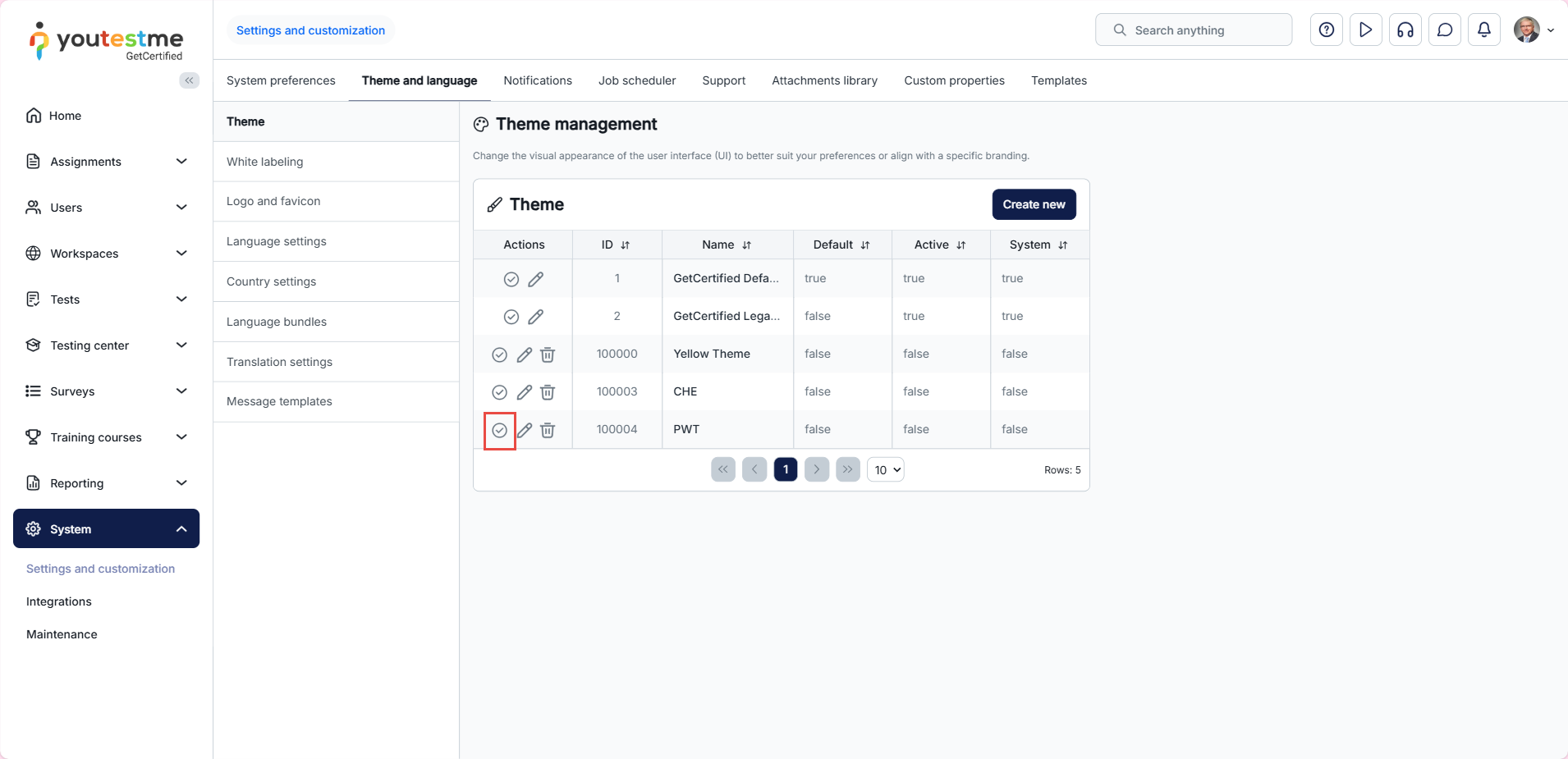
To see the changes, select the Apply option.

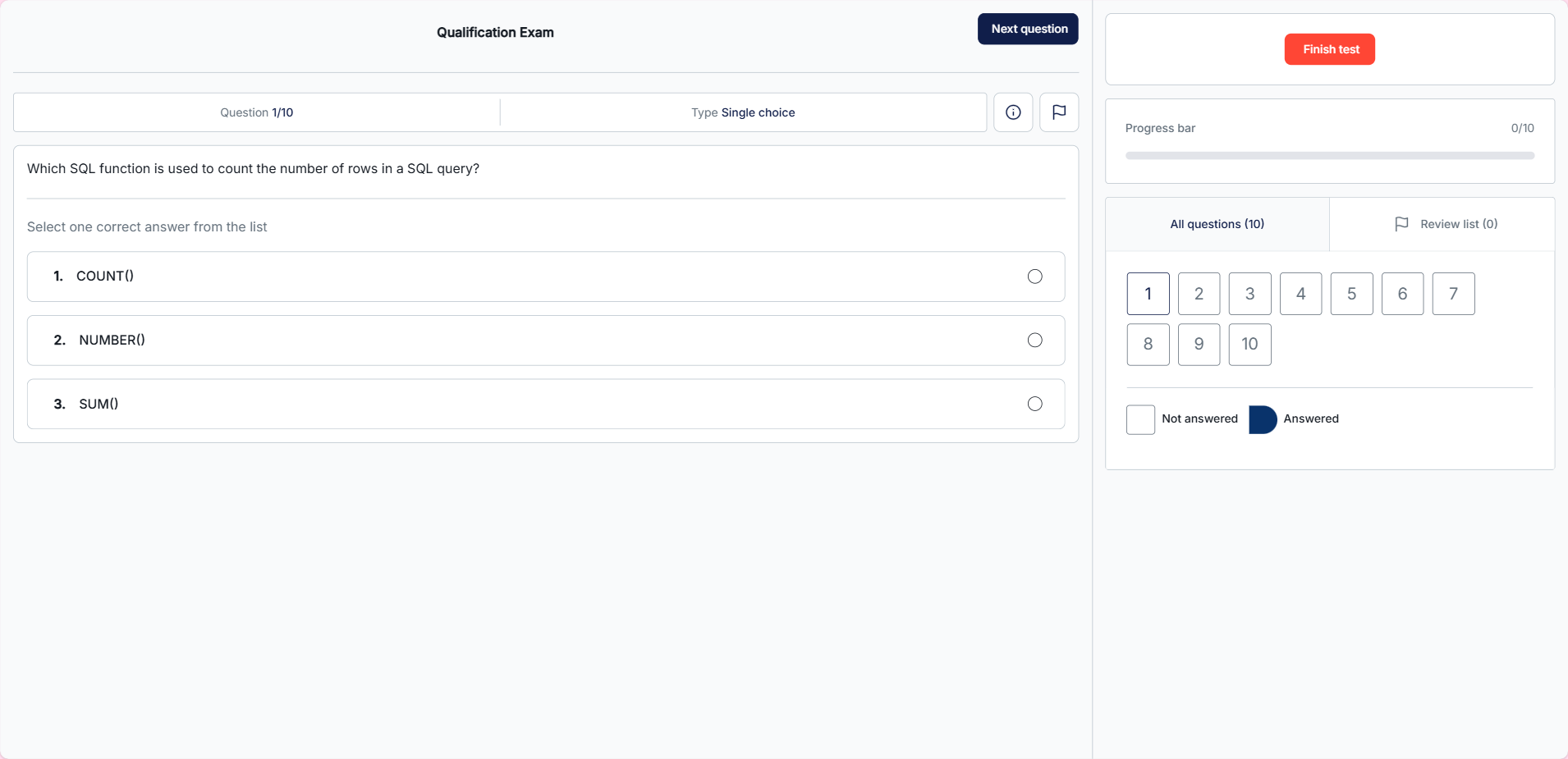
Candidate’s Perspective
Default font size
Font size changes applied to a custom theme
For more related instructional material, please see these links:




