
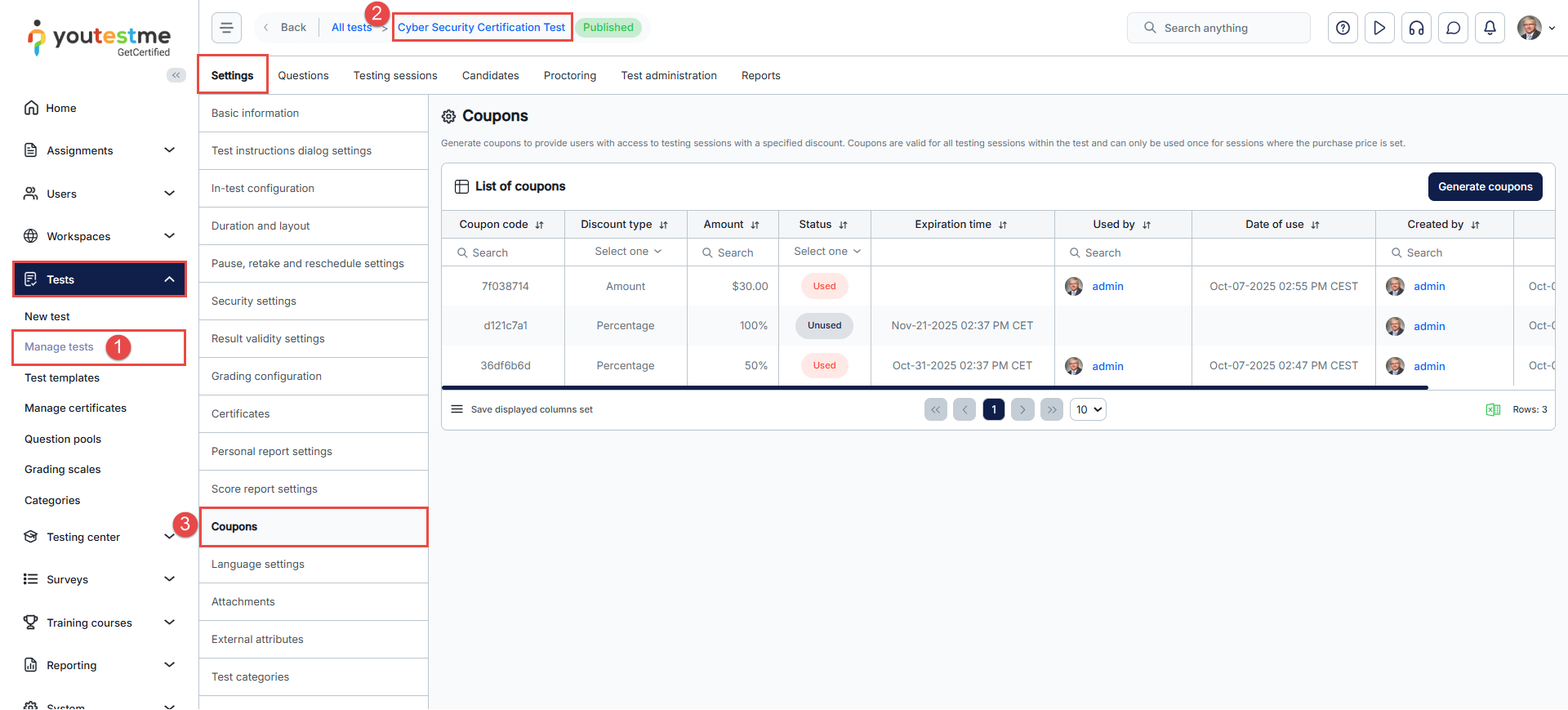
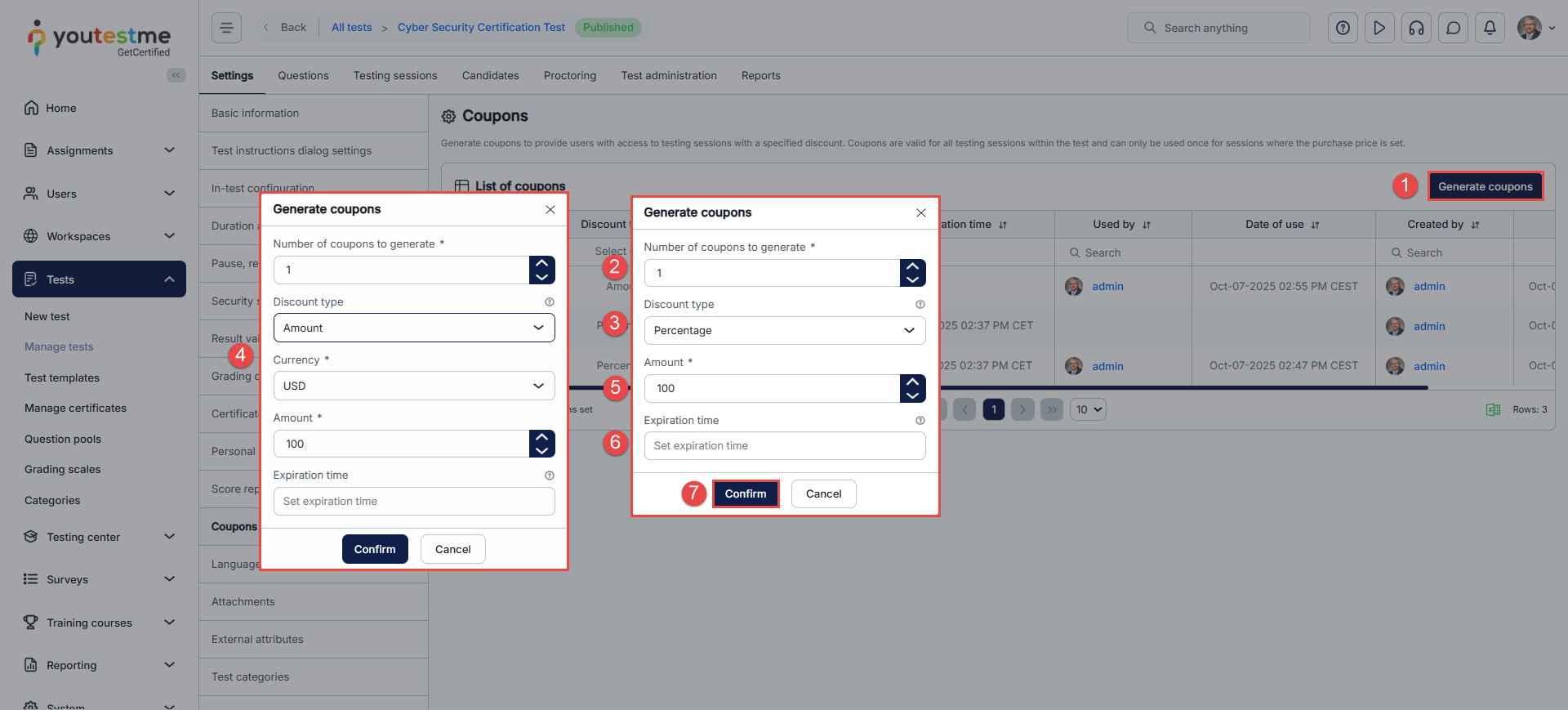
Generating coupons
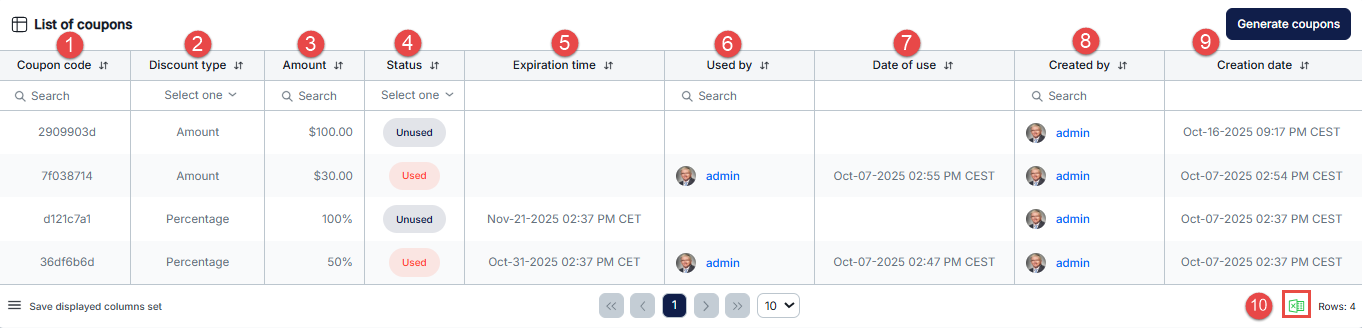
Once coupons are generated, you will find them listed in the table below and receive a notification within the application. The generated coupons will be added to the List of coupons table. The table will contain the following details for each coupon:
- Unique coupon code.
- Discount type.
- The amount.
- The status of the coupons is displayed as Used or Unused.
- Expiration time of the coupon.
- The candidate’s username, who redeemed the coupon, can be displayed in the ‘Used by’ column.
- The date and time the coupon was used can be displayed in the Date of Use column.
- The username of the person who generated the coupon is displayed in the Created by column.
- The date and time the coupon was generated is displayed in the Creation date column.
- The coupons can be exported to an Excel file using the buttons in the lower right corner.
Coupons are not personalized and can be sent to any selected users. Each user can redeem a coupon only once. Check out this article for more information on how it looks from a candidate’s perspective.
With the simple steps outlined above, you can quickly generate coupons and offer them to your users.
Note:
- The discount can cover the full purchase price or only a portion of it, depending on the discount value configured.
- Admins can provide the coupon ID/code to candidates, but the candidate must redeem the coupon themselves. Admins cannot apply a coupon on behalf of a candidate.
For more information regarding the candidate’s perspective, please watch this video.