
Article verified for Release 16.0 on March 24, 2026.
This article explains how to configure the Finish Test URL, which is the web page candidates are redirected to after completing a test. Configuring this option allows organizations to control the post-exam experience, for example, redirecting candidates to a company website, instructions page, or next steps, helping provide a smooth and guided workflow after test completion.
Enabling the Automatically log out candidate after finishing option
To activate the Finish test URL option, the Automatically log out the candidate feature must be enabled. This step ensures that candidates who access the test directly from the application have a logout button that redirects them to the specified Finish test URL upon completion.
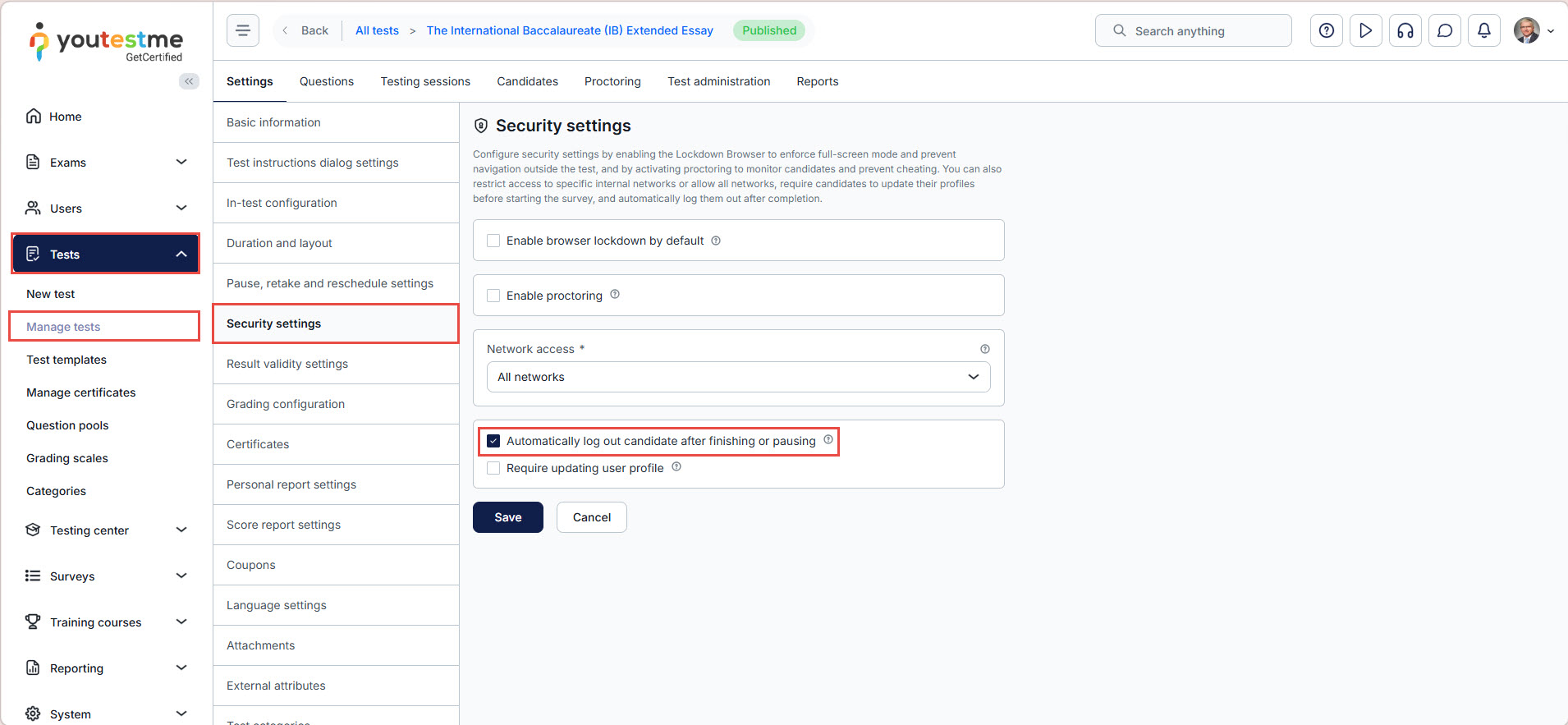
If candidates access the test through a guest link, enabling them to Automatically log out of the candidate is unnecessary. After completing the test, candidates will find a Log out button; upon clicking it, they will be redirected to the designated Finish Test URL page.
Note: If you leave the field blank, users who access the test directly from the application will be redirected to the default landing page after completing the test.
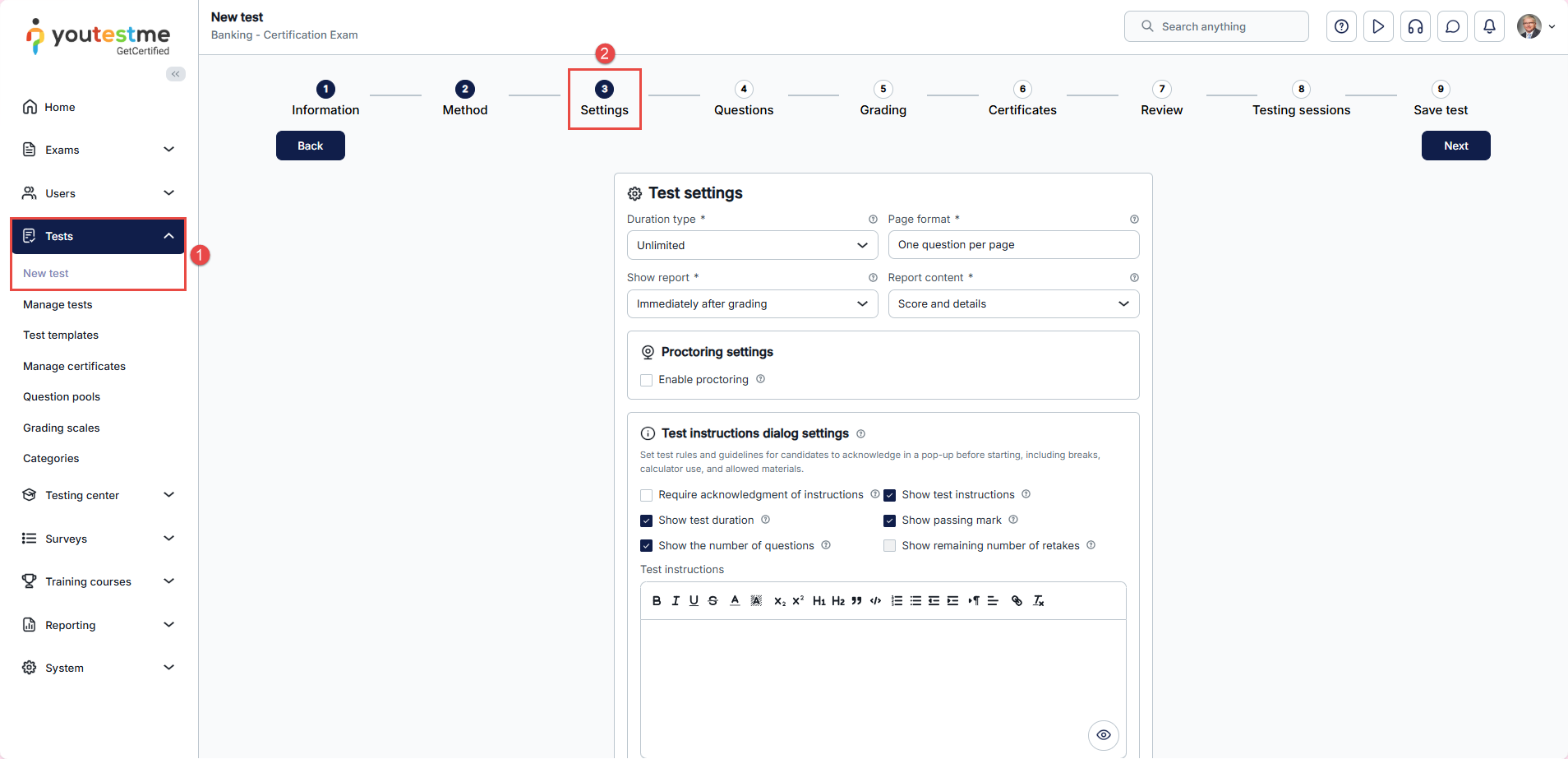
This option can be configured during the Settings step of the test creation wizard. To enable it, please follow these steps:
- From the left-side menu, go to Tests and click New Test.
- In the test creation wizard, navigate to the third step, Settings, and click Show advanced settings.
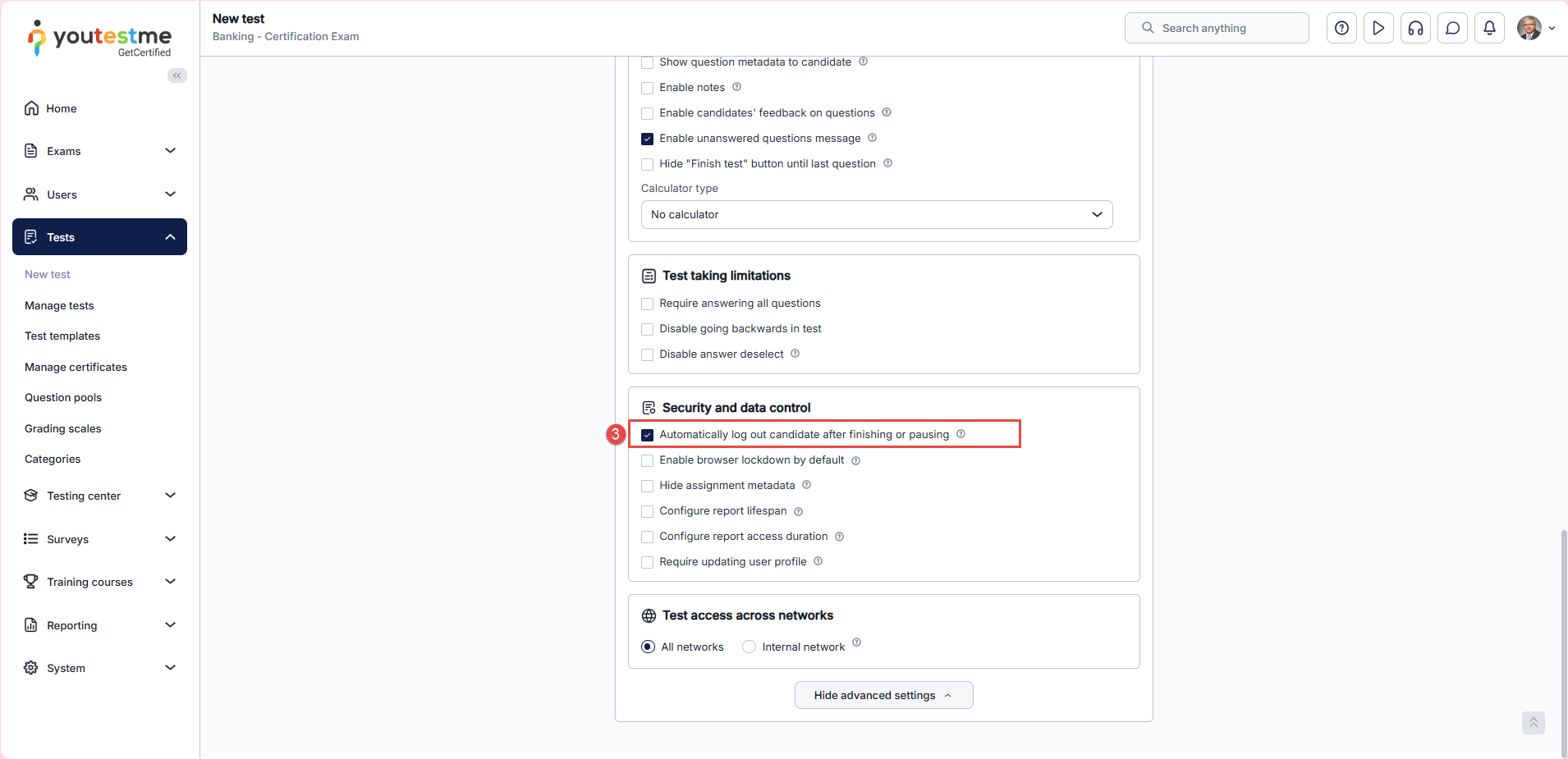
- In the Security and Data Control section, enable Automatically log out candidate after finishing or pausing.
For more detailed instructions, please refer to this article.
Defining the Finish Test URL
To define the Finish test URL link:
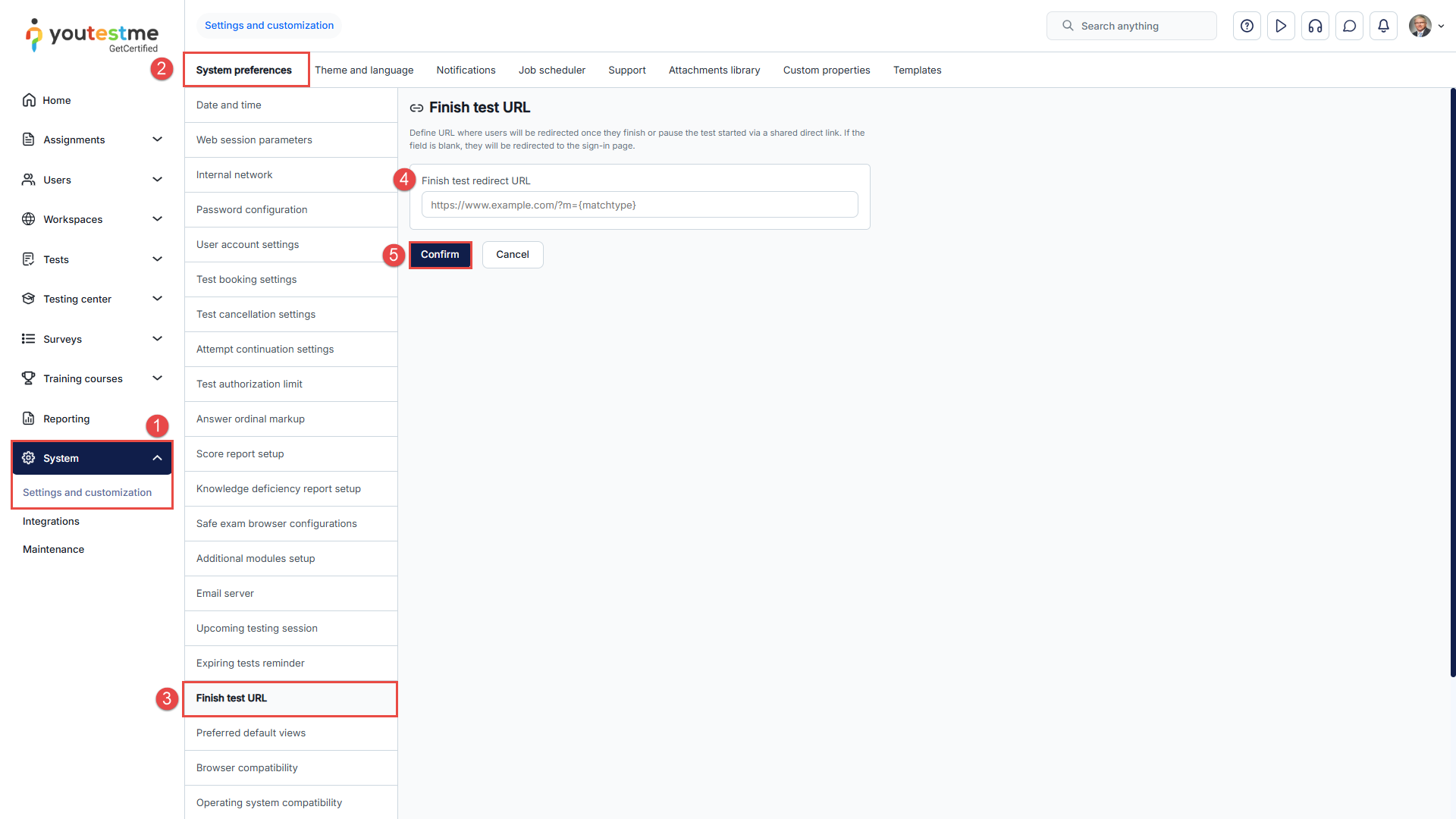
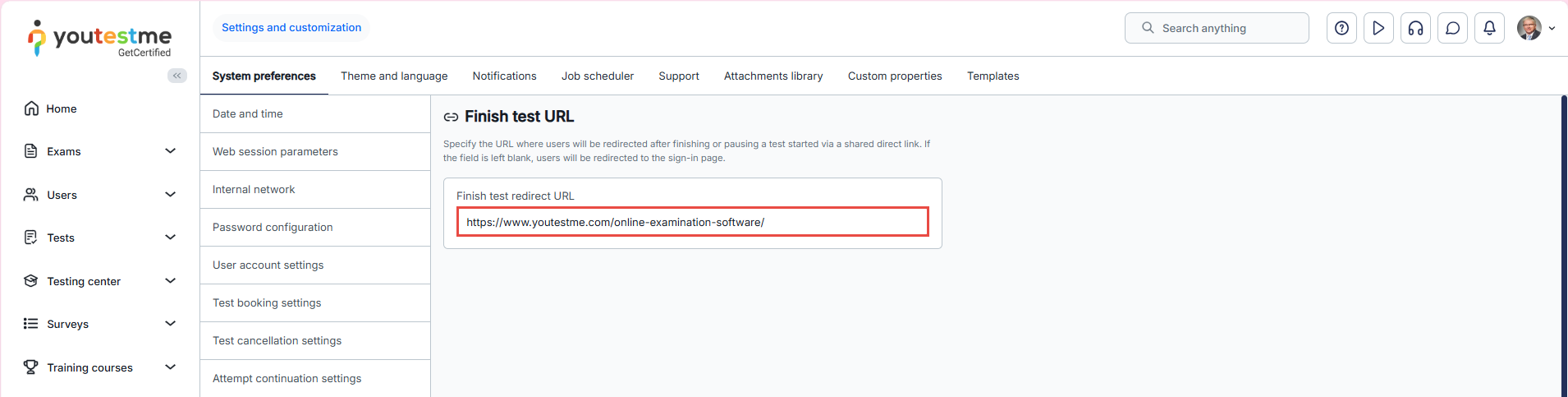
- Navigate to the System page and select Settings and customization.
- Go to the System Preferences.
- Scroll down and select the Finish Test URL page.
- On the displayed dashboard, enter the URL of the page to which you want students to be redirected once they complete their test. This is typically your website or a landing page specifically designed for this purpose.
- After entering the URL, click the Confirm button to save your changes.
Candidate’s Perspective
From the candidate’s perspective, the Finish Test URL defines what they see and where they are redirected after completing their exam.
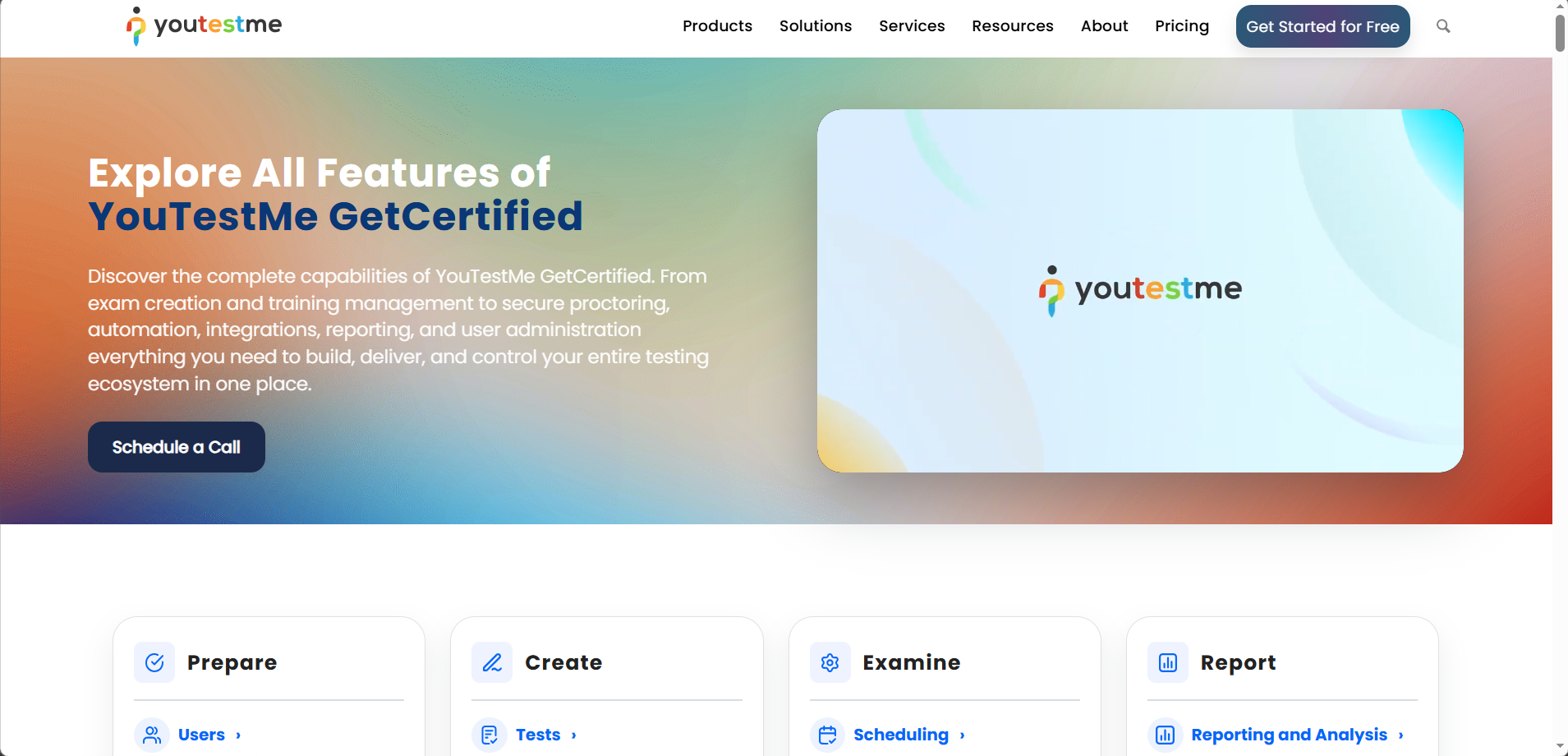
In this case, the candidate will be redirected to the YouTestMe website.
The Report requires manager approval
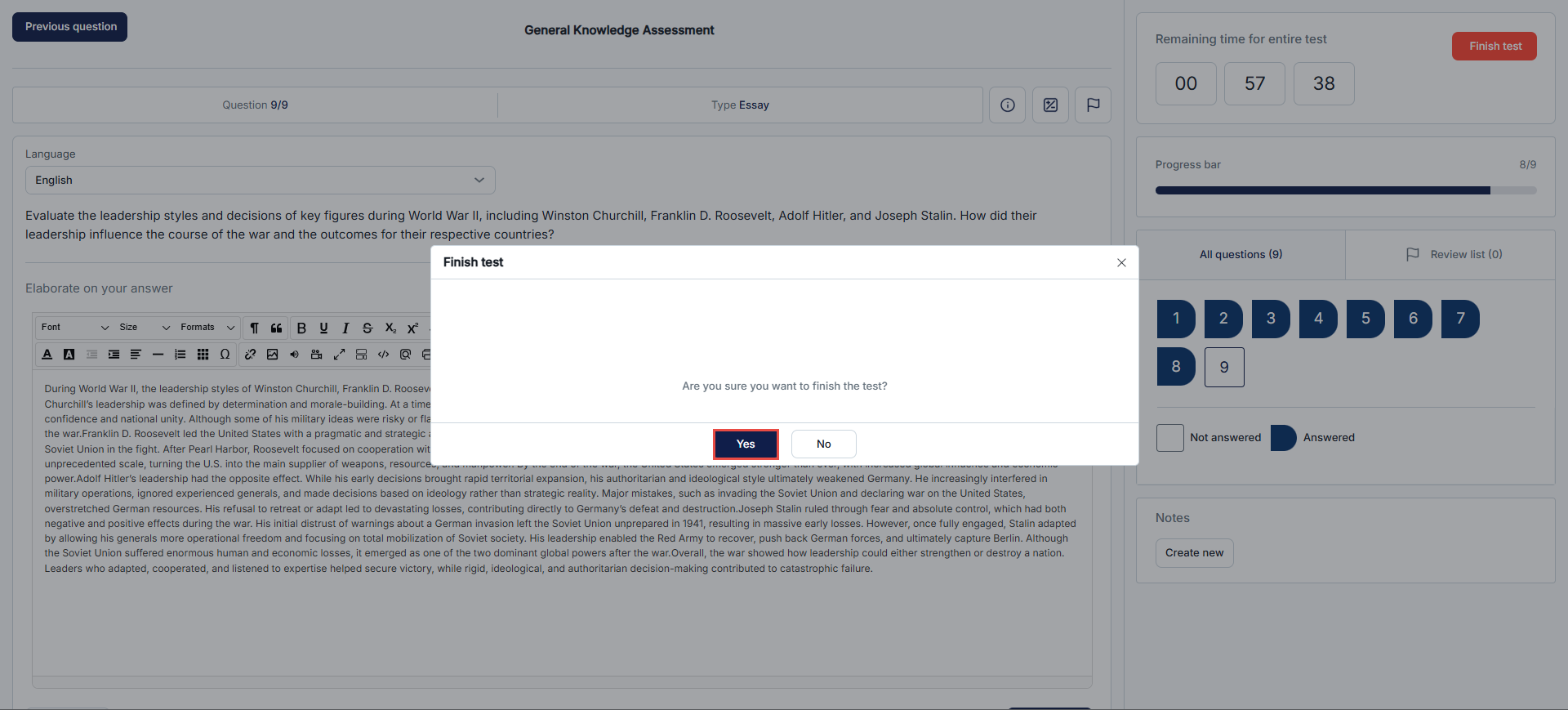
After answering all the questions, the candidate completes the test by clicking the Finish Test button at the end of the exam.
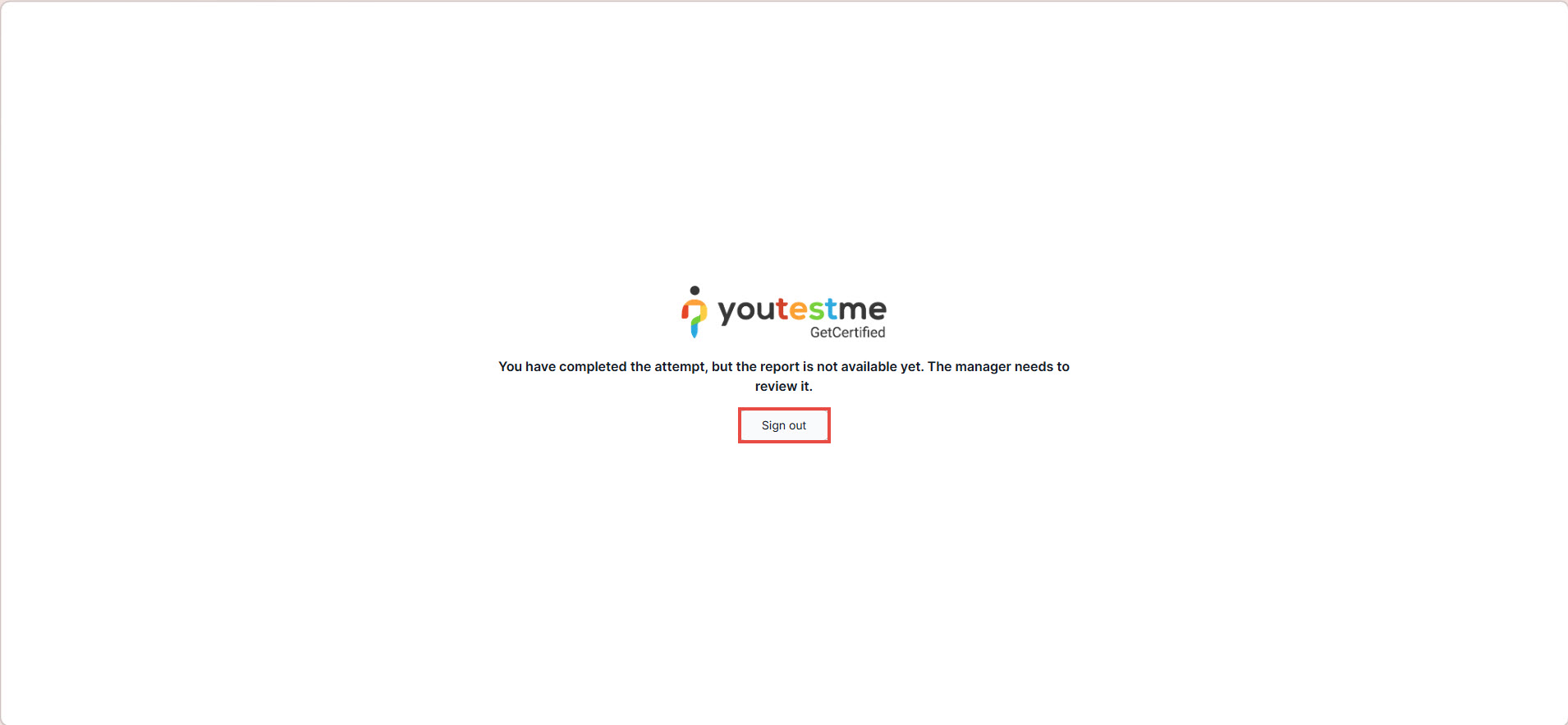
A confirmation page appears, indicating the attempt was submitted successfully. The candidate will see a Sign out button, and after signing out, they will be redirected to the configured Finish Test URL (in this case, the YouTestMe website).
The report is visible immediately after finishing
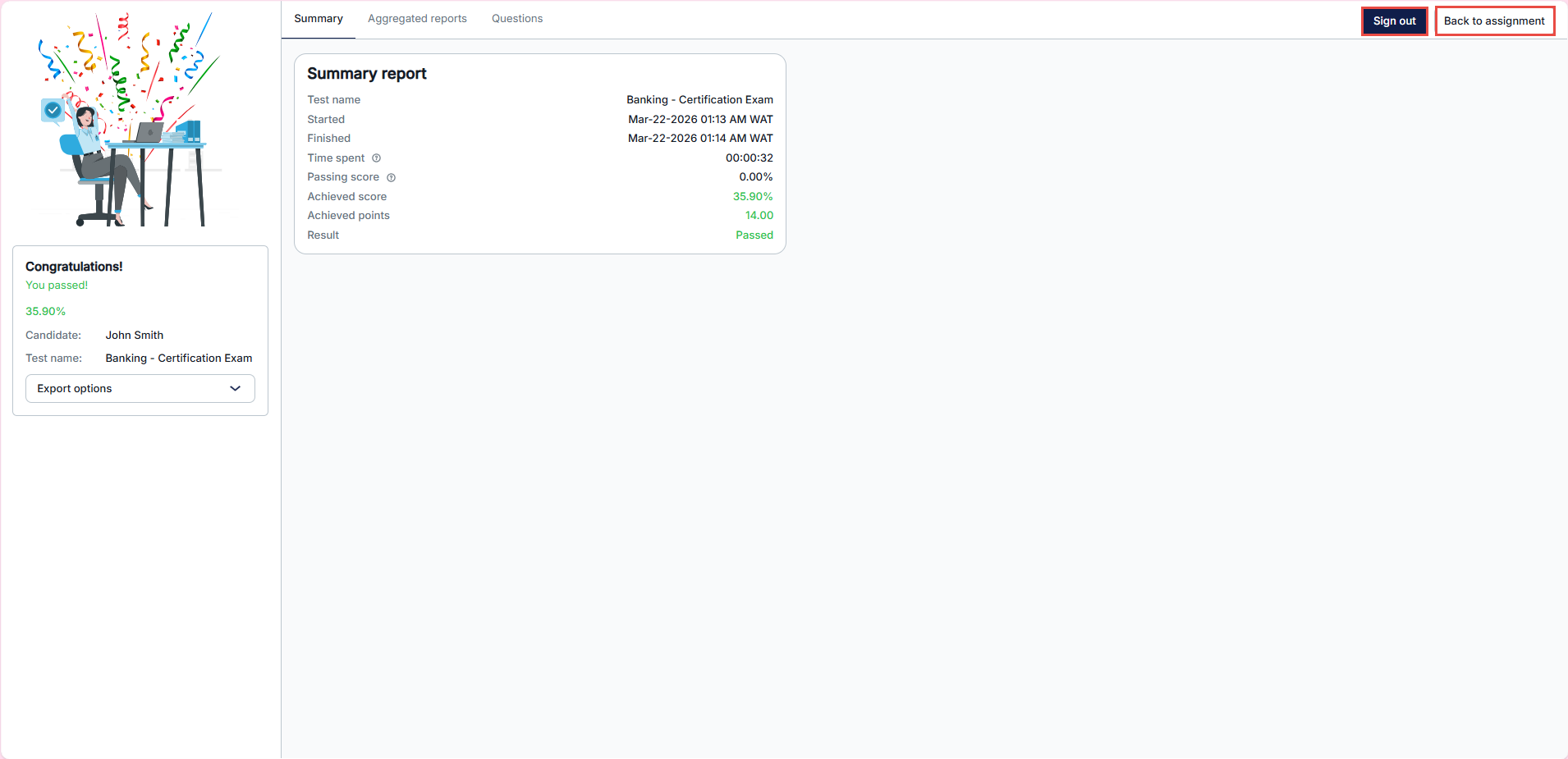
If the report is configured to be shown immediately:
- The candidate will see their report after finishing.
- They will have options such as Sign out and Back to my assignment.
- Selecting Back to my assignment will show only that assignment.
- Selecting Sign out will redirect them to the configured Finish Test URL.
Conclusion
The Finish test URL feature is a valuable tool that provides greater control over the testing process and enhances the candidate experience. It is particularly useful when the report and results are not intended to be presented immediately upon test completion.




