
Article verified for Release 15.1 on February 18, 2026.
This article explains how to enhance your user experience by customizing system settings using the First-time setup wizard.
The First-time setup wizard is designed to help you quickly configure and personalize your system according to your specific needs. Instead of manually navigating through multiple settings.
Enabling the First-time setup wizard
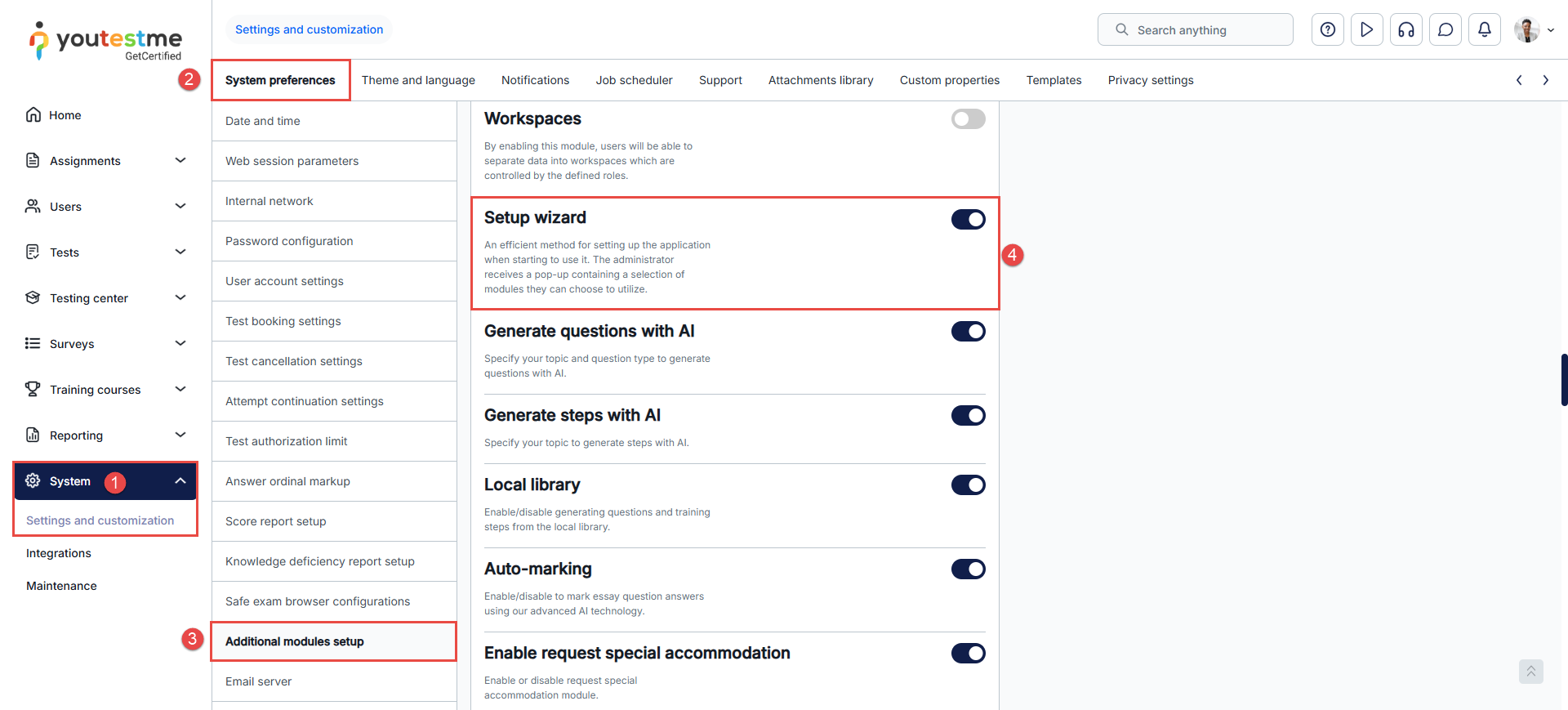
To enable the Setup wizard option, hover over the System in the main menu and:
- Select Settings and customization.
- Navigate to the System preferences tab.
- Click on the Additional modules setup.
- Scroll down and enable Setup wizard option. You will get the message that module settings are updated.
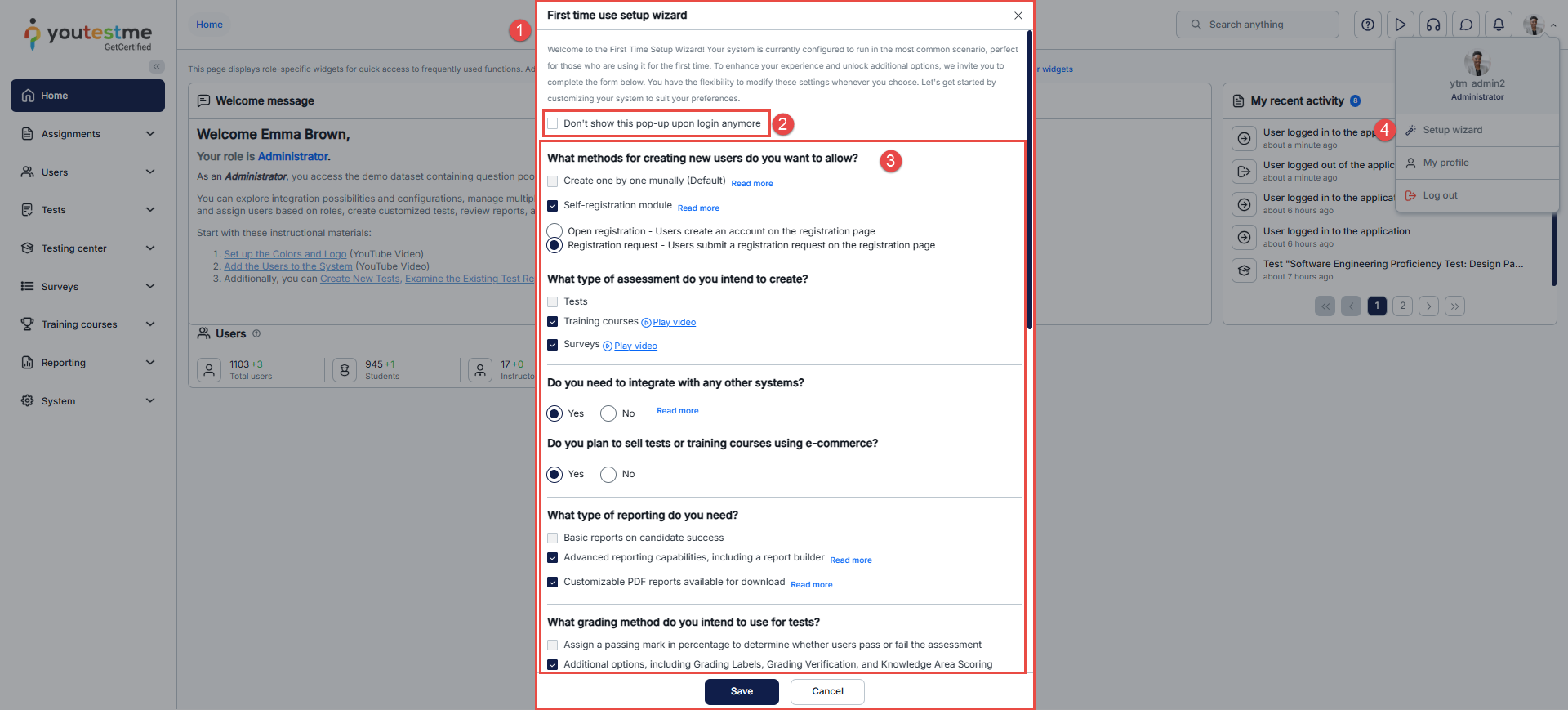
Upon every subsequent login after enabling the first-time setup wizard:
- A pop-up window will greet you, guiding you through the customization process.
You can decide if you want to stop the wizard from showing up after each login. - Activate or deactivate modules and options.
- Access the Setup wizard even if you’ve disabled its appearance.
Benefits of using the First-time setup wizard
- Personalized System: Customize your system settings to suit your needs.
- Efficiency Boost: The guided steps streamline the setup process, saving you time and effort.
- Unlock Additional Features: Access advanced options that can enhance your user experience.
- Flexibility: Modify settings at any time to adapt to your changing preferences.
- Time Saver: The wizard condenses the setup steps into a user-friendly flow, reducing complexity.
In conclusion, the first-time setup wizard empowers you to optimize your user experience by personalizing system settings. With its benefits of customization, efficiency, and feature unlocking, this tool significantly enhances the usability and functionality of the application.




