
Article verified for Release 17.0 on October 5, 2026.
This article will explain how to hide assignment metadata on the Assignments page and how enabling or disabling the Hide assignment metadata option affects the information displayed to candidates.
Enabling the Hide assignment metadata option
The Hide assignment metadata option allows you to hide additional assignment-related information from candidates on the My tests page.
To enable the option:
- Open the desired test.
- Navigate to Settings.
- Select Duration and layout.
- Select the Hide assignment metadata checkbox.
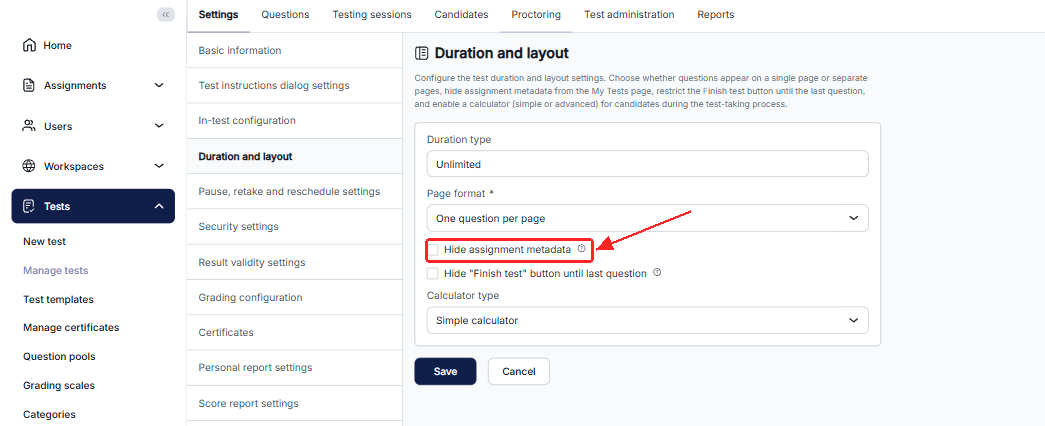
When the option is enabled, specific assignment metadata is hidden from candidates on the Assignments > My tests page.
Viewing assignment metadata when the option is disabled
When Hide assignment metadata is disabled, additional information about the assignment is displayed on the candidate’s test tile.
The following assignment information is displayed:
- User group.
- Location.
- Available seats.
- Cancellation deadline.
- Available from.
- Available to.
The candidate can also see the test name, availability status, description, and available test actions.
Viewing the test when assignment metadata is hidden
When Hide assignment metadata is enabled, the following information is hidden from the candidate’s test tile:
- User group.
- Location.
- Available seats.
- Cancellation deadline.
The following information remains visible:
- Test name.
- Availability status.
- Available from.
- Available to.
- Summary and Description tabs.
- Available test actions, such as Start and Cancel booking.
The candidate can therefore continue accessing and starting the test normally while the additional assignment metadata is hidden.
Comparing the candidate views
The following example shows how the same test is displayed when the Hide assignment metadata option is disabled and enabled.
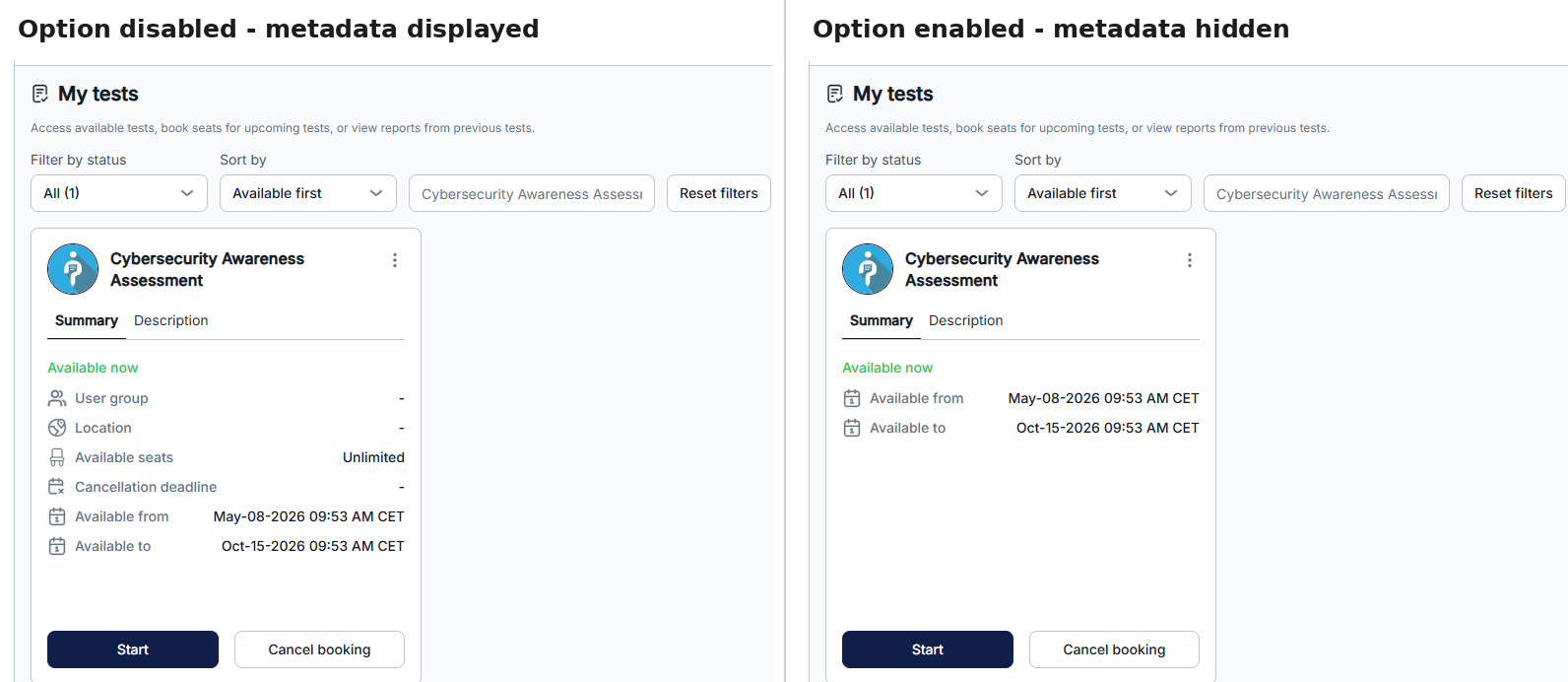
| Assignment information | Option disabled | Option enabled |
|---|---|---|
| User group | Displayed | Hidden |
| Location | Displayed | Hidden |
| Available seats | Displayed | Hidden |
| Cancellation deadline | Displayed | Hidden |
| Available from | Displayed | Displayed |
| Available to | Displayed | Displayed |
Conclusion
The Hide assignment metadata option can be used when candidates do not need to see additional information related to their test assignment. Enabling the option hides the user group, location, available seats, and cancellation deadline, while the test availability period and available actions remain visible.