
Article verified for Release 15.1 on December 10, 2025.
This article explains how to export a list of all training courses, including their IDs. You will learn how to navigate the predefined reports, locate the relevant training course report, and export the data as an Excel file for easy access and use.
Exporting the List of Training Courses
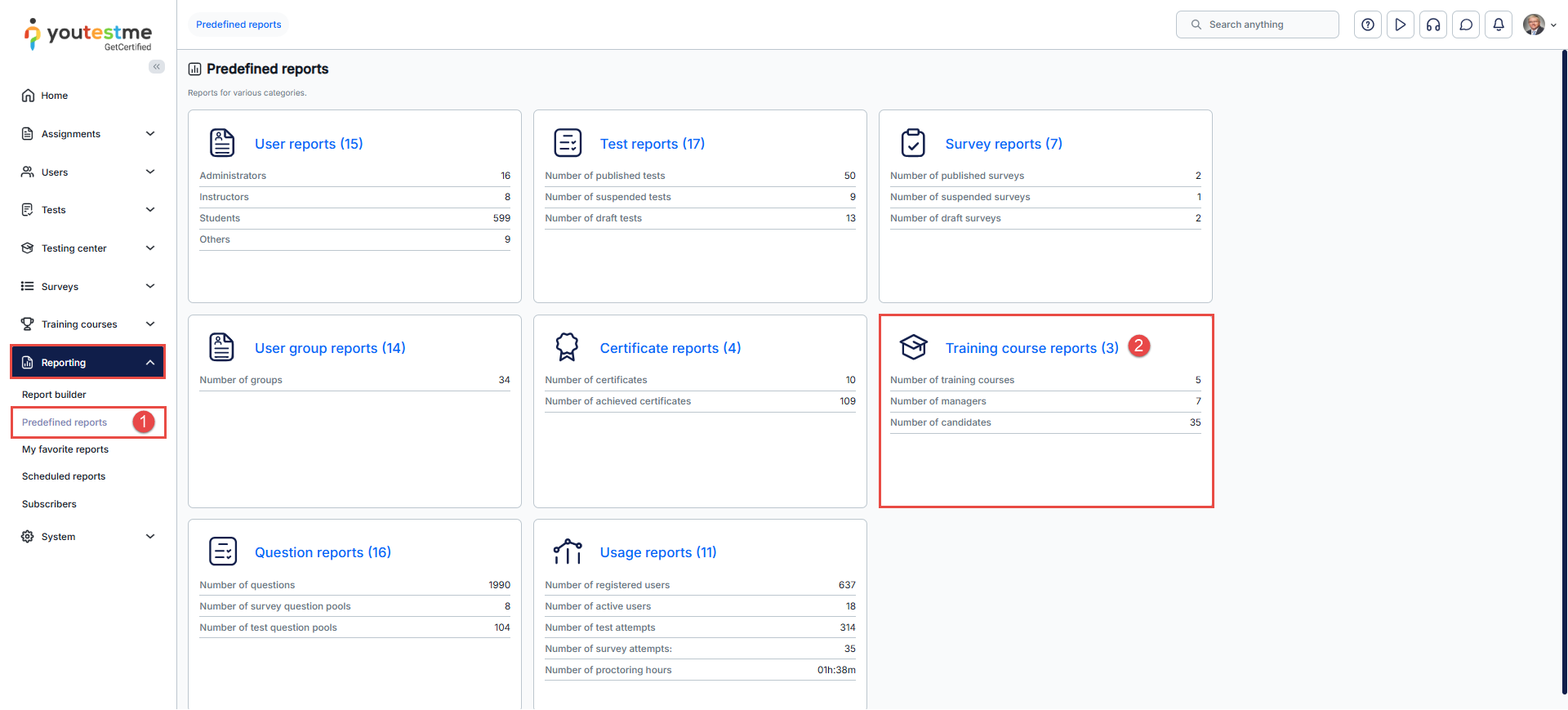
- To access the Predefined reports page, you should go to the Reporting tab in the main menu and select the Predefined reports option.
- On this page, multiple report categories are displayed. Click the Training course reports category icon or name to open the list of all related reports.
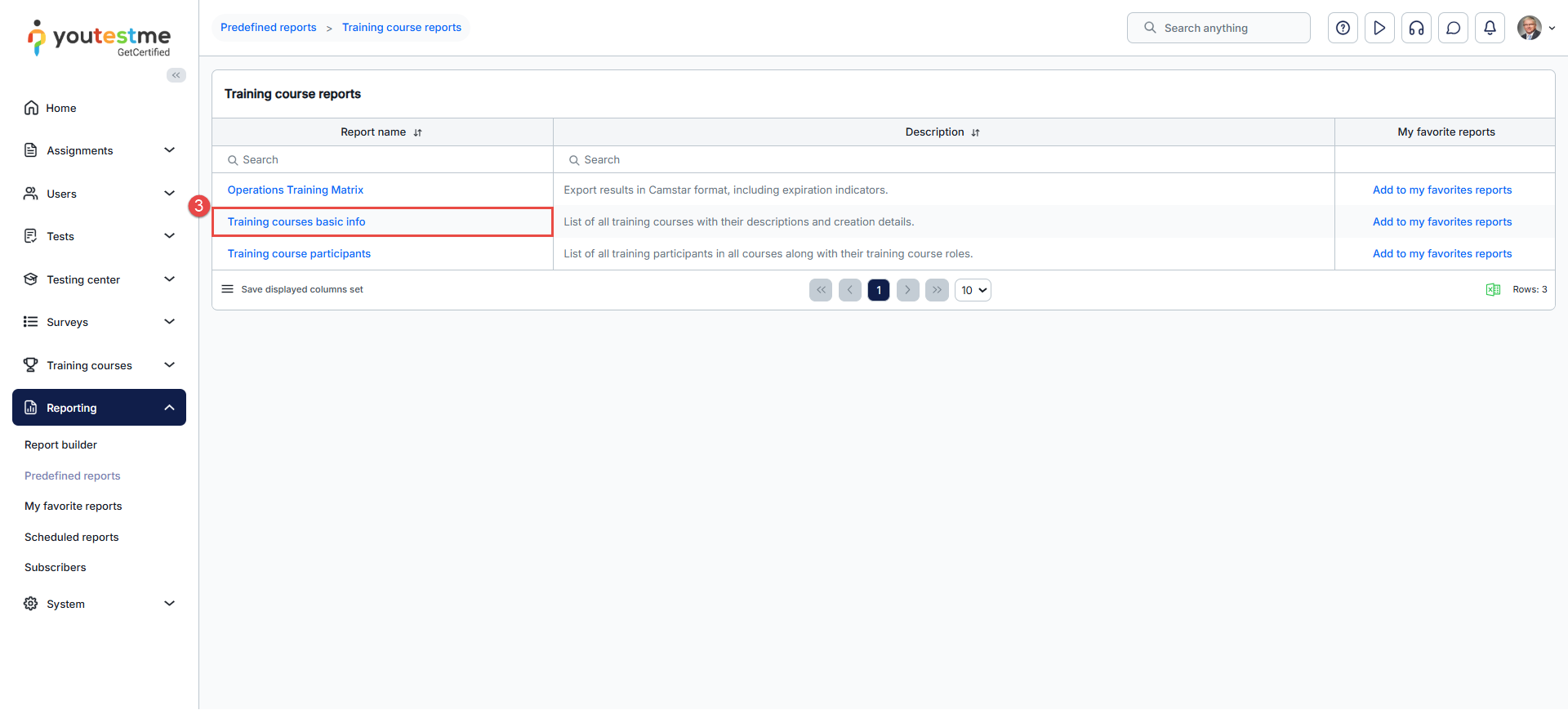
- A list of all predefined reports within the training course category will appear, with their names and descriptions. Click on Training courses basic info to open a list of training courses.

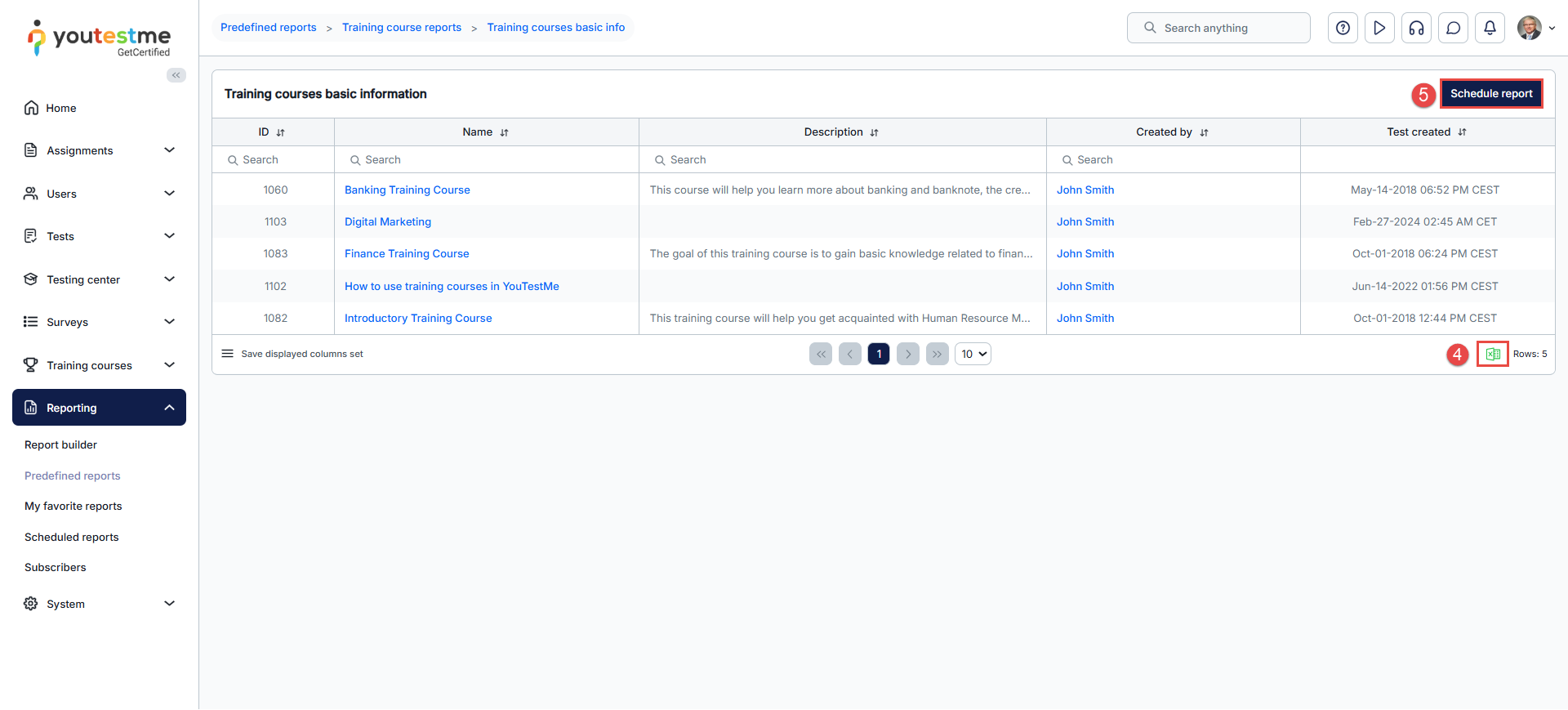
- Click on the Excel icon to export the list of training courses.
- Click the Schedule report to receive it by email at defined intervals. For more details regarding this option, see the related article.
For more useful articles, you can see




