
Article verified for Release 15.2 on February 17, 2026.
This article will explain how to create multiple self-enrollment sessions with different availability periods and allow candidates to choose when they take a test within a training course. The test can be started from the selected training course, and all candidates added as candidates to the training course will automatically have open access to that test and availability to select when they take a test.
Creating a testing session
A testing session is a specific period designated for candidates to take a test or examination for a training course. It is a scheduled time slot where candidates can demonstrate their knowledge, skills, or competencies in a particular subject or field.
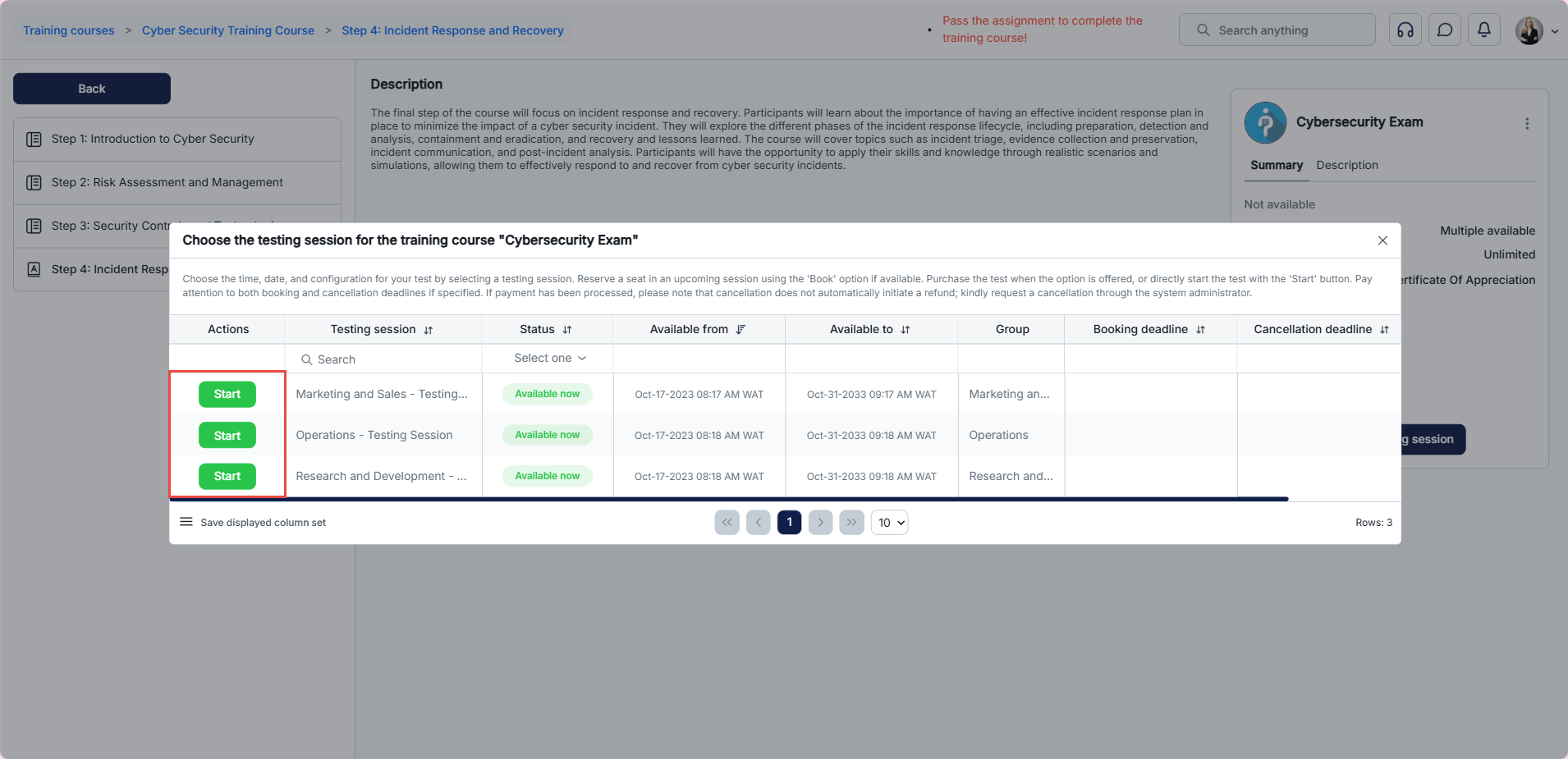
When a testing session is configured for self-enrollment and linked to a training course, candidates can select the session that suits them. For more information on creating a testing session, please visit this article.
Candidate’s perspective
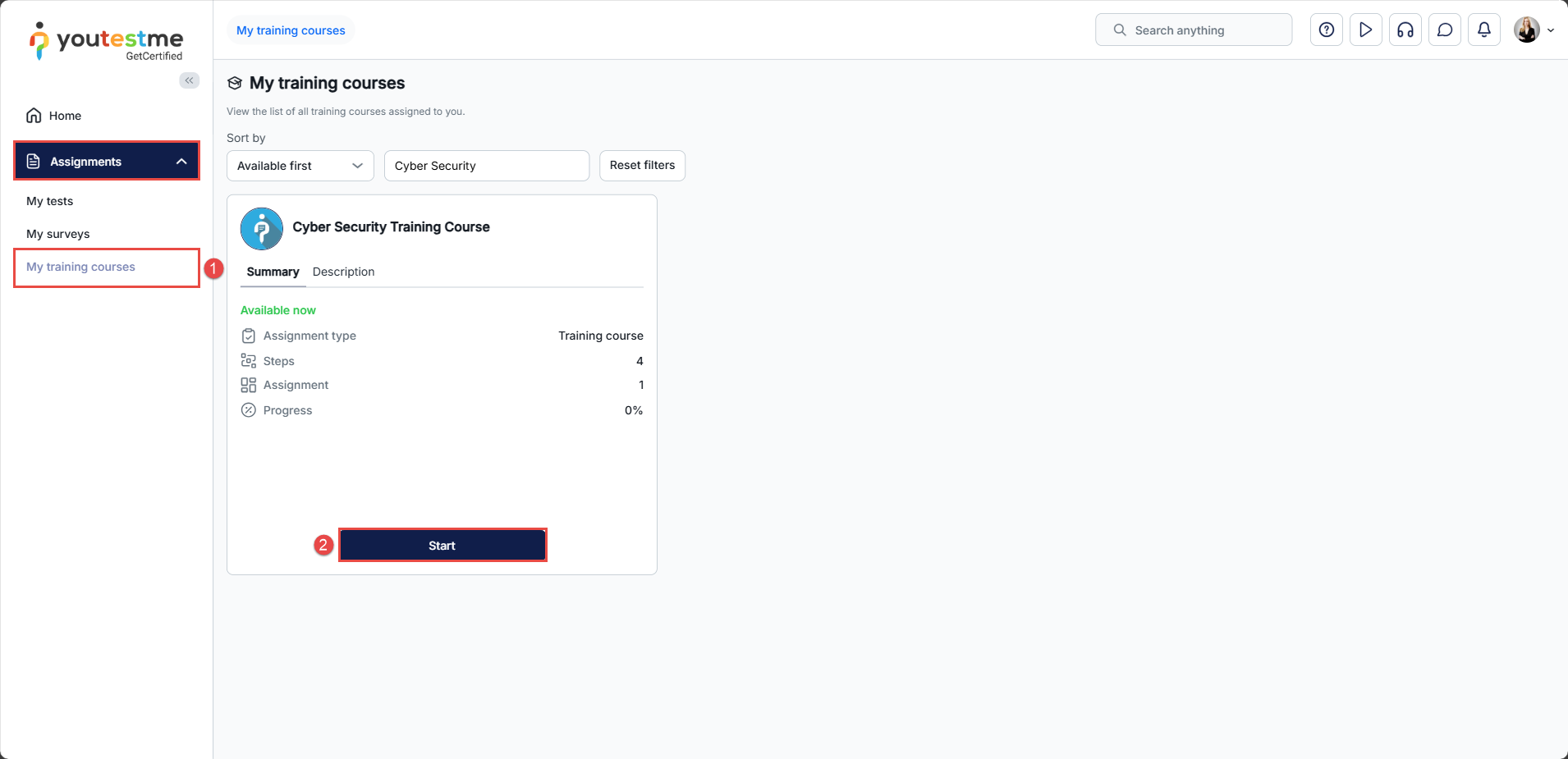
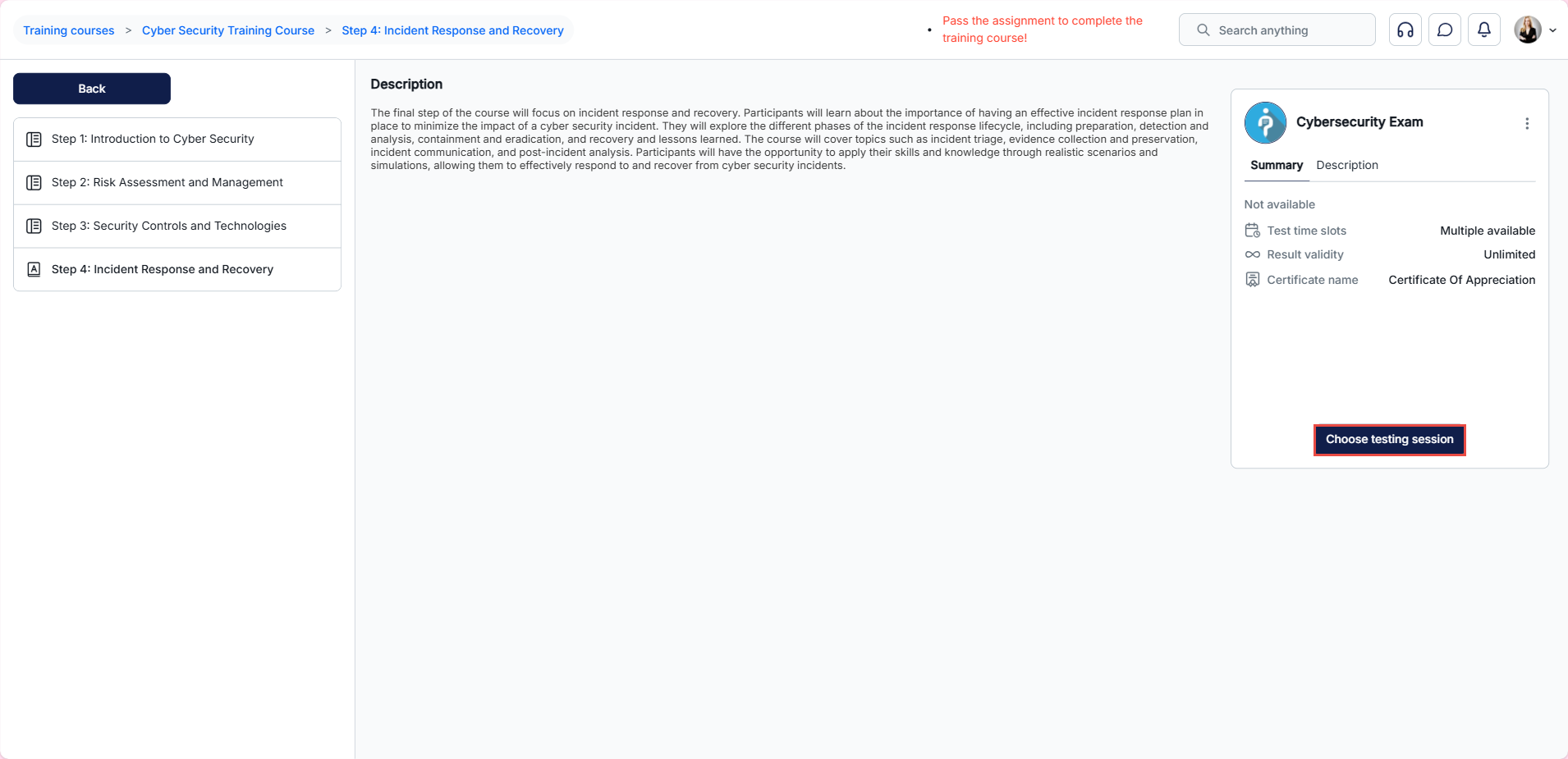
If a test in your training course has multiple testing sessions, you may select the session you wish to take by following these steps:
- Navigate to Assignments > My training courses tab
- Select the desired training course and click Start.
For more related instructional material, please visit:




