
Article verified for Release 15.2 on April 15, 2026.
If you’re looking to create a comprehensive test library for your organization, YouTestMe provides an excellent example of what can be achieved.
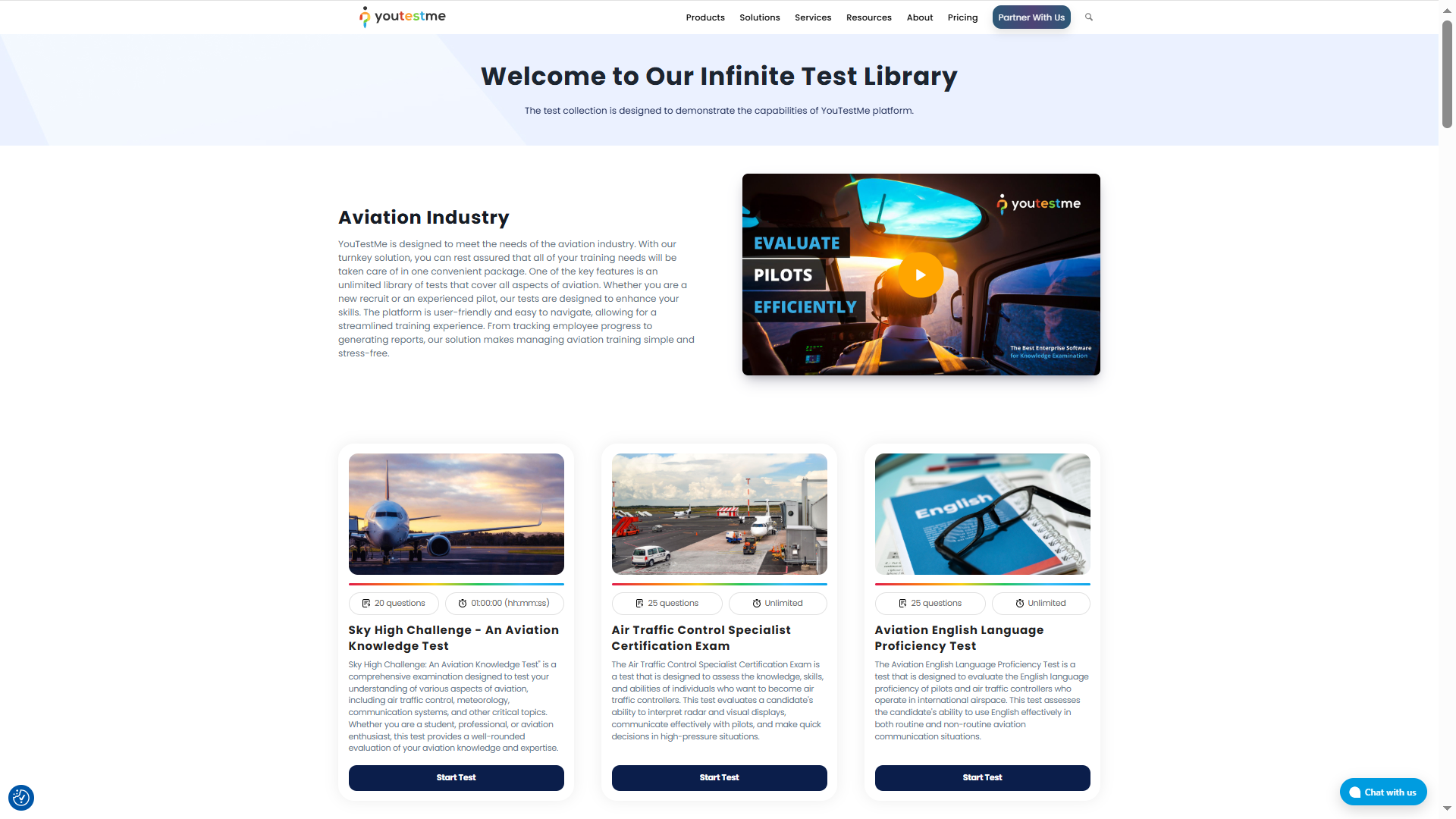
You can explore our test library here to see the possibilities and potential of sharing the test link to your website page. Integrating a test library into your WordPress website can significantly improve your organization’s examination process by showcasing your tests and offering a streamlined testing experience. In this article, we will guide you through the process of configuring tests on the YouTestMe platform, enabling you to create a personalized test library on your own website.
To get started, follow these steps:
Setting Up Shareable Tests on the YouTestMe Platform
By following the instructions in this section, you will be able to create tests and testing sessions, configure availability and access settings, and obtain shareable test links. Whether you prefer guest access for quick previews or secure registration for storing test results, YouTestMe offers options to suit your needs.
Create a Test on the YouTestMe Platform
To create a test on the YouTestMe platform, you can refer to this video, which will guide you through the process.
Create a Testing Session
After creating your test, the next step is to configure a testing session, which defines how and when the test will be delivered to candidates.
A testing session allows you to:
- Schedule the exact date and time of the test.
- Define availability across different time zones, ensuring a consistent experience for candidates worldwide.
- Set access permissions, determining who can take the test.
- Configure additional options such as test duration, number of attempts, and security settings.
In other words, while the test itself contains the questions and structure, the testing session controls the execution and accessibility of that test.
To create and configure a testing session, follow the detailed instructions provided in this article .
Obtain the Shareable Test Links
Once you have created the testing session, you can obtain the links to share the test on your website. The YouTestMe platform offers two types of links that can be generated:
- Select the actions option.
- Select the Sharing option.
- Regular test link (Direct access): If you want users to register on the YouTestMe platform and have their test results securely stored, the regular test link is the way to go. With this method, users will be redirected to a login page on the YouTestMe platform to register for an account once they click Start on your test library. Once registered, they will be redirected to the test-taking page to complete the examination. All user information and test results will be stored on the YouTestMe platform, allowing the test manager to access them anytime. For more information, please refer to this article.
- Guest link: If you prefer not to store user data on the YouTestMe platform, you can use the guest link option. This is particularly useful for creating preview marketing or demonstrational exams with a few questions. Users can try the test as guests; their test results will not be stored on the platform. If you use this link in your test library, students will receive a temporary guest username and will be automatically redirected to the test. Once they finish, they cannot access any other part of the system. For more information, please refer to this article.

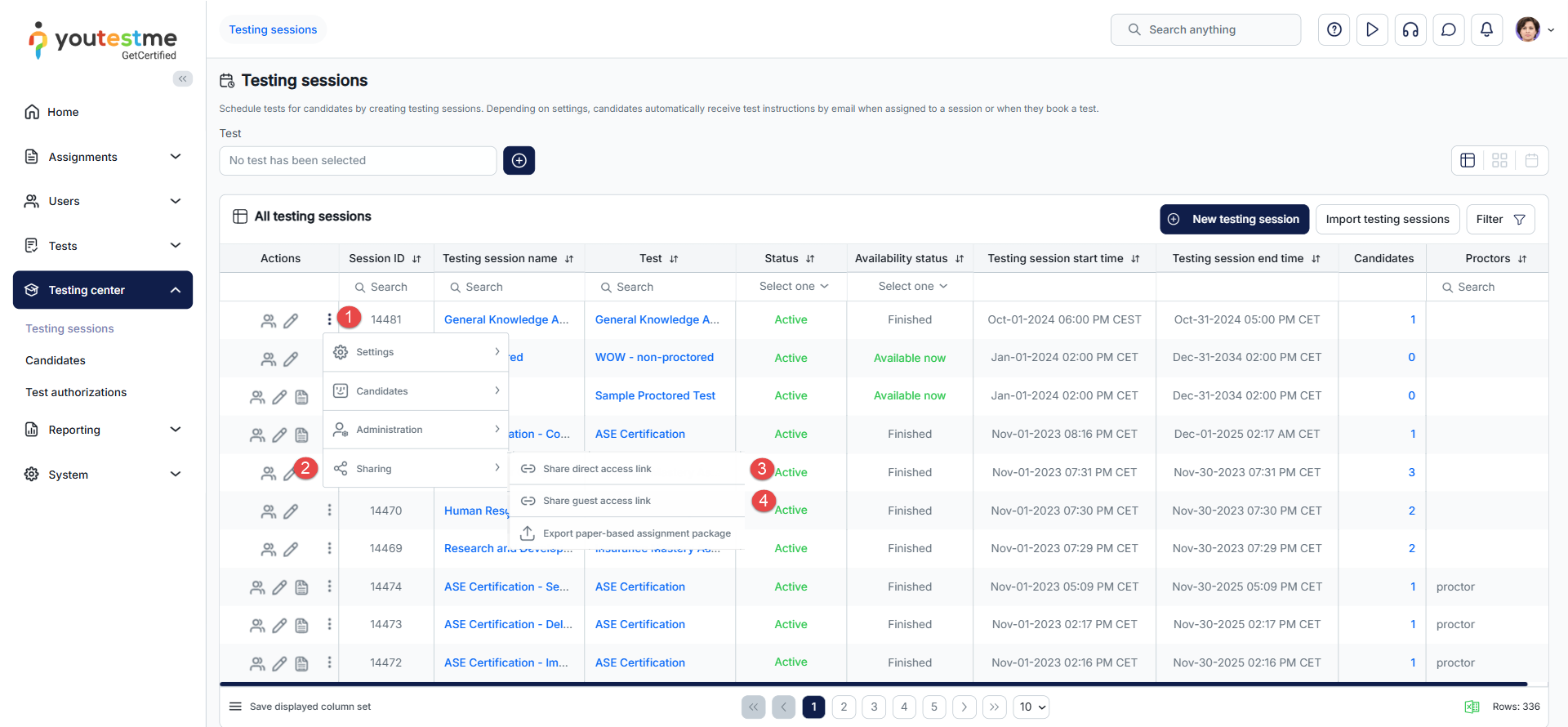
Depending on your preference, copy one of the links that you would like to paste onto your test library website page to embed it for easy access by your users:
- Direct link – The direct link will be available if you enable the Self-enrollment option while creating the testing session.
- Guest link – The guest link will only be available if you enable the Guest access permitted option while creating the testing session.
- Make sure to publish the test once you are done.
Additional Options
If you would like your students to register on your website and have the convenience of being automatically redirected to the test upon clicking the start button, with their profiles automatically created on the YouTestMe platform, or if you have any other special requirements or specific needs, please feel free to contact us at sales@youtestme.com.
Enhancing Your Test Library on WordPress
Once you prepared your test on the YouTestMe platform, you should create your Test library page on your website, and afterward, you can use one of the links, based on your preference, to make the test accessible from your website page.
You can enhance the user experience on your WordPress website by utilizing specific plugins. Here are two recommended plugins that can be integrated into your test library:
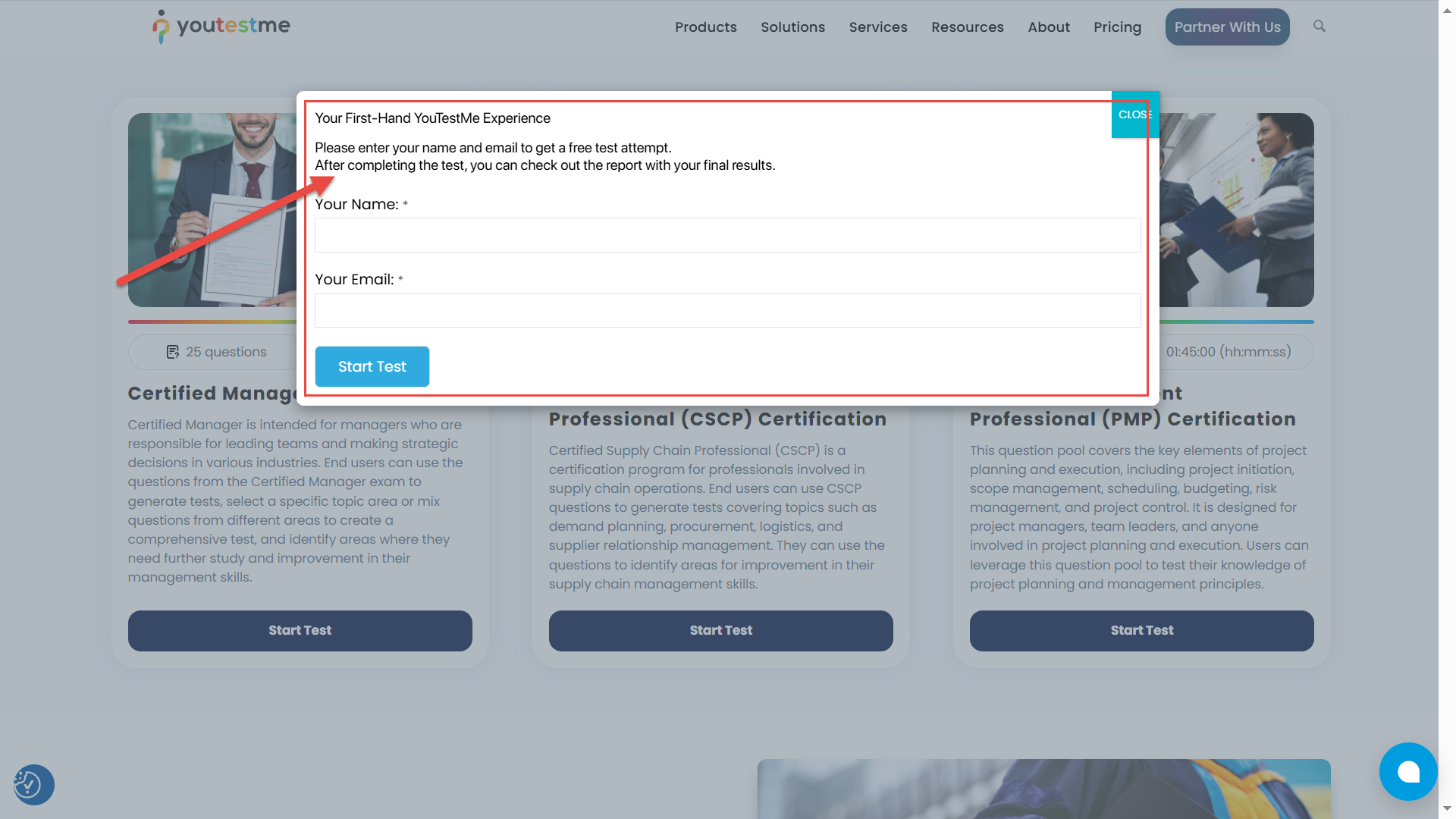
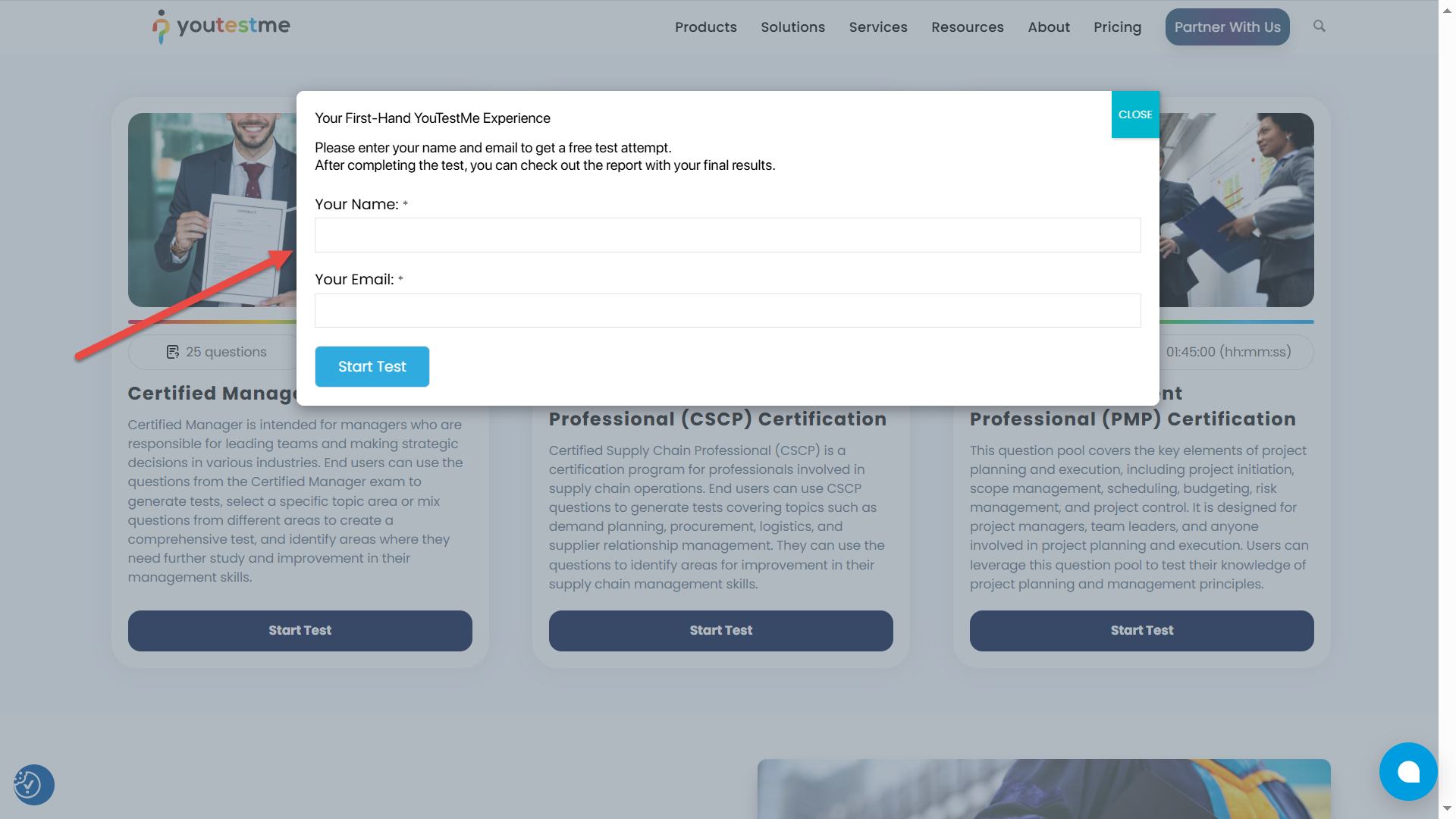
- WPForms: WPForms allows you to create custom forms that users must fill out before accessing the tests. In your form, include fields for Name and Email or any additional data you would like to collect, and specify the redirection link, in this case, the link to the test, to which the users will be redirected after they fill in the form. This plugin is specifically useful for guest link access as even though you are not storing the data on YouTestMe platform, you can still collect information via the form.

- Popup Maker Plugin: This plugin allows you to add a form that will be converted into a popup window instead of opening it in a new tab, making it a more user-friendly experience. By using a popup, you can keep your users engaged on your website and create a smooth transition to the test.
Conclusion
In conclusion, creating a comprehensive and user-friendly test library for your website is made easy with YouTestMe. By following the steps outlined in this article, you can configure tests, set up testing sessions, and obtain shareable test links. Enhancing the user experience on your WordPress website is also possible by integrating plugins like WPForms and Popup Maker. Empower your organization’s examination process and provide a streamlined testing experience for your users with YouTestMe’s powerful platform. Start building your effective test library today and unlock the full potential of online testing.




