
Article verified for Release 15.1 on September 2, 2025.
In YouTestMe GetCertified, candidates can provide answers to essay questions either by typing directly into the text field or by uploading an attachment. Attachments can include any type of file (e.g., PDF, Word, Excel, image, etc.) that supports the candidate’s response.
This article explains how to add attachments for candidates’ essay questions during the test.
Enabling or Disabling Attachments for Essay Questions
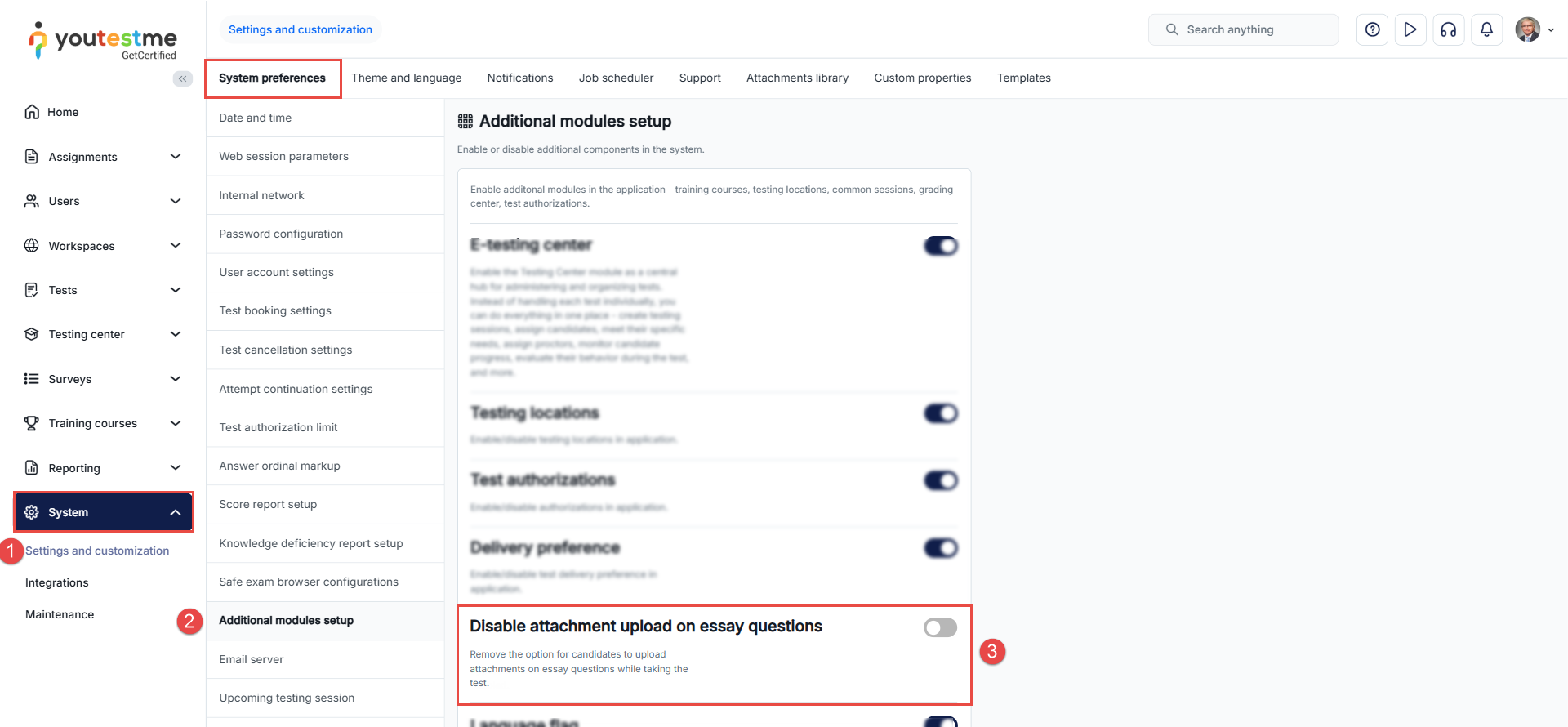
By default, candidates can upload attachments to answer an essay question. If you wish to disable this option, do the following:
- Navigate to Settings in the left-side menu and select Settings and Customization.
- Under System Preferences, navigate to Additional Modules Setup.
- Locate the Disable attachment upload on essay questions option and enable it.
Uploading Attachments
The candidate may need to include a chart, diagram, table, or other relevant document to provide a comprehensive answer.
To upload an attachment, the candidate should click the Upload file option and locate and select the file from their computer.
Note: All file types are supported.
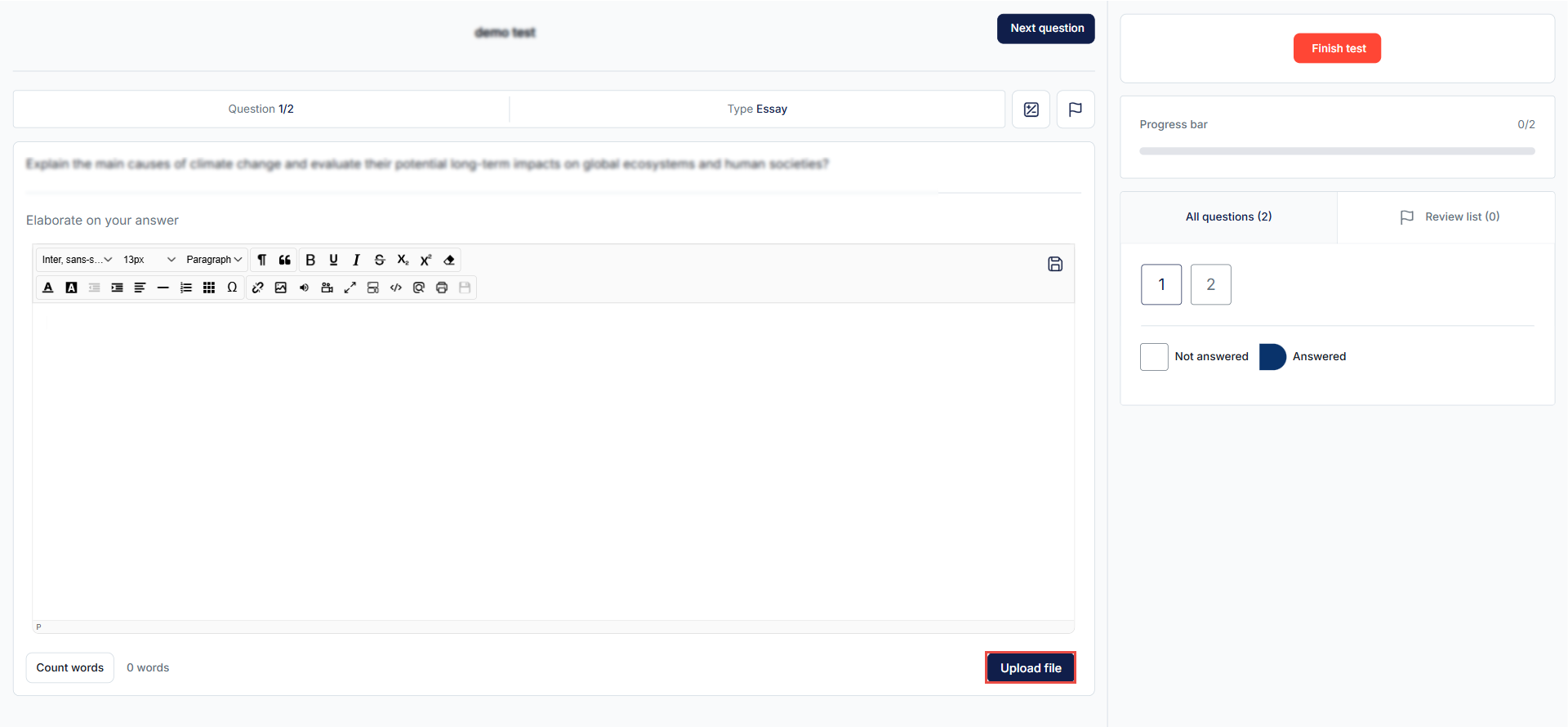
Once the candidate uploads an attachment, it can be removed by clicking the Remove file button.

Using Downloadable Attachments in Essay Questions
In addition to uploading their own files, test managers can also upload an attachment that will be available for candidates to download during the test, complete, and then re-upload, as explained above.

This option can be used in the same way as regular attachments, but it also allows scenarios such as:
- Providing candidates with a preformatted document or template that they must complete.
- Supplying additional reference material that should be filled in or annotated.
Note: The attachment must be imported as a downloadable file type so that candidates can access it during the test. For more information, please refer to the following article.
Grading Tests with Attachment
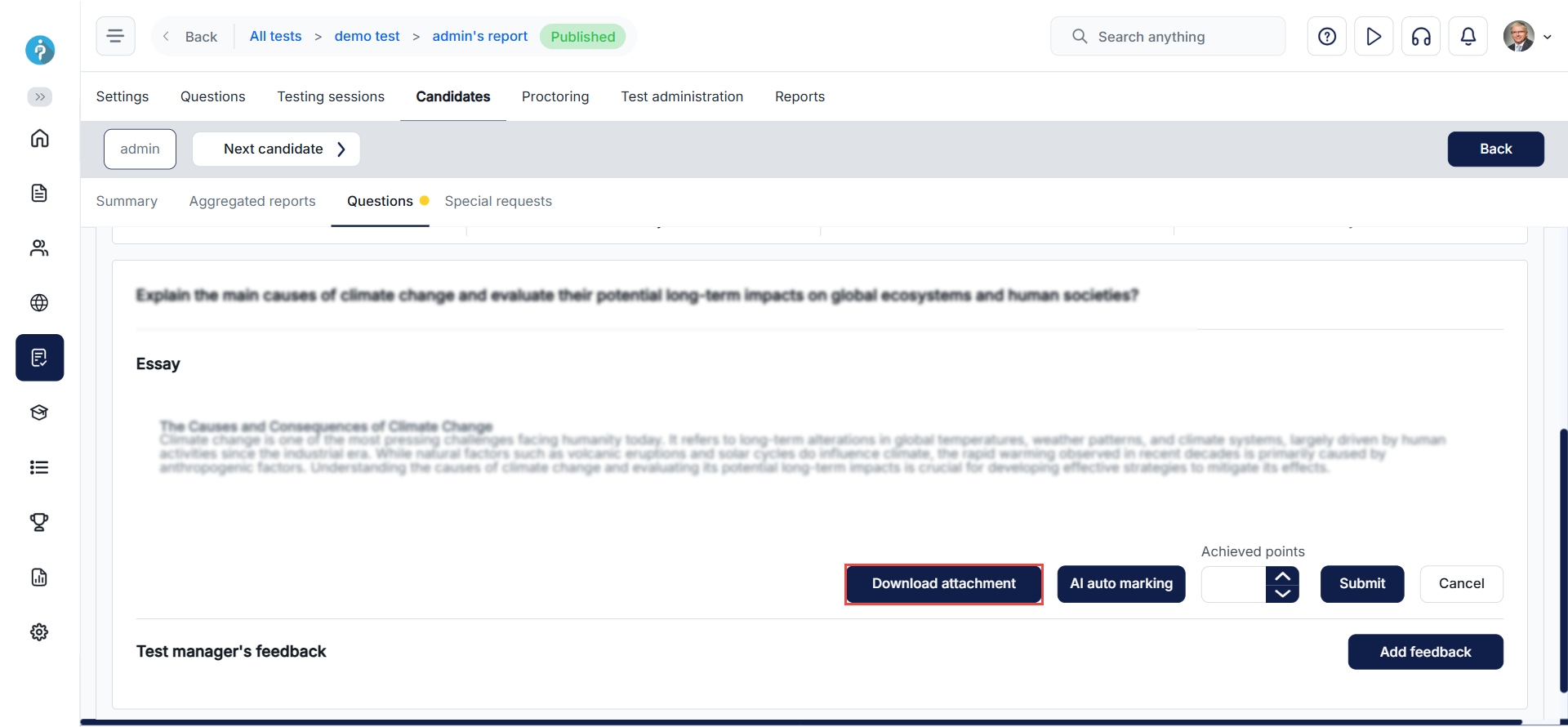
Essay questions should be graded manually. Graders can download and review the provided attachment from the candidate’s personal report.
A Download attachment button will be available for Graders when grading the essay question. For more details on how to grade a test attempt, please refer to this article.
For more useful instructional materials, please check the following links:
- How to grade a test attempt manually
- How to Add an Answer to the Essay Question
- How to Create Essay Question
- How to start a test
- How to Create a Simple Test without Sections




