YouTestMe
Platform
YouTestMe GetCertified
Online exam & certification platform
YouTestMe Proctoring
AI-powered remote proctoring
YouTestMe Virtual Interview
Structured video interview platform
Key Features
Question Bank Live Proctoring Analytics & Reports Integrations All Features →
See it in action Watch a full product walkthrough
Watch Demo
Problems we Solve Government and Military Corporate Training and Employee Certification High-Stakes Testing Organizations (Test Owners) HR and Recruitment Educational Institutions and Networks Online Test Library
Platform Integrations Customization and White-Labeling
Trust & Technology
Trust Center Roadmap Technology Platform Features Support For Candidates
Learning & Videos
Knowledge Base Walkthrough Videos Feature Videos – Version 14 Feature Videos – Version 12 Videos in English Vidéos en français Videos auf Deutsch Video klipovi na srpsko-hrvatskom
Information
About Us Partners Investors Clients Careers Contact
Press and Media
Customer Success Stories Publications Blogs
Pricing
Partner With Us
YouTestMe
Platform
YouTestMe GetCertified YouTestMe Proctoring YouTestMe Virtual Interview
Problems we Solve Government and Military Corporate Training High-Stakes Testing Organizations HR and Recruitment Educational Institutions Online Test Library
Platform Integrations Customization and White-Labeling
Trust and Technology
Trust Center Roadmap Technology Platform Features Support For Candidates
Learning and Videos
Knowledge Base Walkthrough Videos Feature Videos – Version 14 Feature Videos – Version 12 Videos in English Vidéos en français Videos auf Deutsch Video klipovi na srpsko-hrvatskom
About Us Partners Investors Clients Careers Contact Customer Success Stories Publications Blogs
Pricing
Partner With Us
↑↓ navigate Enter open Esc close
  • Products
    • YouTestMe GetCertified
    • YouTestMe Proctoring
    • YouTestMe Virtual Interview
  • Solutions
    • Government and Military
    • Corporate Training and Employee Certification
    • High-Stakes Testing Organizations (Test Owners)
    • HR and Recruitment
    • Educational Institutions and Networks
    • Online Test Library
  • Services
    • Platform Integrations
    • Customization and White-Labeling
  • Resources
    • Trust Center
    • Roadmap
    • Technology
    • Support
      • Support Services
      • Knowledge Base
      • Walkthrough Videos
      • Feature Videos – Version 14
        • Videos in English
        • Vidéos en français
        • Videos auf Deutsch
        • Video klipovi na srpsko-hrvatskom
      • Feature Videos – Version 12
        • Videos in English
        • Vidéos en français
        • Videos auf Deutsch
        • Video klipovi na srpsko-hrvatskom
    • For Candidates
  • About
    • Information
      • About Us
      • Partners
      • Investors
      • Clients
      • Careers
      • Contact
    • Press and Media
      • Customer Success Stories
      • Publications
      • Newsletters
      • Blogs
  • Pricing
  • Partner With Us
  • Click to open the search input field Click to open the search input field Search
  • Menu Menu

Single Choice vs Multiple Choice Questions

How to Register in the Application

How to Enable Immediate Feedback

How to Configure Pause, Repeat, Reschedule, and Restricted Continuation Options for Tests

How to Allow a Candidate to Modify a Test

How to Require Updating Profile Information

How to add questions to a question pool -creation methods

How to Request a Session Reschedule

How to Set Number of Free Reschedules and Resolve Requests

How to Create a Generated Test

How to Create a Simple Test

How to set up “Did not show up” status

How to Choose the Right Test Creation Method

How to Create Test with Sections

How to Create a Test with a Demographic Section

How to Bulk Import Users with an Excel Template (v10)

How to Import a Test Using an Excel File

How to Configure Pause, Repeat, Reschedule, and Restricted Continuation Options for Tests

How to Enable Section Revisit in Tests

How to create multiple test versions (v10)

How to Archive or Delete a Test

How to Integrate YouTestMe GetCertified with Your LMS

How to Create Grading Scales and Define Passing Marks

How to Set and Test the Mail Server

How to Set a Personal Report Lifespan

How to Restrict Result Access Until Manager Approval

How to provide feedback on selected answers (v10)

How to Create and Use Test and Session Instructions

How to Assign Candidates to a Testing Session

How to make test available for all users in the system (v10)

How to Create a Testing Session with a Direct Access Link (v10)

How to create a testing location (v10)

How to Create a Common Testing Session

How to Organize an Exam Booking with E-commerce

How to Assign Test Managers (v10)

How to Create a Draft Version of a Test (v10)

How to export test and the test key as a PDF (v10)

How to Change the Settings of a Published Test (v10)

How to edit published test settings (v10)

How to create a test template (v10)

How to Create a Question Group

How to Reset a Test Attempt

Preview Tests as a Test-Taker (v10)

How to Manually Grade a Test Attempt

How to Collect Updated Test-Takers’ Personal Information (v10)

How to Import Offline Test Responses

How to Create Fill In the Blanks Questions for Gathering Demographic Data (v10)

How to Add Section Instructions

How to find and use IDs for uploading testing sessions (v10)

Test Creation Methods – Differences (v10)

How to Reset a Test Attempt

How to Use the Question and Answer Randomization Option

How to Assign a Certificate Manager (v10)

How to Set Certificate Validity Period

How to record and assess suspicious actions via Google sheet (v10)

How to extend test duration for specific candidates (v10)

How to Create Shared Test Links (v10)

How to Allow Candidates to Continue the Test

How to manually adjust certificate dates (v10)

How to Assign a Certificate to a Candidate Manually

How to Enable Additional Languages in YouTestMe

How to identify all candidates who purchased testing session (v10)

How to Allow Candidates to Continue the Exam (v10)

How to Upload Multiple Testing Sessions Using Excel Template

How to Export a Personal Report as an Excel File

How to track testing sessions of tests by date and location (v10)

How to view suspended test attempts (v10)

How to Allow Changing the Chosen Answer (Second Try)

How to organize a secure test using Zoom? (v10)

How to Use Grader Security Role

How to Add Attachments to Questions

Import results from PearsonVUE & process them (hold-release) (v10)

How to Edit Published Test Settings

How to Show Report Immediately After Result Verification

How to Show Report Immediately After Finishing the Test

Test Results Verification Process

How to Create Multiple Test Versions

How to Add Room to the Common Session (v10)

How to edit questions in published manually created tests (v10)

Process results for online test (hold & release) (v10)

How to define the certificate validity period (v10)

How to Use Question Pools for the Question Review Process

How to Auto-Set Booking and Cancellation Deadlines

How to reduce test information on the “My Assignments” page (v10)

How Booking and Cancellation Notifications Appear to Student

How to Add Question Feedback When Grading a Test

How to organize exam booking (v10)

How to Purchase, Book, Cancel, Retake or Reschedule Testing Session

How to export Scantron results as a binary file (v10)

How to Allow Test Continuation without Manager’s Approval (v10)

How to Customize Personal Report Settings

How to Set Up the Webex Integration

How to Create Users in the System

How to Assign Default User Roles and Create New Custom Roles

How to Create a User Group

How to Create a Question Pool Manager Security Role

How to Create a Group Manager Security Role

How to Reactivate User Accounts

How to Unlock a User Account

How to Change a Password Within the Application

How to Manage User Account Statuses

How to Create a User Group and Enroll It in a Test (v10)

How to Bulk Import Users into User Groups

How to Change the User’s Status

How to Permit User Access to System Settings

How to Navigate and Manage My Assignments as a Candidate

How to Change User’s Personal Information (v10)

How to Enable Self-Enrollment in User Groups

How to Add Custom Fields to User’s Profile

How to Delete the User Permanently

How to set up password expiration date (v10)

How to reduce tabs on the “My profile” page (v10)

How to hide users’ private information from profile

How to Assign Certificates to Users in Bulk Using an Excel Template

How to Create and Use Question Pools

How to Bulk Import Questions to the Question Pool Using Excel Template

How to Add Questions to a Question Pool – Creation Methods

How to Create a Single Choice Question

How to Create Multiple Choice Questions

How to Create True or False Question

How to Create Essay Question

How to Create an Open-Ended Question

How to Create Matching Questions

How to Create Ordering Question

How to Create Matrix Questions

How to Create Branching Questions

How to Set Up Auto-Grading for Fill In the Blanks Questions

How to Import an Audio Recording of the Question

How to Use the All/None of the Above Answer Option

How to Track Question Reports by Pool

Rules for Question Editing

How to Label Questions Using Custom Question Properties

How to Manage Question Versions and Track Changes

How to Move or Copy Questions Between Question Pools

How to Change Application Theme and Branding

How to Configure Email and Application Notifications

How to Configure Mail Server Settings

How to Set Up Contacts to Be Used for Application Support

How to Contact Support from within the Application

How to Set Up Password Configuration

How to Configure Multilingual Application Interfaces

How to Enable/Disable Instant Self-Registration Module

How to Customize Application’s Interface Text

How to Preview a Connected Users Report

How to Configure a Test Results Notification

How to pay the registration fee (v10)

How to Create and Schedule Jobs for Automated Import /Export

How to Preview the List of Scheduled Jobs and Execution History

How to Enable and Configure the “Job Executed” Notification

How to Change Answer Ordinal Markup

How to Configure the Registration Page

How to Create and Store Attachment in Library

How to Set Automatic Upcoming Sessions Reminder

How to Turn On/Off the Calculator

How to Set Up SFTP Data Exchange with PearsonVUE

How to Send Test Results from YouTestMe to your LRS using xAPI? (Tin Can API)

How to Set Automatic Expiring Sessions Reminder

One-Minute Overview of YouTestMe GetCertified

How to Get Around with Useful Materials

How to register and start your test (v10)

How to Set Up Create New User Zapier Action

How to Generate Tests Based on Question Categories

How to Set Up SSO Configuration

How to Register with Self-Registration Module Enabled or Disabled

How to Access and Use Predefined Reports

How to Subscribe People to Receive Test and Survey Results

How to Create Custom Reports Using Report Builder

How to Schedule the Sending of Reports

How to Create Overall Statistics Reports (v10)

How to Track Login and Logout Activities

How to Generate Reports Showing the Number of Users Who Took a Test

How to Send Test Results to LRS

How to Conduct Item Analysis through YouTestMe GetCertified

How to Generate Test Result Reports by Location

How to Export the Report With Testing Locations

How to Customize a PDF Version of a Score Report

How to View and Manage List of Sent Emails

How to Adjust the Report Builder Format and Header Names

How to Access the Achieved Certificates Reports

How to Use Custom Question Properties in the Report Builder

How to Create “Add Users to Training” Zap

How to use search by keywords on “My assignments” page (v10)

How to Take a Test: Test Map

How to Cancel the Already Purchased Booking 

How to Use Notes During the Test-Taking Process

How to Enlarge Images in the Test

How to Add Attachments to Essay Questions during Test-Taking

How to Answer an Essay Question

How to Use Screen Reader Software While Taking a Test

How to Manually Create a User

How to Integrate Zapier with GetCertified and Create Zaps

How to Create and Manage Certificates

How to Configure Test Results Validity Period

Integration with ILIAS (v.LTI-1p0) via LTI

How to Access Your Stripe Information for E-commerce Configuration

How to Organize Recertification Process

How to Add Existing or Ad Hoc Tests to a Training Course Step

How to Add Steps to a Training Course

How to Add an Attachment to the Training Course Step

How to Assign and Unassign Candidates to a Training Course

How to Assign Training Course Manager

How to Take a Training Course

How to Export Lists of Training Courses with Descriptions and Creation Details

How to Place Candidates in Specific Training Course Step

How to Create a Test with Sections

How to Export Questions with Answers from Question Pool

How to Create Custom Question Properties

How to Create a Stripe Account

How to Set Up Training Course Fees with E-commerce

How to Create and Import Paper-Based Tests in YTM with Remark

How to Create and Use Question Pools

How to Create a Testing Location

How to Organize a Secure Test Using the Lockdown Browser

How to Create a Test That Can Be Started from Your Website

How to Organize a Training Course Awarded with Certificate

How to Customize Test Instructions Dialog

How to Purchase a Training Course

How to Generate Link for Assigning Users to User Groups Directly

How to Reset Your Login Credentials in GetCertified

How to Upload Attachments to Essay Questions

How to Add and Manage Comments in a Test

How to Allow Test Retakes

How to Create a New Question within a Question Pool

How to Filter Questions in Question Pools

How to Use Report Builder

How to Create a Survey Testing Session

How to Enable the Self-Enrollment Option for Training Courses

How to add questions to a question pool -creation methods

How to Use the Notes Feature during an Online Exam

How to Create a Test Template

How to Export Detailed Personal Exam Report

How to Analyze Question Performance Using Test and Question Pool Reports

Test Results and Question Feedback Statistics Reports

How to Track Question Success Ratios and Pool Statistics Using Scheduled Reports

How to Share Tests for Guest Users

How to Create a Testing Session Link

How to Set Up E-commerce

How to Set Up the OpenID Configuration with Microsoft Azure

How to Create a Test with Attachments

How to Schedule a Testing Session

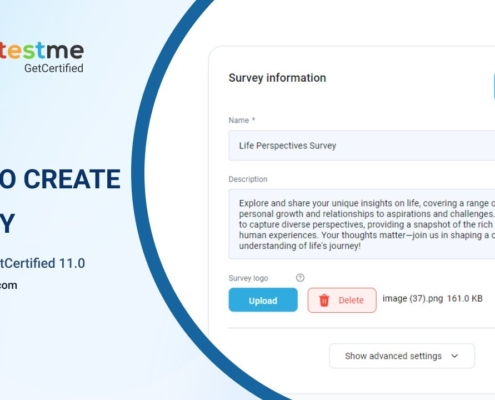
How to Create a Survey

How to Set Up Report Content

How to Create Dropdown Type of Custom Question Property

How to Set Up Support Contact

How to Create Generated Tests with Questions with Method “By Answer Weight”

How to Create Question Categories

How to Create Hotspot Questions

How to Preview a Test

How to Display a Basic Report

How to Set Up “Did Not Show Up” Status

How to Create Automatic Question Feedback

How to Enable Knowledge Deficiency Report Download

How to Create an Exam for Pearson VUE Integration

Hold and Release Mechanism

How to export created tests and distribute hard copies

PearsonVUE Export to VBI Package

How to Archive or Delete a Test

How to Use the Real-Time Grading Option

How to Export Personal Report as PDF

How to Pin the Test to the Top of the My Assignments

How to Setup Payment Methods for Sessions

How to Create and Share Test via Email

How to Connect YouTestMe Certificates with Credly Badges via Zapier

What Happens with Data If Connectivity Is Lost

How to Add Custom Certificate Templates

How to Assign Users to a Training Course Using Google Spreadsheets and Zapier Integration

How to Customize Email Notifications

How to Personalize the Home Page Layout Based on User Roles

Record & Review Process

How to Include a Direct Link in Results Email Notifications

How to Set Up Custom Domain and SSL Certificate

How to Deactivate Questions in the Question Pool

How to Bulk Import Users with an Excel Template

How to Create High-Quality Questions Using the Question Manager Role

How to Add/Change Credit Card on Stripe Billing

Exam Session Management with Candidate Service Representative Role

Managing and Customizing System with the Administrator Role

Streamlining Test Creation with Test Manager Role

What Does YouTestMe Cyber Liability Insurance Policy Cover

What Does YouTestMe Insurance Policy Include

What Is the Number of Breaches Requiring Notification to Clients in the Last 3 Years? (Last Updated on March 13, 2023)

What Is the Outline of YouTestMe’s Cybersecurity Policies

Special Accommodations Process

How to Personalize Notifications

How to Access and Trigger the Test Notifications

How to Set Up Your Domain for Your Instance of YouTestMe

How to Change the Welcome Page Based on User Roles

How to Use Coupon Codes to Purchase a Test

How to Access the Personal Report (Candidate’s Perspective)

How to Add Question Feedback and Question Difficulty to Questions

Does YouTestMe Have the Accessibility Conformance Report (ACR) Based on the ITI VPAT?

How to Allow User Test Attempts Export

How to bulk create testing sessions and assign candidates using an Excel template

Options for accessing an online testing system and starting the test

U.S. Federal Government Security Checks

How to Create and Use Test and Session Instructions

Test Result Verification Process

How to Configure and Use Practice Tests

How to Define Finish Test URL

How to Schedule a Single Test Session

How to Scan Paper-Based Tests with Remark Office OMR

Change the Language of the Application

How to Configure Default Views for My Tests, My Surveys, and Candidates’ Attempts

Test Authorization – Free Rewrite

How to Create Special Requests

A Step-by-Step Guide to Streamlined Online Registration, Payment, Training, and Testing Processes

YouTestMe Cybersecurity Policies

Where is the Data Stored?

How to Create Custom Question Properties

How to Archive or Delete a Test

The Ultimate Guide for Organizing a Test in YouTestMe

How to Manage Question Versions and Track Changes

How to book the test

Building an Effective Test Library for Your Website with YouTestMe

How to Generate Questions with AI

Test Result Verification Process

How to Allow Candidates to Choose One of the Offered Testing Sessions within a Training Course

Le Processus d’Examen Surveillé en ligne du point de vue d’un Étudiant

How to Set Up the SSO Configuration with Okta

How to Add Comments in the Question Changelog

How to customize the test logo

How To Create and Use Registration Links

How to Use the Integrated Calculator During the Test

How to Share Certificate Links

Sending Group Email Notifications to All Test Candidates

How to start a test

How to Identify All Candidates Who Purchased a Testing Session

How to define availability periods for test sections

How to Generate Training Courses Using AI

How to Create Fill In the Blanks Question Type

Option to Export All User Attempts by Choosing One of the Existing Attempts Report

How to export a certificate

How to Scale Font Size

How to Enable/Disable Accessibility Mode

How to add Widgets to the Homepage

How to Create a Copy of a Question Pool

How to Add Comments to Changes Applied to the Test

How to Enable/Disable the unanswered questions message

How to Automatically Assign User Roles in the Workspace

Exploring the Vital Responsibilities of Workspace Administrators in Workspaces

How to secure user access with SSO-only logins

How to Manage a Workspace Dashboard

A Guide on Effectively Managing Workspaces

Performance Assessment and Comparative Analysis Tool

How to Configure Test Information Presented to the Student

How to Set Default Pages for Each Role

How to Create and Use Categories for Tests and Surveys

How To Customize Tables In the YTM Application And Save Selected Columns Permanently For Display

How to Activate Username Case-Sensitivity

How to Enhance Your User Experience with the First Time Setup Wizard

How to Enable User Manual (Help) and Demo (Instructional) Videos in the Application

How to Utilize the Proficiency Level Question Pool Report

How to generate tests with all questions included from the pool

How to require attachments review during training course

How to Set a Test Completion Message

Manage Question Versions and Changes

How to set the default landing page for each role

How to Move a Question Pool to Another Pool

How to Unlock All Steps in Training Course at Once

How to Configure Test Finished Email Notification

How to restrict testing session creation only to the user group level

How to Use YouTestMe Webhooks

How to use YouTestMe GetCertified REST API

Adaptive Testing in YouTestMe (Roadmap)

How to make custom HTML Email notifications

How to create Custom User Properties

How to manage question versions

How to Create a Job Satisfaction Survey

How to Organize a Voting System with YouTestMe

How to Manage Question Versions and Track Changes

How to Set Up the OpenID Configuration with Okta

How to Create a User with Read-Only Permissions in Question Pools

How to Create a Question pool Manager Security Role

How to Streamline Voting Data Processing with Remark Office OMR and YouTestMe

Multifactor Authentication in YouTestMe

How to Assign Test Manager

How to Track User Activity in the Application

How to Analyze User Group Scores Charts

How to Streamline Your Candidate Screening Process with YouTestMe

How to Perform Skill Gap Analysis in YouTestMe

How to Export Test in SCORM Format

How to Organize the Item Authoring Process and Manage Question Pools

Active users limit restrictions

How to Categorize Groups by Group Types

How to Create and Edit Custom Forms

How to Track User’s Payments with the Partners Feature

How to Optimize Test Monitoring with Polling and Web Sockets

How to Locate Your Test in YouTestMe

Integrate YouTestMe with Moodle

How to Add a Column For The Uploaded Attachment in The Report Builder

How to Access User Access Reports

How to Assign Candidates to Training Courses Using Registration Link

How to move question pools

Quick Help Videos

How to Analyze Question Pool Statistics

How to Access the Test’s Questions Report and Summary Report

How to Use YouTestMe as a Job Portal

Item Authoring and Question Pool Management Guide

How to Prohibit the Use of Unsupported Browsers

YouTestMe Offboarding Procedure

How to Reorganize Question Pools Using the Move Option

Roles and permissions

Automated Updates for Questions in Manually Created Tests

How to Enable the Collapsed Progress Bar View in Tests

How to Bulk Edit Questions

How to Enable/Disable the Export of The Personal Report as PDF or Excel

How to Enable the Integrity Check For Generated Tests

A Complete Guide to Exploring Exam Time Selection and Purchase Functionality in Demo Environment

A Complete Guide to Exploring Exam Time Selection in Demo Environment

How to Enable Section Selection

How to Optimize Your Recruiting with YouTestMe in Greenhouse

How to Export a Test in PDF format

Tenders FAQ

How to Ensure Preservation of Question Pool and Exam Integrity

How to Access Practice Tests through LTI Integration

Exploring Multimedia Size Limits in YouTestMe GetCertified

How to Create a Testing Session

How to Send Special Accommodations And Requests

How to Define Availability Periods for Test Sections

How to Use the Integrated Calculator in a Test

How to Add Widgets to the Homepage

How to Create a Copy of a Question Pool

How to Add Comments to Changes Applied to the Test

How to Enable/Disable the Unanswered Questions Message

How to Create Question Categories and Use Them for Performance Analysis

Test and Survey Categorization

How to Utilize the Proficiency Level Question Pool Report

How to generate tests with all questions included from the pool

How to Require User Group Assignment When Creating Testing Sessions

Multifactor Authentication in YouTestMe

How to Assign Test Manager

How to Streamline Your Candidate Screening Process with YouTestMe

How to Perform Skill Gap Analysis in YouTestMe

How to Seamlessly Integrate YouTestMe with Moodle

How to Delve into Data by Analyzing Question Pool Statistics

Active Users Limit Restrictions

How to Access the Test’s Questions Report and Summary Report

How to Use Test Sections to Define Mandatory Competencies

How to Configure Two-Factor Authentication at the Role Level

How to Enable/Disable the Export of The Personal Report as PDF or Excel

Roles and Permissions

How to Use YouTestMe as a Job Portal

A Complete Guide to Exploring Exam Time Selection in Demo Environment

How to Preview a Test

Roles and permissions

How to Send Group Email Notification to Candidates

How to Customize the Test Logo

How To Create and Use Registration Links

How to Manage Question Versions and Track Changes

How to Export Personal Report as PDF

How to Add Attachments to Your Test, Test section and Individual Questions

How to Create Generated Tests using Questions with Scoring Method “By Answer Weight”

How to Display a Basic Report

Test Result Verification Process

Building an Effective Test Library for Your Website with YouTestMe

How to Book the Test

How to see different versions of questions

How to Create Custom Question Properties

How to Configure Default View on My Tests Page

How to Change Application Theme and Branding

How to Schedule a Single and Multiple Test Sessions

Self-Creation of Practice Tests

How to Use Notes during the Test

How to Upload Attachments to Essay Questions

How to Manually Create a User

How to Create a Survey

How to Create Training Courses

How to Bulk Create Sessions and Assign Candidates Using Excel

How to Add Question Feedback and Question Difficulty to Questions

How to Create Test Authorization

How to Create Test Discount Coupons

How to Change the Default Welcome Page Based on User Roles

Record & Review Process

How to Streamline Test Creation Using the Test Manager Role

Managing and Customizing the System with the Administrator Role

Exam Session Management with Candidate Service Representative Role

How to Create and Use Test and Session Instructions

How to Set Up “Did Not Show Up” Status

How to Deactivate Questions in the Question Pool using the Frequency Factor

How to Check the Mail Server and Sent Emails

How to Use Search by Keywords on “Assignments” Page

How to Cancel a Purchased Exam

Integration with ILIAS (v.LTI-1p0) via LTI

How to export created tests and distribute hard copies

How to Bulk Import Users with an Excel Template

How to Create an Exam for Pearson VUE Integration

How to Set Up E-commerce

How to Include a Direct Link in Results Email Notifications

How to Set a Personal Report Lifespan

How to Configure Pause, Repeat, Reschedule, and Restricted Continuation Options for Tests

How to Configure Test Results Validity Period

Single Choice vs Multiple Choice Questions

How to Pin the Test to the Top of the My Assignments

How to Create Test with Sections

How to Create a Dropdown Type of Custom Question Property

How to Assign Default User Roles and Create New Custom Roles

How to Create and Manage Certificates

How to Define Certificate Conditions

How to Set Up Report Content

How to Conduct Item Analysis through YouTestMe GetCertified

How to Create Custom Reports Using Report Builder

How to Upload Attachments to Essay Questions

How to Adjust the Report Builder Format and Header Names

How to Customize Test Instructions Dialog

How to White-Label the Application

How to Create a Test That Can Be Started from Your Website

Test Results Verification Process

How to Create Paper Based Test

Allow Candidates to Select a Testing Session in a Training Course

How to Use YouTestMe as a Job Portal

How to Access Help Videos

How to Register and Start Your Test

How to Create and Share Test via Email

How to Customize Stripe Receipt in YouTestMe

How to Take a Test

Exploring Multimedia Size Limits in YouTestMe GetCertified

A Complete Guide to Exploring Exam Time Selection and Purchase Functionality in Demo Environment

How to Bulk Edit Questions

How to move question pools

How to Use the Real-Time Grading Option

How to Create a Testing Session Link

How to Share Tests for Guest Users

How to Create a Generated Test

How to Create Automatic Question Feedback

How to Enable Knowledge Deficiency Report Download

How to Import Questions with Category Values via Excel

How to Create Custom Question Properties

How to Create Custom Question Properties

How to Create Question Categories

How to add steps to a training course

How to add an attachment to the training course step

How to Bulk Import Users with an Excel Template

How to Change Users’ Information

How to Assign Training Course Manager

How to Manage Candidate Enrollment in Training Courses

How to Place Candidates in Specific Training Course Step

How to Archive or Delete a Test

How to Archive or Delete a Test

How to Reset a Test Attempt

How to Pin Training Course to the Assignments

How to Pin the Survey to the Assignments

How to Create a Test Template

How to Organize Workspaces

How to Generate Tests Based on Question Categories

How to Configure Email and Application Notifications

How to Add Comments to Test Attempts

How to Track Candidate Test Progress

How to Add a Video to a Training Course Step Description

How to Upload an Attachment to the Attachments Library

How to Make an Attachment Accessible from the Step Description of a Training Course

How to Limit the Time Frame for Starting the Test

How to Generate a Link to Directly Enroll Users into User Groups

How to Grade Questions Using Predefined Grading Templates

How to Use the User Impersonation Module

How to Create a Testing Session

How to create a test with Section

How to Add Comments to the Questions from the Question Pools

How to Configure Testing Session Password

How to Use Operating System Compatibility Settings

How to Create and Send Unique Direct Test Links to Candidates

How to Access the Overall User Profile Report

How to Create Answer Feedback

How to Set a Time Limit for Personal Report Access

Creating and Managing Question Pools and Questions via API

How to Hide the Log Out Button

How to Configure Test and Section Instructions in Multiple Languages

How to Upload Images Into Question Descriptions using iFrames

How to Add Translations to Questions

How to Configure Test Layouts in YouTestMe

How to Define the Test Duration Settings

Comprehensive Reporting Features in the YouTestMe System

How to Use Question Versioning to Track and Manage Question Changes

How to Integrate YouTestMe with Greenhouse

How to Create a Testing Session Link

How to Access and Use an SSO Link for Direct Test Entry with Self-Enrollment

How to Use the Multiple Graders Feature to Grade a Test

How to Create Test Authorization

How to Use the Integrated PDF Attachment

How to Assign Specific Test Sections Based on User Data

How to Create and Manage Certificates

How to Create and Use Question Pools

Recommended Screen Resolutions for Optimal Application Performance

How to Create Shared Test Links

How to Update Test Versions to Candidate

How to Auto-Mark Essay Questions with AI

Guide to Test Access Links

How to Export Test Statistics as a PDF

How to Set Up the OpenAI API Integration

Different Question Types (Candidate’s Perspective)

How to Access the Personal Report (Candidate’s Perspective)

How to Use an Additional Camera for 360° Monitoring

How to Access and Manage Test Attempt

How to Set Up Tax Configuration for Stripe Purchases

How to Configure Scoring Methods and Grading Options

How to Use the Branching Modes

How to Ensure Candidates Update Their Passwords

How Candidates Can Log In with Two-Factor Authentication (2FA)

How to Enable and Use Apache Superset in YouTestMe

How to Disable Guest Data Deletion

How to Set Up Your Secondary Camera

Integrating YouTestMe Tests with External Systems Using the Authorizations REST API

How to Add a SCORM Attachment to a Test

How to Create Accounting Questions

How to Create a Simple Test

How to Add and Manage Questions in a Question Pool

How to Post a YouTestMe Certificate on LinkedIn

How to Create a Training Course with SCORM, Tests, and Certificates

How to Set Up Password Configuration

Workspace Roles vs. System Roles – Understanding Permissions

How to Organize and Manage Users in Workspaces

How to Use the Advanced Editor

How to Export Pool as JSON

How to Automatically Select Test Language

How to Manage Candidate Report Visibility

How to Set the Extended List View to a Fixed Alphabetical Order

How to Track Question Results by Pool

How to Customize Instructional Videos

How to Access Test Reports

How to Check Test Attempts by User Group Report

How to Manage Users and Testing Sessions as an Institutional Administrator

How to Review Candidates’ Feedback on Test Questions

How to Access and Use the Test Attempts Details Report

How to Choose the Right Test Creation Method

How to Enable the Question Assistance for Candidates

How to Track Test Configuration Changes and Candidate Attempts

How to Add Tests, Question Pools, User Groups, and Testing Sessions to Workspaces

How to Review Pricing, Billing Cycles, and Payments

How to Manage and Analyze All Test Attempts

How to use the answer generator

How to Review and Analyze Testing Sessions

How to Check Test Statuses and Availability

How to Import Test as JSON

How to Add an Event to Your Calendar

How to Create and Manage Login Consents

How to Analyze Test Results Reports

How to Enable User Anonymization

How to Prevent Cheating in Online Tests

How to Link Results Between Tests in a Common Session

How to Add Additional Points to a Specific Candidate

How to Export a Question Pool as a PDF in YouTestMe

How to Choose Between a Standard Test and a Test with Sections

How to Return Test to Wizard

How to Check Answer Distribution in a Test

How to Use AI Chatbot in YTM

How to Use AI Orchestrator

How to Ensure Email Is Used as the Username

How to Delete an Attempt

How to Configure Account Security Policies

How to Track and Monitor User Activity Using Activity Reports

How to Configure and Use Multidimensional Rubrics for Essay Question Grading

Question Review Process

How to Create Questions with Formulas

How to Use AI Grading in Essay and Fill in the Blanks Questions

What’s New

Page 1 of 0

PLATFORM

Key Features

Proctoring Employee Training

All Features

Partners

PAYMENT OPTIONS

COMPANY

About Us

Contact Us

Success Stories

LEGAL

Purchase Terms and Conditions

Terms and Conditions

Privacy Policy

SUPPORT

Support Services

Knowledge Base

Feature Videos

TESTING CENTER

Test Owners

Test Takers

RESOURCES

Technical Details

Data Security

Road Map

YouTestMe Wiki

Newsletters

Blog


Scroll to top

Your First-Hand YouTestMe Experience

Please enter your name and email to get a free test attempt.
After completing the test, you can check out the report with your final results.

Your First-Hand YouTestMe Experience

Please enter your name and email to get a free test attempt.
After completing the test, you can check out the report with your final results.

Your First-Hand YouTestMe Experience

Please enter your name and email to get a free test attempt.
After completing the test, you can check out the report with your final results.

Your First-Hand YouTestMe Experience

Please enter your name and email to get a free test attempt.
After completing the test, you can check out the report with your final results.

Your First-Hand YouTestMe Experience

Please enter your name and email to get a free test attempt.
After completing the test, you can check out the report with your final results.

Your First-Hand YouTestMe Experience

Please enter your name and email to get a free test attempt.
After completing the test, you can check out the report with your final results.

Your First-Hand YouTestMe Experience

Please enter your name and email to get a free test attempt.
After completing the test, you can check out the report with your final results.

Your First-Hand YouTestMe Experience

Please enter your name and email to get a free test attempt.
After completing the test, you can check out the report with your final results.

Experience YouTestMe proctored test!

Please enter your name and email to get a free test attempt.
After completing the test, you can check out the report with your final results.

Disclaimer:
Please note that all your data will be detailed immediately upon the completion of the test. No records will be stored.

Loading

Your First-Hand YouTestMe Experience

Please enter your name and email to get a free test attempt.
After completing the test, you can check out the report with your final results.

Loading

Your First-Hand YouTestMe Experience

Please enter your name and email to get a free test attempt.
After completing the test, you can check out the report with your final results.

Loading

Your First-Hand YouTestMe Experience

Please enter your name and email to get a free test attempt.
After completing the test, you can check out the report with your final results.

Loading

Your First-Hand YouTestMe Experience

Please enter your name and email to get a free test attempt.
After completing the test, you can check out the report with your final results.

Loading

Your First-Hand YouTestMe Experience

Please enter your name and email to get a free test attempt.
After completing the test, you can check out the report with your final results.

Loading

Your First-Hand YouTestMe Experience

Please enter your name and email to get a free test attempt.
After completing the test, you can check out the report with your final results.

Loading

Your First-Hand YouTestMe Experience

Please enter your name and email to get a free test attempt.
After completing the test, you can check out the report with your final results.

Loading

Your First-Hand YouTestMe Experience

Please enter your name and email to get a free test attempt.
After completing the test, you can check out the report with your final results.

Loading

Your First-Hand YouTestMe Experience

Please enter your name and email to get a free test attempt.
After completing the test, you can check out the report with your final results.

Loading

Your First-Hand YouTestMe Experience

Please enter your name and email to get a free test attempt.
After completing the test, you can check out the report with your final results.

Loading

Your First-Hand YouTestMe Experience

Please enter your name and email to get a free test attempt.
After completing the test, you can check out the report with your final results.

Loading

Your First-Hand YouTestMe Experience

Please enter your name and email to get a free test attempt.
After completing the test, you can check out the report with your final results.

Loading

Your First-Hand YouTestMe Experience

Please enter your name and email to get a free test attempt.
After completing the test, you can check out the report with your final results.

Loading

Your First-Hand YouTestMe Experience

Please enter your name and email to get a free test attempt.
After completing the test, you can check out the report with your final results.

Loading

Your First-Hand YouTestMe Experience

Please enter your name and email to get a free test attempt.
After completing the test, you can check out the report with your final results.

Loading

Your First-Hand YouTestMe Experience

Please enter your name and email to get a free test attempt.
After completing the test, you can check out the report with your final results.

Loading

Your First-Hand YouTestMe Experience

Please enter your name and email to get a free test attempt.
After completing the test, you can check out the report with your final results.

Loading

Your First-Hand YouTestMe Experience

Please enter your name and email to get a free test attempt.
After completing the test, you can check out the report with your final results.

Loading

Your First-Hand YouTestMe Experience

Please enter your name and email to get a free test attempt.
After completing the test, you can check out the report with your final results.

Loading

Your First-Hand YouTestMe Experience

Please enter your name and email to get a free test attempt.
After completing the test, you can check out the report with your final results.

Loading

Your First-Hand YouTestMe Experience

Please enter your name and email to get a free test attempt.
After completing the test, you can check out the report with your final results.

Loading

Your First-Hand YouTestMe Experience

Please enter your name and email to get a free test attempt.
After completing the test, you can check out the report with your final results.

Loading

Your First-Hand YouTestMe Experience

Please enter your name and email to get a free test attempt.
After completing the test, you can check out the report with your final results.

Loading

Your First-Hand YouTestMe Experience

Please enter your name and email to get a free test attempt.
After completing the test, you can check out the report with your final results.

Loading

Your First-Hand YouTestMe Experience

Please enter your name and email to get a free test attempt.
After completing the test, you can check out the report with your final results.

Your First-Hand YouTestMe Experience

Please enter your name and email to get a free test attempt.
After completing the test, you can check out the report with your final results.

Loading

Your First-Hand YouTestMe Experience

Please enter your name and email to get a free test attempt.
After completing the test, you can check out the report with your final results.

Loading

Your First-Hand YouTestMe Experience

Please enter your name and email to get a free test attempt.
After completing the test, you can check out the report with your final results.

Loading

Your First-Hand YouTestMe Experience

Please enter your name and email to get a free test attempt.
After completing the test, you can check out the report with your final results.

Loading

Your First-Hand YouTestMe Experience

Please enter your name and email to get a free test attempt.
After completing the test, you can check out the report with your final results.

Loading

Your First-Hand YouTestMe Experience

Please enter your name and email to get a free test attempt.
After completing the test, you can check out the report with your final results.

Loading

Your First-Hand YouTestMe Experience

Please enter your name and email to get a free test attempt.
After completing the test, you can check out the report with your final results.

Loading

Your First-Hand YouTestMe Experience

Please enter your name and email to get a free test attempt.
After completing the test, you can check out the report with your final results.

Loading

Your First-Hand YouTestMe Experience

Please enter your name and email to get a free test attempt.
After completing the test, you can check out the report with your final results.

Loading

Your First-Hand YouTestMe Experience

Please enter your name and email to get a free test attempt.
After completing the test, you can check out the report with your final results.

Loading

Your First-Hand YouTestMe Experience

Please enter your name and email to get a free test attempt.
After completing the test, you can check out the report with your final results.

Loading

Your First-Hand YouTestMe Experience

Please enter your name and email to get a free test attempt.
After completing the test, you can check out the report with your final results.

Loading

Your First-Hand YouTestMe Experience

Please enter your name and email to get a free test attempt.
After completing the test, you can check out the report with your final results.

Loading

Your First-Hand YouTestMe Experience

Please enter your name and email to get a free test attempt.
After completing the test, you can check out the report with your final results.

Loading

Your First-Hand YouTestMe Experience

Please enter your name and email to get a free test attempt.
After completing the test, you can check out the report with your final results.

Loading

Your First-Hand YouTestMe Experience

Please enter your name and email to get a free test attempt.
After completing the test, you can check out the report with your final results.

Loading

Your First-Hand YouTestMe Experience

Please enter your name and email to get a free test attempt.
After completing the test, you can check out the report with your final results.

Loading

Your First-Hand YouTestMe Experience

Please enter your name and email to get a free test attempt.
After completing the test, you can check out the report with your final results.

Loading

Your First-Hand YouTestMe Experience

Please enter your name and email to get a free test attempt.
After completing the test, you can check out the report with your final results.

Loading

Your First-Hand YouTestMe Experience

Please enter your name and email to get a free test attempt.
After completing the test, you can check out the report with your final results.

Loading

Your First-Hand YouTestMe Experience

Please enter your name and email to get a free test attempt.
After completing the test, you can check out the report with your final results.

Loading

Your First-Hand YouTestMe Experience

Please enter your name and email to get a free test attempt.
After completing the test, you can check out the report with your final results.

Loading

Your First-Hand YouTestMe Experience

Please enter your name and email to get a free test attempt.
After completing the test, you can check out the report with your final results.

Loading
white-logo
© Copyright - YouTestMe .
fb-link li-link
YouTestMe

The enterprise-grade platform for online testing, certification, proctoring, and training management.

Platform
  • YouTestMe GetCertified
  • YouTestMe Proctoring
  • YouTestMe Virtual Interview
  • Partners
Company
  • About Us
  • Contact Us
  • Success Stories
  • Careers
Resources
  • Technology
  • Roadmap
  • Newsletters
  • Blogs
Support
  • Support Services
  • Knowledge Base
  • Feature Videos
  • Test Owners
  • Test Takers

© Copyright - YouTestMe 2026. All rights reserved.
Purchase Terms and Conditions Terms and Conditions Privacy Policy