
This article explains how to use the LaTeX formula editor to add mathematical expressions, equations, fractions, exponents, roots, symbols, and other structured formulas to questions.
Questions can be created directly in a test or stored in Question Pools for later use.
In this article, we will show how to add formulas when creating a question in a question pool. The same principle applies when creating questions directly during the Test creation process.
Create a question
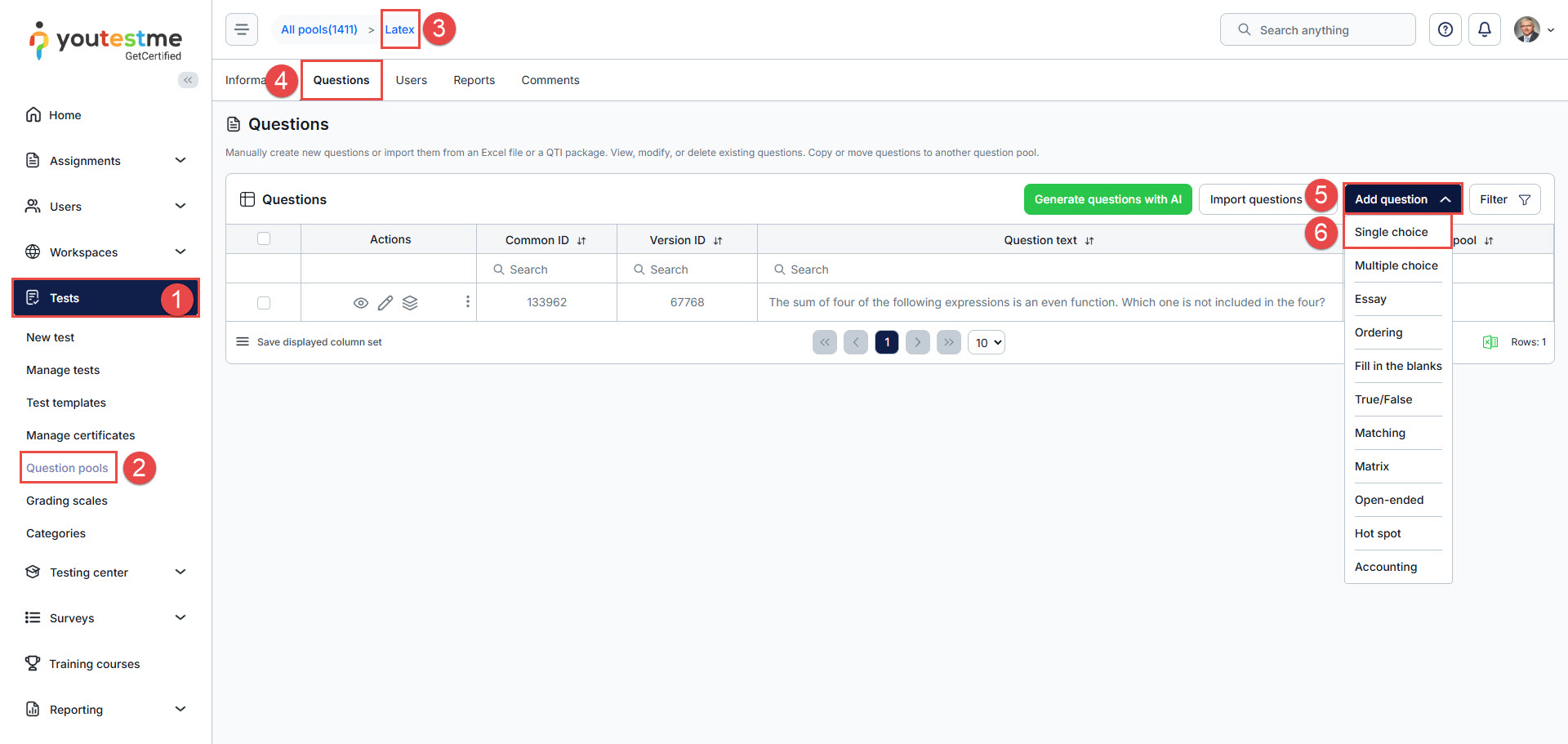
When creating a question from a question pool:
- Go to Tests.
- Open Question Pools.
- Select the question pool where you want to add the question.
- Open the Questions tab.
- Click Add question.
- Select the question type you want to create.

Enter the question text
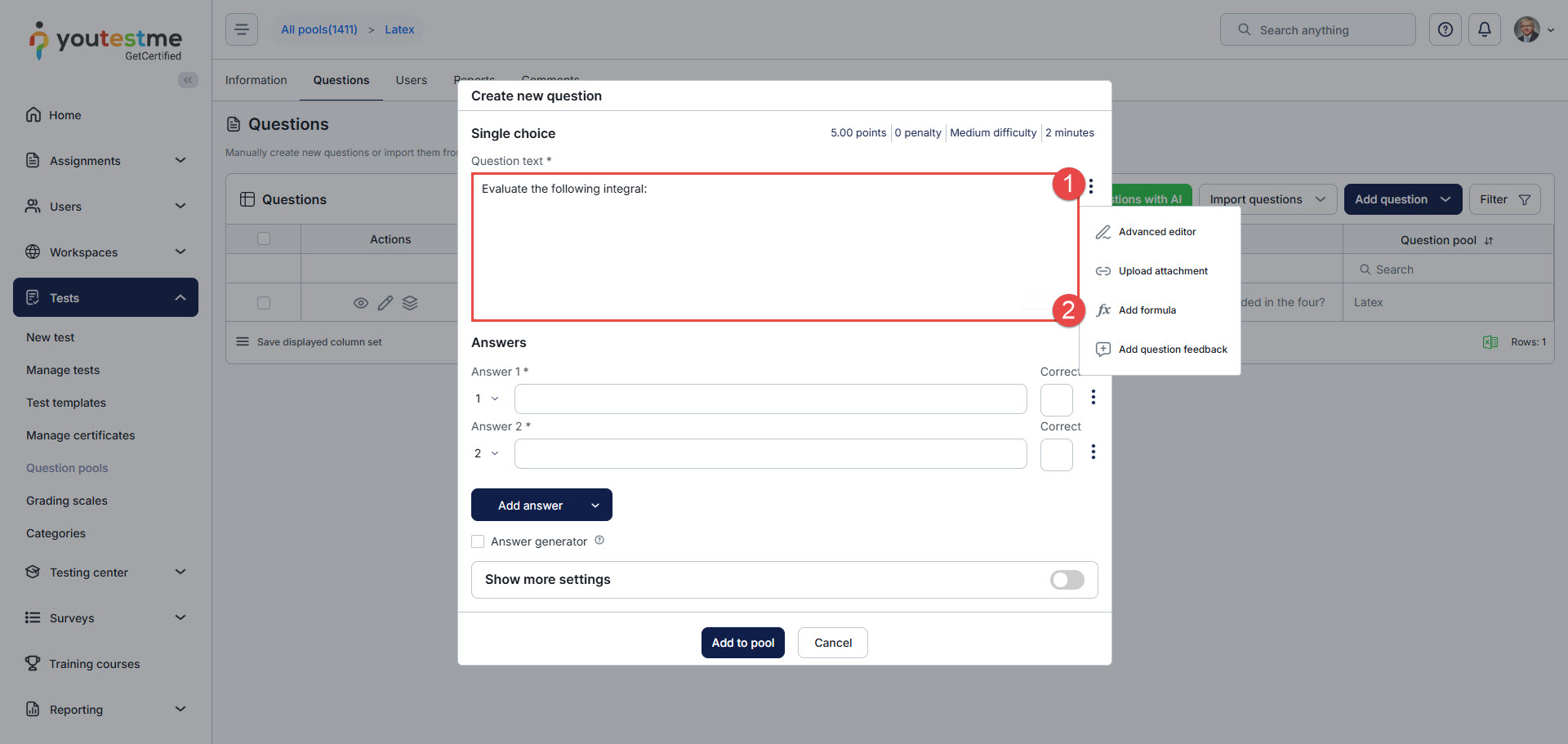
In the question creation dialog, enter the question content in the Question text field.
If the question requires a mathematical expression, equation, fraction, exponent, root, symbol, or another structured formula, add it through the formula editor instead of entering it as plain text.
To add a formula:
- Click the three-dot menu next to the Question text field.
- Select Add formula.
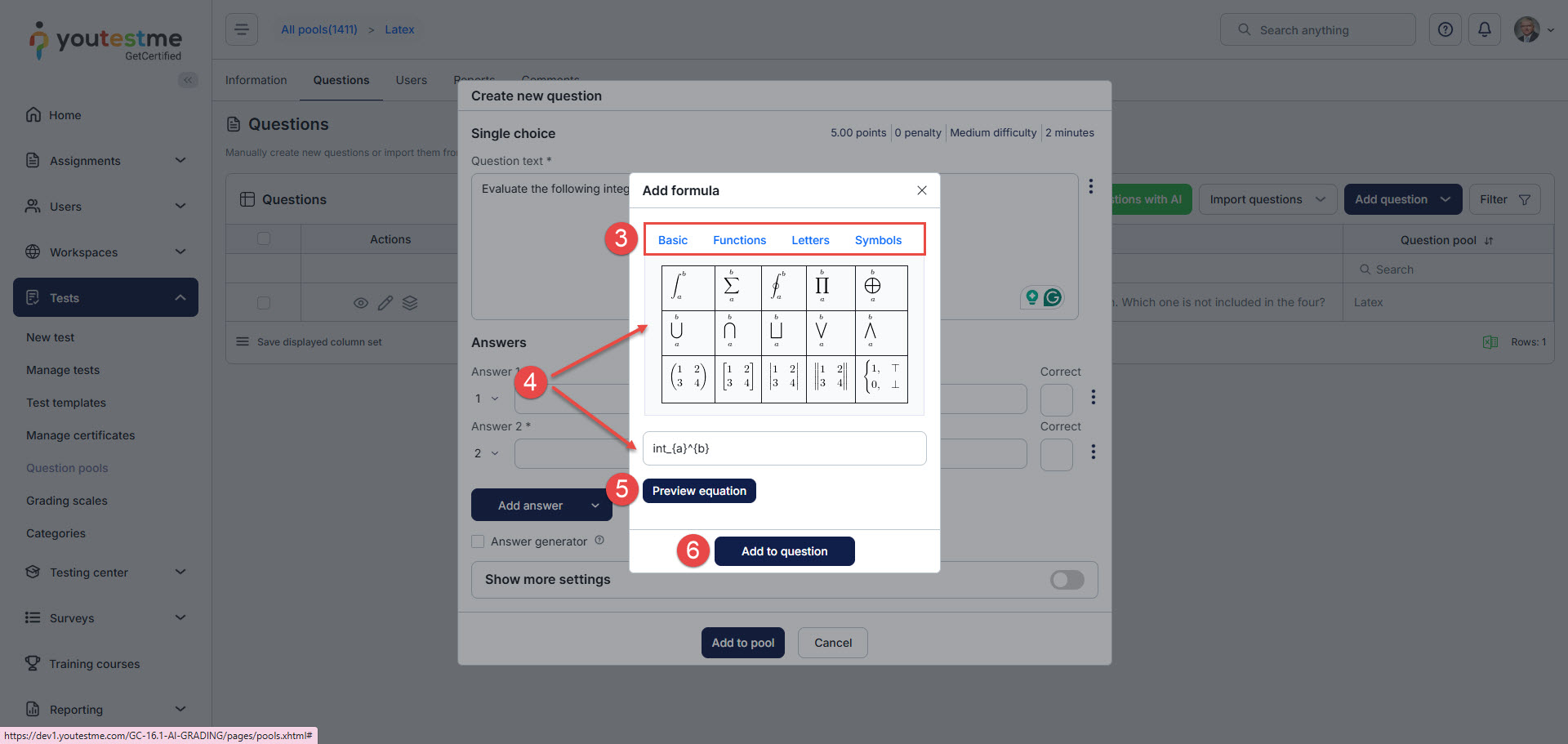
- Select Basic, Functions, Letters, or Symbols, depending on the formula element you want to add.
- Click the required formula element from the displayed list, or enter the LaTeX syntax manually in the formula input field.
- Click Preview equation to check how the formula will be displayed.
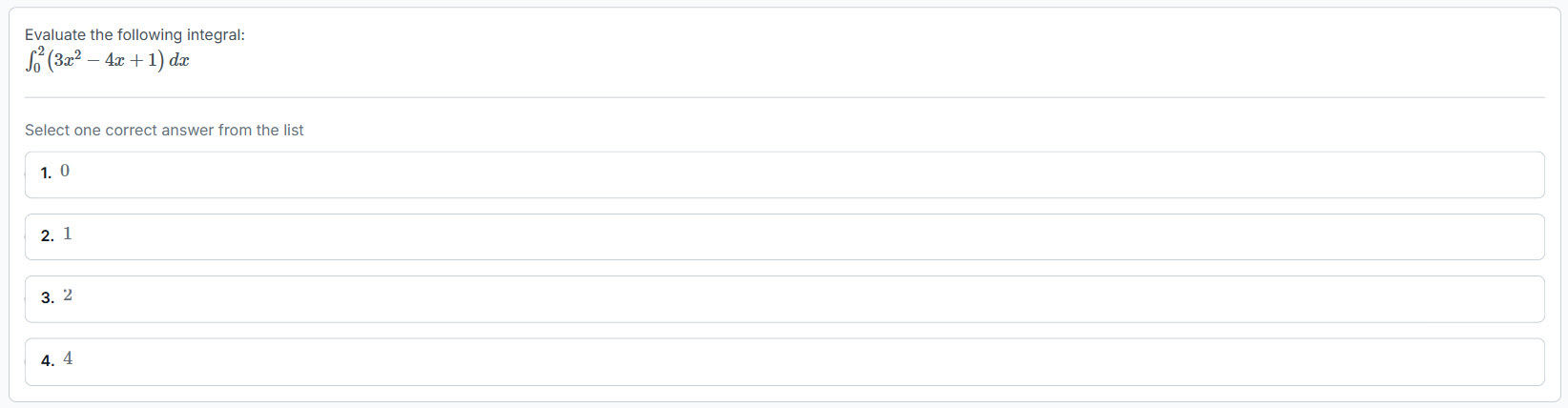
- After clicking Add to question, the formula is inserted into the selected field as LaTeX syntax. In the question editor, the formula is shown in its LaTeX format. During test-taking, the formula is rendered and displayed to candidates as formatted mathematical content.
This is how the question looks from the candidate’s perspective.
Formulas can be added to the Question text field and, for certain question types, to the answer fields. When formulas are added to answer options, the same process applies.
After adding formulas, continue configuring the question based on the selected question type.
For more information about creating and configuring questions, see the following resources:




