Article verified for Release 15.2 on February 3, 2026.
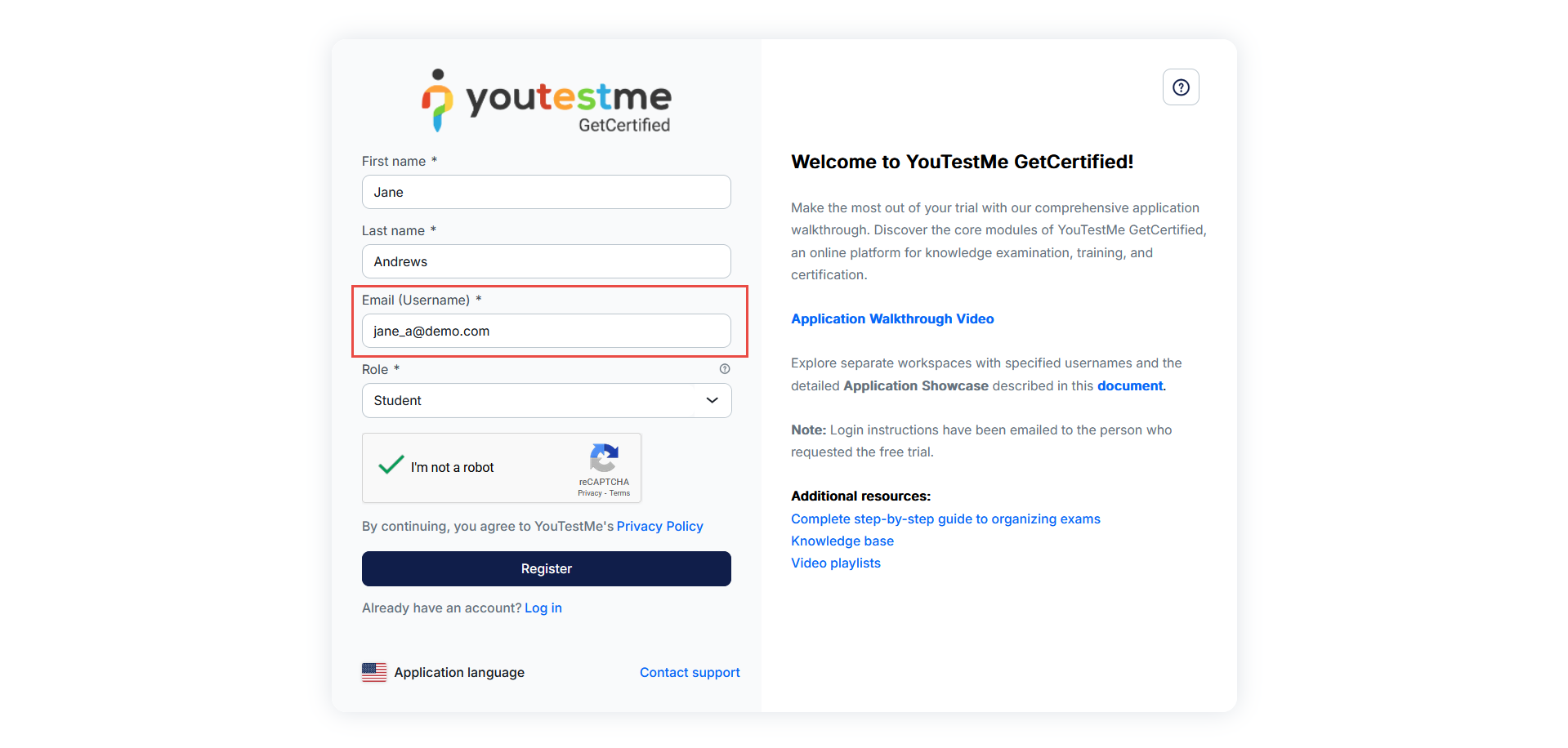
When the Email is used as the username option is enabled, the system automatically enforces the use of the email address as the username for all new candidate accounts. Candidates cannot choose a separate username, as the system requires the username and email to be identical.
This behavior is designed to simplify account creation and prevent login issues by ensuring a single, consistent identifier for each candidate.
Enabling the Option
This behavior is controlled by a system-level setting.
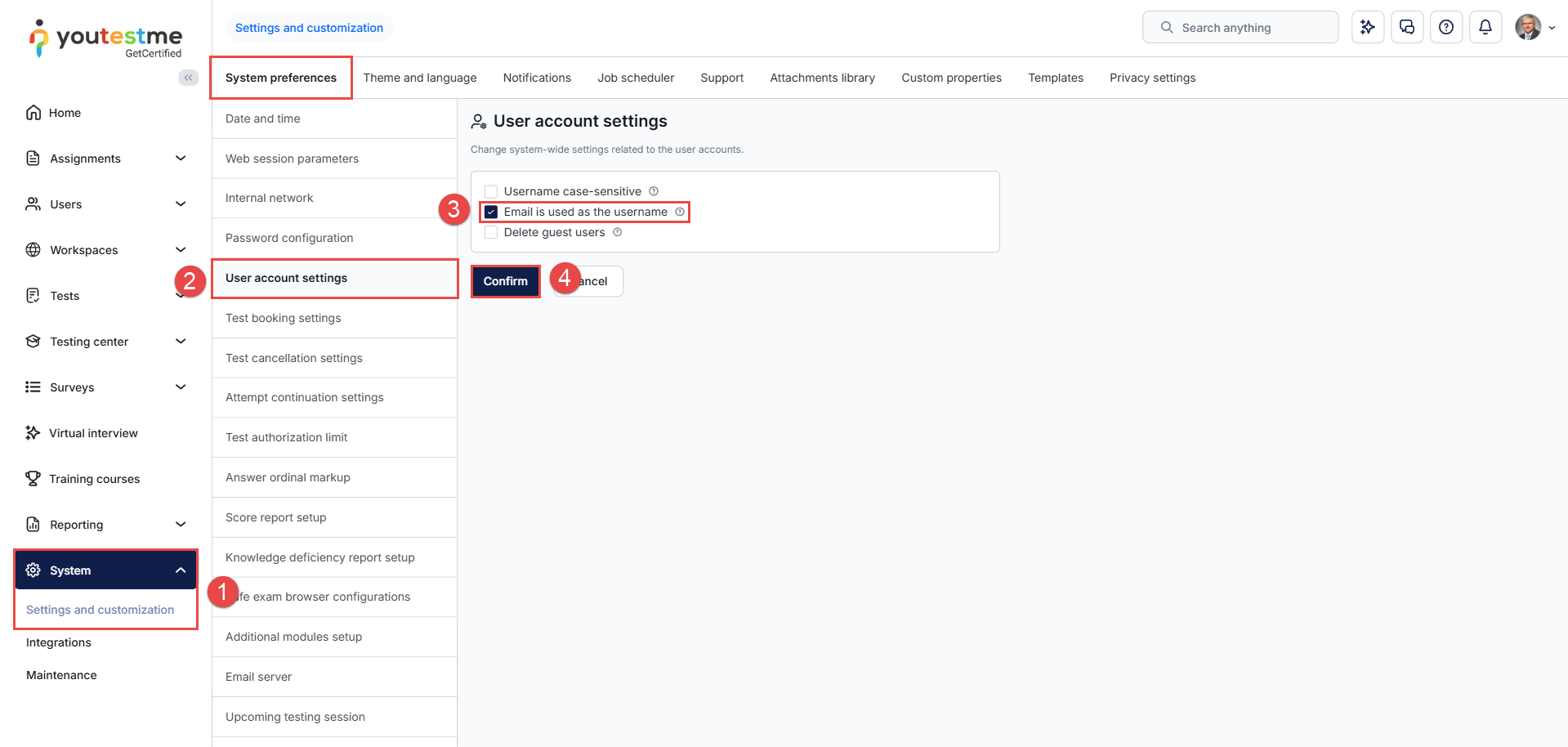
To enable it, follow these steps:
-
Navigate to System > Settings and Customization.
- Under System preferences, select User account settings.
-
Enable the Email is used as the username option.
-
Confirm the changes.
Admin’s Perspective
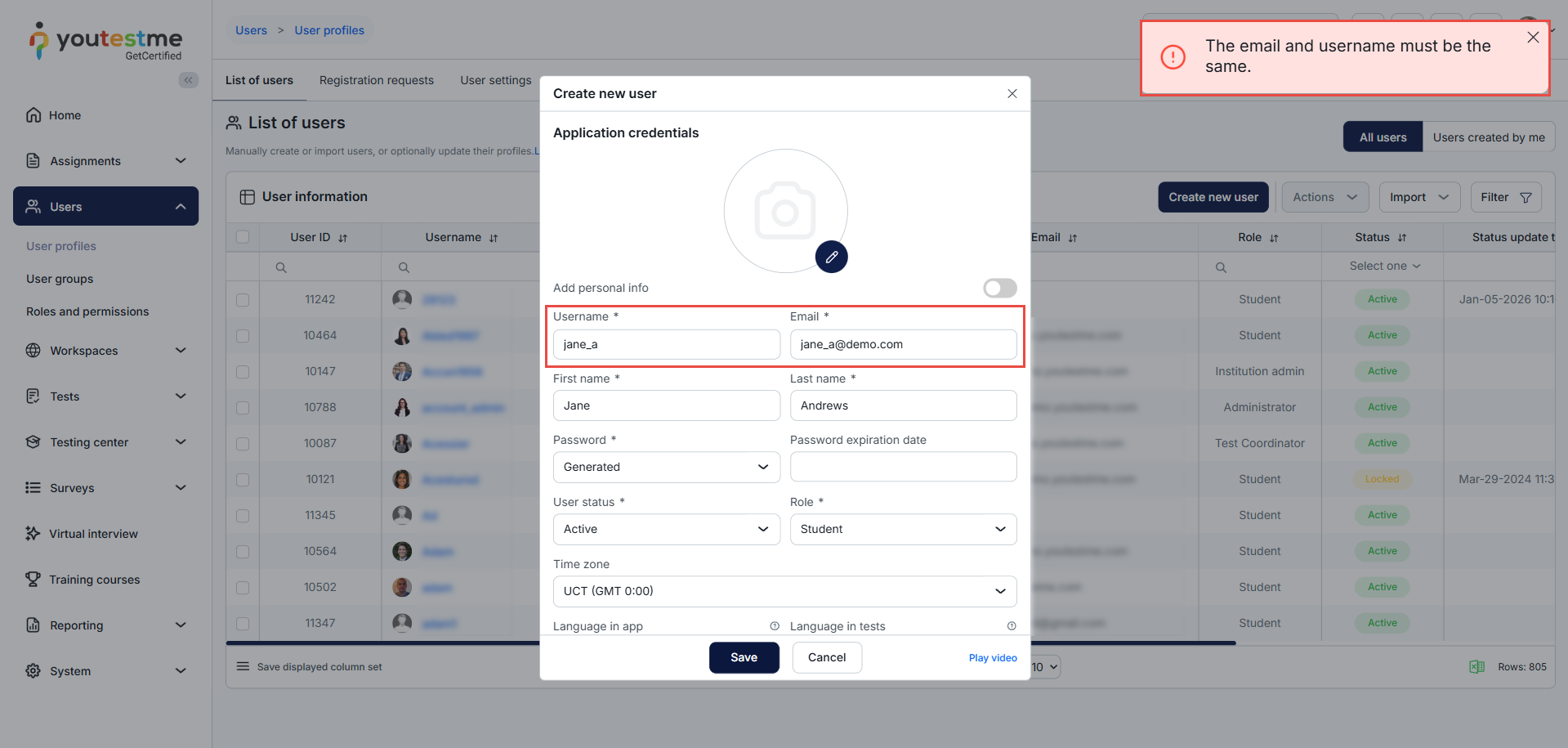
If an administrator attempts to create a user without using the email address as the username, the system will display an error message. This behavior applies to all methods of user creation.
Candidate’s Perspective
When a candidate registers, only a single field is displayed for the email address. This email is automatically used as the username, and no separate username can be entered.