Article verified for Release 15.2 on January 12, 2025.
This article demonstrates how the system displays a message when administrators attempt to activate, create, or upload users beyond the allowed number of active users.
Accessing the page
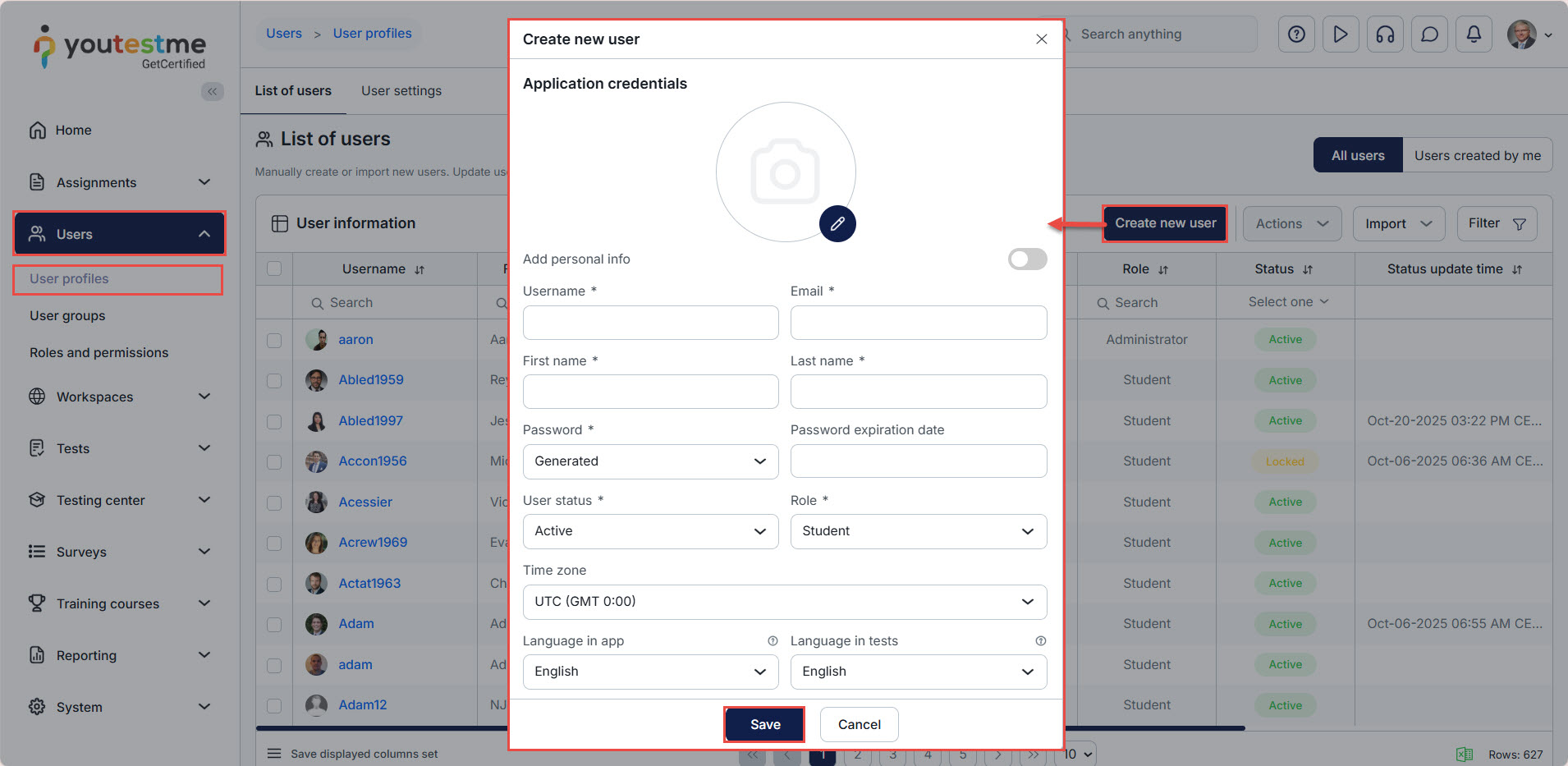
Select the Users/User profiles tab, click the Create new user button, enter the required data, and click Save.
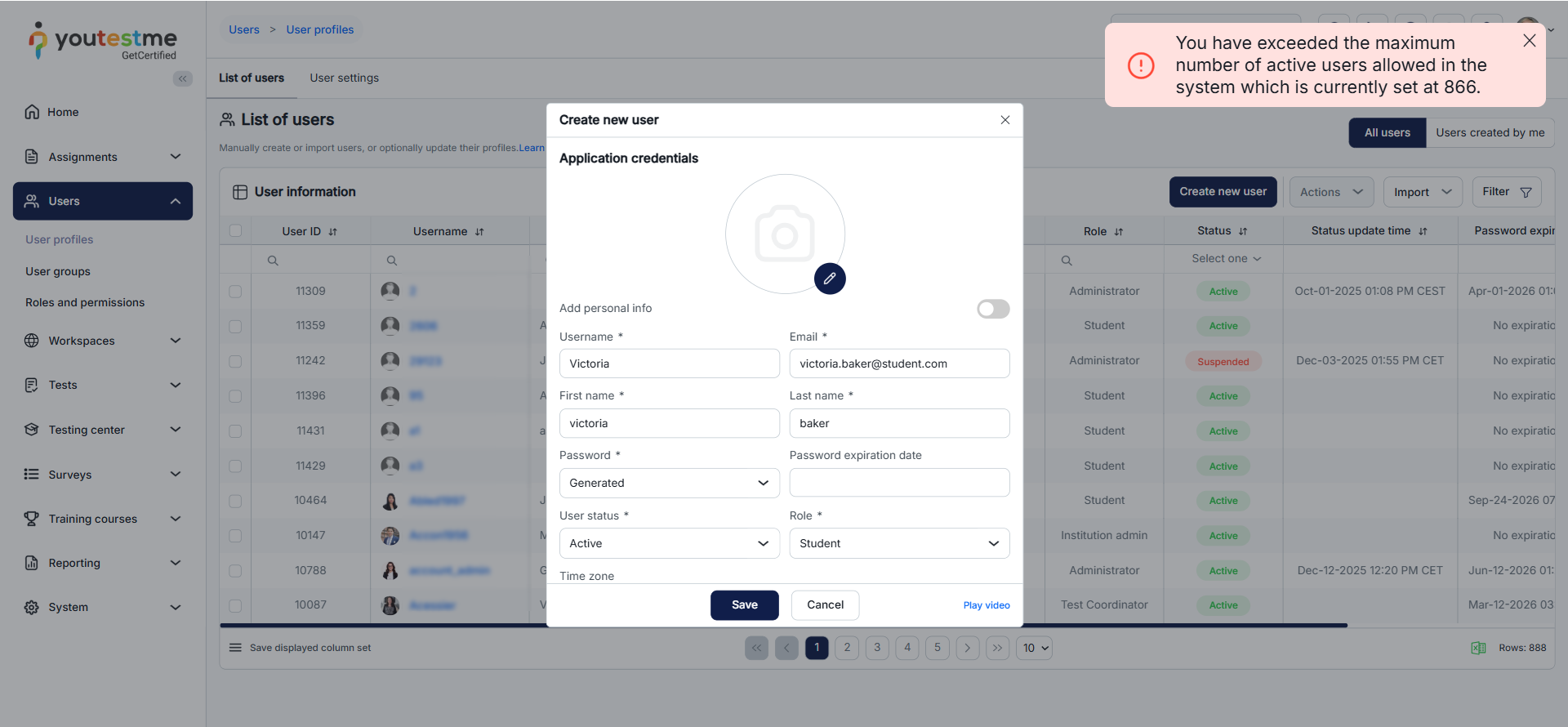
If the number of active users is defined, the system will notify the user that the limit is reached.
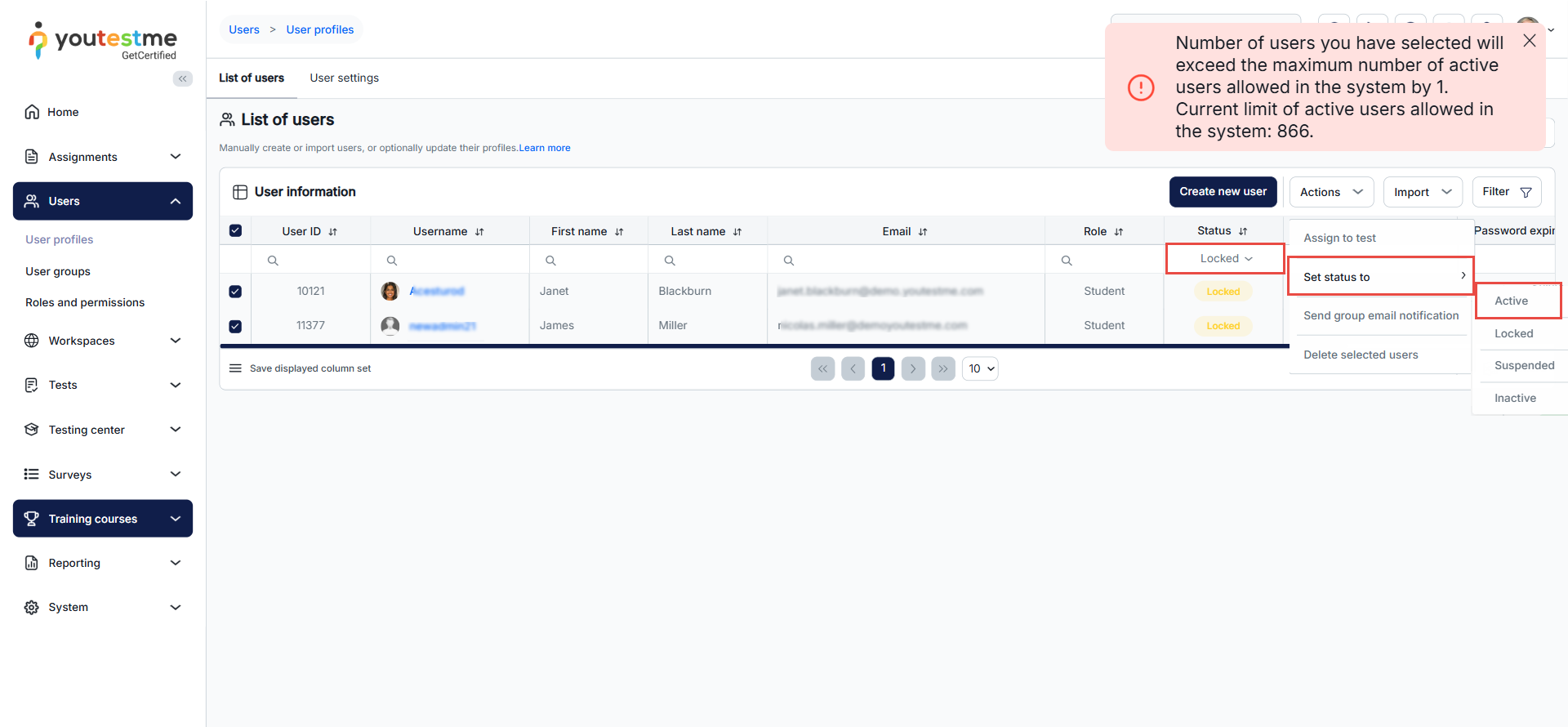
The rule applies even if you want to set the suspended, locked, or pending users to active.
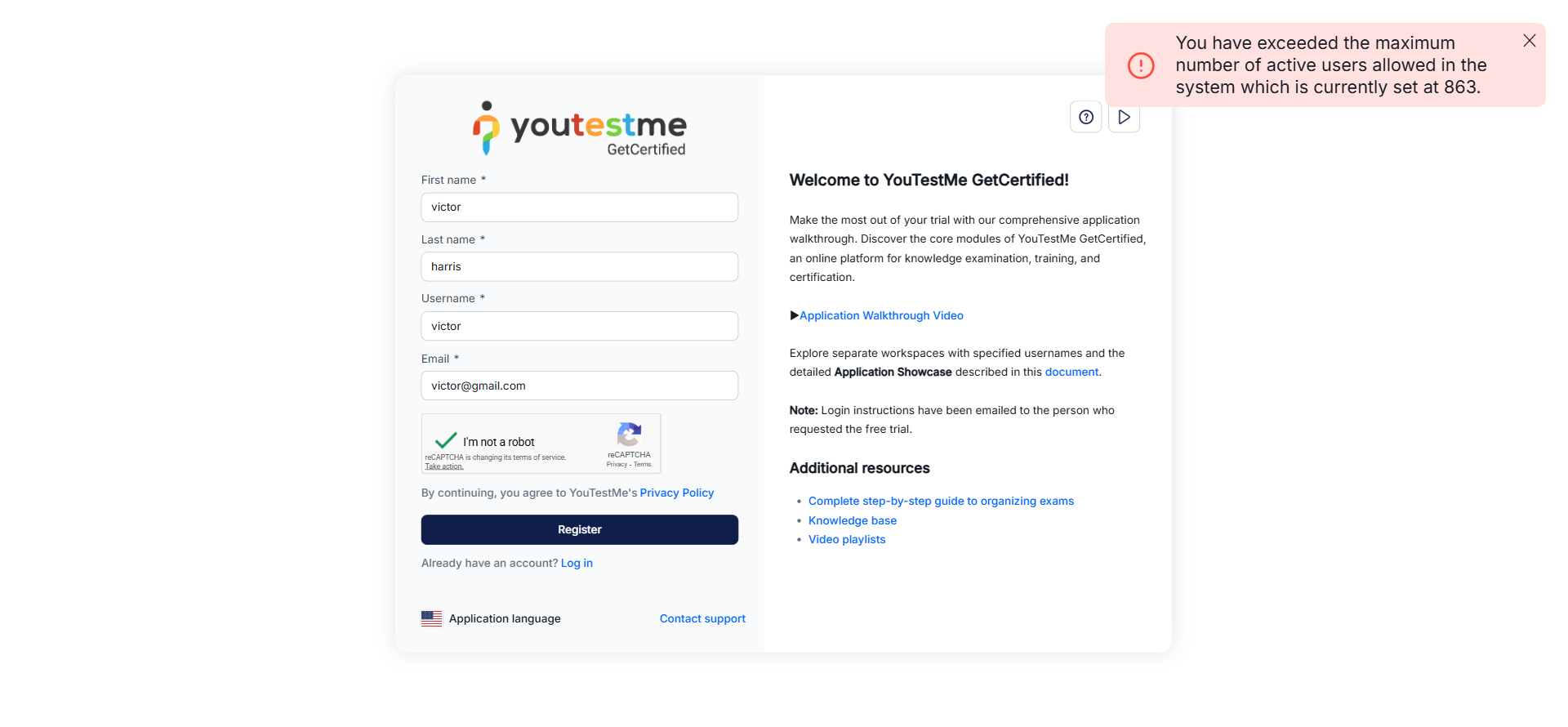
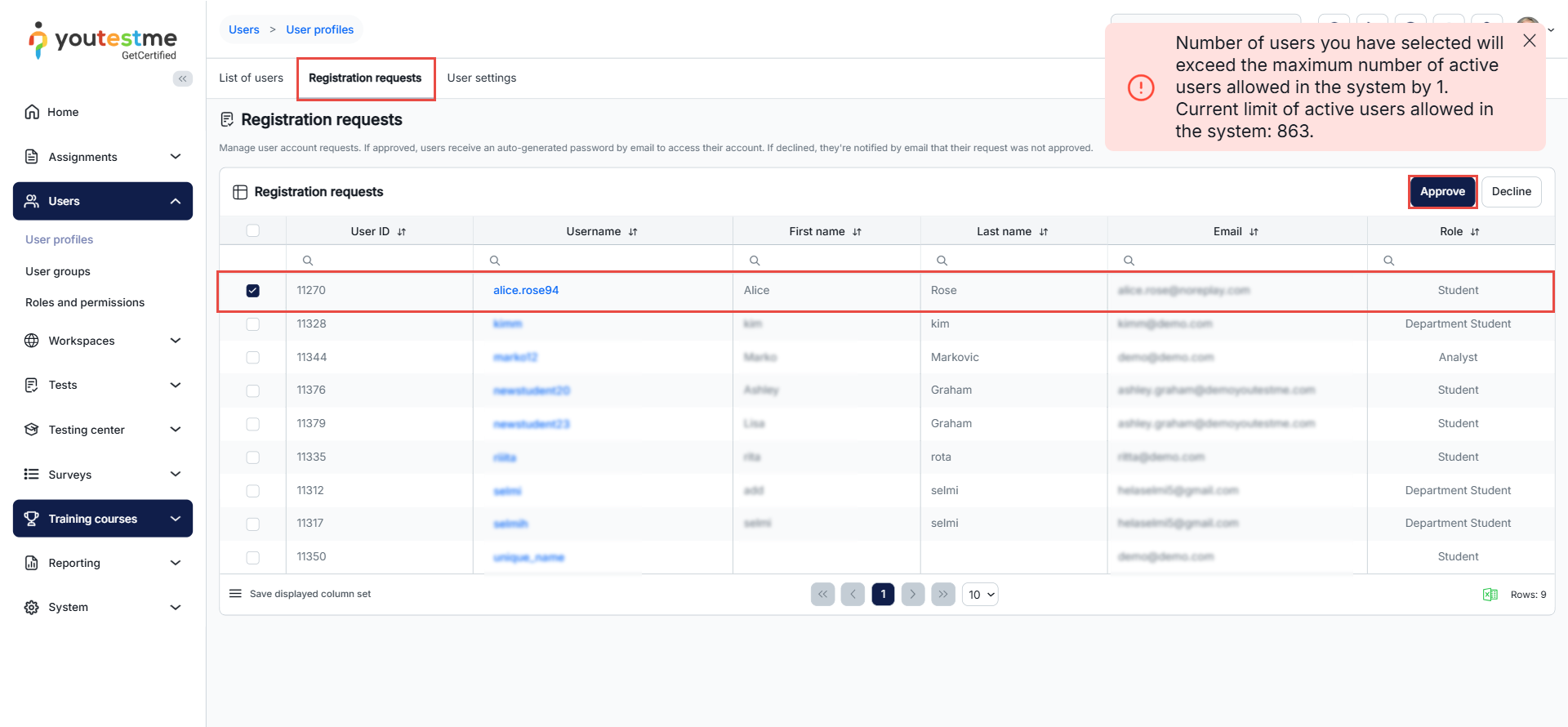
If the admin user gets a registration request after attempting to approve it, the user will get a message from the system notifying them that the limit of active users is reached.
If the user tries to register in the application, they will receive an error message.