Article verified for Release 15.1 on November 10, 2025.
This article provides instructions on how to cancel a purchased exam. For instructions on purchasing and booking a testing session, refer to this video.
Canceling a Purchased Booking
If you need to cancel an exam that has already been purchased, follow the steps below to complete the process:
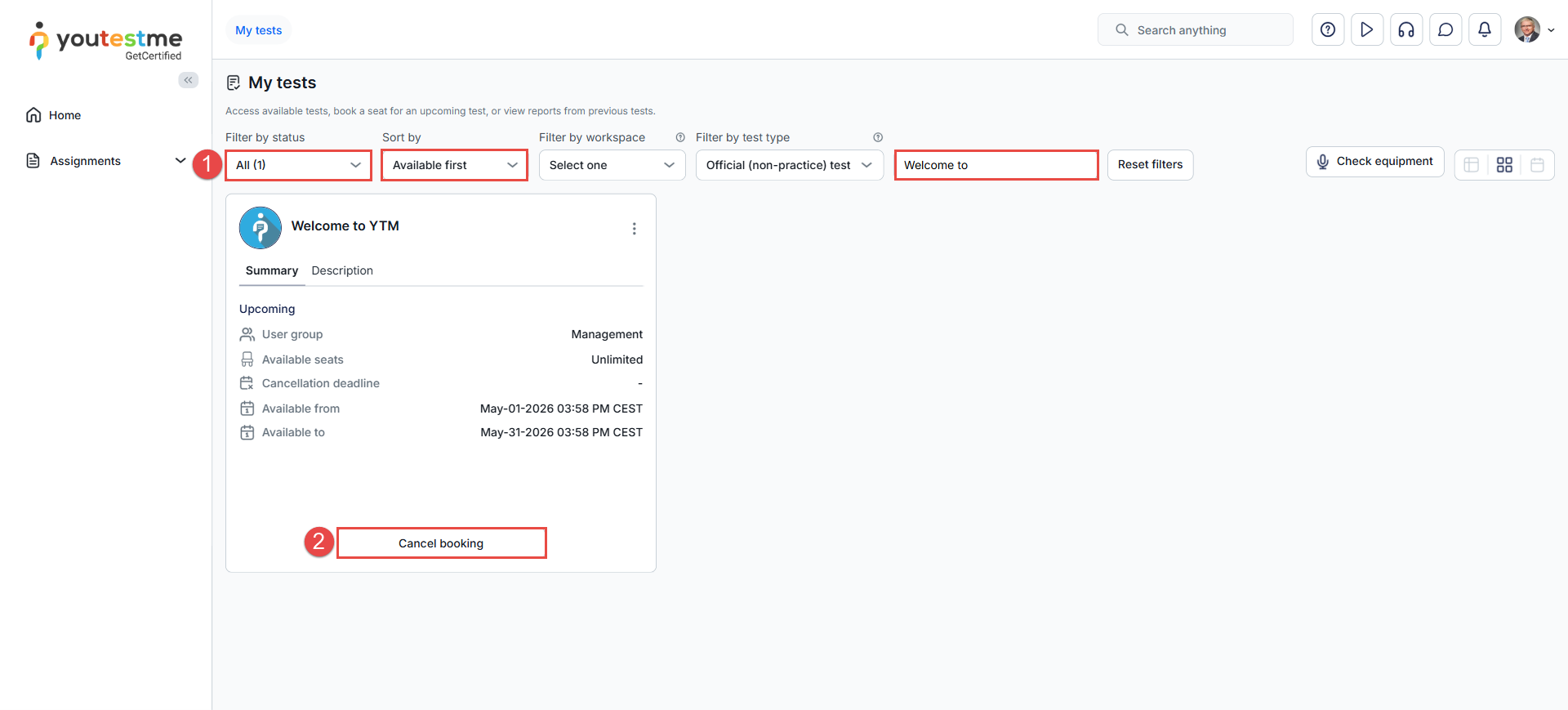
- In the My Tests tab, locate the test’s status, availability, or search for it by name.
- Click the Cancel booking button available on the exam tile.
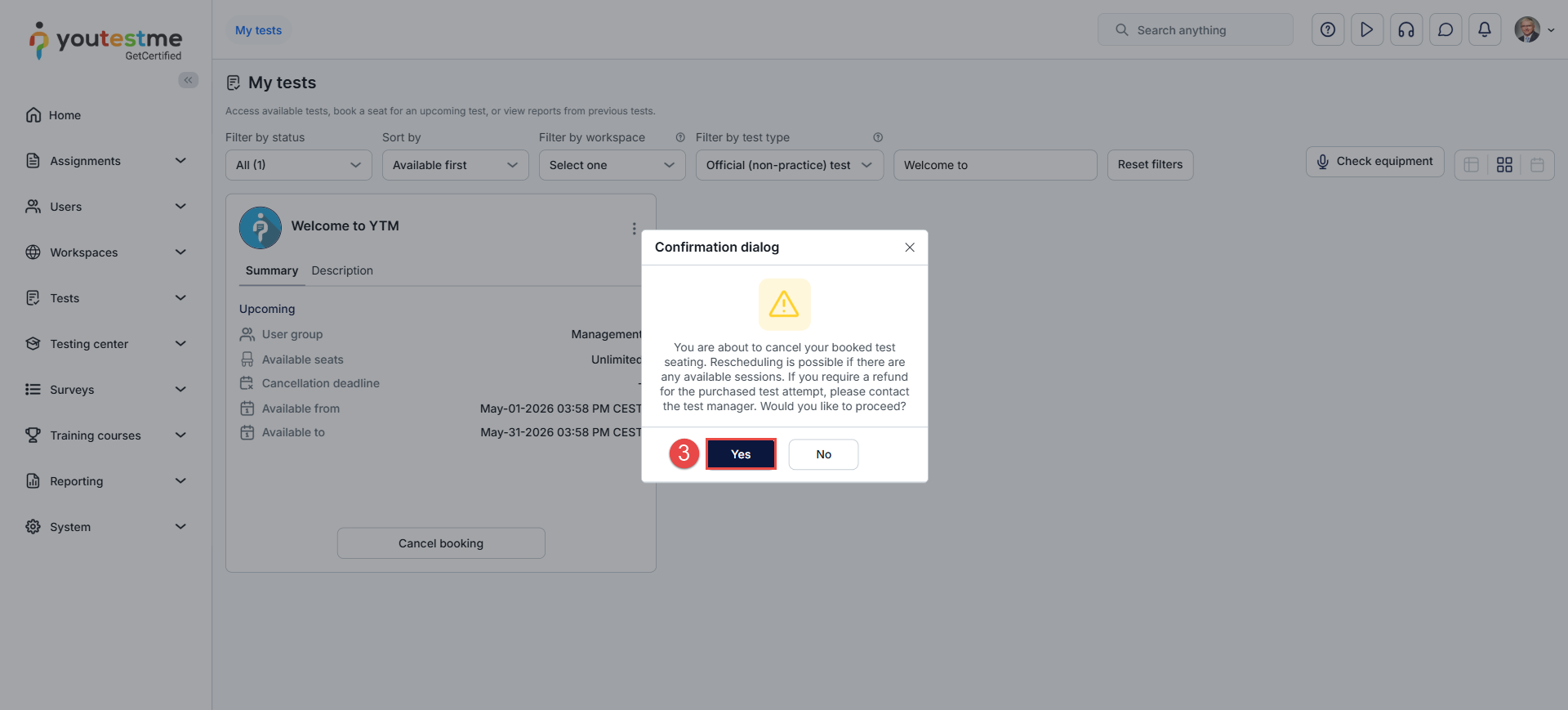
- In the confirmation dialog, click Yes to confirm.
Note: Rescheduling is possible if there are any available sessions. If you require a refund for the purchased test attempt, please contact the test manager.
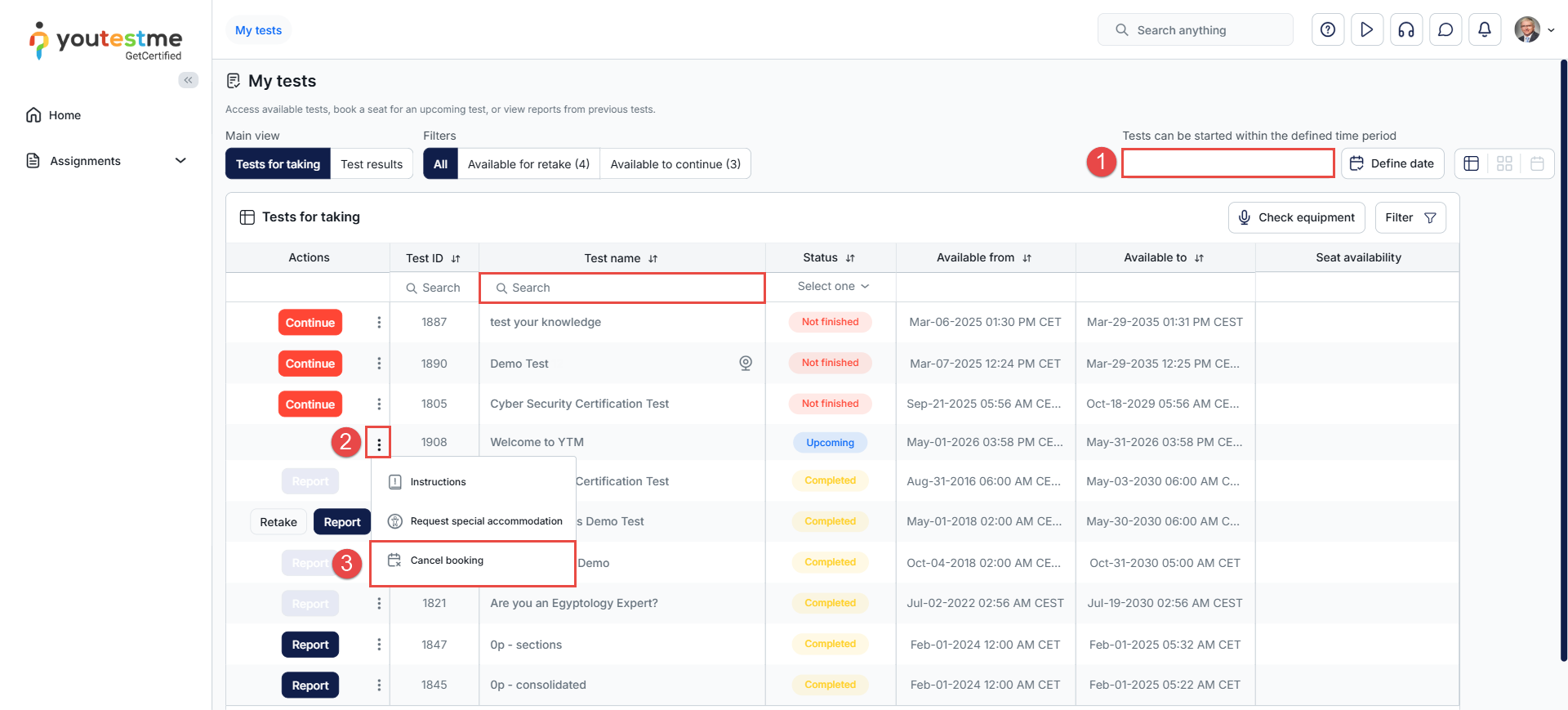
If the My Tests tab is set to List View, follow the steps below to cancel a purchased exam:
- Locate the desired test by browsing through the list or by searching for its name.
- In the Actions column, click the three-dots menu next to the test name.
- Select Cancel Booking from the dropdown menu and confirm the action when prompted.
Upon confirmation, you will receive a message, and your purchase and booking will be canceled. After canceling, you can repurchase and book the same session if desired.

For more useful instructional materials, please visit:






