Article verified for Release 15.1 on January 4, 2026.
This article explains how to create a question pool for collecting demographic data and how to use it when building tests with sections. Demographic questions carry 0 points, allowing you to gather candidate information without affecting the test score.
Creating a question pool
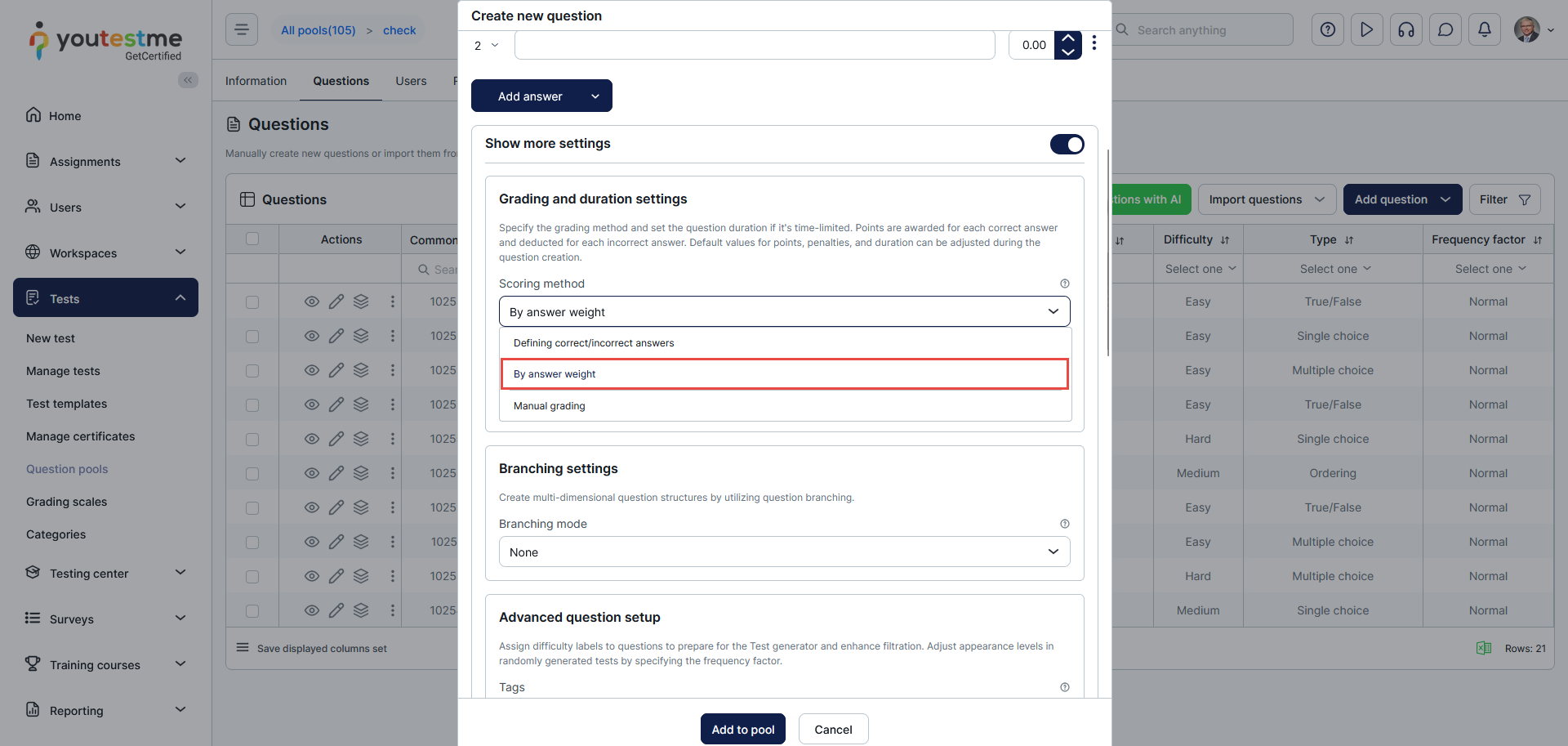
To create a demographic section, first, you need to create questions that carry 0 points. You can do this by selecting the Scoring method: “By answer weight” or “Defining correct/incorrect answers“, and setting the values to 0. This will allow you to collect data about the candidates without the answers affecting the final test result (for more information on creating each question type, please visit our support web page, and find an appropriate article).
Examples of creating demographic questions
For the scoring method, select “By answer weight.”
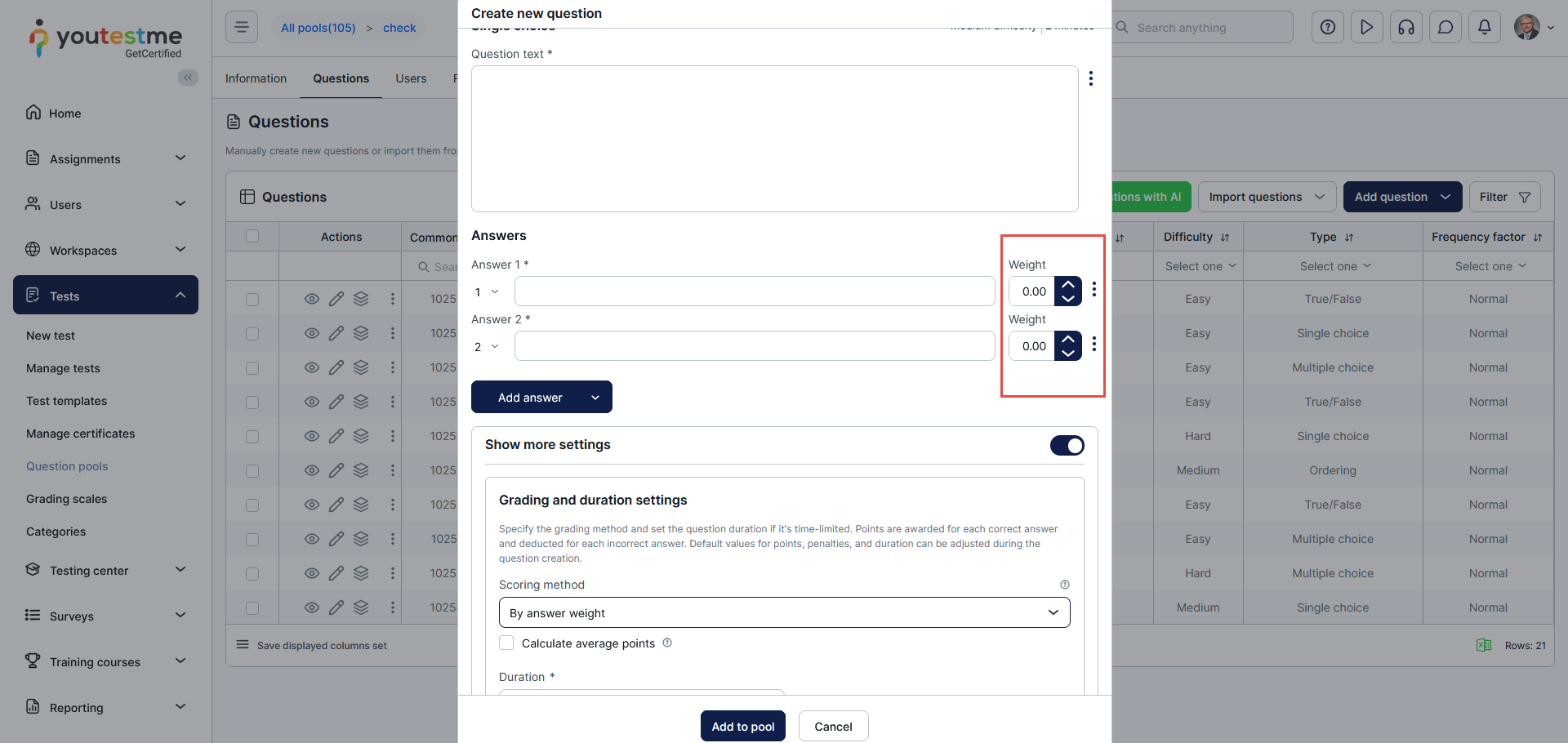
Define each answer weight to be 0.
For the scoring method, select “Defining correct/incorrect answers” and set the number of points that this question carries to 0. 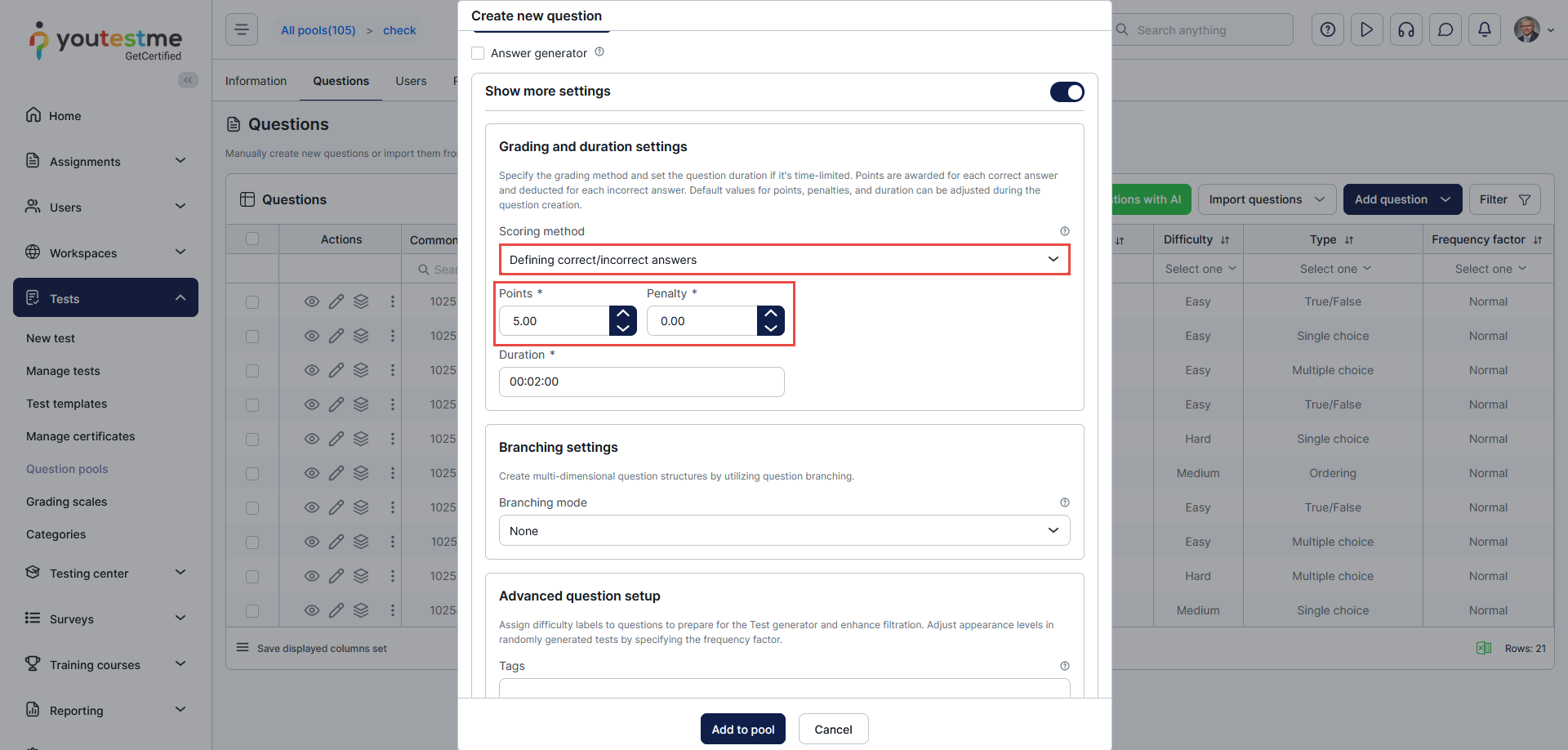
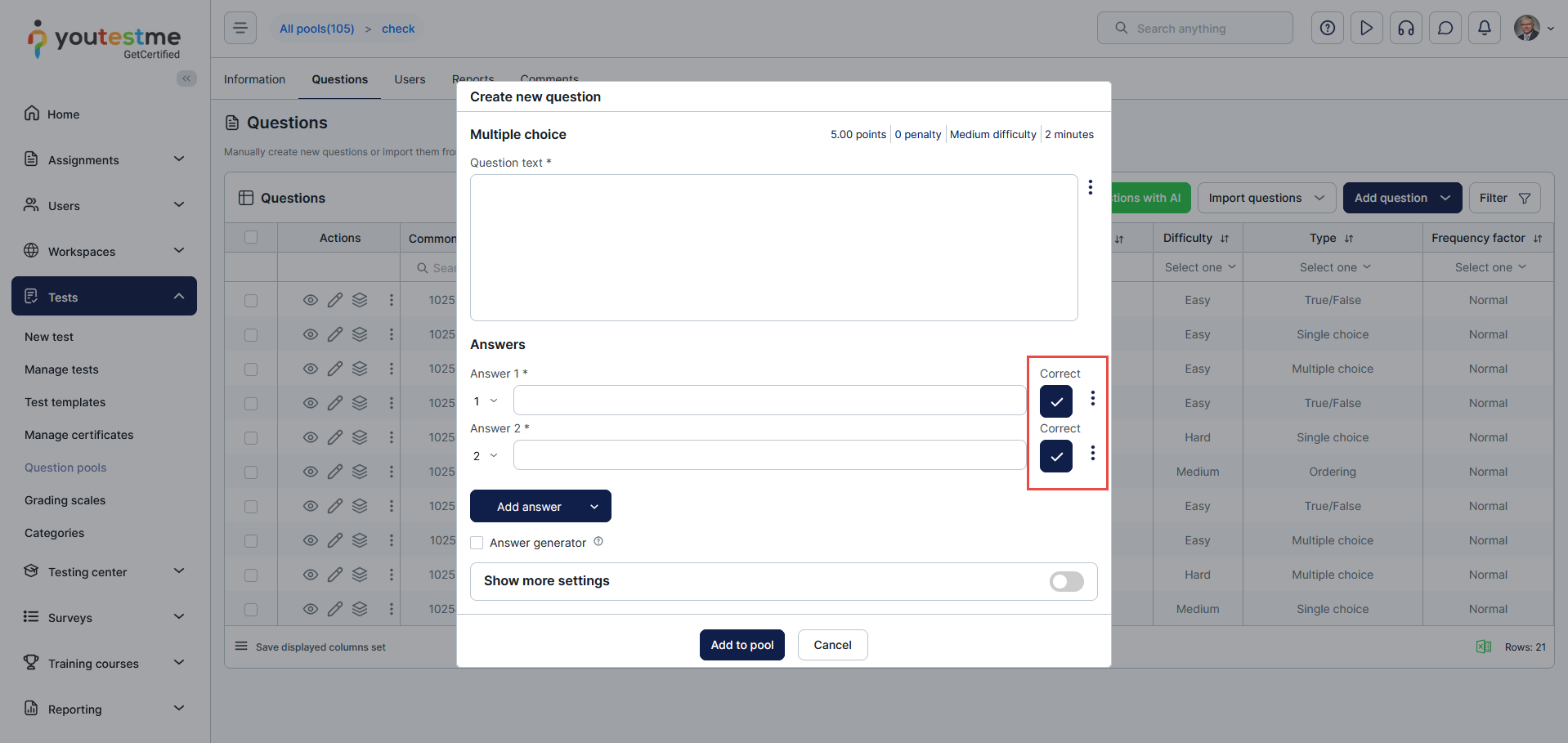
In the answers section, tick the box next to each answer to be a correct answer.
Creating a test with sections
Once you have created a question pool, you can use it to create a test.
You can add a pool containing demographic questions to the first section by importing questions from the previously created question pool.
For detailed instructions on creating a test with sections, please visit this article.
For more related articles, please visit:






