Article verified for Release 15.2 on 30 January , 2026
Exporting a question pool as a PDF is useful for instructors, reviewers, and administrators who want a printable version of all questions contained in a pool. This feature supports paper-based testing, offline reviewing, quick proofreading, and sharing question sets with colleagues who do not have system access.
YouTestMe allows you to choose different export formats and languages depending on how you plan to use the exported content.
Steps to Export a Question Pool
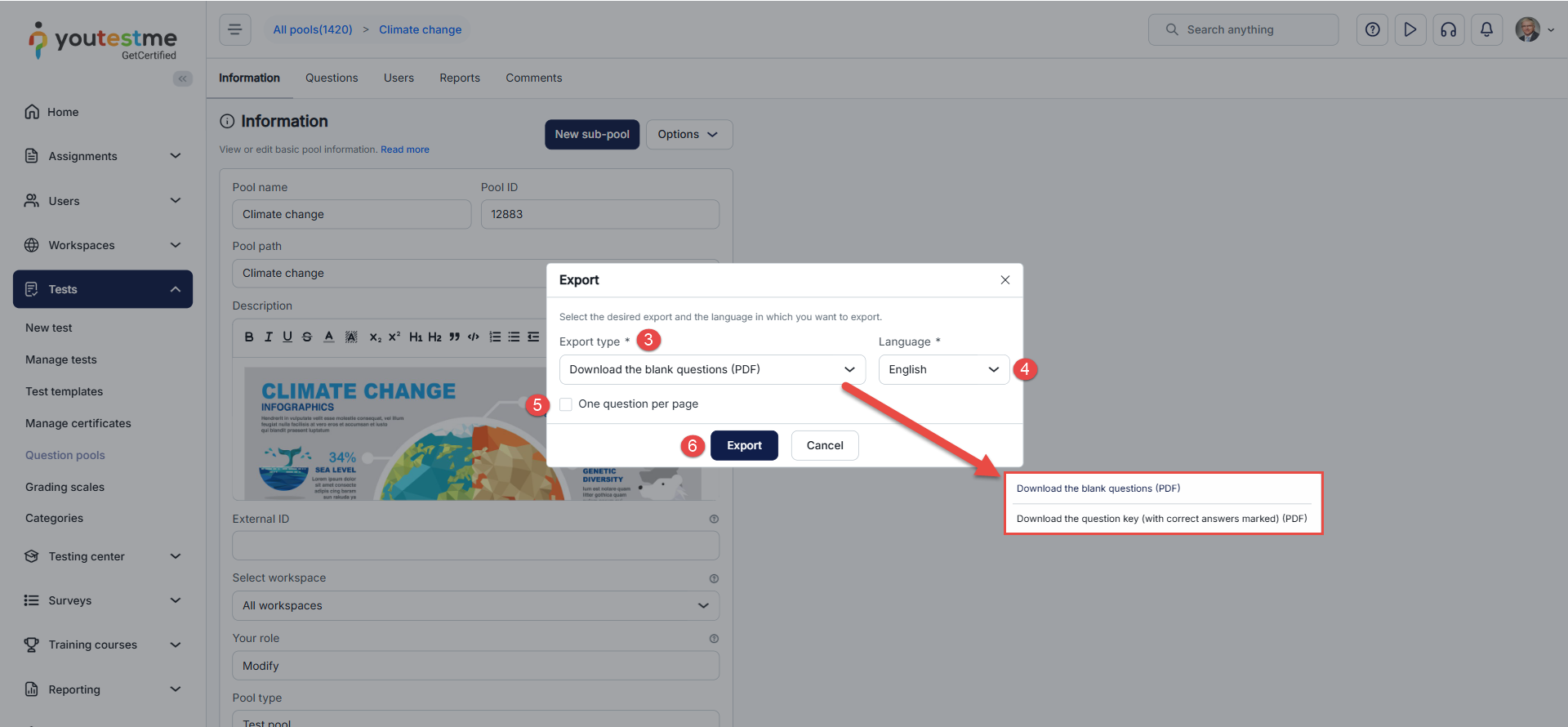
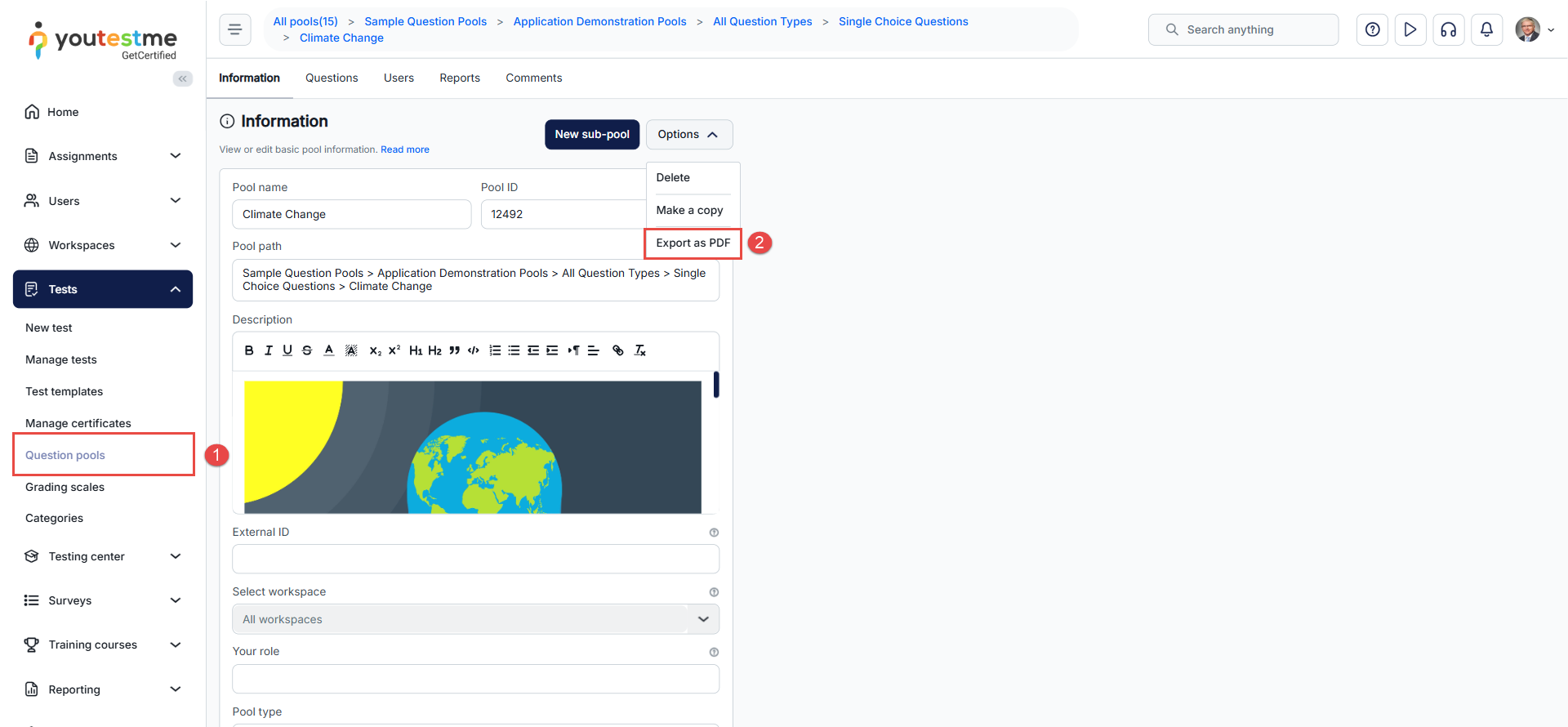
1. Open the Question Pool-Go to Tests → Question pools in the left-side menu and select the question pool you want to export.The pool information page will appear, showing the pool name, ID, description, and additional settings.
2. Open the Export Menu-Click Options, then select Export as PDF.This will open a dialog with export settings.
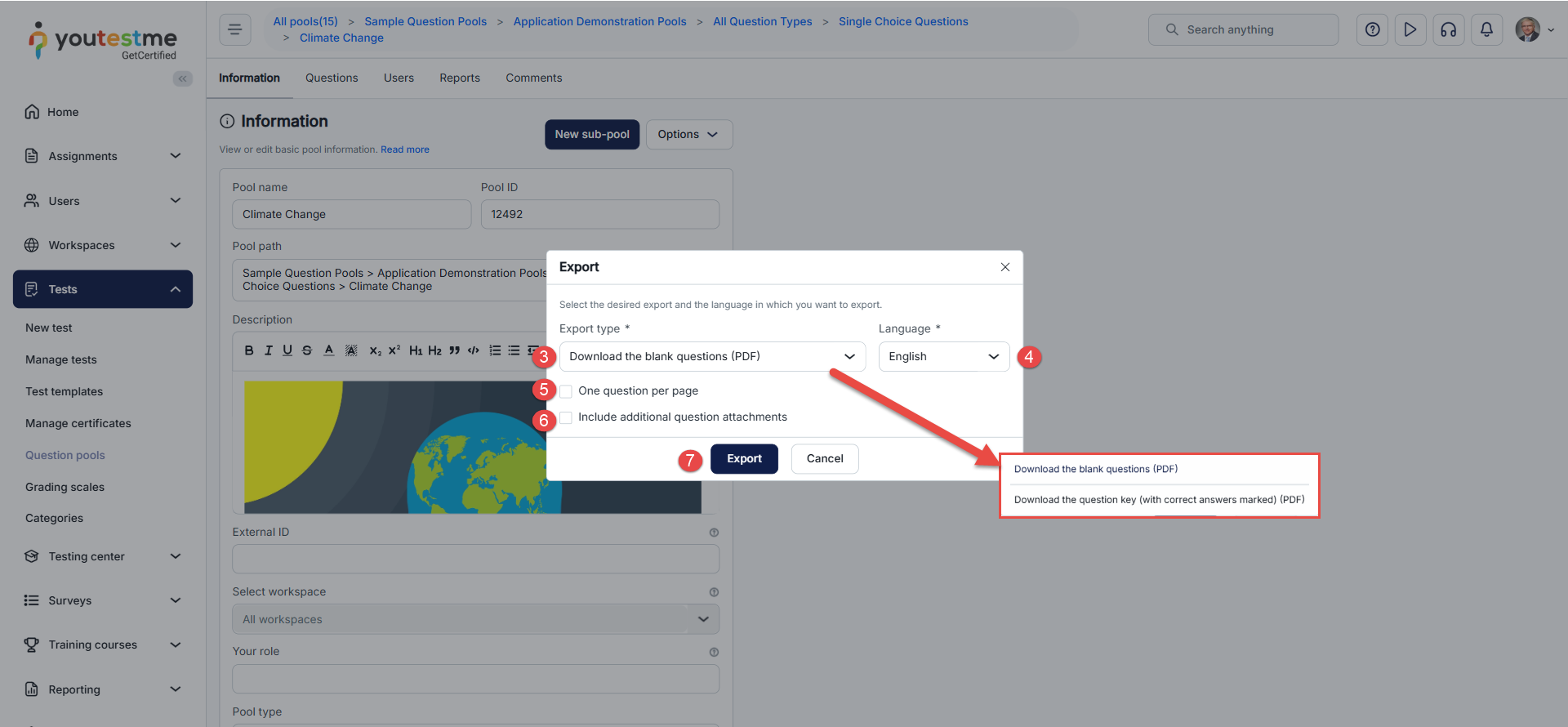
3. Select the Export Type-From the Export type dropdown, choose the desired format. Available options include:
-
Download the blank questions (PDF) – questions with blank space where candidates write answers with pen. Suitable as preview for paper based testing.
-
Download the question key (with correct answers marked) (PDF) – questions with correct answers marked for each question.
4. Choose the Language-Select the language that should be applied to system labels.
Question and answer text will appear in the chosen language only if translations are available.
5.Enable One Question per Page-Check One question per page if you want each question to appear on a separate page.This layout is especially helpful for printing or distributing questions individually.
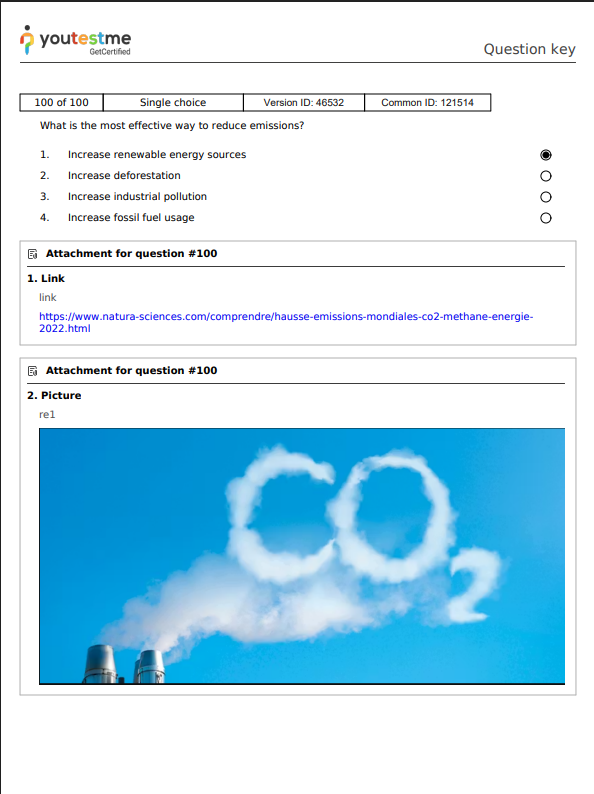
6.Include Attachments -Check Include additional question attachments to export supported attachments : images, text and links .
7.Export the File-Click Export to generate the PDF.The file will download automatically to your device.
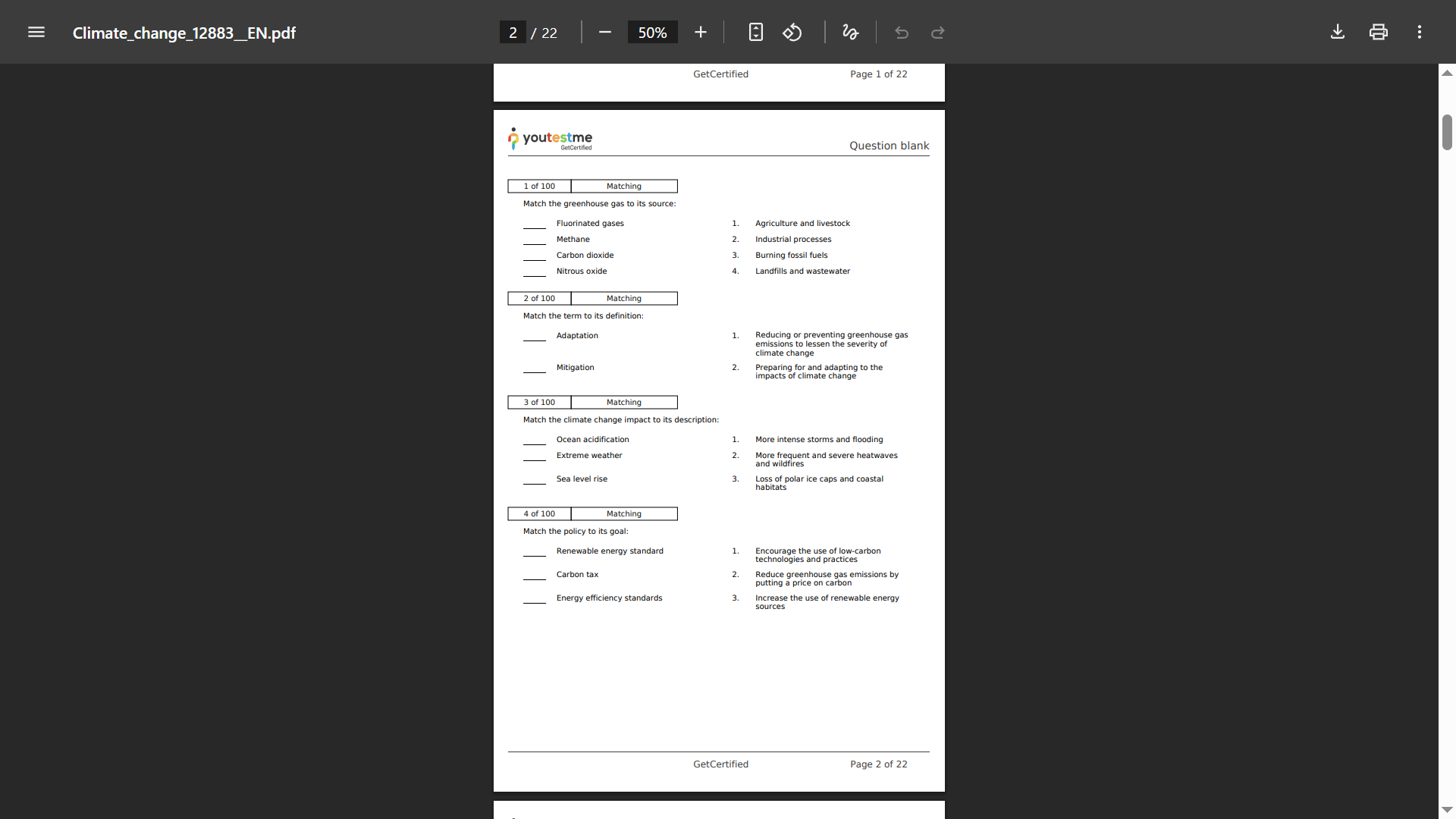
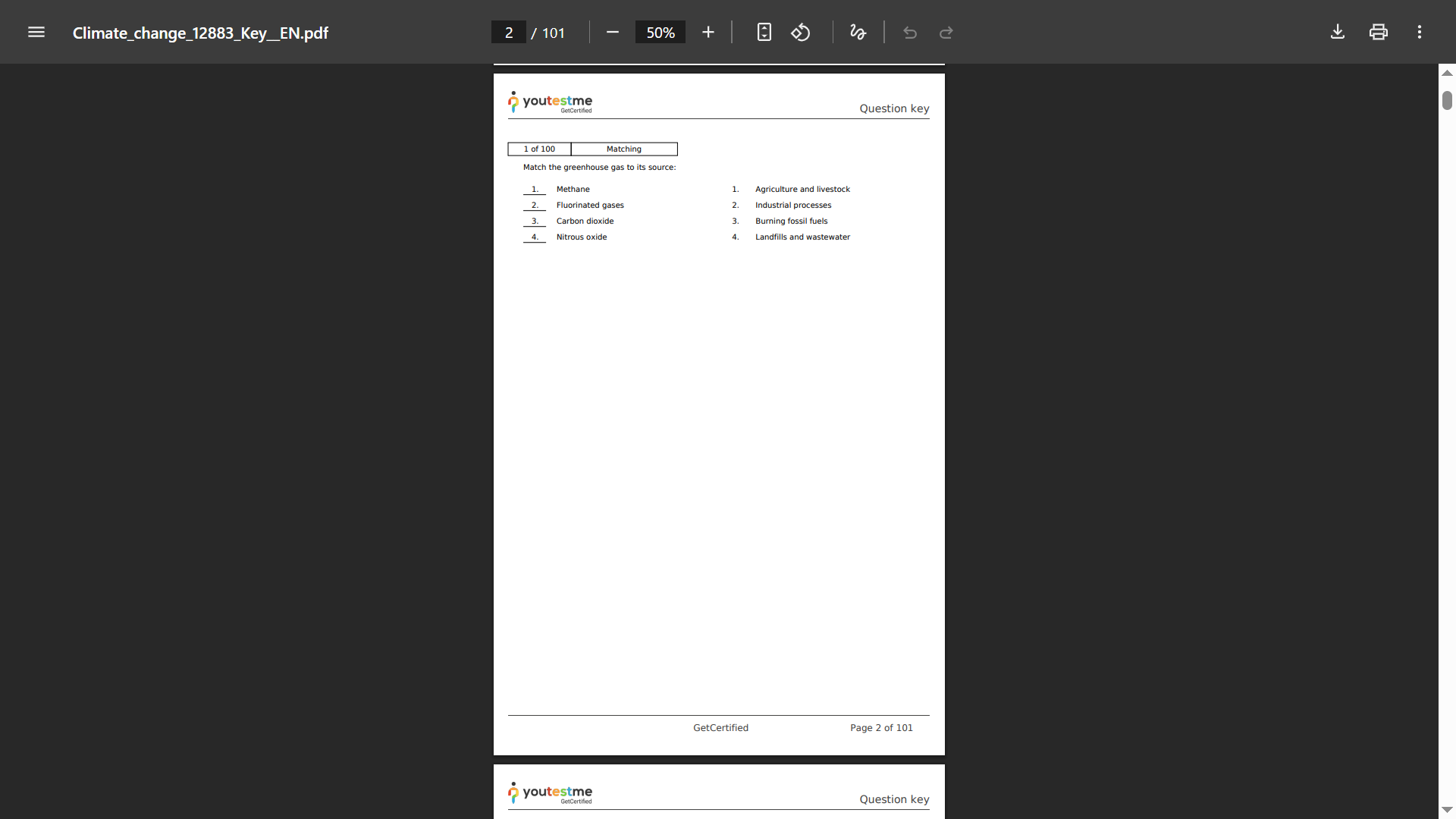
Example of a PDF page when exporting a blank question:
Example of a PDF page when exporting a question with answers using the “one question per page” option :
Example when the attachment export option is enabled
Notes :Please note the following limitations and rules prior to exporting :
- HTML tables are supported in question text, but not in answer text.
- Branching questions cannot be exported.
- The selected language applies only to interface labels; translated question text appears only if available.
- A pool must contain 1,000 questions or fewer to be exported to PDF.