Article verified for Release 15.2 on January 4, 2026.
This article explains how to include a direct link to test results in email notifications, allowing candidates to access their results directly from the email.
Tailoring the Email Notification for Results
Users with an Administrator role can personalize the email notifications sent by the application to candidates.
To edit the results email notification, please follow the instructions:
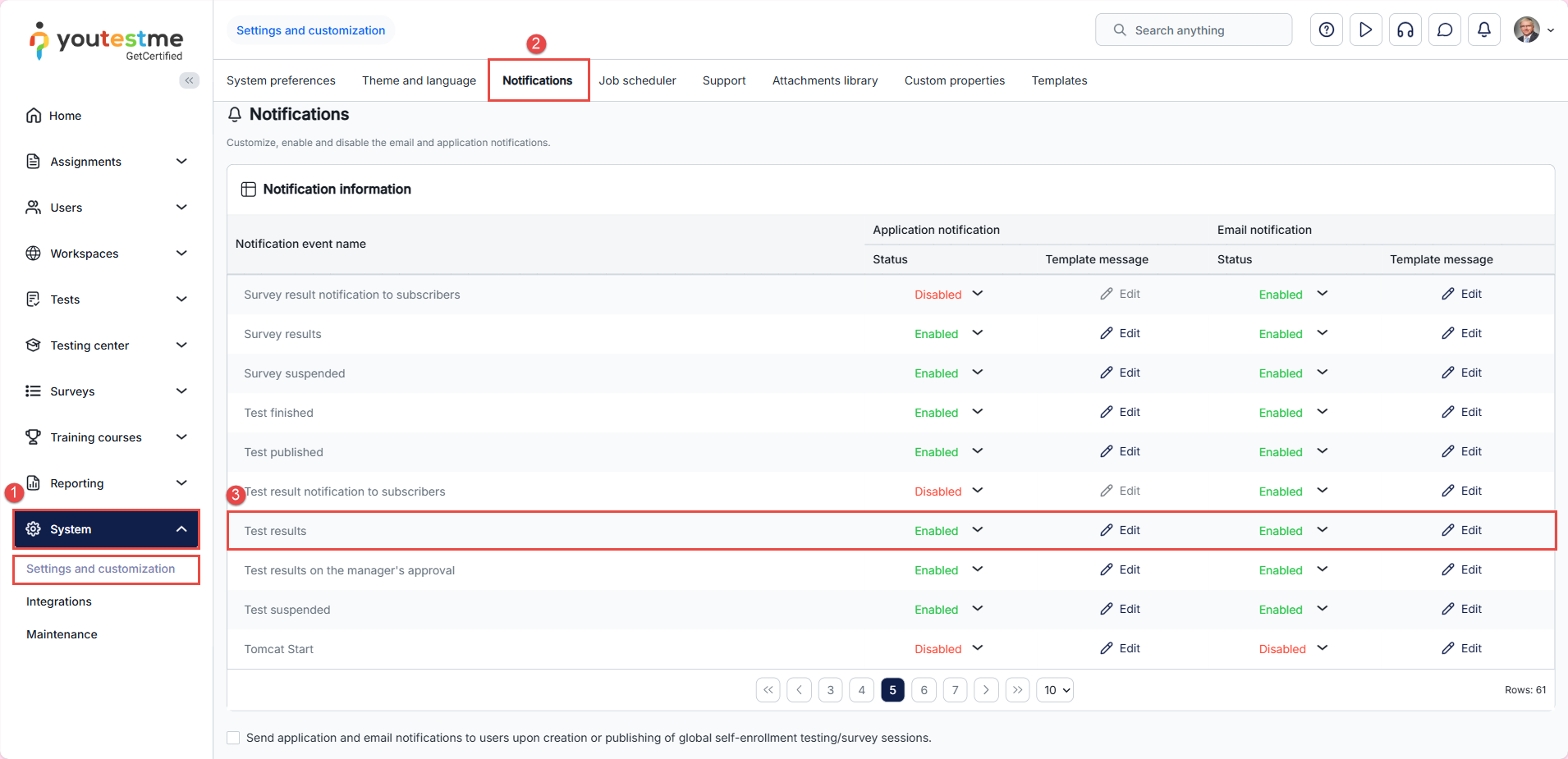
- Select System from the main menu and choose Settings and Customization.
- Navigate to the Notifications panel.
- Find the Test results notification and click on the Edit option in the email notification column.
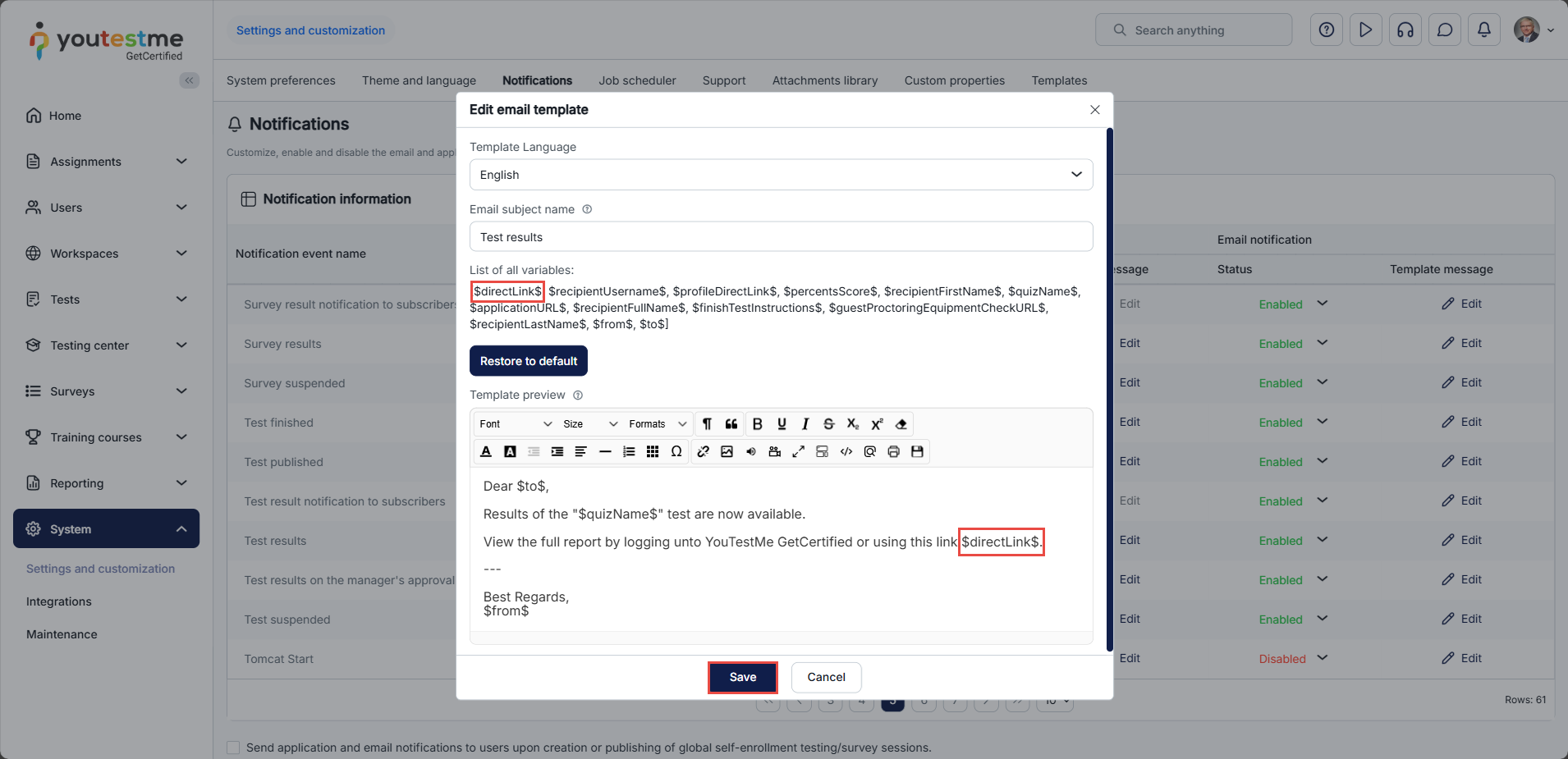
Include the $directLink$ variable in the email notification template, make the necessary adjustments, and then click the “Save” button to save the modifications.
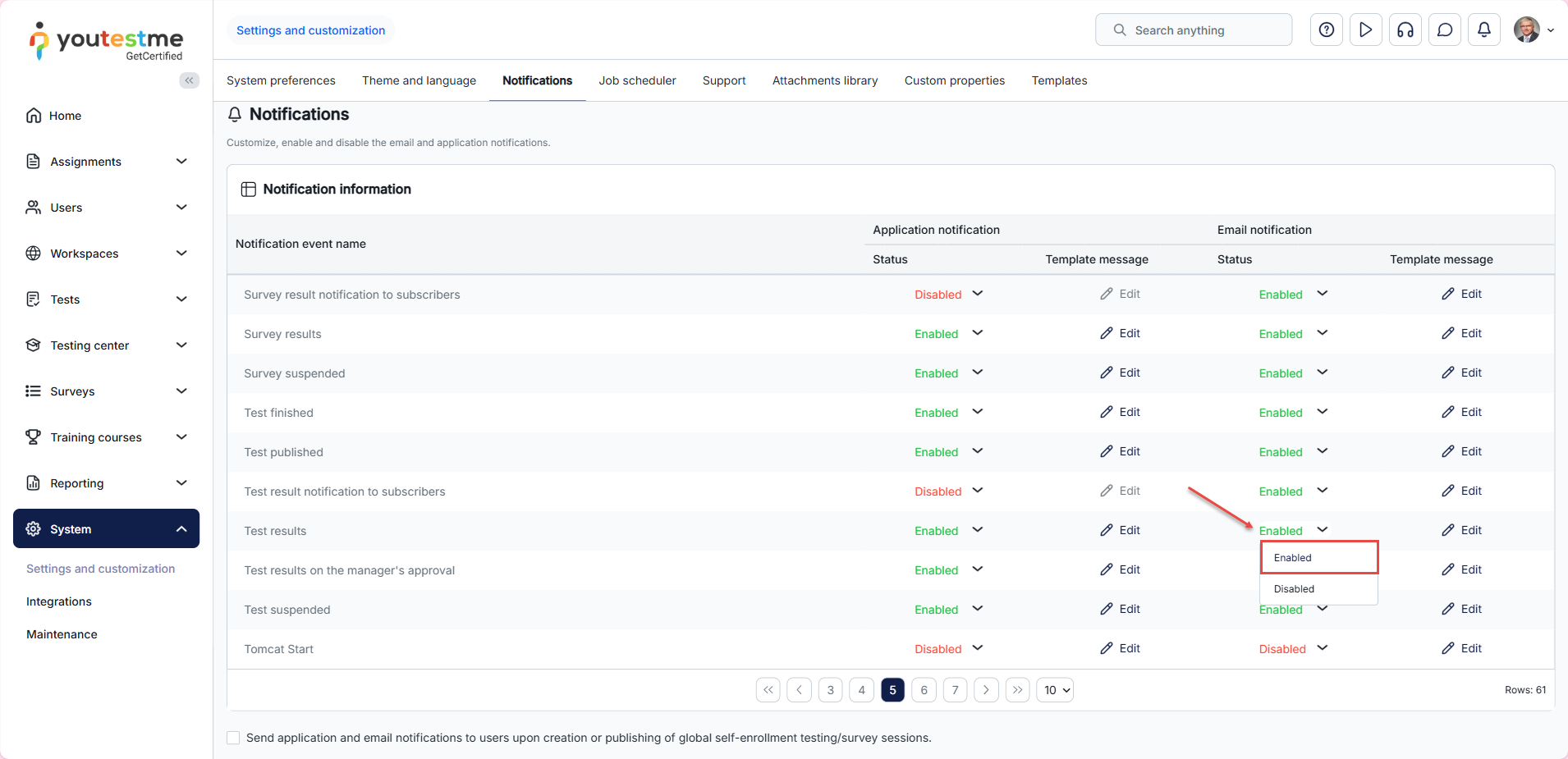
Make sure the email notification is enabled.
The email notification from the candidate’s perspective
Upon the availability of results, candidates will receive an email notification that includes a direct link, granting them immediate access to their results and eliminating the need to log in to their accounts.

For more useful material, please see:






