Article verified for Release 15.1 on December 10, 2025.
This article explains how a candidate can perform an equipment check before starting the test-taking process to ensure that the equipment is suitable and will work for the official test. An equipment check can be performed an unlimited number of times.
Accessing the page
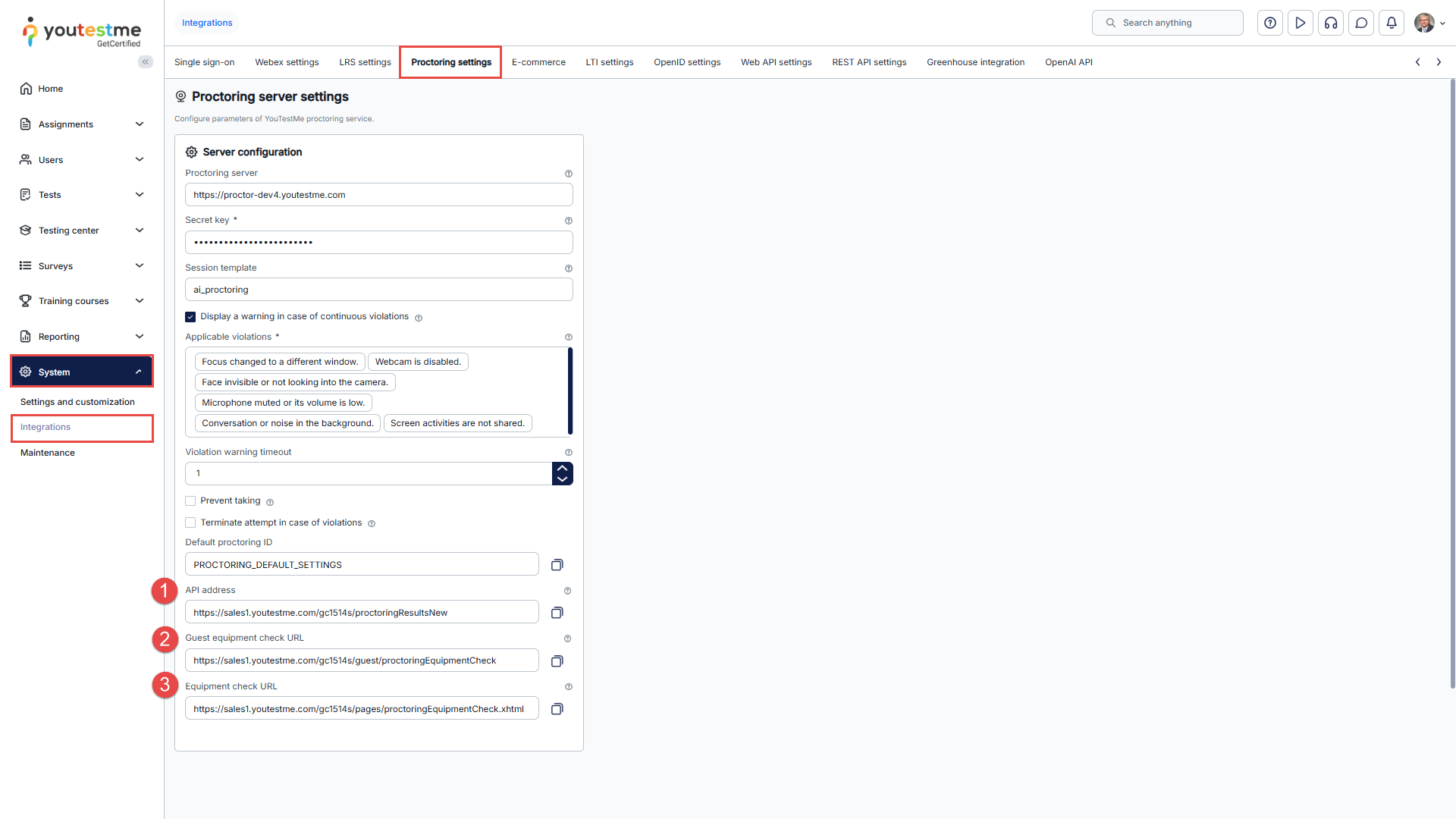
To access the equipment check links page, navigate to the System panel in the main menu and select the Integrations page.
On the Proctoring settings tab within the Server settings, you’ll encounter the following options:
- The API address of your server allows you to receive proctoring results for each test once it is completed.
- The Guest equipment check URL allows users to check their equipment for a proctored test without signing in to the system. The link is a parameter in the email notification and can be shared with users to verify their equipment before signing in.
- Equipment check URL – Users can check their equipment for a proctored test at this link, but they must be signed into the system.
Starting the Equipment Check from the Application
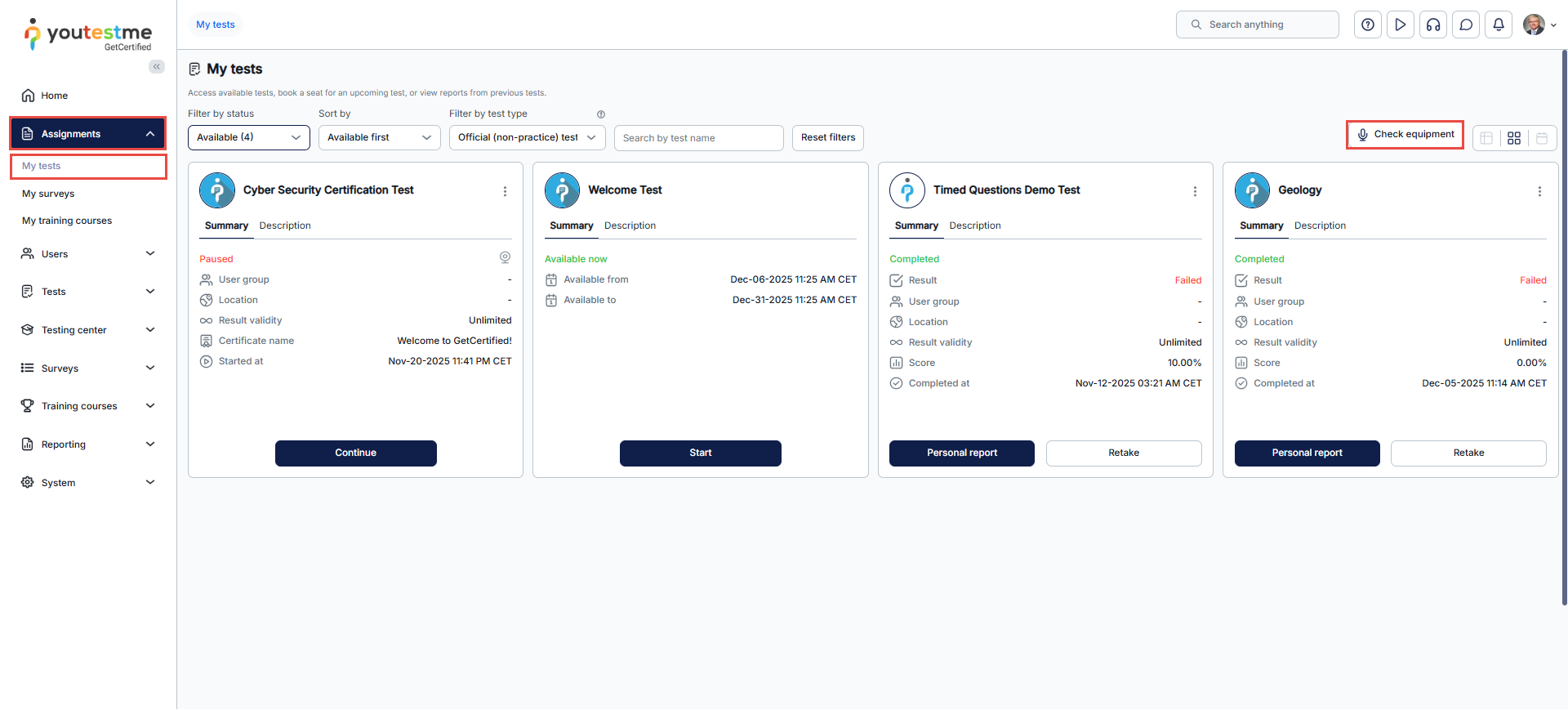
Before commencing the test, candidates should check the equipment by navigating to the Assignments panel and selecting the My tests page. On the right side of the screen, there is a link labeled Check equipment. Clicking on this link will redirect the candidate to the equipment check page.
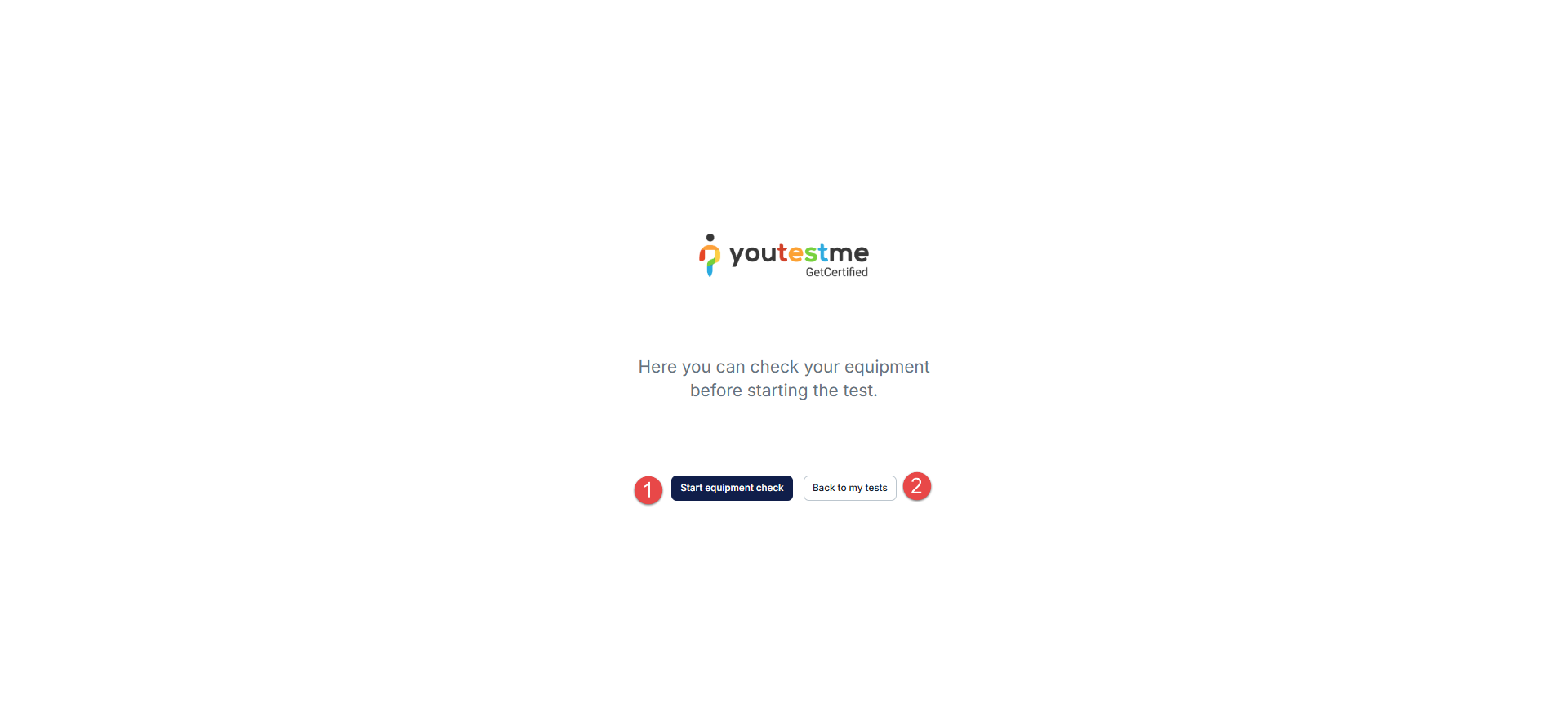
Once the candidate is redirected to the equipment check page, two options are available:
- Start equipment check.
- Go Back to my tests page.
Setting the Link to the Equipment Check into the Email Notification (Guest Equipment Check URL)
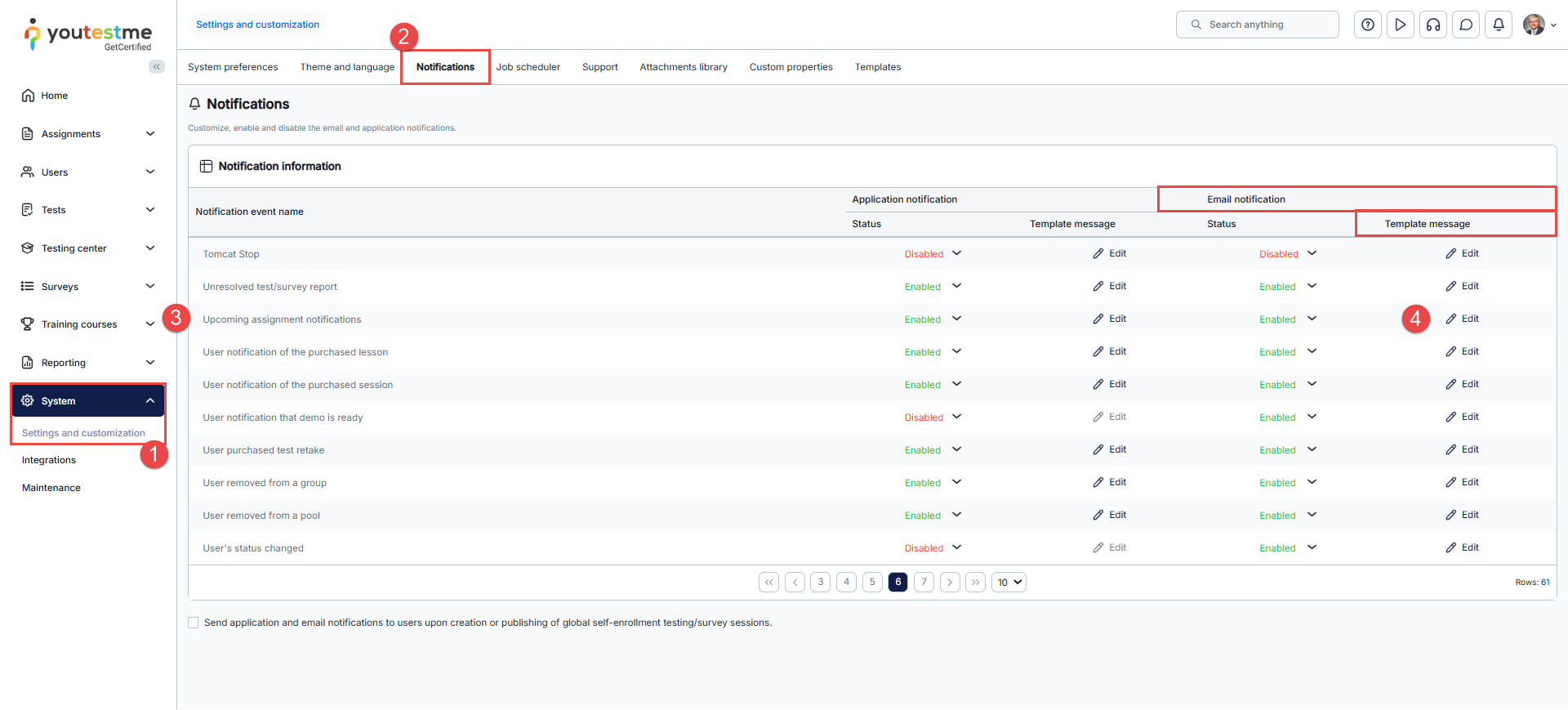
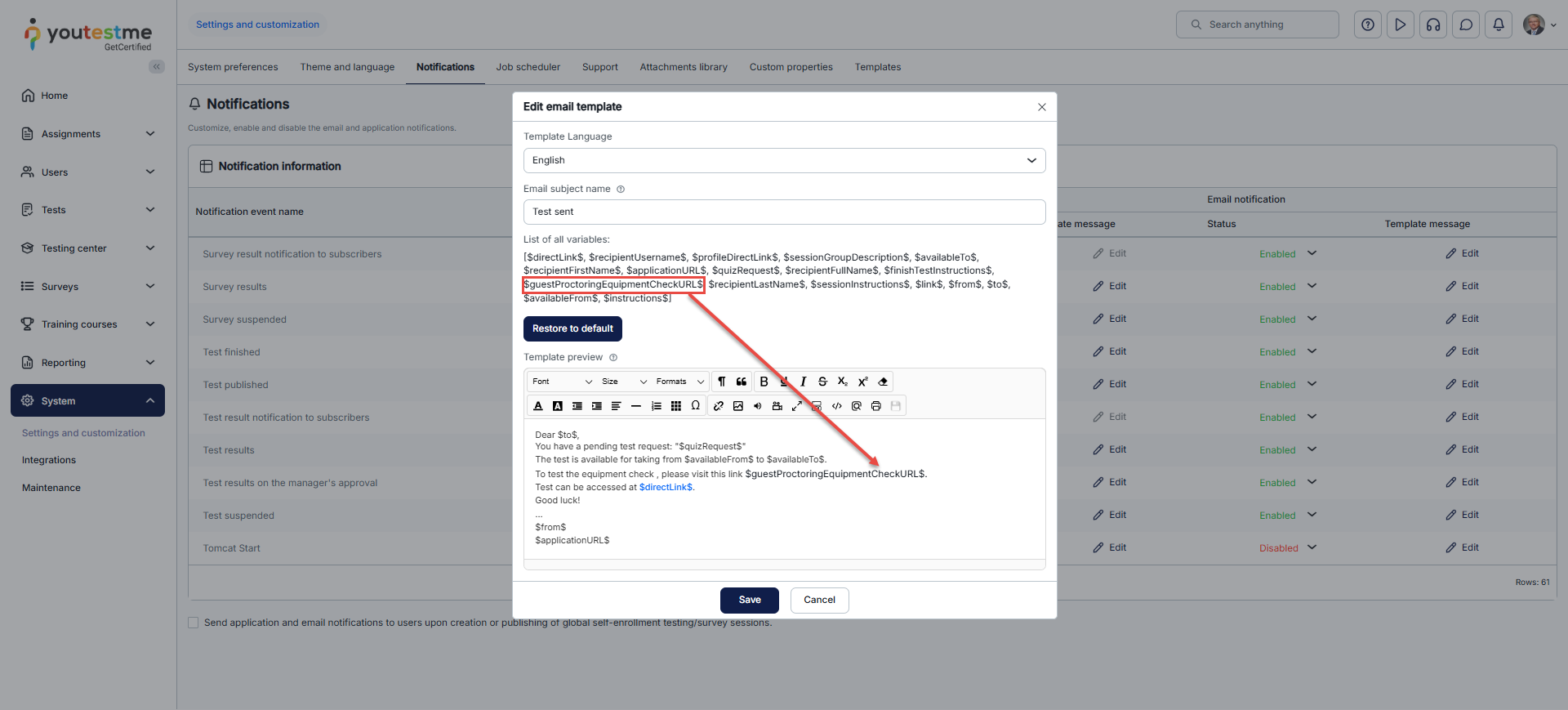
To set the link to the equipment check-in email notification, follow these steps:
- Navigate to the System panel and select the Settings and customization page.
- Open the Notifications tab.
- Select the desired notification event.
- Click the Edit button for the template message in the Email notifications column.
The link will be visible by using the variable for the equipment check:
The candidate will receive an email with a link to the equipment check, bypassing the test-taking process.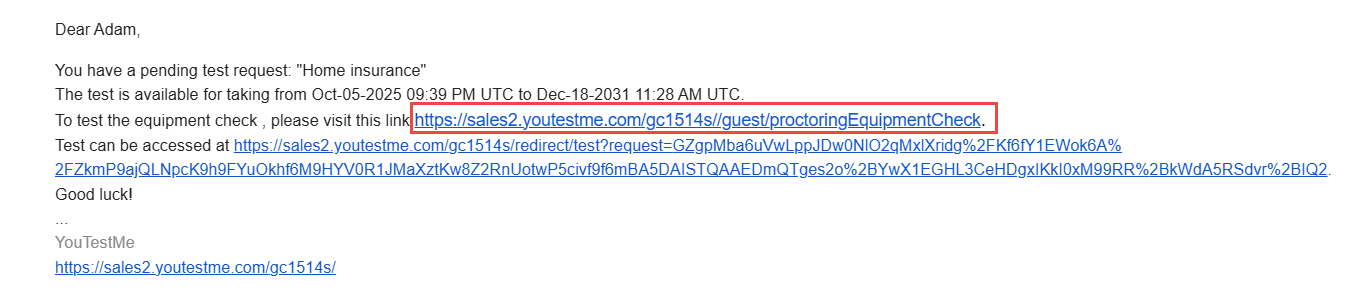
Clicking on the link, the candidate will be redirected to the page where there will be two buttons:
- Start equipment check.
- Sign out.

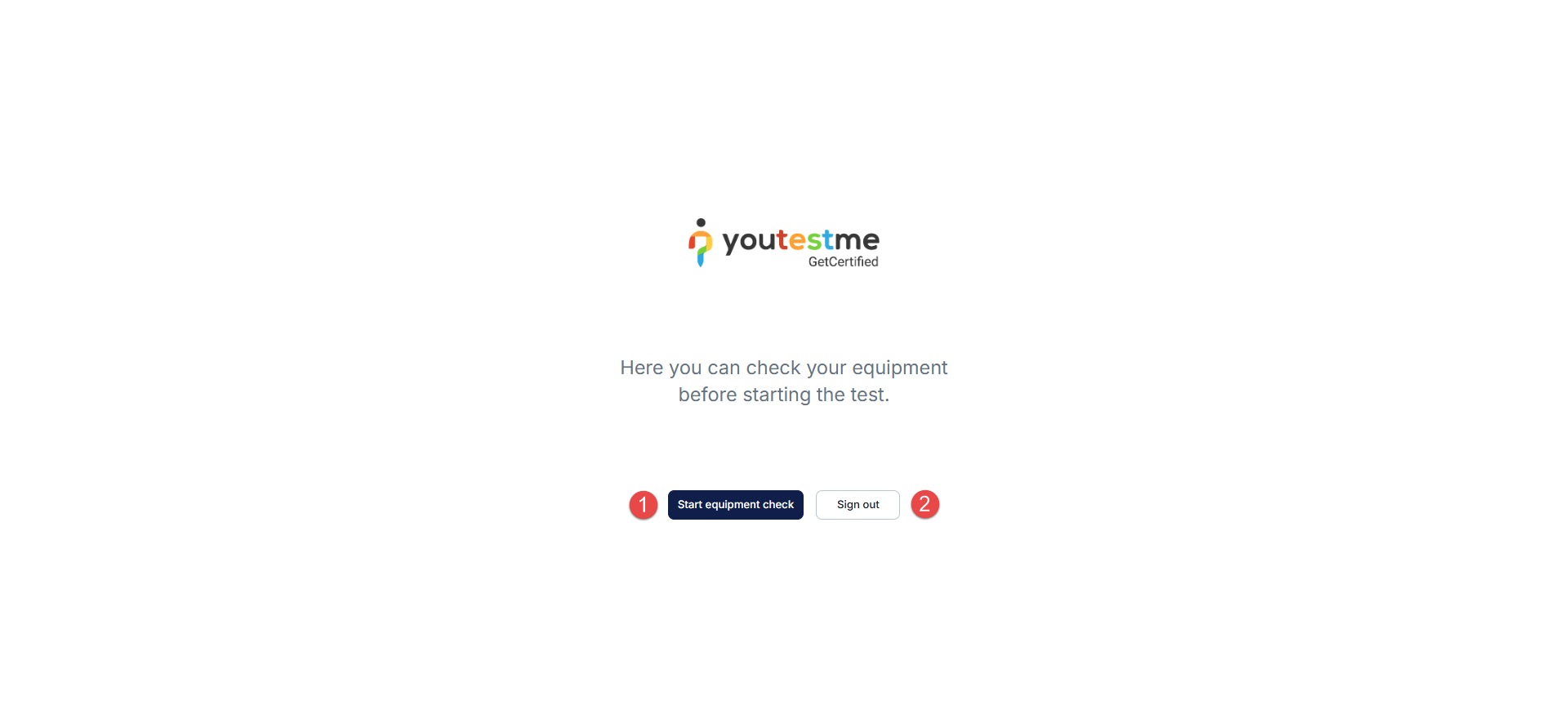
When the candidate clicks the Start equipment check button, they will be redirected to the equipment check page.
For more related instructional materials, please visit:






