Article verified for Release 15.1 on February 20, 2025
YouTestMe provides a comprehensive set of security mechanisms designed to protect exam integrity, reduce the risk of cheating, and ensure that every candidate receives a fair and controlled testing experience.
This article presents an overview of the available security features and highlights their key benefits. For detailed configuration steps, refer to the dedicated articles for each feature.
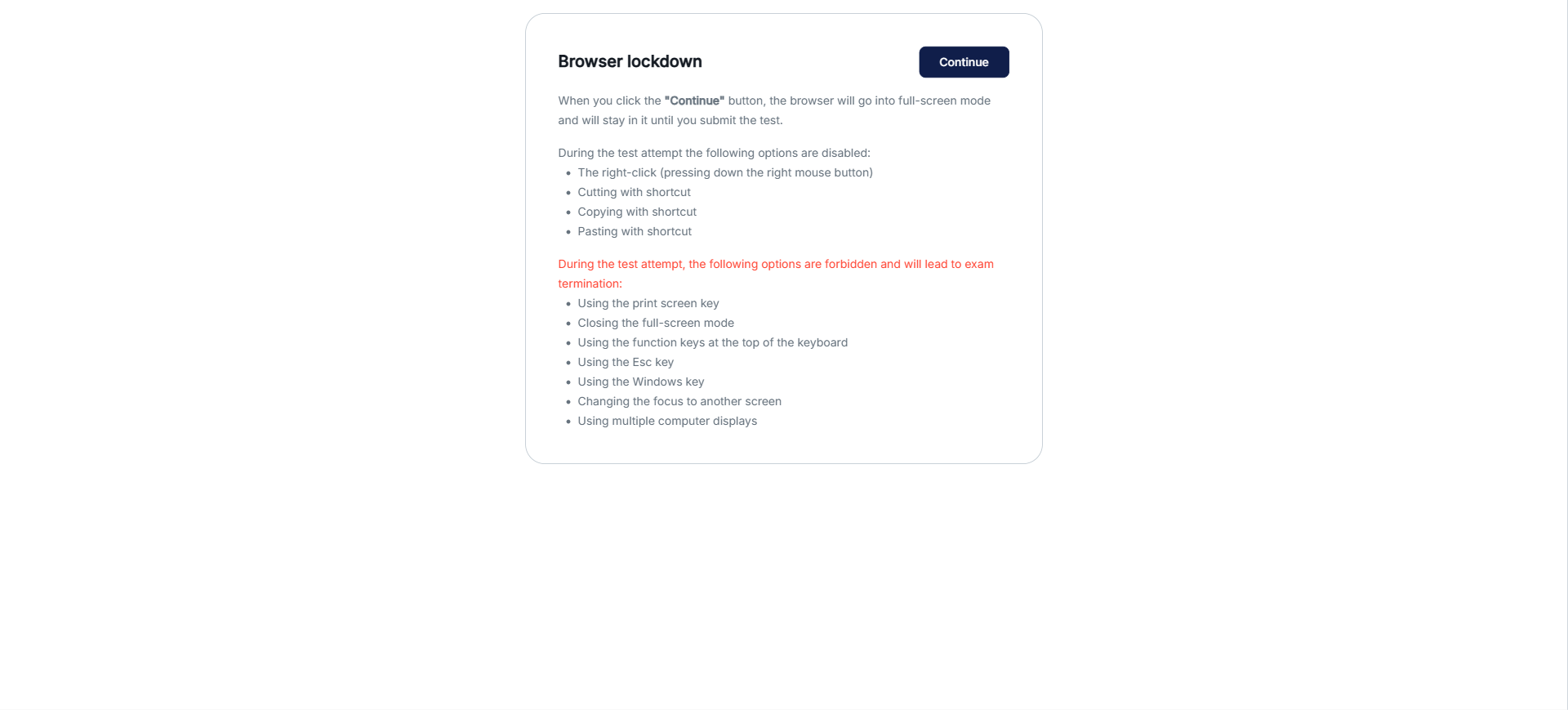
1. Browser Lockdown
Browser Lockdown helps ensure that candidates remain focused on the exam environment by restricting access to unauthorized resources during the test.
Key benefits:
-
Prevents switching to other tabs, applications, or websites
-
Blocks copy, paste, and screen capture actions
-
Reduces opportunities for searching external information
-
Keeps candidates fully engaged in the testing interface
-
Supports secure delivery of high-stakes exams
2. Proctoring (AI proctoring, live proctoring, using Proctorio)
Proctoring provides monitoring capabilities that help detect suspicious behavior and maintain exam integrity. Organizations can choose the level of supervision that best fits their needs.
AI proctoring:
AI proctoring uses automated monitoring to analyze candidate behavior throughout the exam.
Key benefits:
-
Continuous automated supervision
-
Detection of suspicious actions and anomalies
-
Configurable violation rules and sensitivity levels
-
Equipment and environment verification
-
Scalable monitoring for large candidate groups
live proctoring:
Live proctoring enables real-time supervision by human proctors supported by system alerts.
Key benefits:
-
Real-time human oversight
-
Immediate intervention when needed
-
Direct communication with candidates
-
Incident tracking and review support
-
Enhanced control for high-security exams
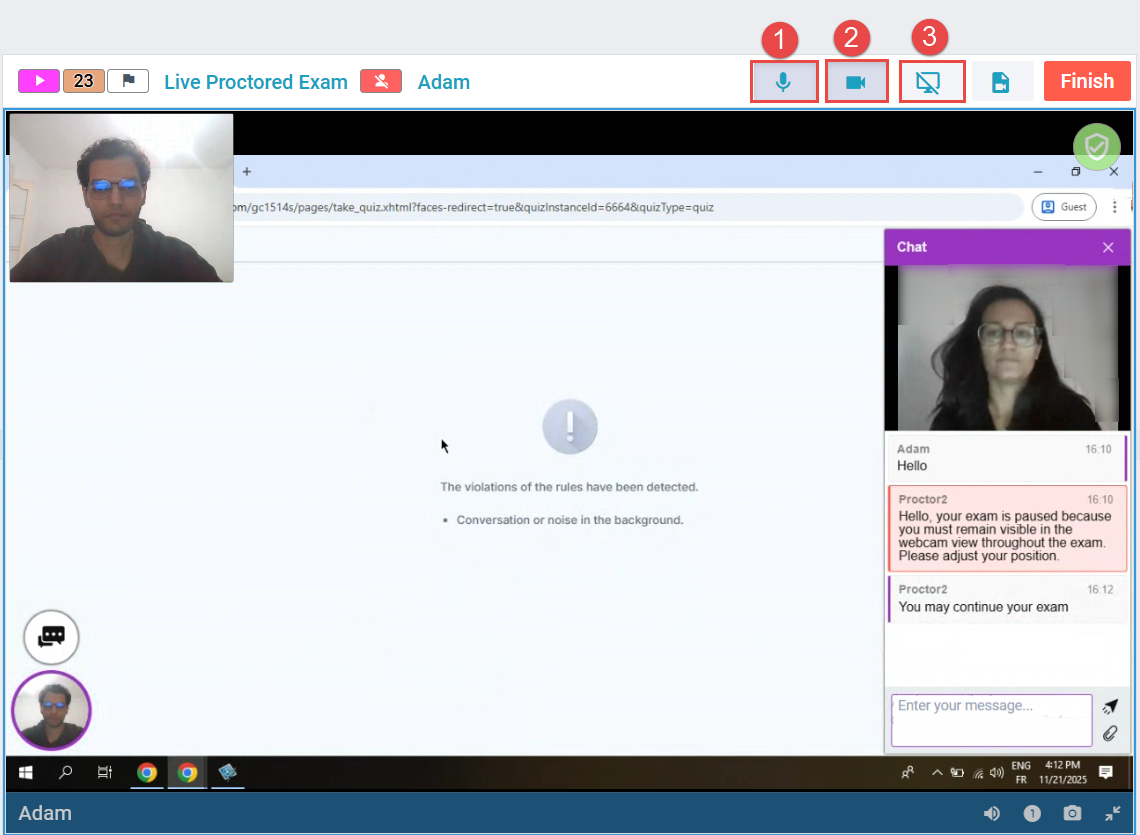
During the test, the system warns candidates if, for example, they open another tab. In addition to the system metrics, with live proctoring, the proctor records their observations about the candidate’s behavior.
At any time, candidates can communicate with the proctor, who can monitor them continuously. The proctor can interact with the candidate through the following channels:
- Microphone
- Camera
- Screen Sharing and Chat
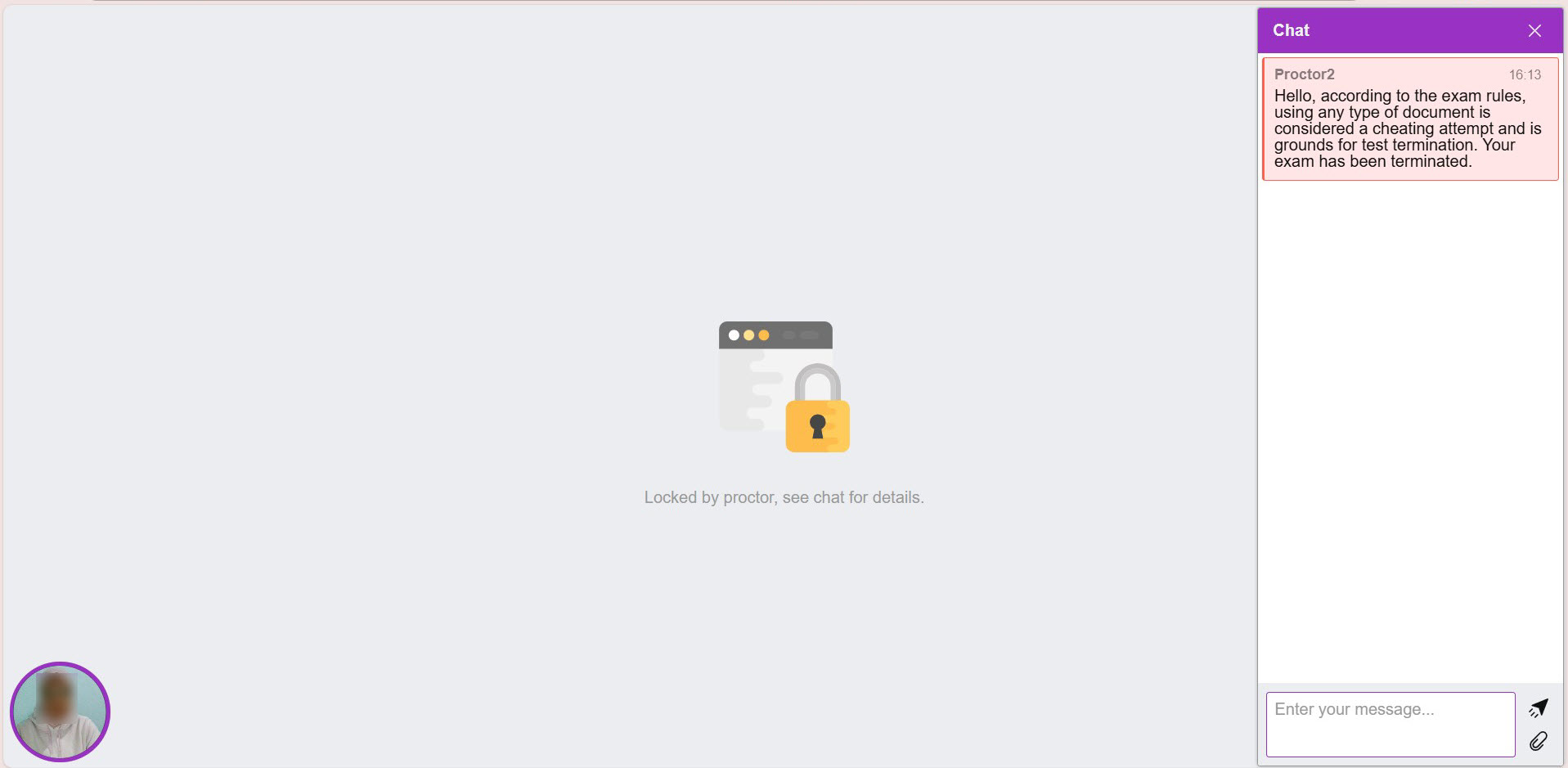
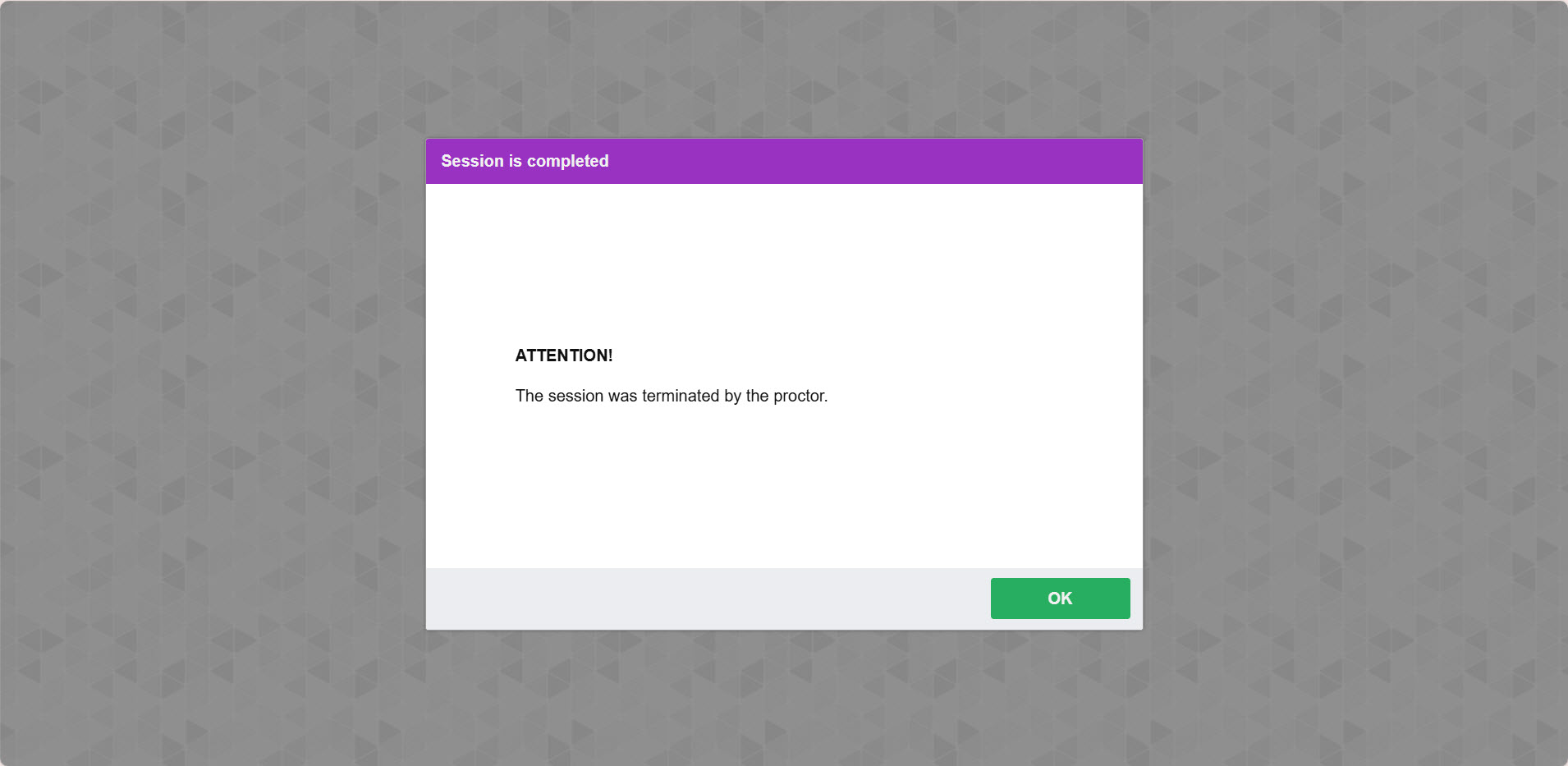
Session termination due to violation
In cases where the proctor detects behavior that violates exam rules — such as attempting to access unauthorized resources or ignoring instructions — the proctor may terminate the session. This action is taken to protect the integrity of the assessment process.
To see the whole process, check the video on How to see a proctoring report
Please watch the instructional video on How to take a proctored test
For detailed instructions, refer to this article.
Proctorio Integration
Integration with Proctorio provides an additional proctoring option for organizations that require external monitoring solutions.
Key benefits:
-
Flexible deployment with external proctoring tools
-
Additional security layer
-
Support for diverse institutional requirements

During the test, the candidate’s screen will be shared, and the candidate will be prevented from performing any restricted actions.

For video instructions on how to create a test proctored by Proctorio, you may watch this video.
For more related instructional materials, please see:
3. Using Safe Exam Browser (SEB)
Safe Exam Browser creates a locked testing environment that restricts access to the operating system and unauthorized resources.
Key benefits:
-
Enforces full-screen exam mode
-
Prevents access to other applications or system functions
-
Restricts navigation outside the exam
-
Ensures controlled device usage during testing
-
Strengthens security for remote assessments

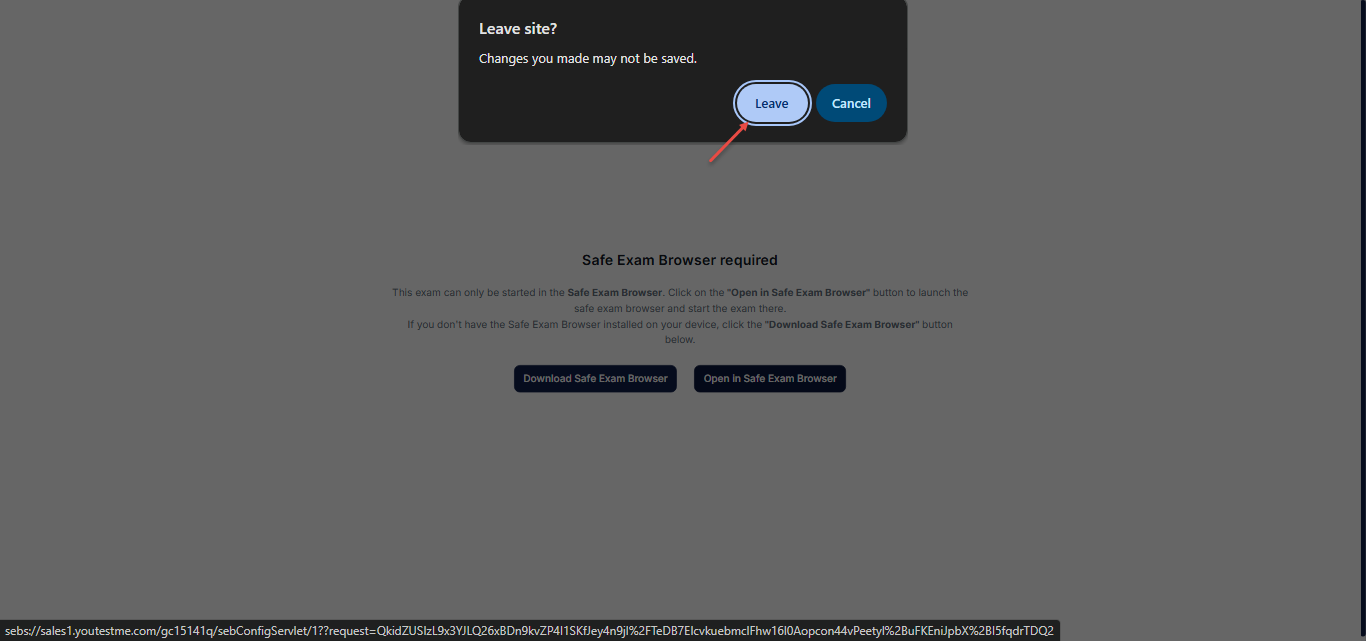
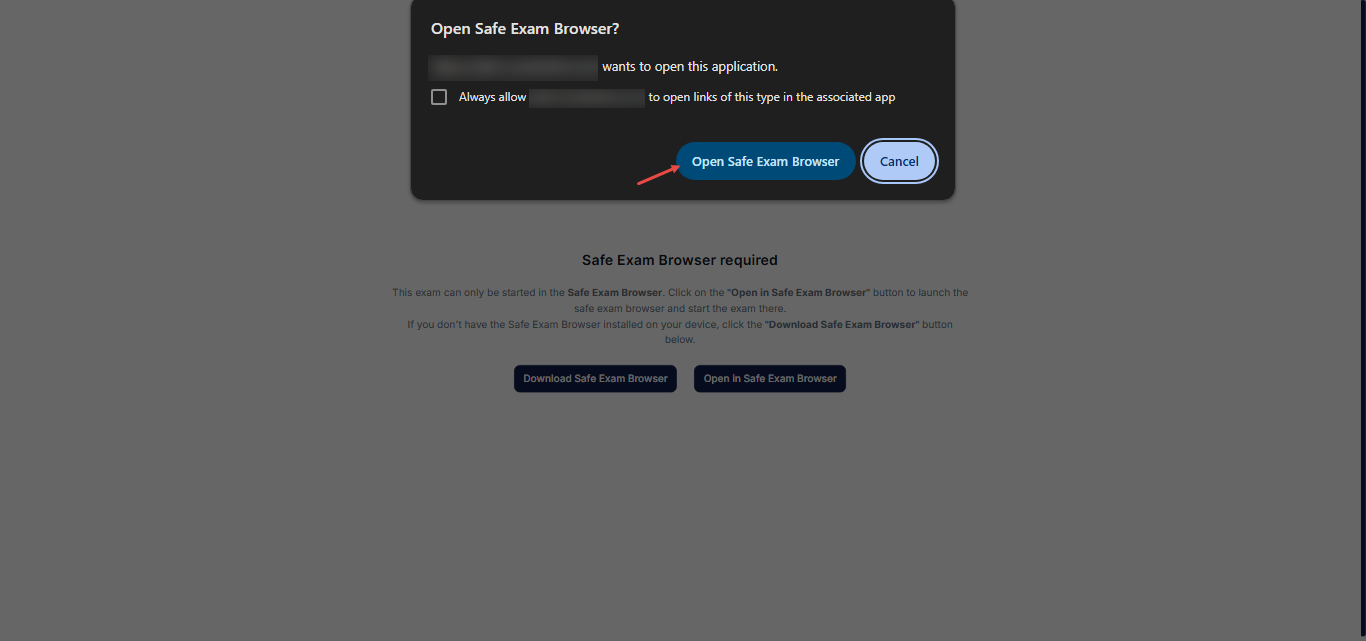
To enhance your visual experience, check this video.
For detailed instructions, refer to this article.
How to Use Safe Exam Browser (SEB) with YouTestMe for Secure Online Exams – YouTestMe
4. Using the Generator to Produce Unique Exam Versions
The test generator creates different exam versions by assembling questions dynamically from question pools.
Key benefits:
-
Generates unique exam versions for each candidate
-
Reduces question sharing and memorization risks
-
Supports large-scale testing scenarios
-
Maintains fairness and consistency across attempts
-
Enhances exam variability without manual effort
For detailed instructions, refer to this article.
5. Using the Answers Generator
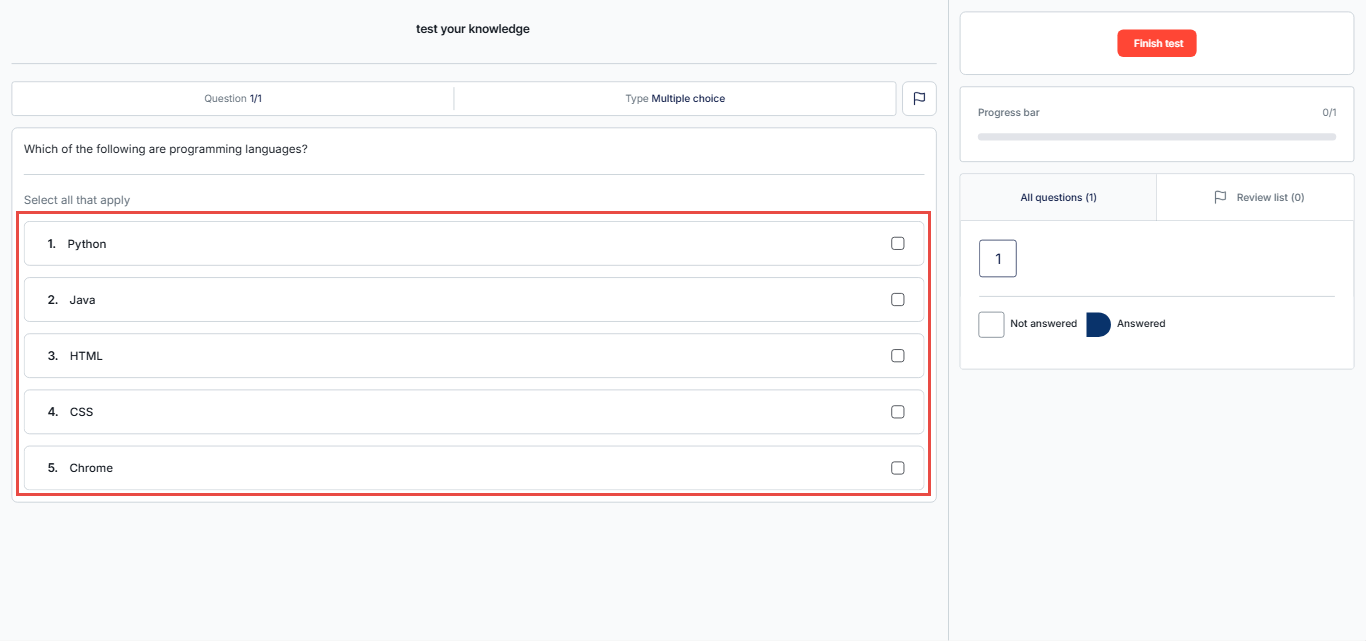
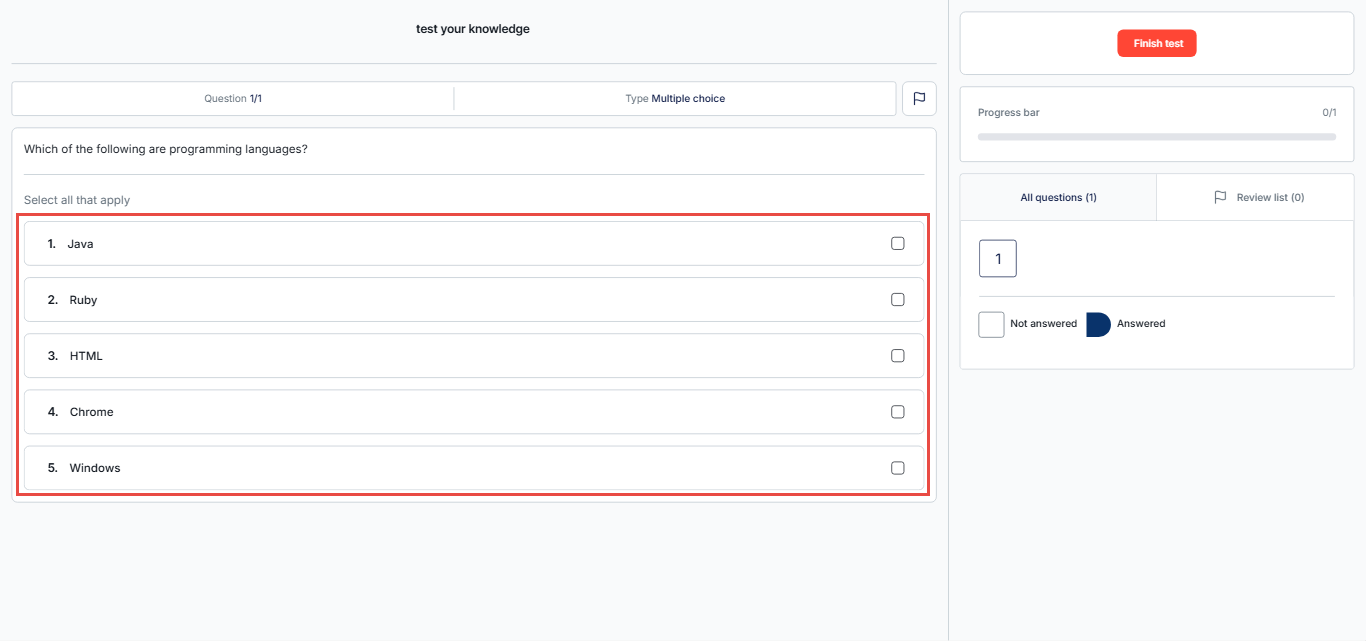
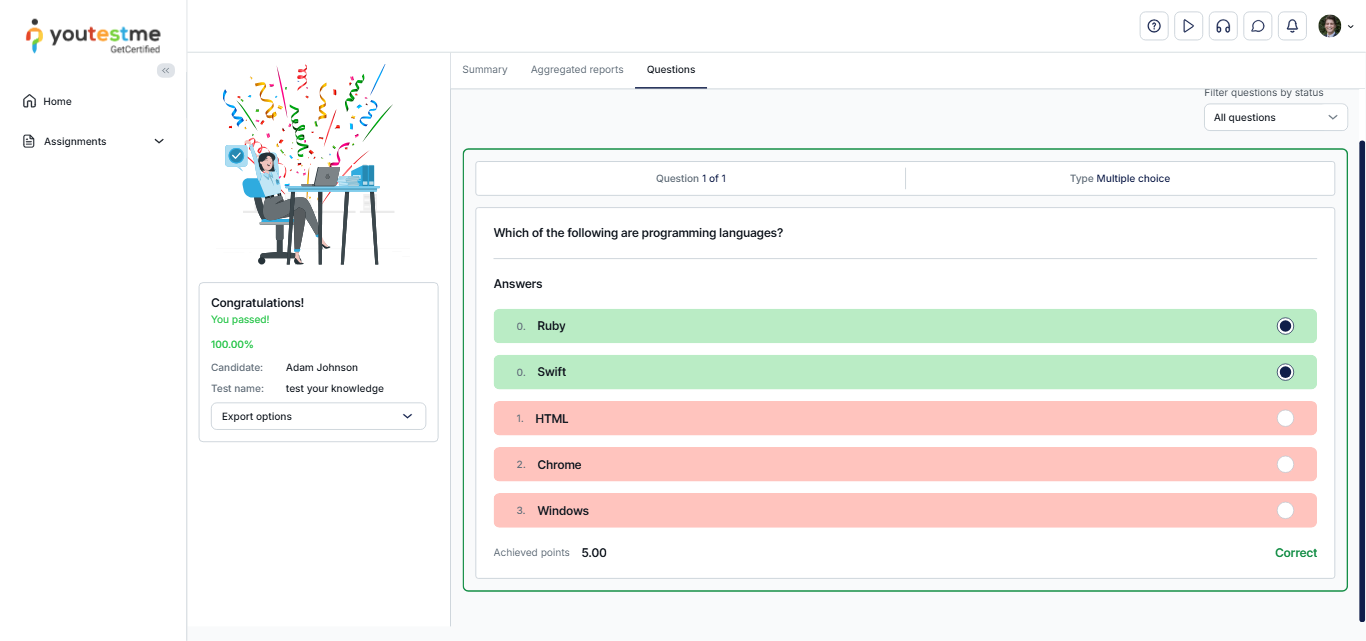
When the Answer Generator is enabled, each candidate will see a unique, randomly generated set of answers based on the configuration defined by the test manager. If two candidates take the exam at the same time, or if the same candidate retakes the exam, the displayed answers may differ each time. See the examples below.
Impact on Reports
When the Answer Generator is enabled, reports reflect the report configuration set by the test manager, and only the answers shown to each candidate. Hidden answers are never included.
- Only displayed answers appear in the Personal Report.
Correct and incorrect options that were not presented during the test will not appear in any report. - Scoring is based exclusively on the answers each candidate received.
The system applies the test’s scoring rules only to the answers displayed to that candidate. - Different attempts may show different answer sets.
This applies to both different candidates and repeat attempts by the same candidate.
The examples below show how two candidates taking the same exam and answering the same question can receive different scores, depending on the answers that were displayed to each of them.

6. Questions and Answers Randomization
Randomization shuffles the order of questions and answer options to prevent predictable exam patterns.
Key benefits:
-
Random question sequence for each attempt
-
Randomized answer order
-
Reduces copying between candidates
-
Prevents memorization of fixed positions
-
Improves assessment reliability
For detailed instructions, refer to this article..






