Article verified for Release 15.1 on December 9, 2025.
This article explains how to enable a system setting that ensures every testing session has a user group assigned before it can be saved.
When this option is enabled, users cannot create or save a testing session without selecting a user group, helping organizations keep sessions organized, properly targeted, and compliant with internal rules.
Configuring the Requirement
To make user group assignment mandatory during testing session creation:
-
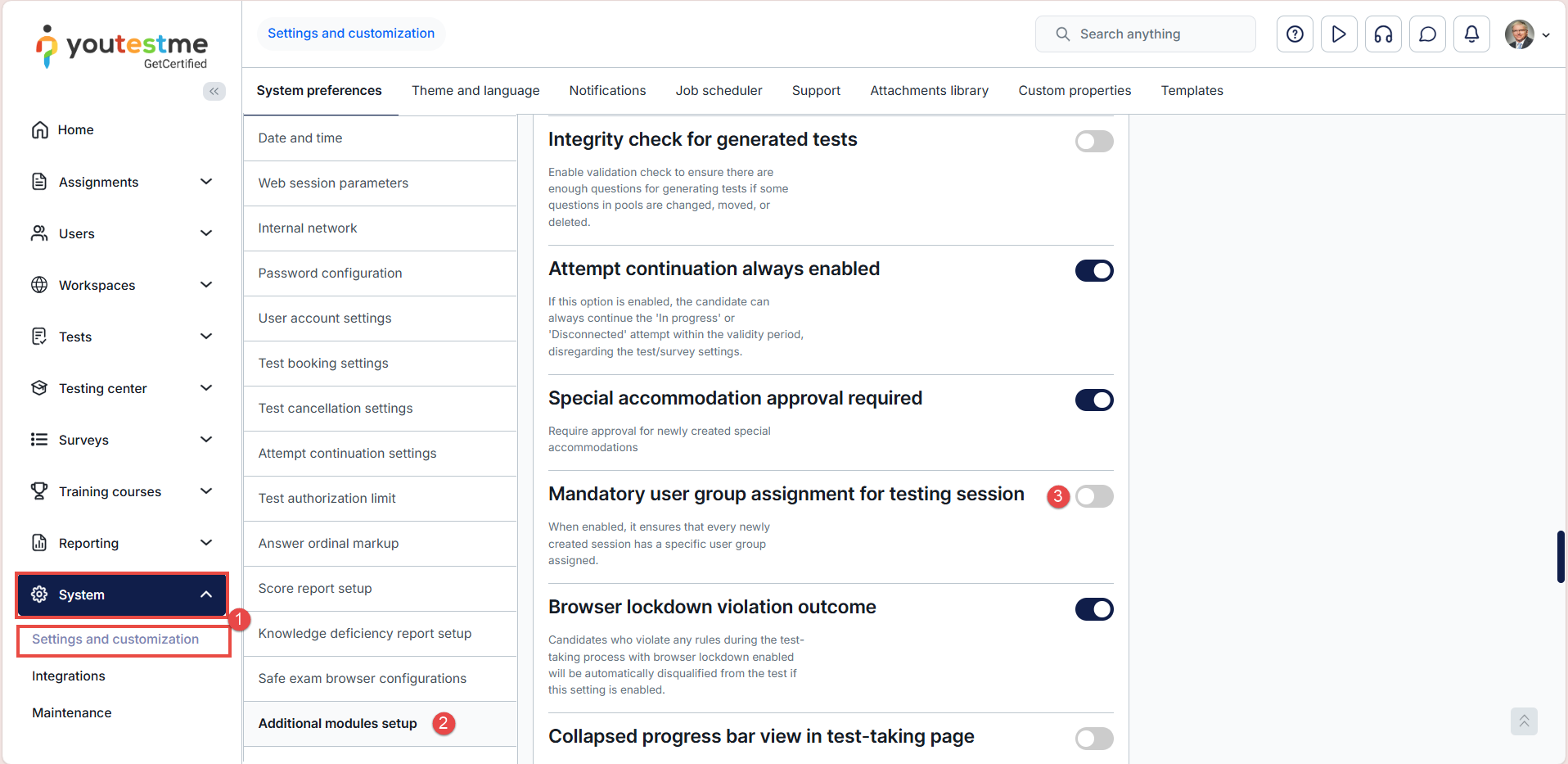
Click System in the main menu and select Settings and customization.
-
Navigate to Additional modules setup.
-
Enable the option Mandatory user group assignment for testing session.
Preview & Behavior
Once this option is enabled:
-
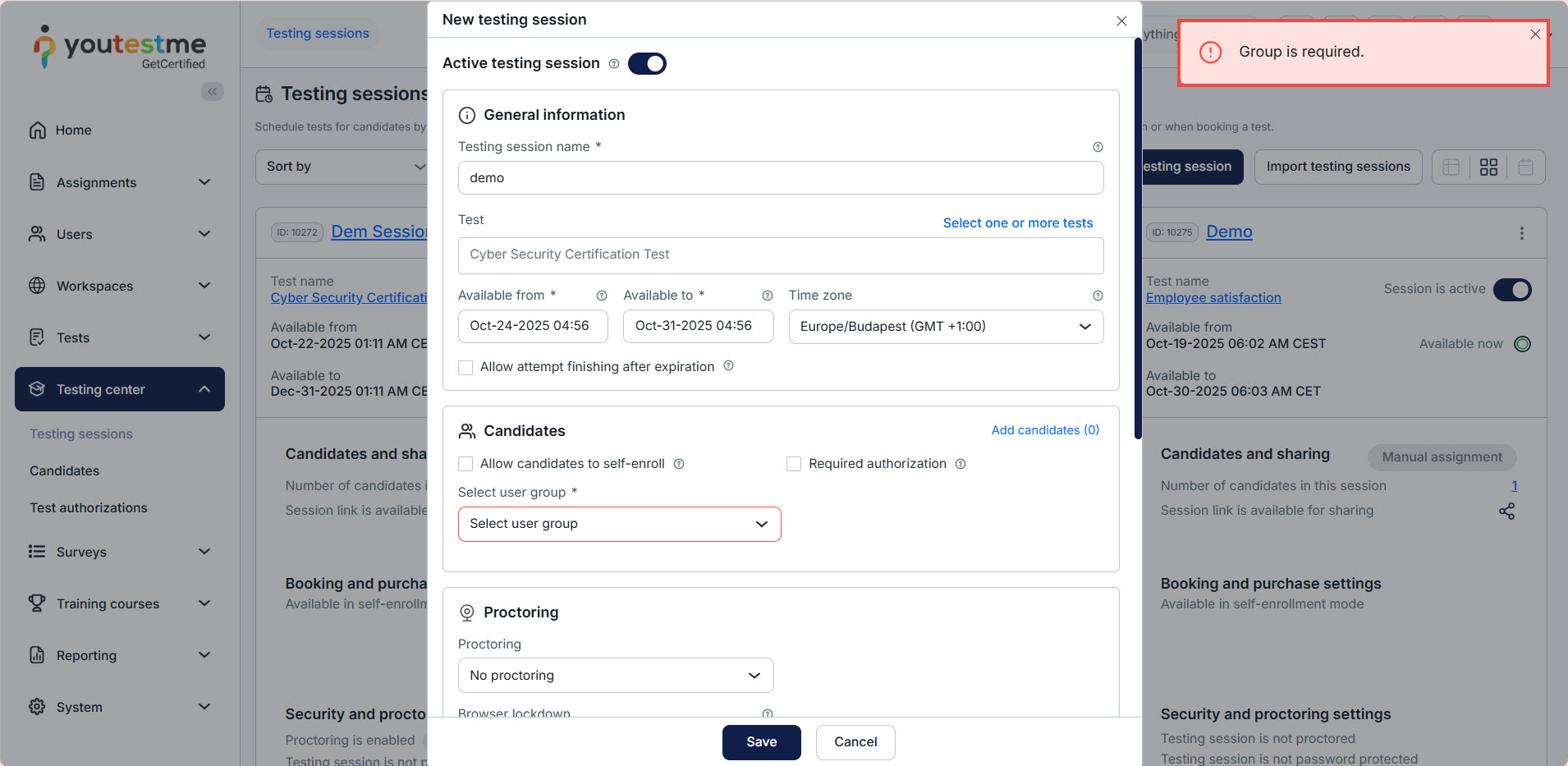
The system will require a user group to be selected when creating or editing a testing session.
-
You will not be able to save the session until a user group is assigned.
-
This ensures all testing sessions have a clearly defined candidate audience and prevents accidental creation of unassigned or incomplete sessions.
To see how to create testing sessions, please check this video.






