Article verified for Release 15.1 on December 18, 2025.
This article explains how to display a report to a candidate immediately after the test is completed, including cases where the questions require manual grading.
Creating a test
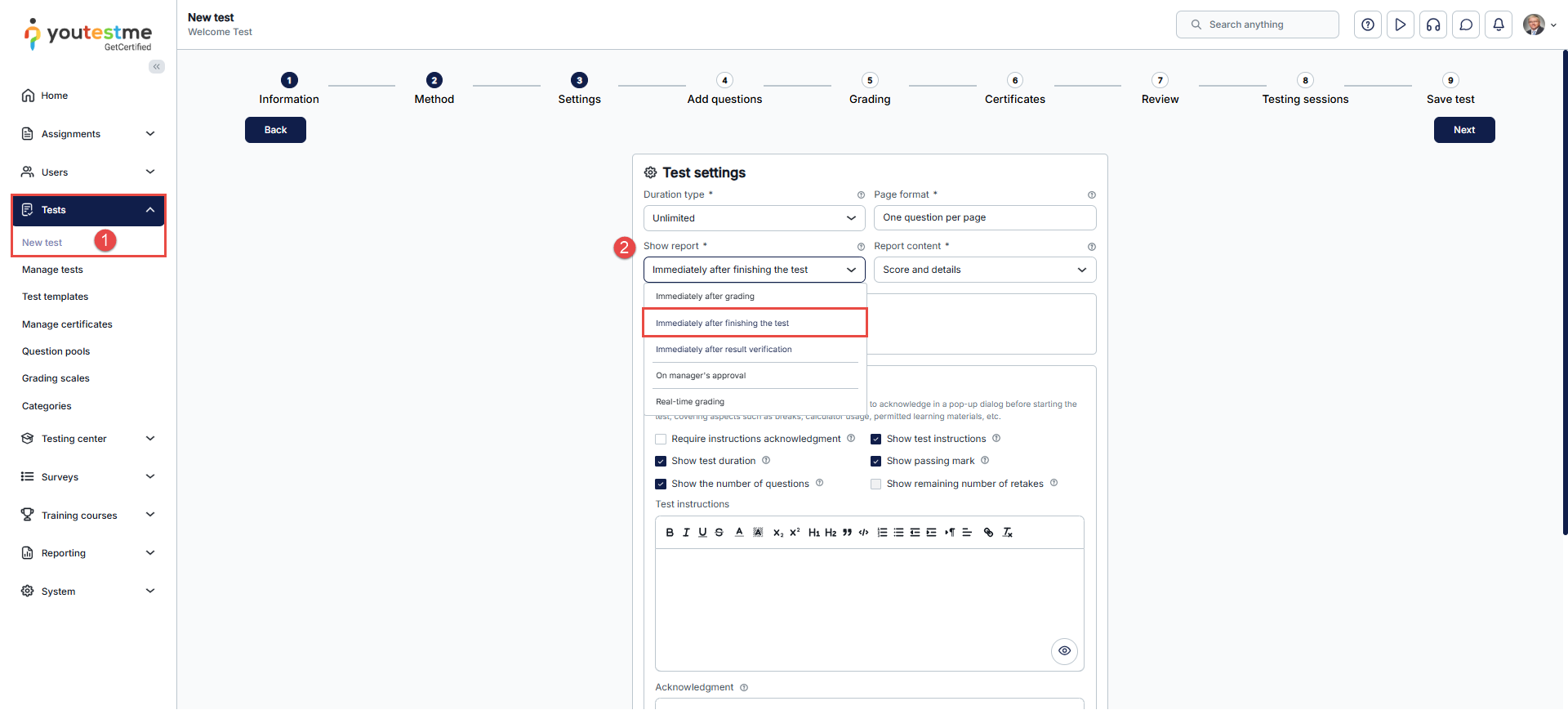
- Select the Tests tab in the main menu and select New test.
- In the third step of the test creation wizard, select Show report, then choose the Immediately after finishing the test option.

- Configure the remaining test settings, complete all steps of the Test creation wizard, and publish the test.
Previewing the Test Report
The candidate will receive a report immediately after the test. The score will be based on points from questions that do not require manual grading.
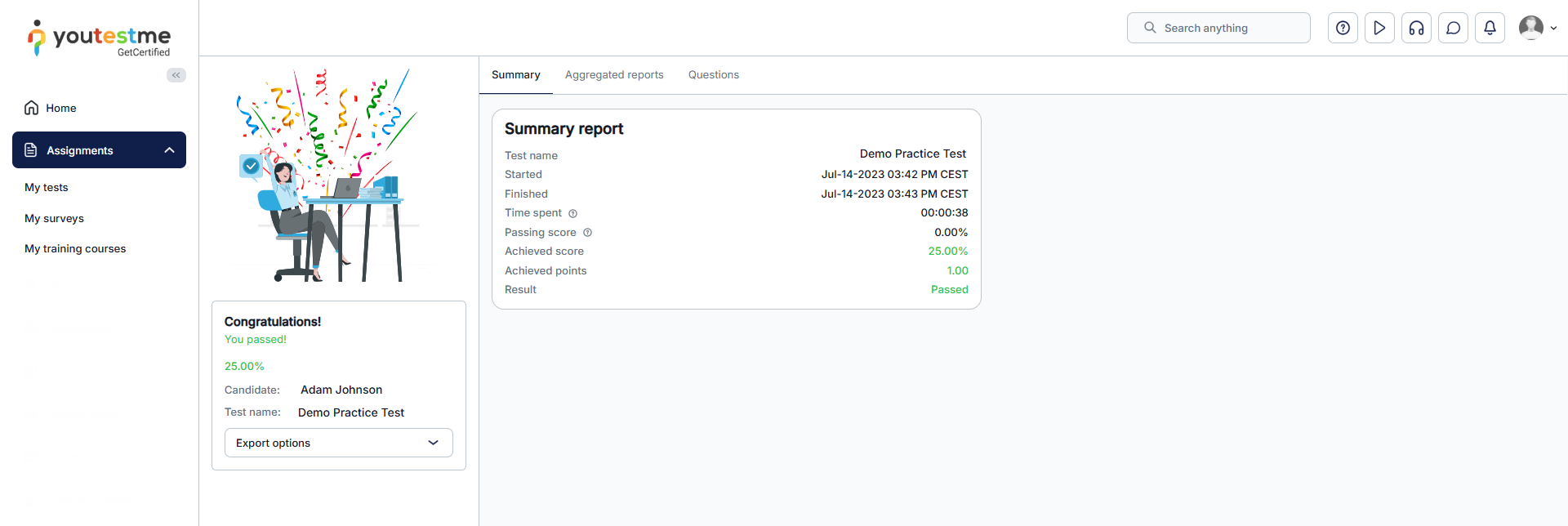
However, if the instructor subsequently grades some of the questions, the candidate will be notified by email about new test results.

For more related articles, please visit:






