Article verified for Release 15.2 on February 24, 2026.
This article explains how to automatically analyze the percentage of correct answers by using scheduled reports for test question success ratios and pool question statistics.
Test reports
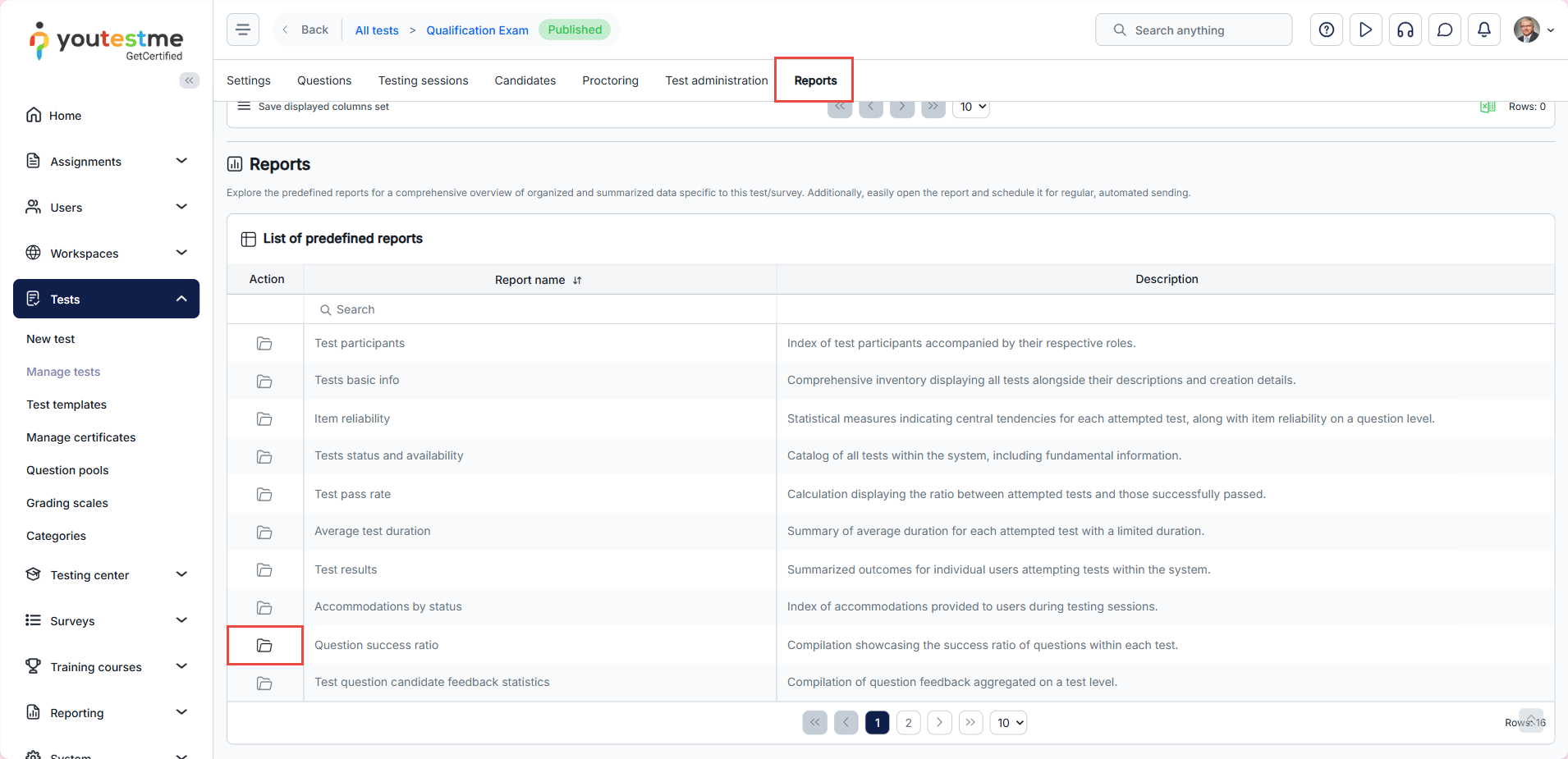
To navigate to the test reports, do the following:
- Select the Tests tab in the left-side menu.
- Select the Manage test tab.
- Select the desired test.
- Select the Reports tab.
- Clicking on the Open option in the Actions column to see the specific predefined report for the test that is selected.
Scheduling report for the test
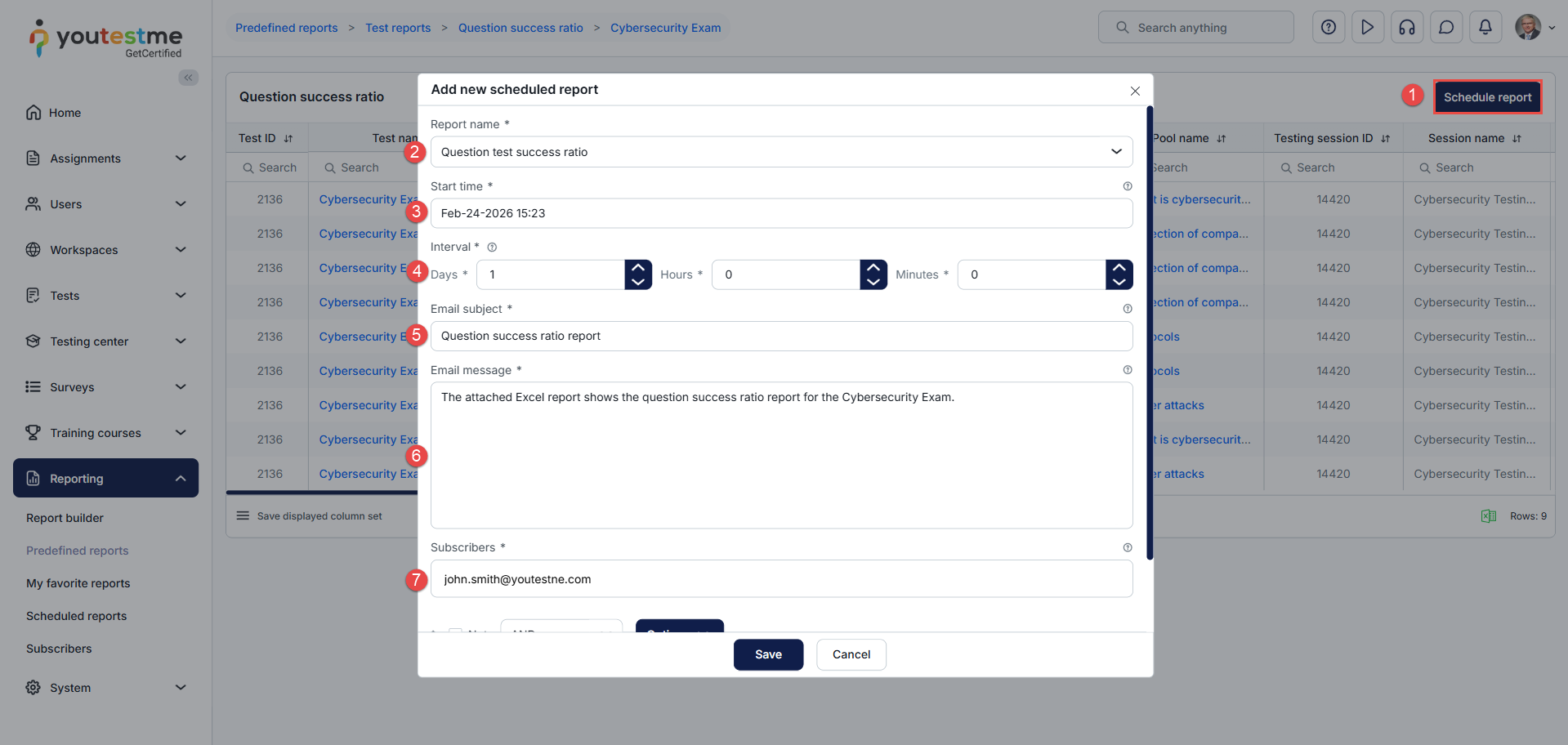
To schedule a report, do the following:
- Select the Schedule report button.
- The report’s name is selected from the previous action (Open).
- Define the start time.
- Define the interval.
- Enter the email subject.
- Enter the email message.
- Define the subscribers who will receive the predefined report
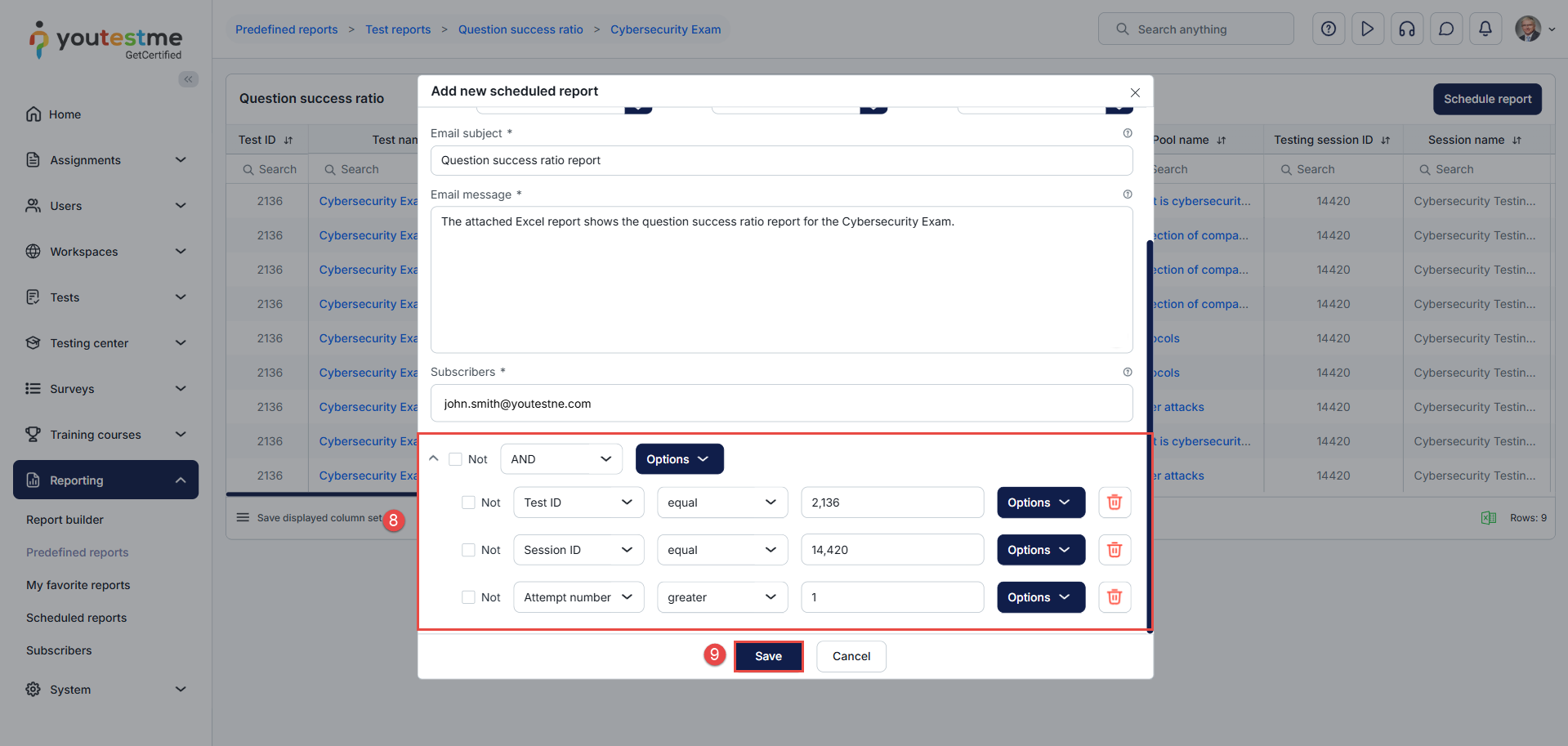
- Set the conditions for the predefined report.
- Click on the Save button to save the changes.
After setting the scheduled report, the report will be delivered to the defined email address.

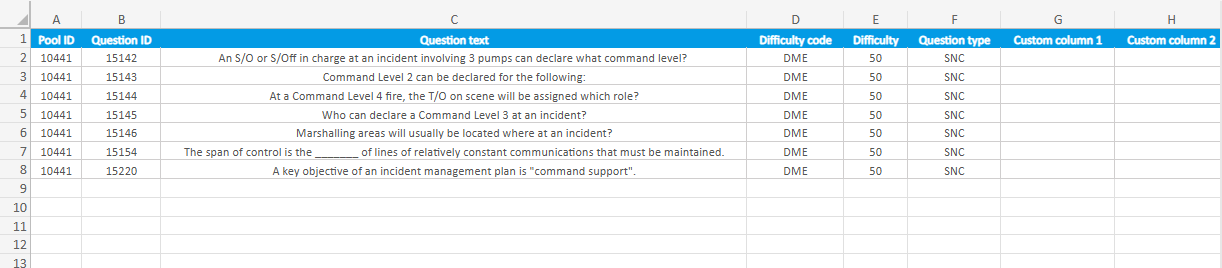
After downloading the Excel file, you will see which questions satisfy the conditions defined for the scheduled report.

Question pool reports
To navigate to the question pool reports, do the following:
- Select the Tests tab.
- Select the Question pools tab.
- Search for the desired pool.
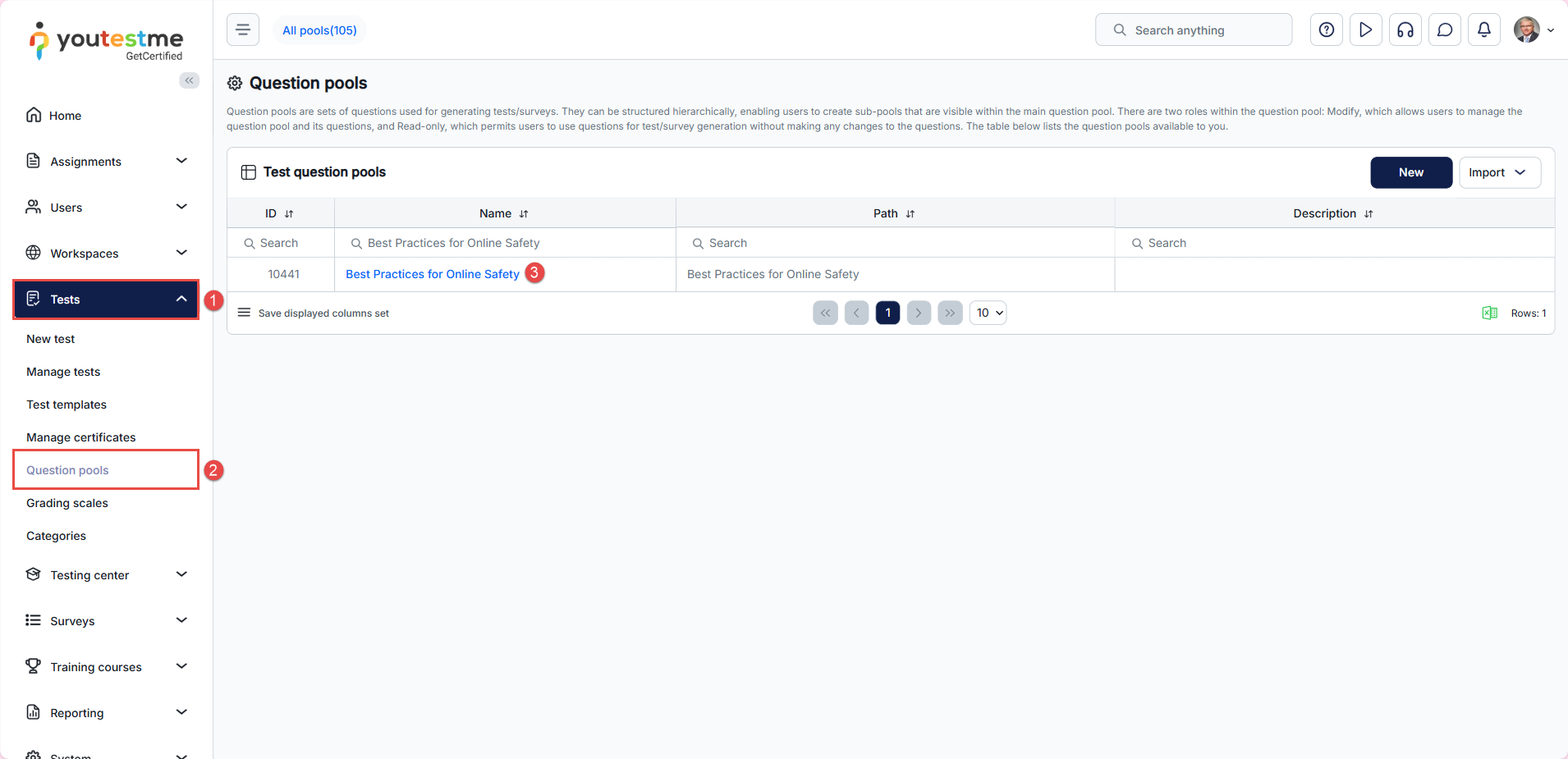
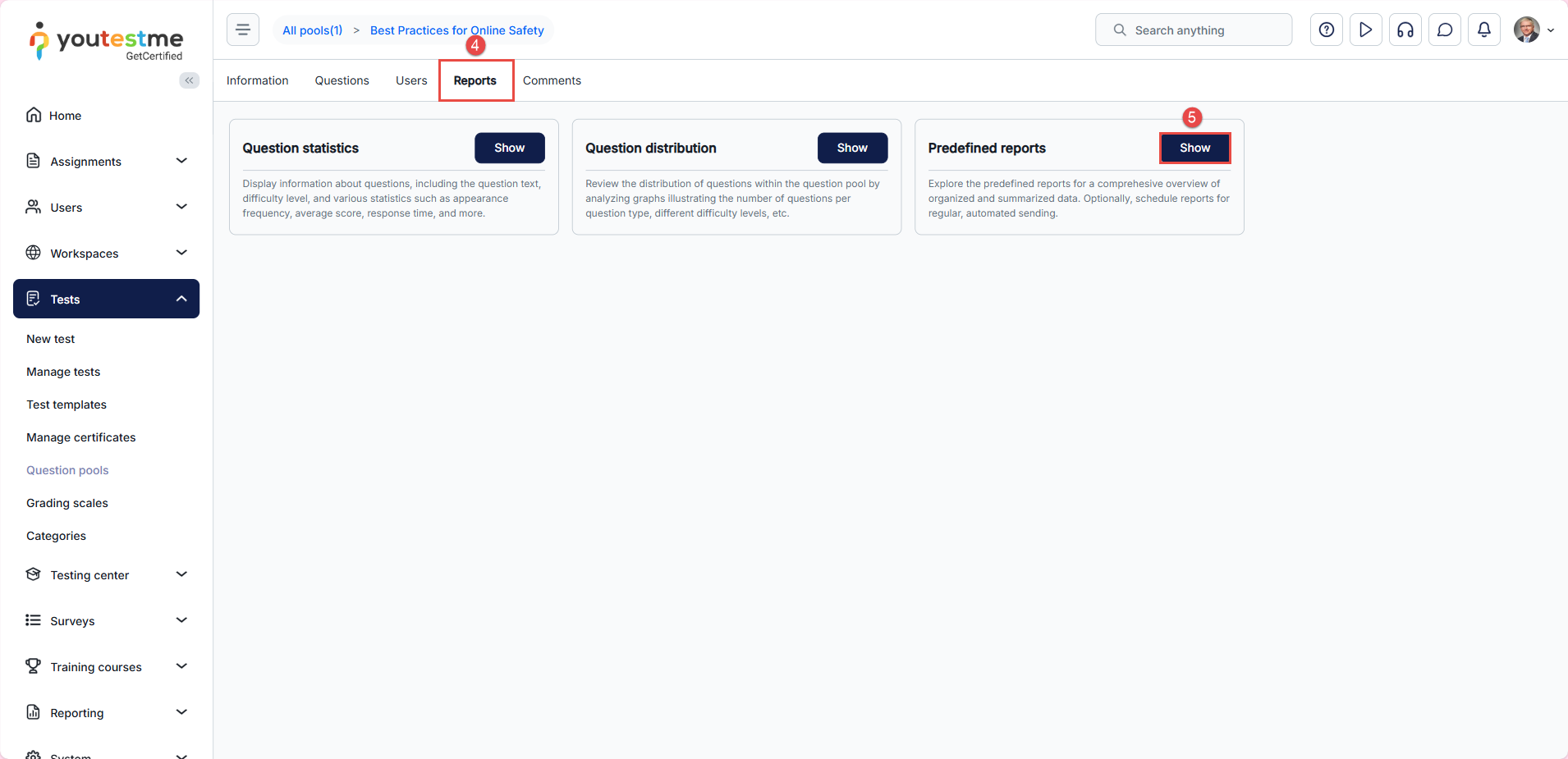
- Select the Reports tab.
- In the Predefined Reports section, select Show.
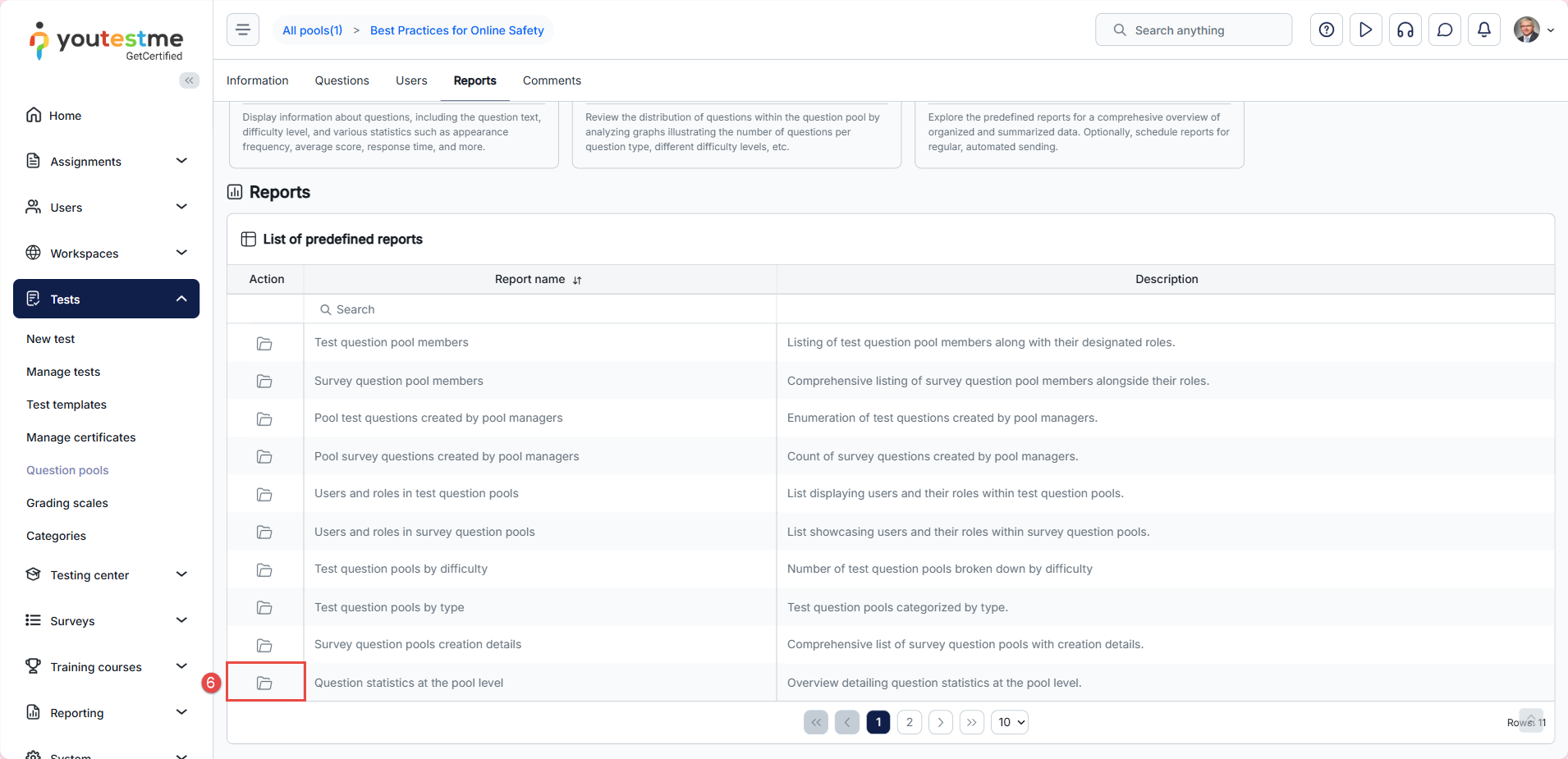
- Select the Open option from the Action column.
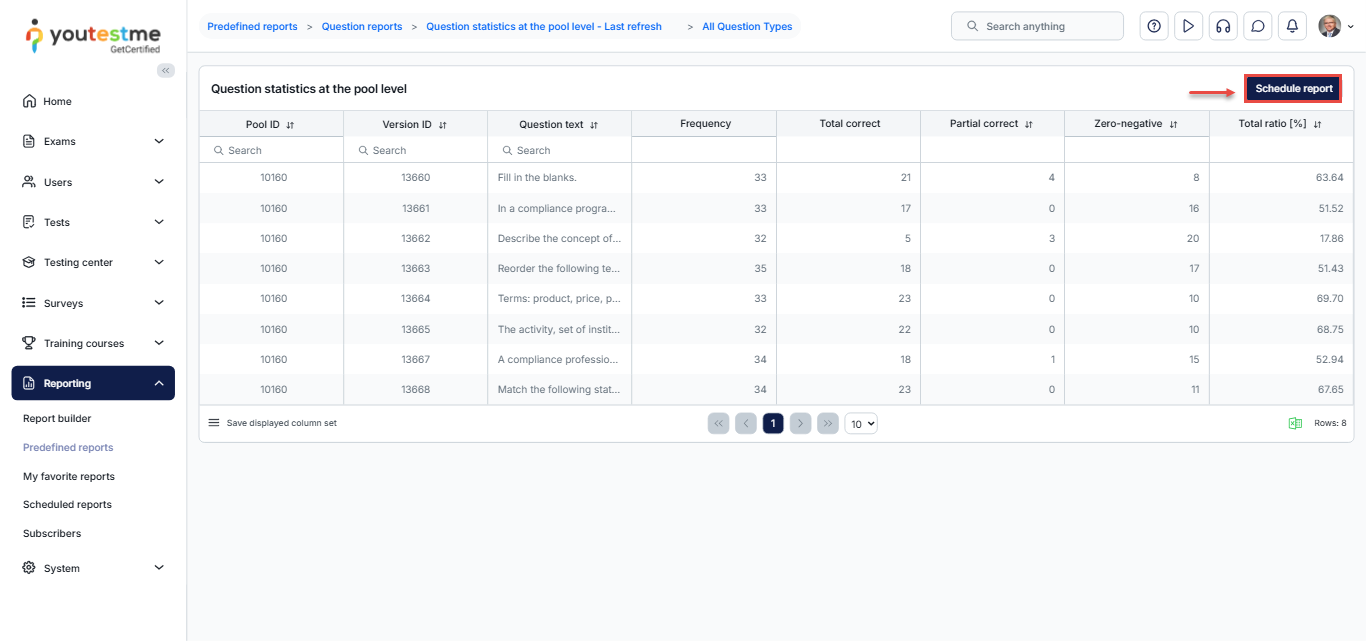
After selecting the report, the pool question statistics report will be displayed with the questions from the selected pool. To create a new scheduled report, click on the Scheduled report button.
Please read the content under the previous title on how to schedule the report, or read this article for more information.
After receiving the email with the Excel spreadsheet, you can download and preview it.
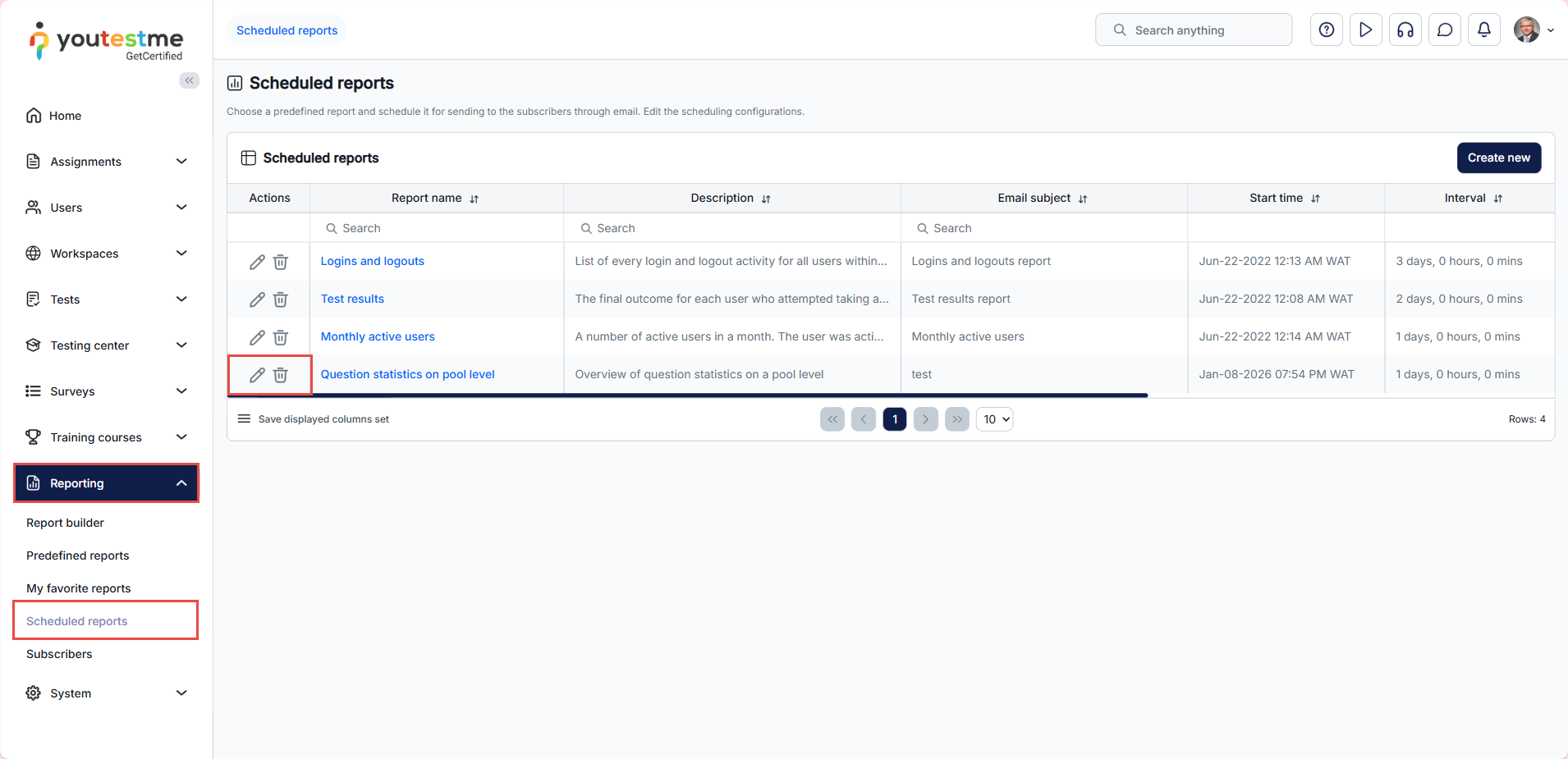
Note: Scheduled reports that are created for the tests and question pools can be found in the Reporting/Scheduled reports tab and can be modified or deleted.
For related articles, see:






