Article verified for Release 15.2 on February 10, 2026.
This article explains how test sections can be used to evaluate mandatory competencies. By assigning passing requirements to individual sections, you can ensure that candidates must successfully pass specific skills or knowledge areas in order to pass the overall test.
Accessing the page
To access the page:
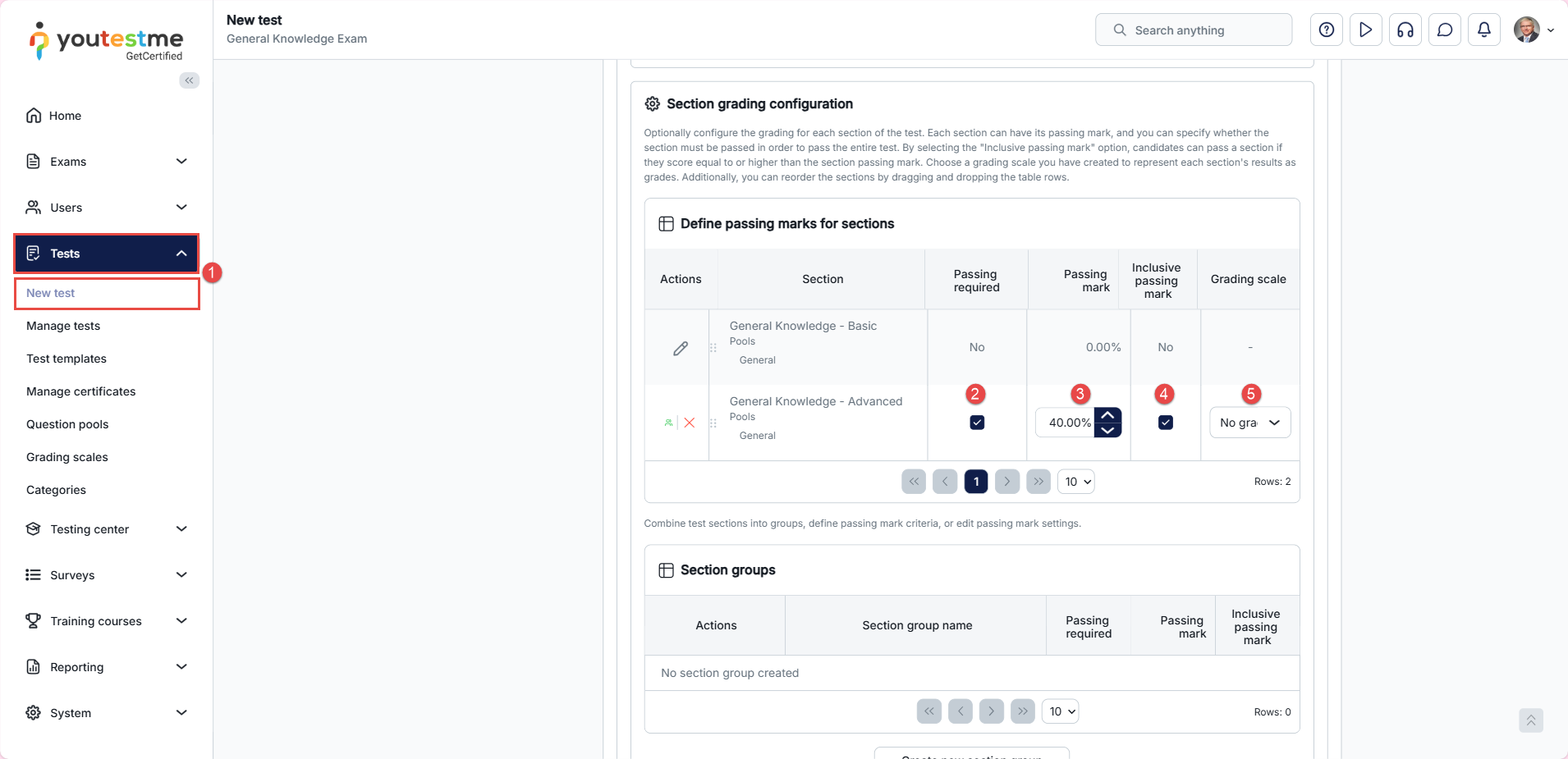
- Expand Tests, then select New Test. In the Test Creation Wizard, go to Step 5 and define the grading configuration for each section. You can customize the grading rules per test section.
Please visit this article for more information on creating a test with sections. - Selecting the Passing required option, candidates must pass the section to pass the whole test. If they don’t meet the required score in a section, they fail that part, leading to an overall test failure.
- Set individual section passing marks.
- By selecting the Inclusive passing mark option, candidates can pass a section if they score equal to or higher than the section passing mark.
- Assign specific grading scales to represent section results as grades.
Note: It is recommended to map one competency to a single question pool and to use that question pool to create one test section.
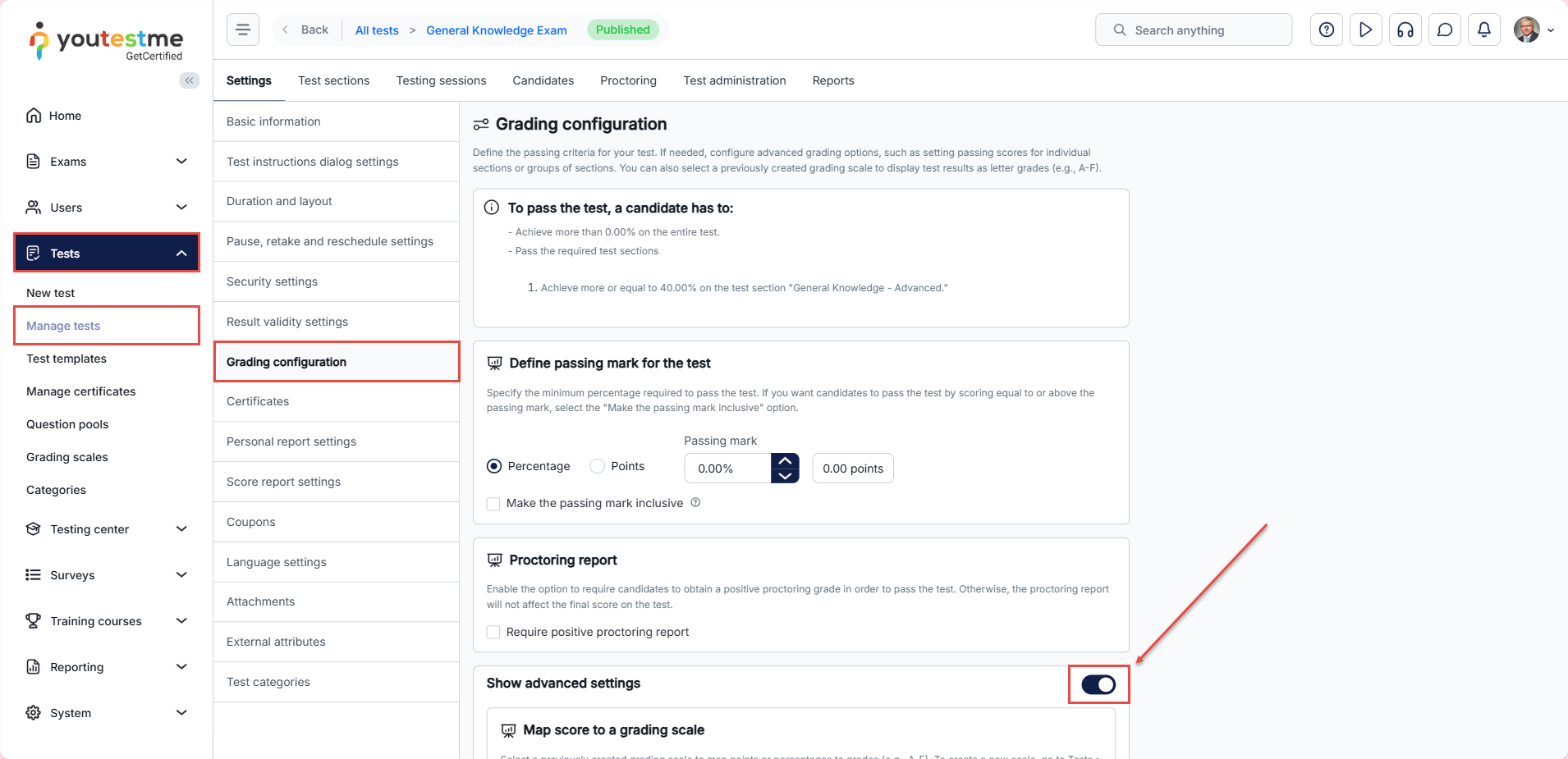
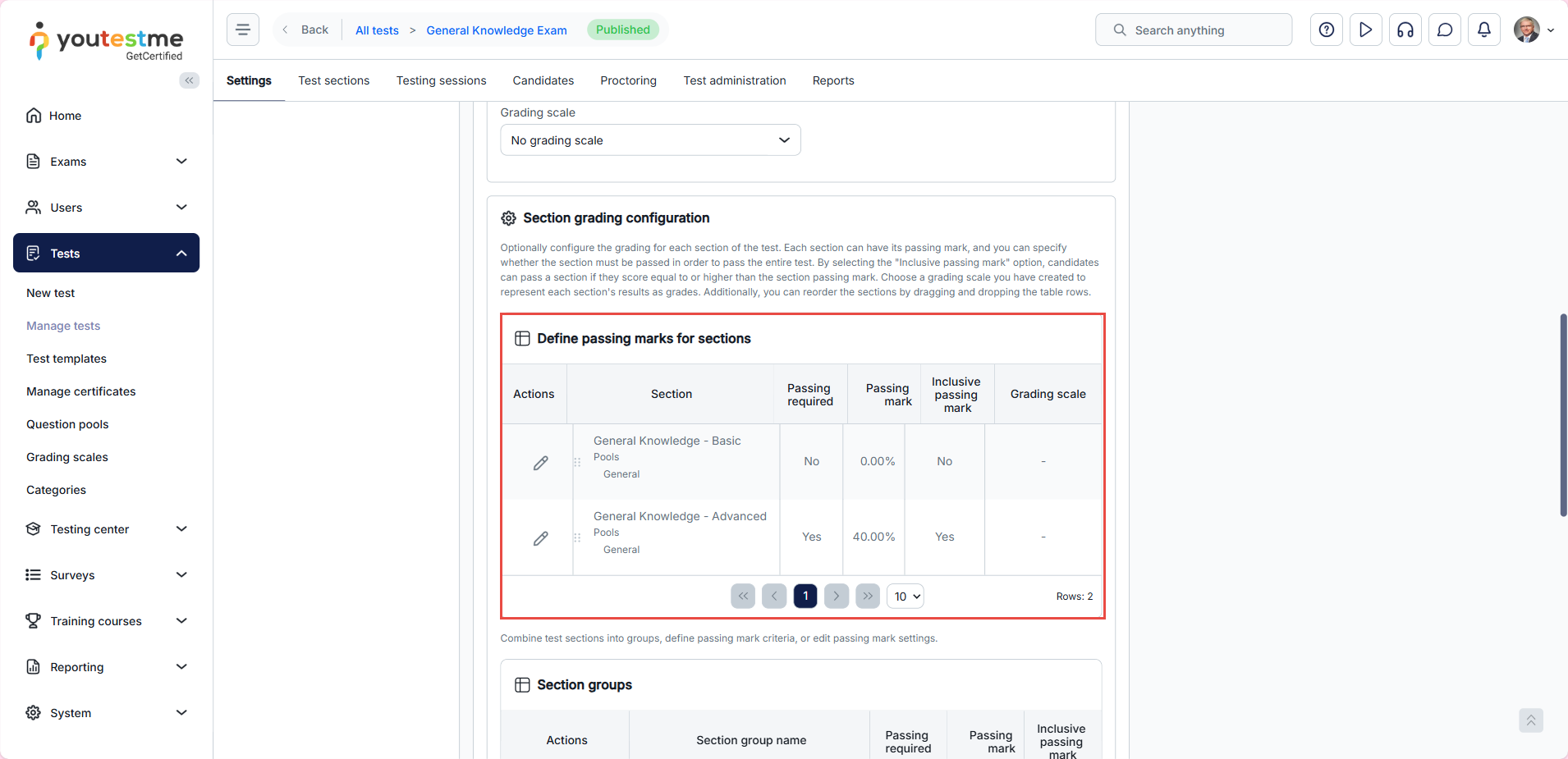
Additionally, you can adjust the grading settings at any time from the Tests/Manage tests/Grading configuration tab.
Candidate’s perspective
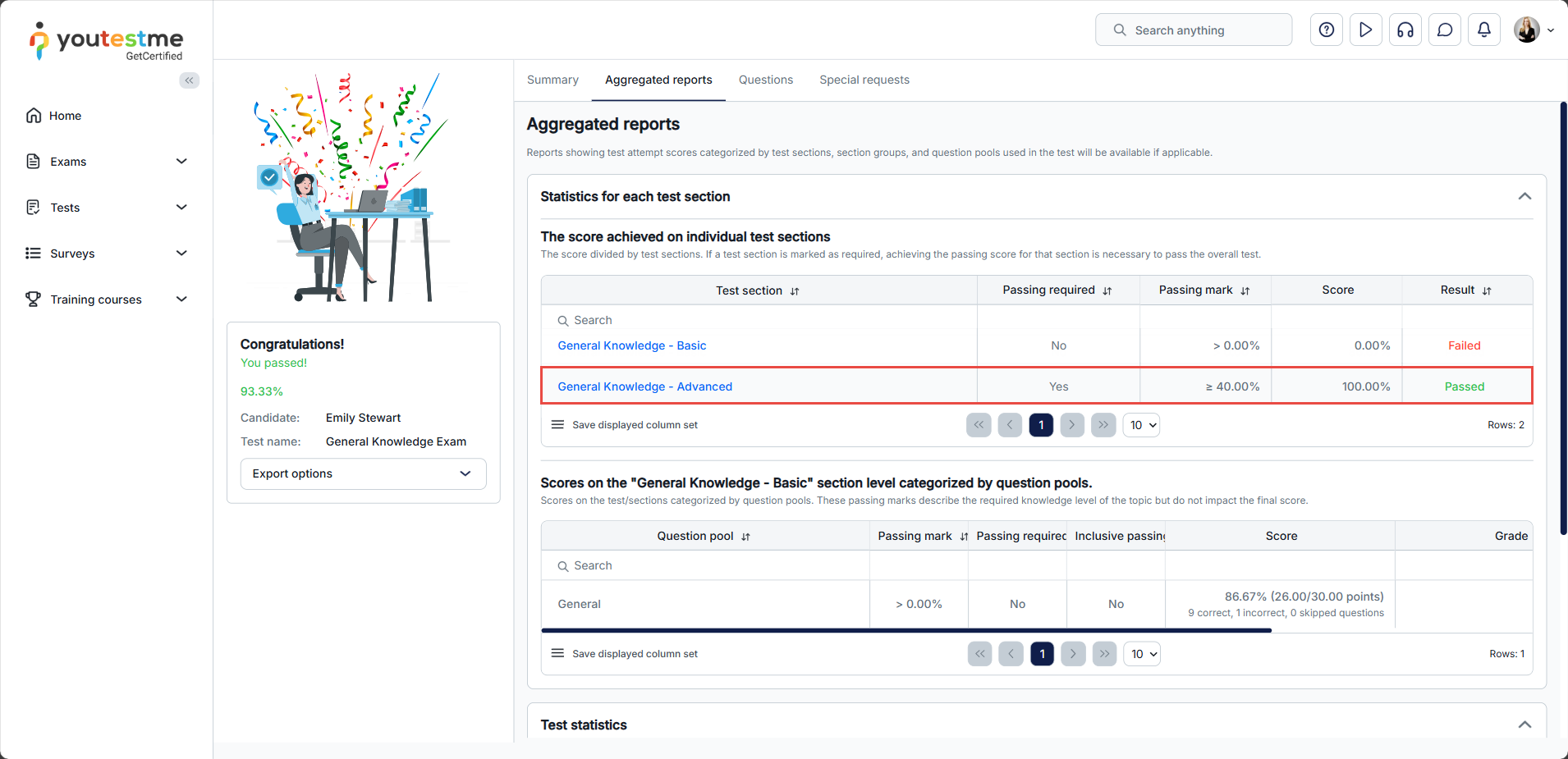
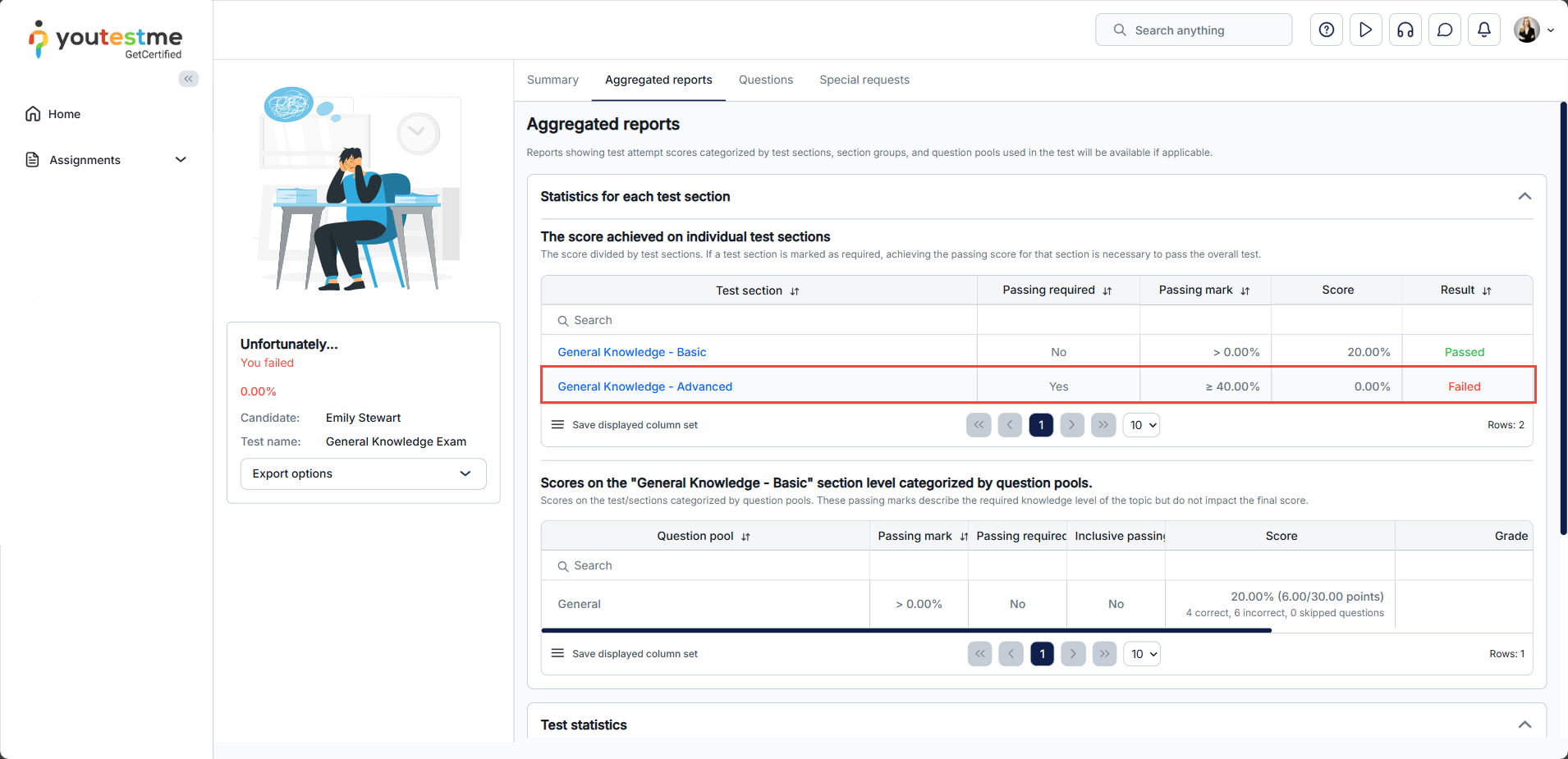
If the candidate fails the section that requires passing:
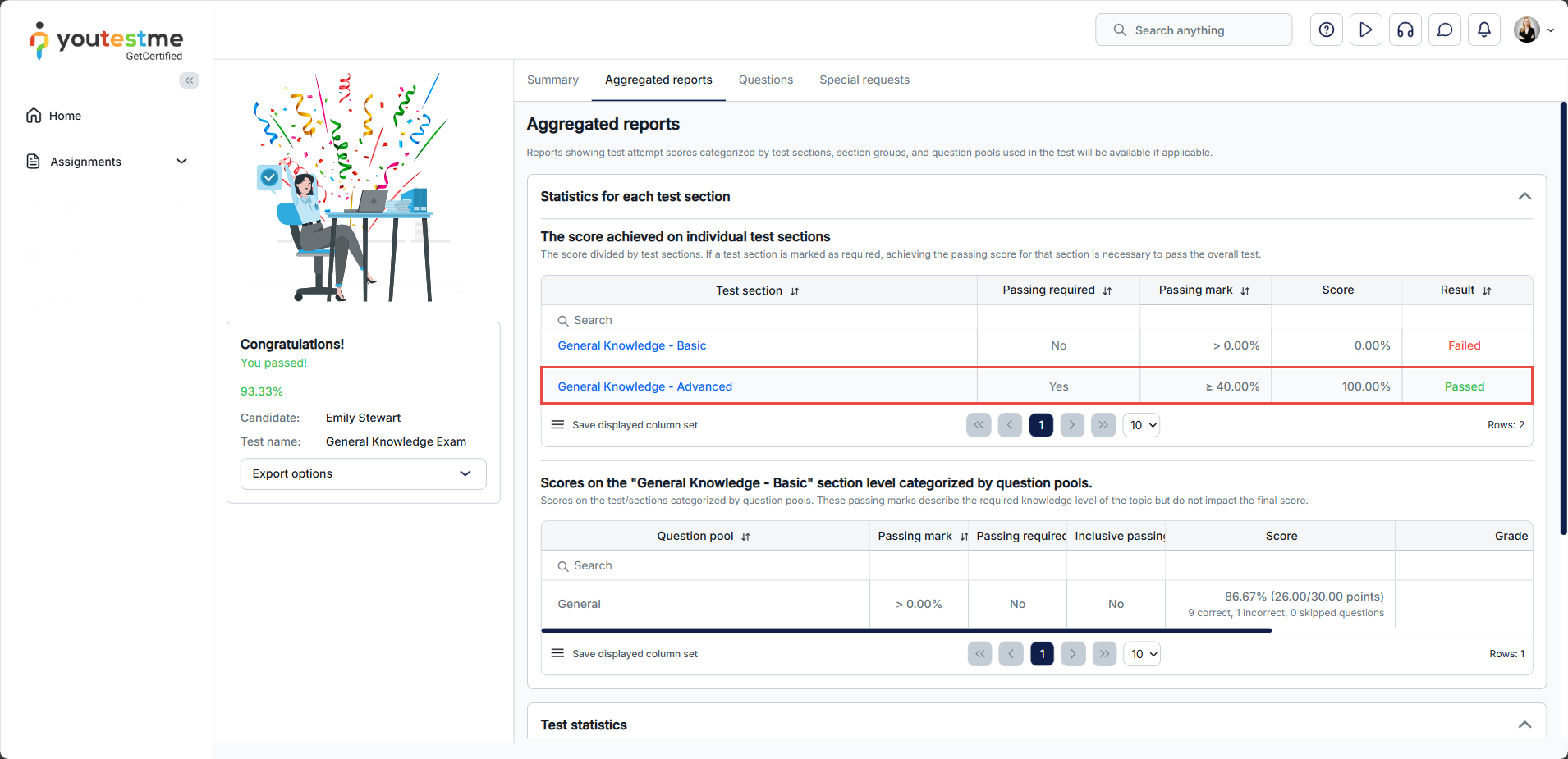
If the candidate passes the section that requires passing:
For additional related topics, please refer to the following articles: