Article verified for Release 15.2 on January 25, 2026
This article explains how test-taker identity is verified during proctored exams, including the candidate check-in process and the ID review workflow for both live-proctored and AI-monitored exam sessions.
In our Proctoring solution, candidates must complete a check-in process before they can begin answering questions. The check-in process begins when the candidate clicks the Start button and involves several steps configured by the exam administrators.
The exact number of steps and required actions depends on the proctoring configuration defined by the exam administrators during test creation. Among these steps, ID verification is one of the most important and is available in both live-proctored and AI-monitored exam types.
Candidate Perspective
From the candidate’s perspective, the check-in process is a critical first step to confirm their eligibility to take the exam. The candidate is guided through the required steps one at a time.
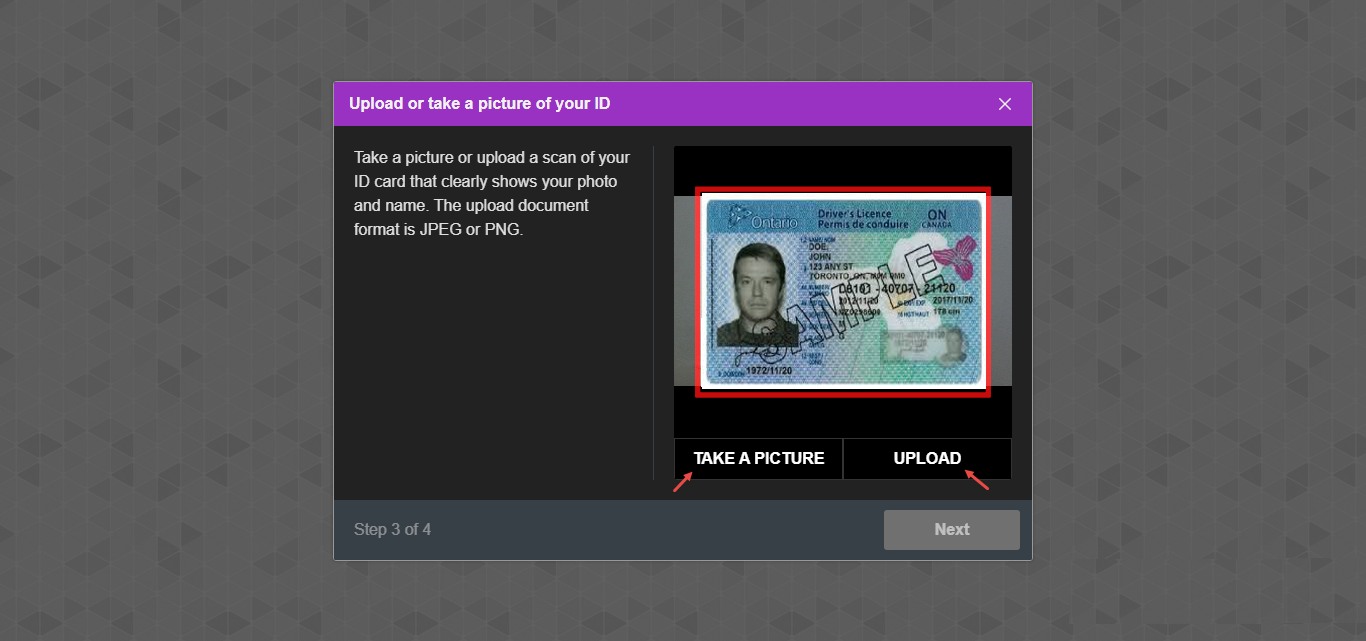
At the ID verification step, the candidate is prompted to take or upload a picture of their government-issued ID.
ID Verification During Live-Proctored Exams
Live-proctored exams involve direct monitoring and interaction by a human proctor, while AI-monitored exams rely on artificial intelligence to flag suspicious behaviors for later review.
During live-proctored exams, the proctor pauses the exam for all test-takers. This process ensures that no candidate can begin answering questions until their identity has been verified. The proctor must manually review the government-issued ID uploaded or captured by the test-taker during check-in to confirm its validity and ensure it matches the test-taker’s profile.
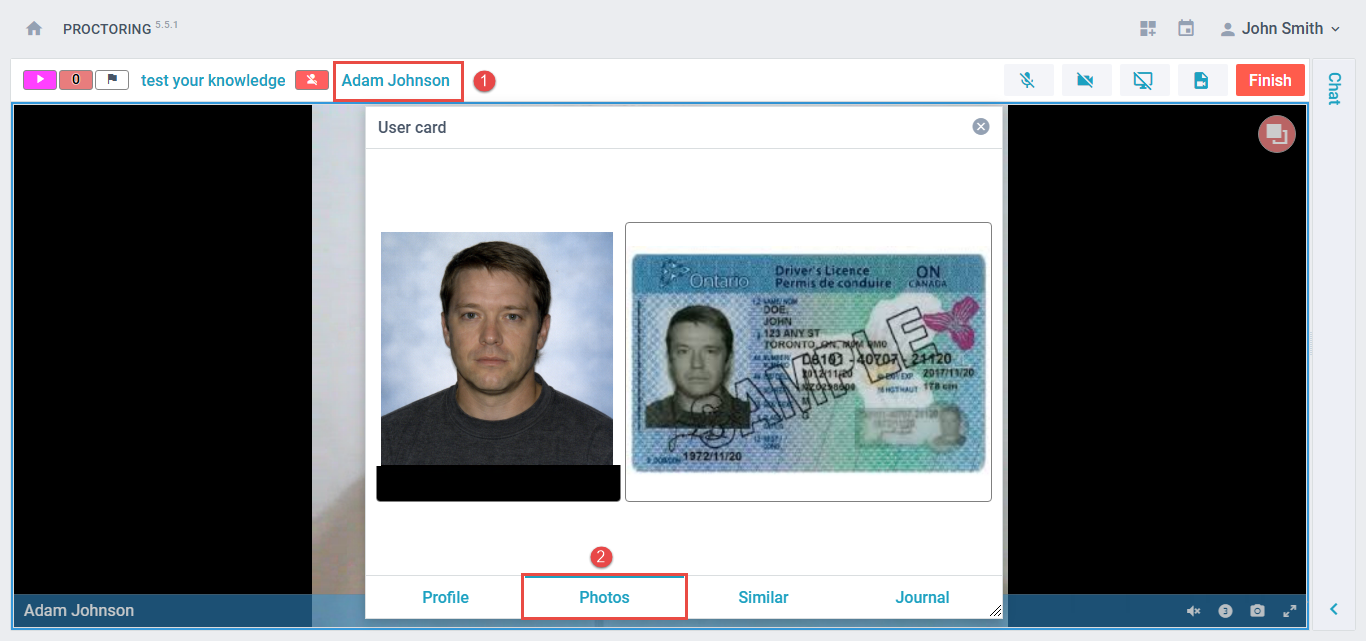
If the ID is valid, the proctor resumes the exam individually for compliant candidates, allowing them to proceed.
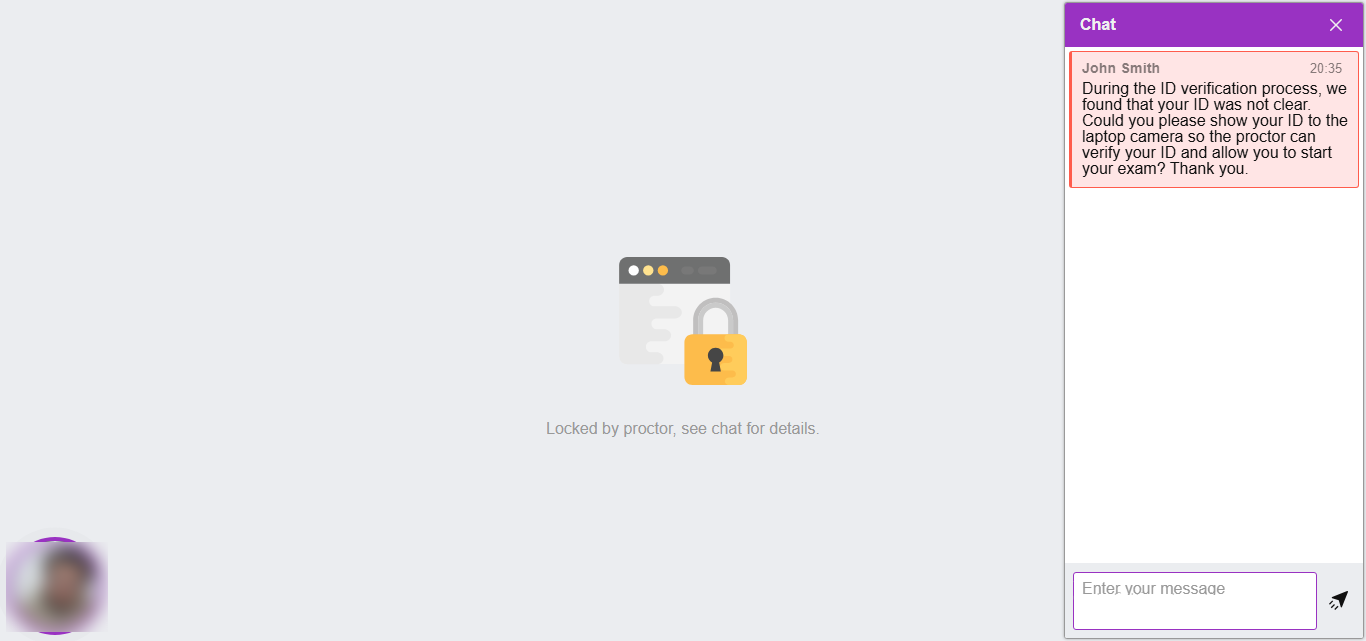
If the ID is invalid or does not meet the requirements, the proctor contacts the candidate to request a valid ID. If the candidate cannot provide an acceptable ID and is deemed ineligible to take the exam, the proctor terminates the attempt and submits a detailed report explaining the incident.
ID Verification During AI-Monitored Exams
Identity verification works differently for AI-monitored exams, since there is no live proctor monitoring in real time.
After the candidate submits their exam attempt, the proctor reviews the session recording and verifies the submitted ID as part of the evaluation process.
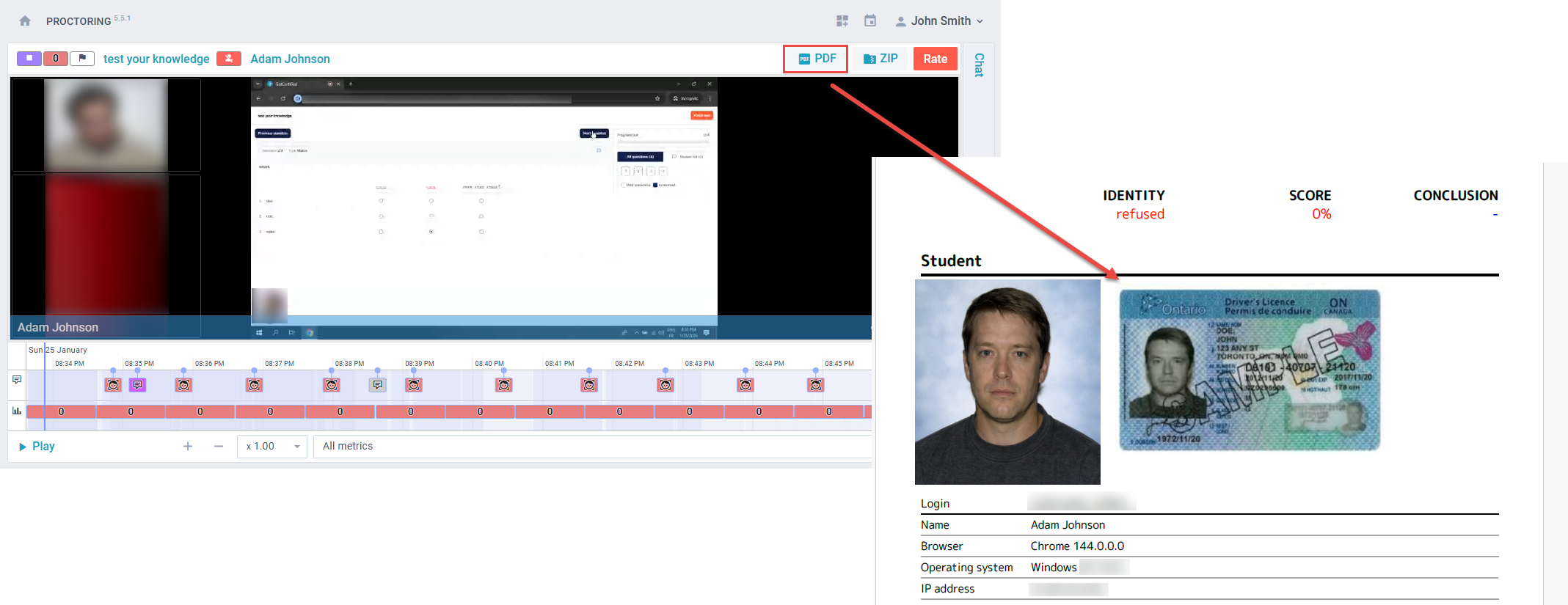
The submitted ID can be accessed by clicking the test-taker’s username within the exam recording on the Supervision tab.
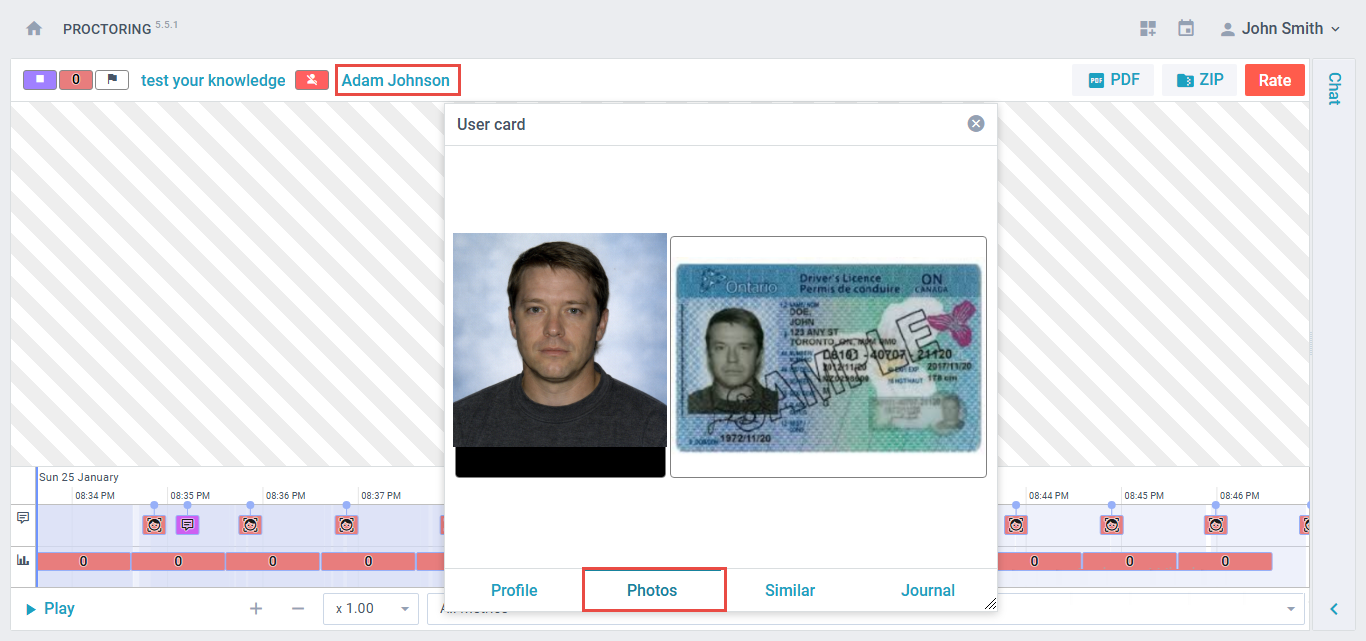
The ID picture will also be included in the attempt PDF report generated by the system.
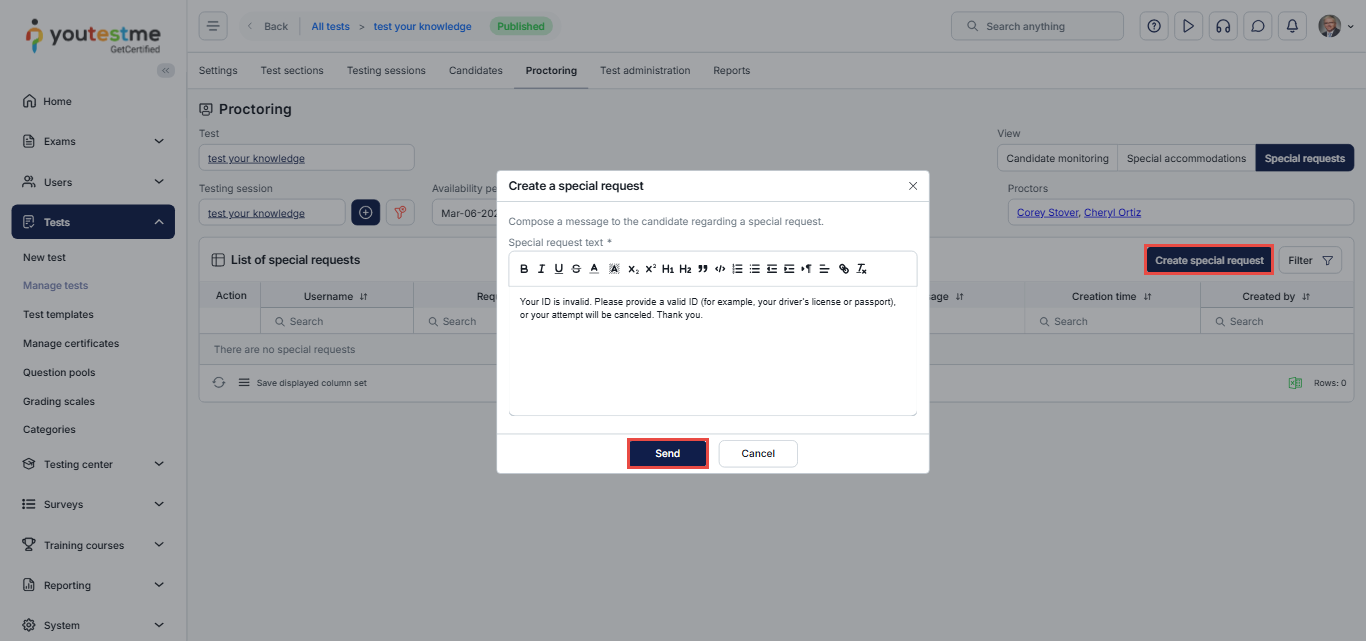
If the ID is deemed invalid, the proctor uses the Special Request feature to request a valid photo of the ID.
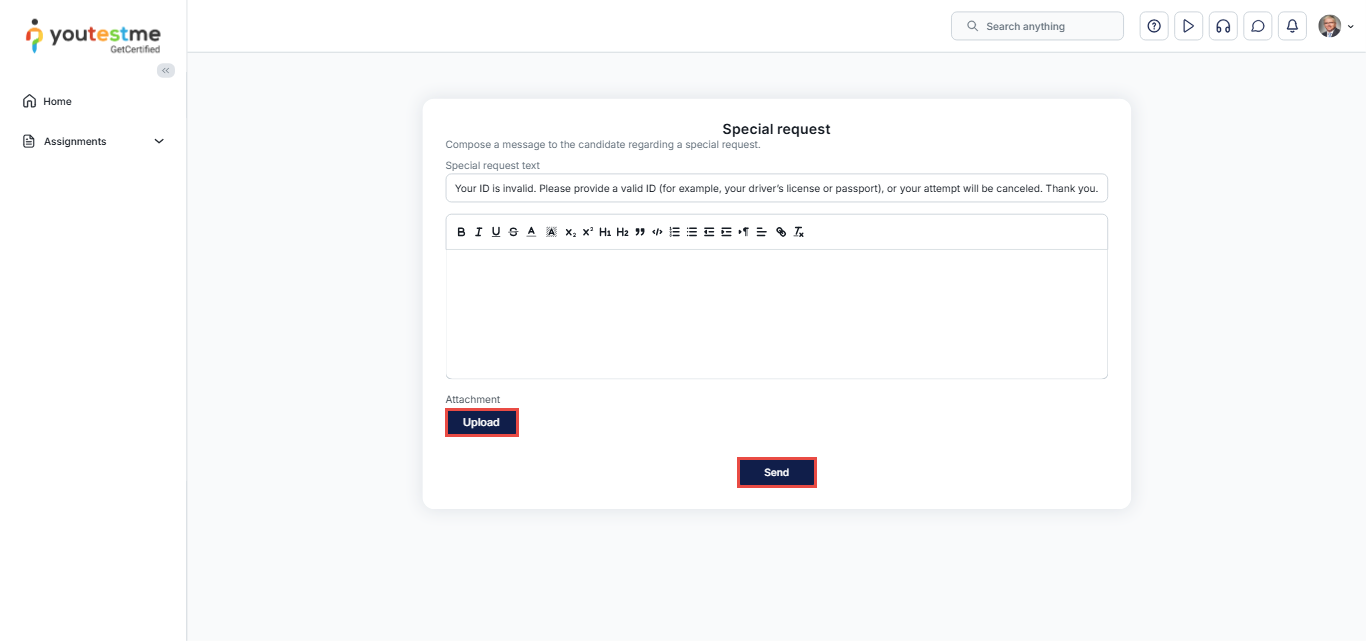
The candidate will receive an email with the request and a secure link to upload a valid ID. The availability of this link is configurable by the exam administrator (e.g., valid for 24 hours). If the candidate fails to provide a valid ID within the specified timeframe, the exam administrators can reject the exam attempt.
Automatic ID Verification
Our solution also supports integration with third-party automatic ID verification tools, enabling a seamless, software-based identity verification process.
Considerations
- Clients must provide their preferred automatic ID verification solution for integration.
- While this option reduces manual workload, the accuracy and reliability depend on the selected third-party solution and cannot be guaranteed.
- Automatic verification typically involves comparing the uploaded ID against the test-taker’s profile information or a live photo.






