Article verified for Release 15.1 on December 9, 2025.
Managing questions effectively is a cornerstone of a robust learning and assessment platform. To meet this need, the Question Versioning feature has been made available, offering a powerful way to track, manage, and revert changes in your question pool. This feature ensures accuracy, accountability, and seamless updates across your content. Here is an in-depth look at what question versioning brings to the table:
What is Question Versioning?
Question versioning allows a single question to have multiple revisions, each recorded and accessible for review. Whether you’re making minor edits or significant updates, this feature ensures that every change is documented, enabling efficient management and transparency.
Key Features of Question Versioning
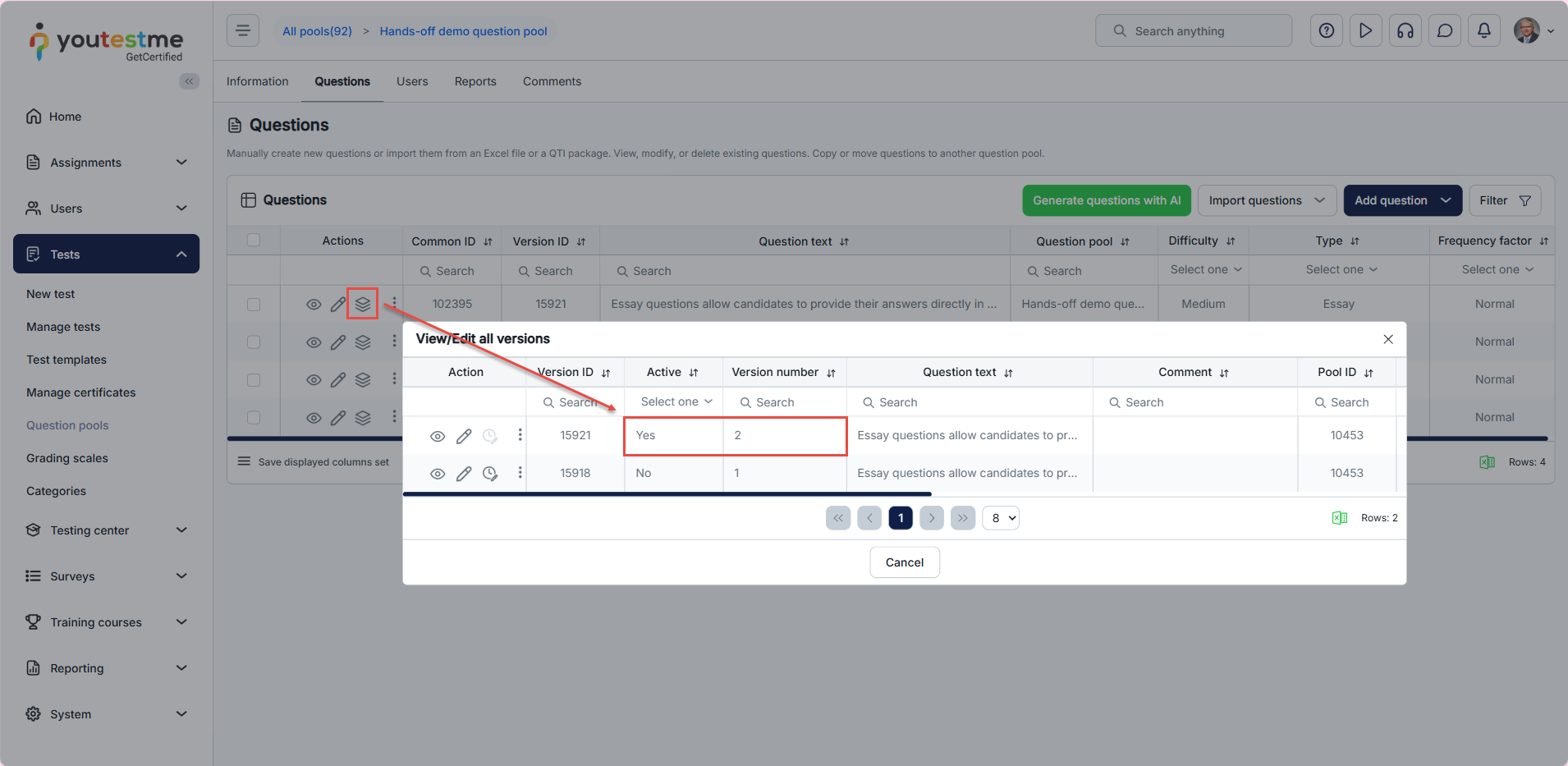
Multiple Revisions for a Single Question
Whenever a question is created or edited, a new revision is automatically made. This eliminates the need for manual tracking, streamlining the process of updating questions.
The most recent revision of a question is automatically set as active. This means it will appear in searches, test generators, and other areas where the question is used, ensuring users interact with the most up-to-date content.
Comments for Edits
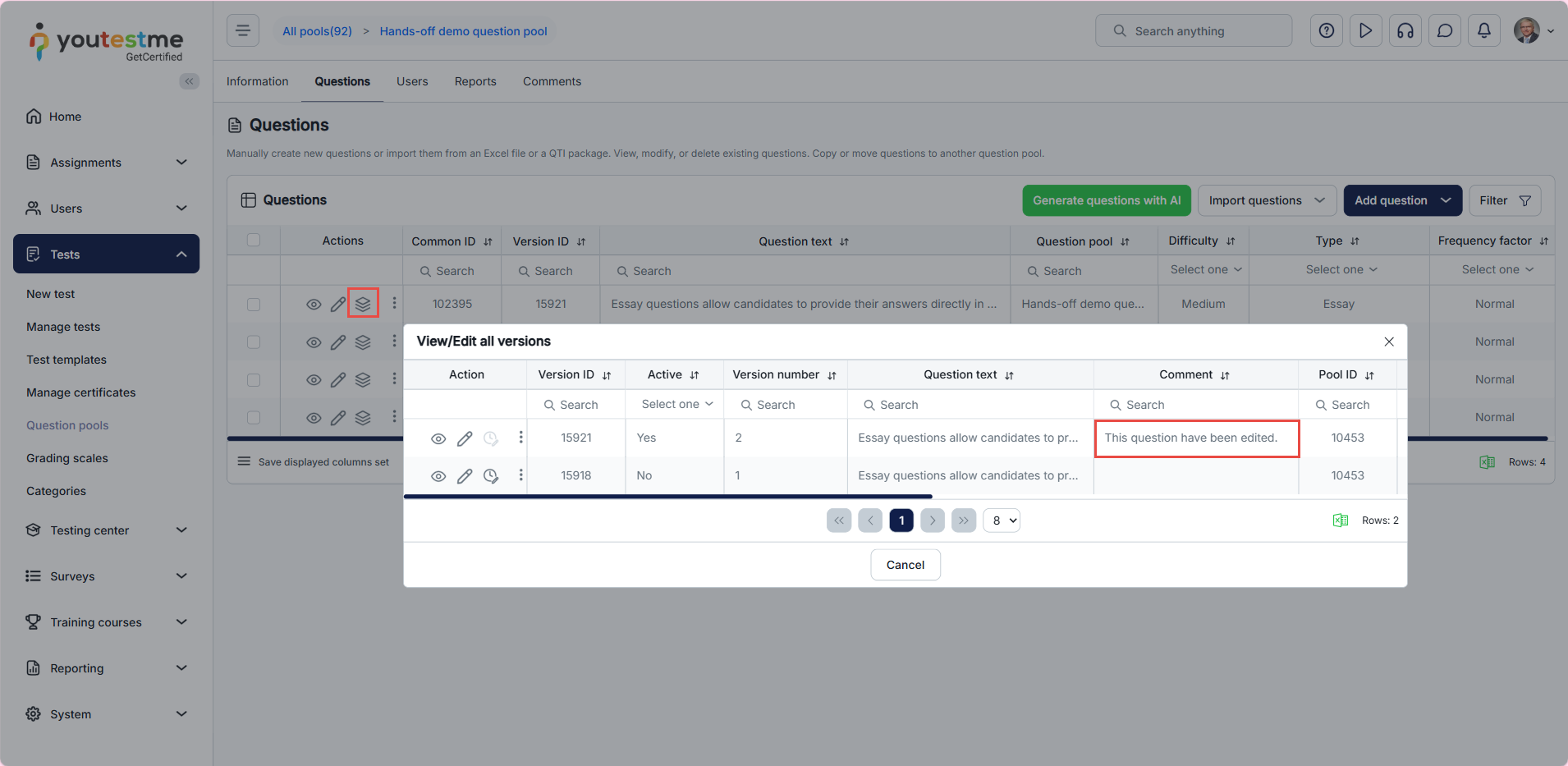
When creating or editing a question, users can leave comments to explain the changes made. This feature enhances collaboration, making it easier to understand why a particular revision was necessary.
Comprehensive Changelog
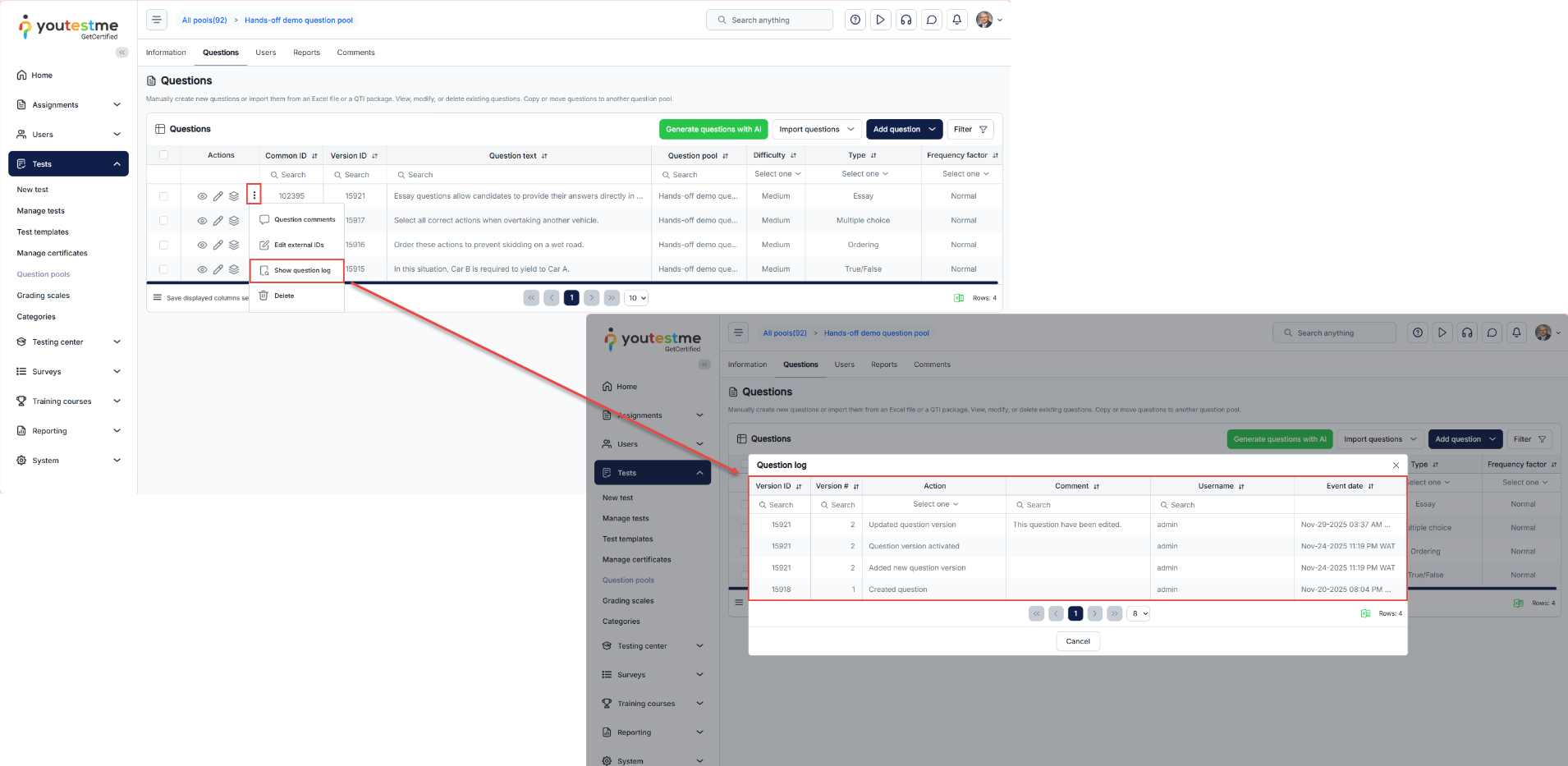
The changelog provides a detailed record of all changes to a question, making it easy to track its evolution.
Comparing Question Versions
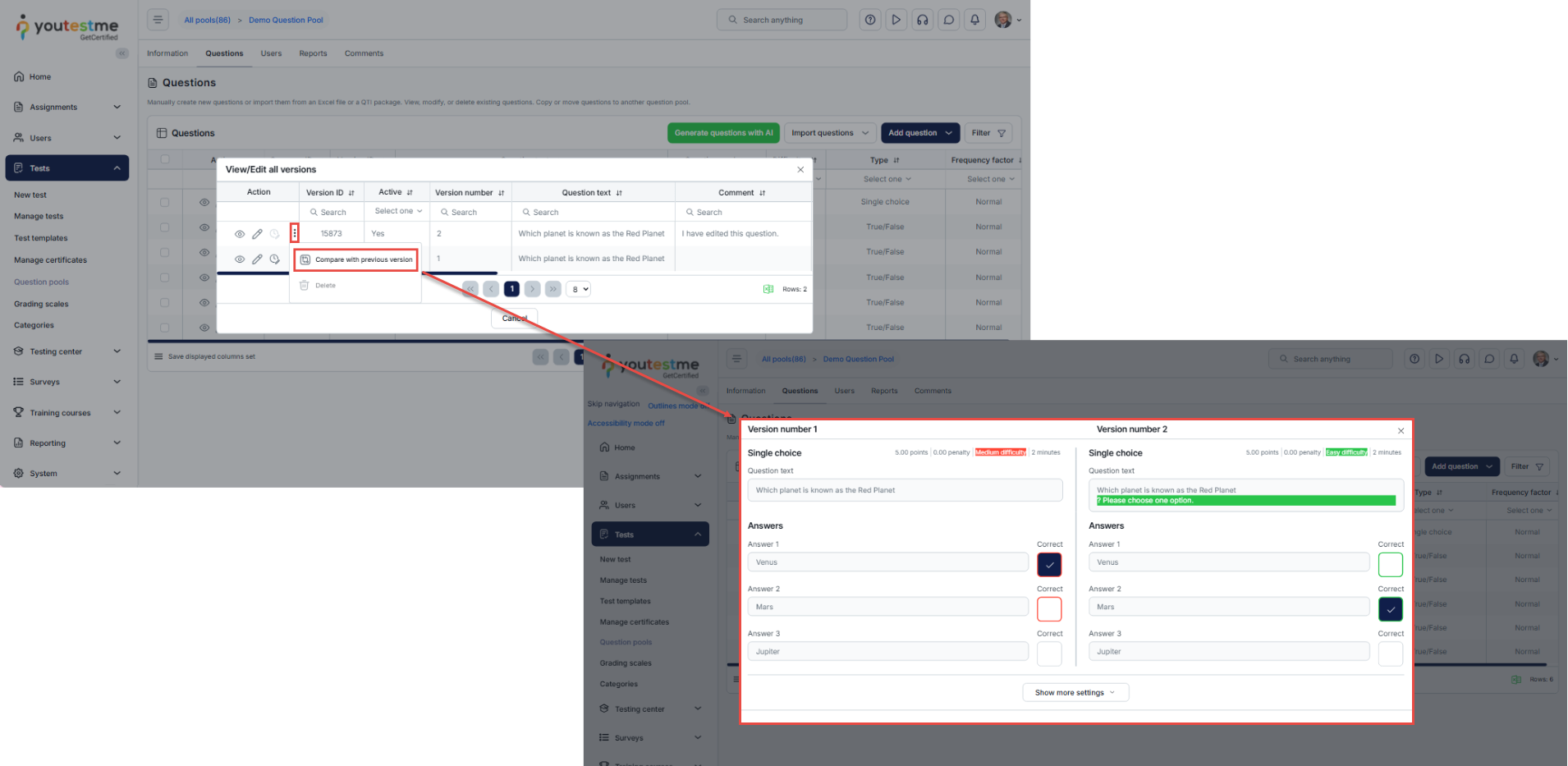
The system allows users to compare different versions of a question, highlighting changes made to the question text, answers, and details. Changes are color-coded for clarity, with red indicating the previous data and green representing the new updates. This feature provides a quick and intuitive way to review modifications and understand their impact.
Reactivating a previous version
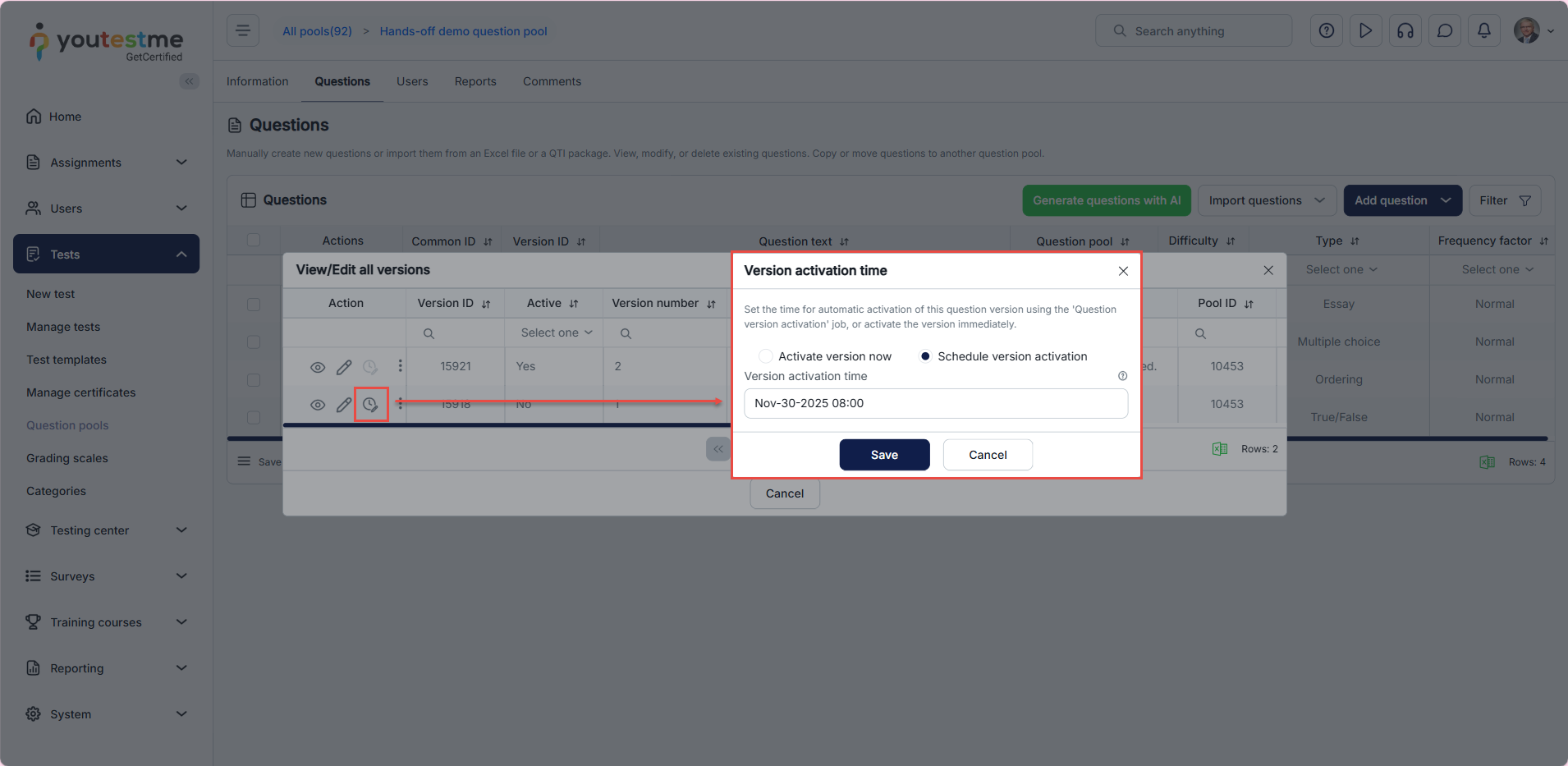
Users can reactivate any previous version of a question for use in tests. Reactivation can either take effect immediately or be scheduled for a specific date and time. This flexibility allows users to plan changes and ensure their implementation aligns with testing schedules.
For additional related topics, please refer to the following article:






