Article verified for Release 15.1 on November 21, 2025.
This article provides a comprehensive guide to how candidates can create their own practice tests independently.
The test manager prepares a basic test configuration and selects question pools for candidates to practice with. Once the test is marked as a practice test, all candidates can generate their own personalized versions by selecting the questions they want to focus on. They may retake these practice tests as many times as needed to prepare for the official exam.
Creating the Practice Test Configuration (Test Manager’s Perspective)
To configure a practice test, the test manager should open the Create Test Wizard using one of the following paths:
-
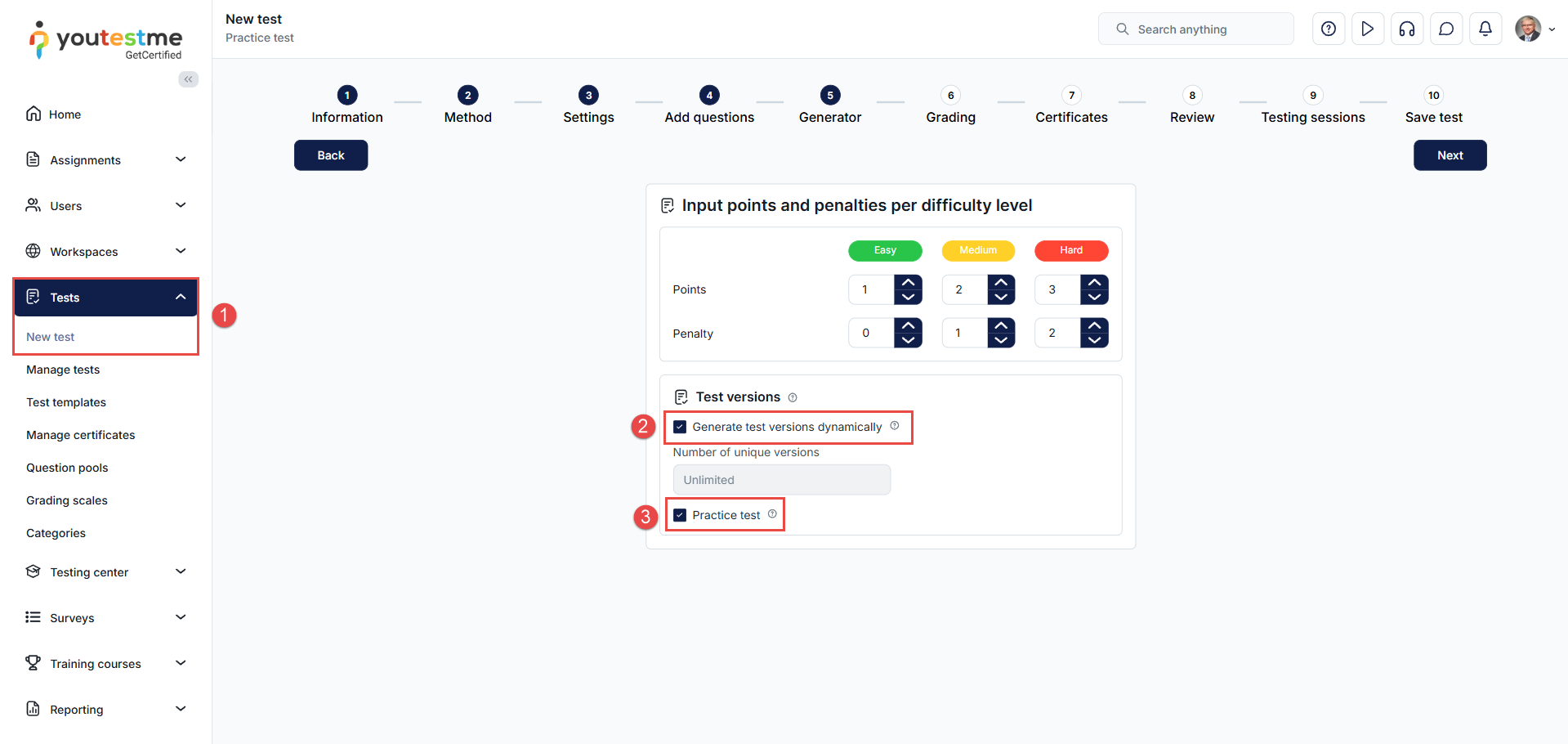
Navigate to the Tests tab in the left-side menu and select New test.
-
In the Generator step, select Generate test versions dynamically to unlock the practice test option.
-
Enable Practice test.
Important Notes for Test Managers
-
Retake must be enabled. This allows candidates to take the practice test multiple times.
-
The test must be generated, not manually created. You may generate the test based on:
-
Question categories, or
-
Question difficulty.
-
-
Practice tests can be designed with or without sections. For more information, see:
-
All configuration steps before and after the Generator step remain unchanged and depend on the test manager’s preferences.
Converting an Existing Generated Test Into a Practice Test
Any generated test can be turned into a practice test, even after it has been created or published. This gives test managers the flexibility to repurpose existing tests for preparation and self-study.
To enable the Practice test option for an already-generated test:
-
Navigate to the desired test.
-
Go to Settings > Basic information.
-
Enable the Practice test option.
-
Click Save changes.
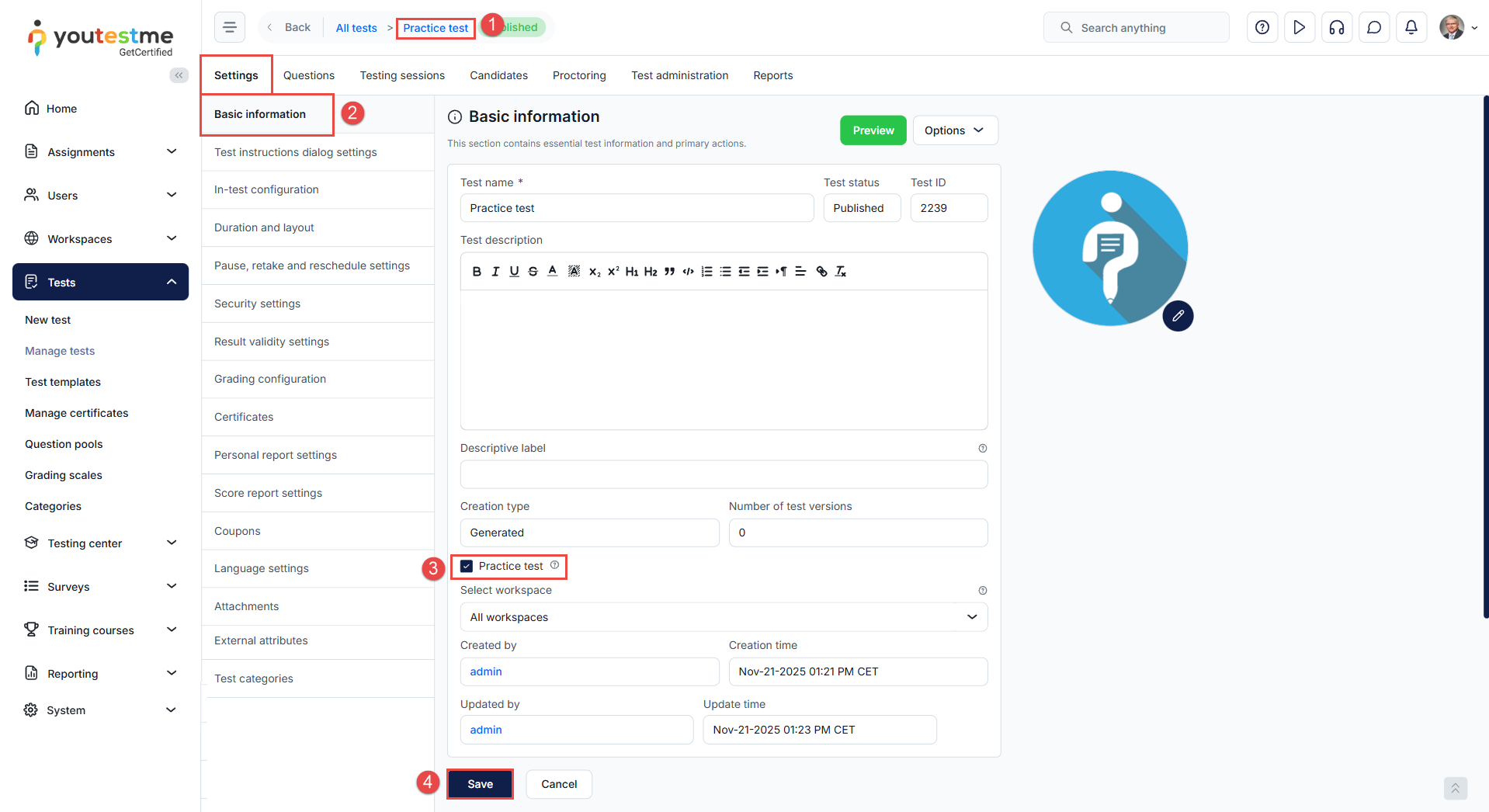
Once enabled, candidates will be able to generate their own practice versions using the test’s question pools.
Configuring testing session
To allow candidates to take a practice test at any time—without being manually added to a session—the session must be configured as follows:
-
Set Availability from and Availability to to a wide date range.
-
Enable Self-enrollment.
-
Disable Authorization required.
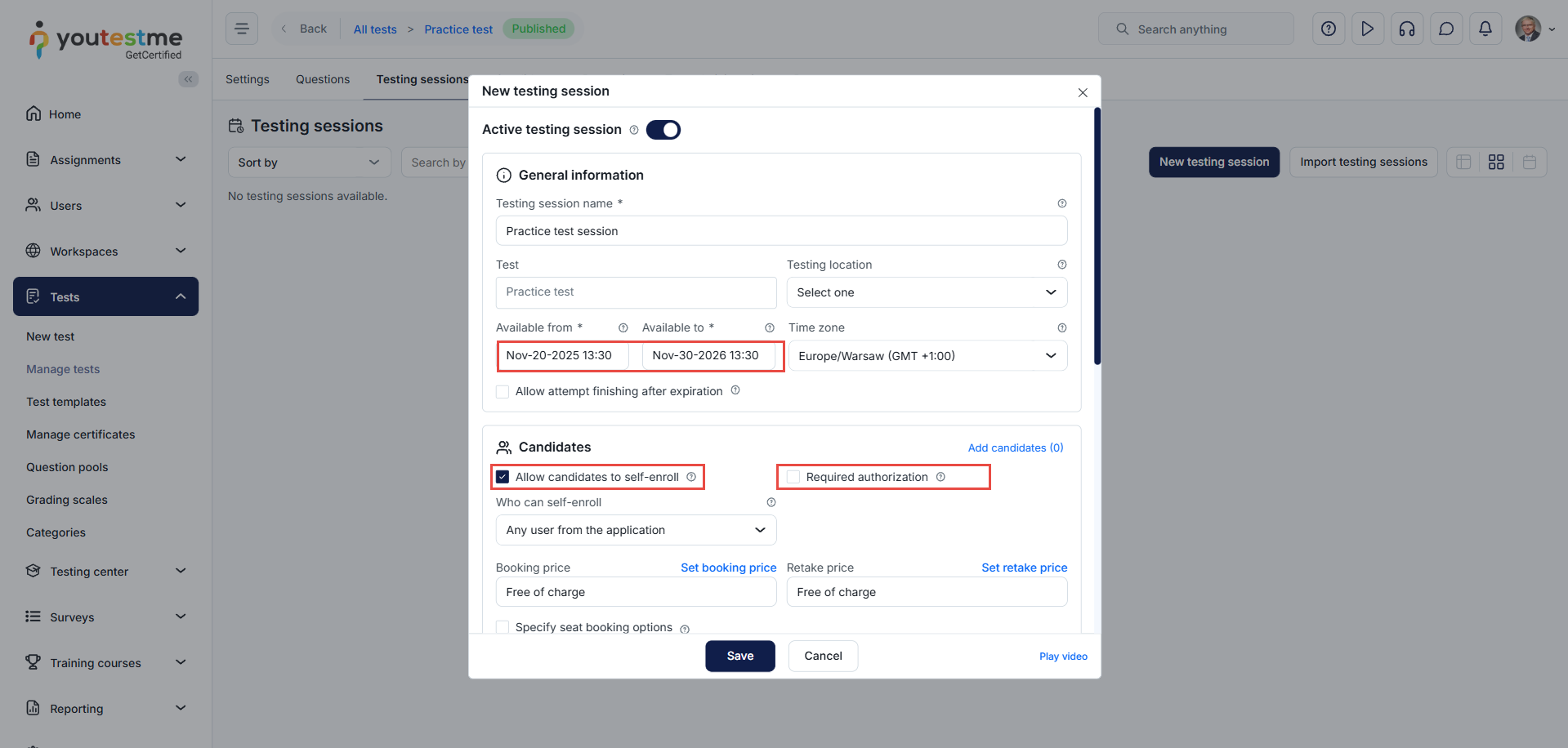
This ensures full flexibility for candidates to access the practice test independently.
Generating a Practice Test (Candidate’s Perspective)
To generate their own practice test version, the candidate should:
-
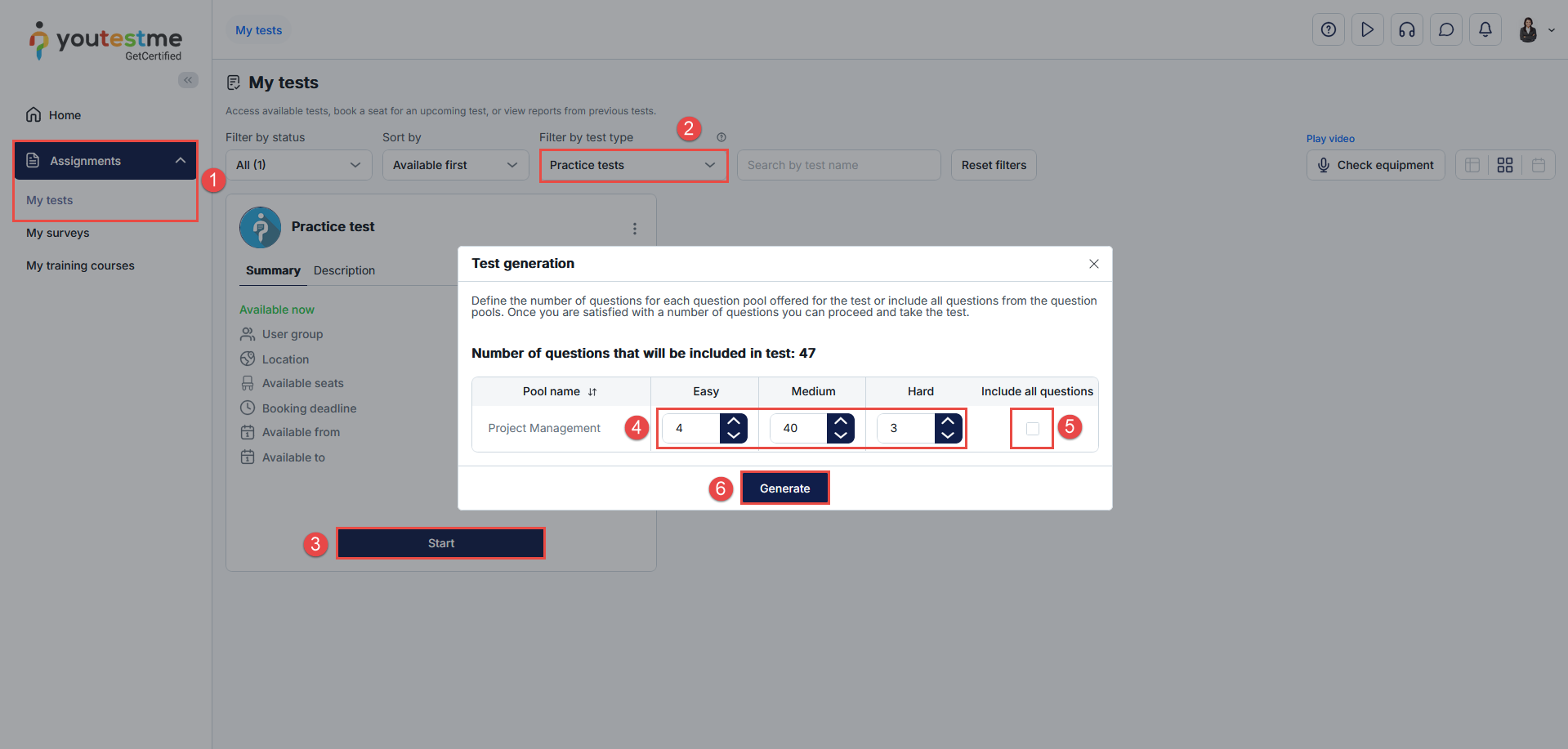
Navigate to Assignments > My tests.
-
Filter by test type and select Practice tests. All practice tests configured by the test manager will appear.
-
Click Start on the desired test. A pop-up window will appear, allowing them to generate their personalized version.
-
Use the question counter to choose how many questions from each pool they want to include.
-
(Optional) Select Include all questions to include all questions from the selected pool automatically.
-
Click Generate to create their customized practice test version.
Conclusion
Practice tests allow candidates to personalize their preparation by focusing on the topics they need the most. With the ability to generate unlimited versions, candidates can strengthen their understanding, reinforce key concepts, and approach the official test with confidence.






