Placing Candidates in a Chosen Step
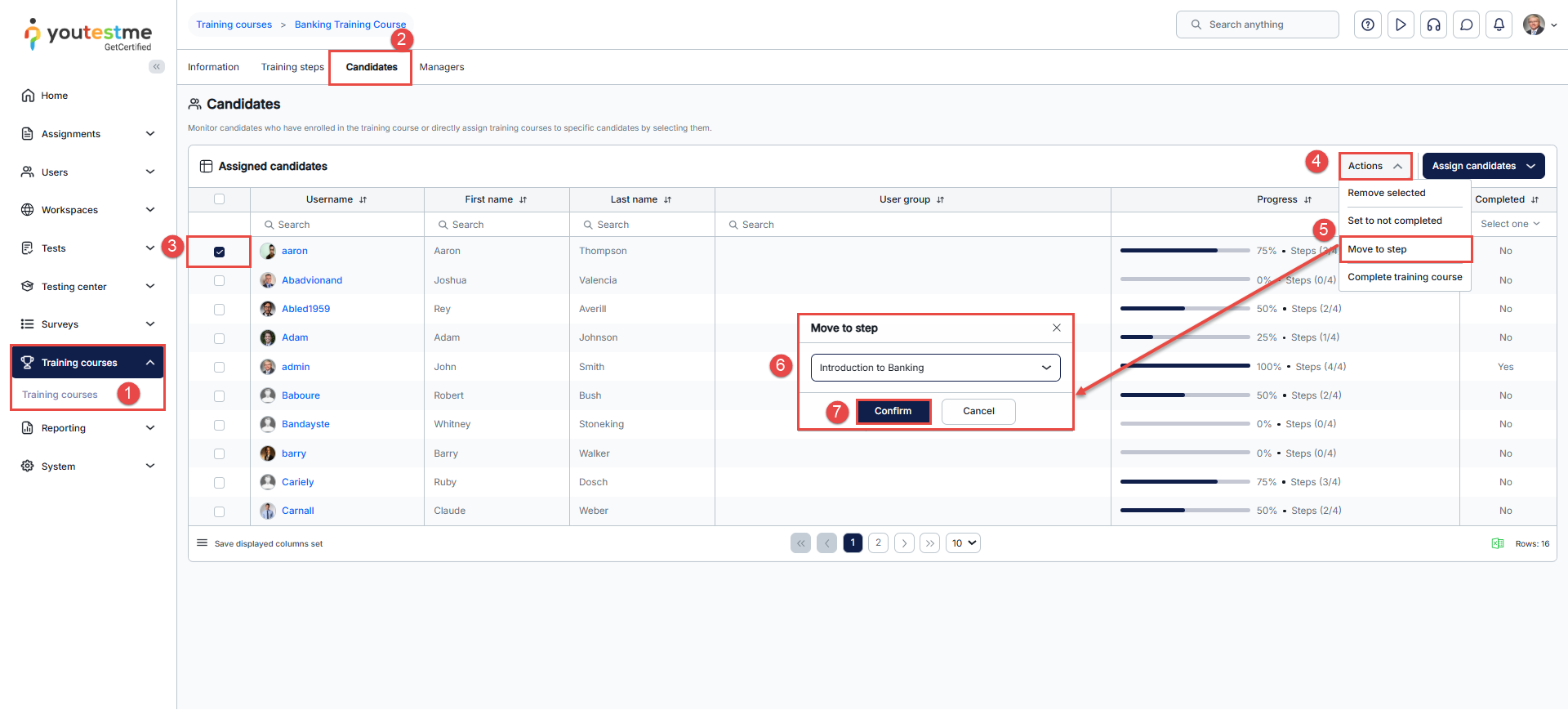
- Click Training courses, then choose the desired training course.
- Upon accessing the training course, navigate to the Candidates tab.
- Select the desired users.
- Click on the Actions button.
- Choose the Move to step option.
- In the pop-up window, select the step you want to move the candidates to.
- Click on the Confirm button to save changes.
Candidates are now moved to the selected step, and you will receive a notification in the top-right corner.
For more related instructional materials, please visit:






